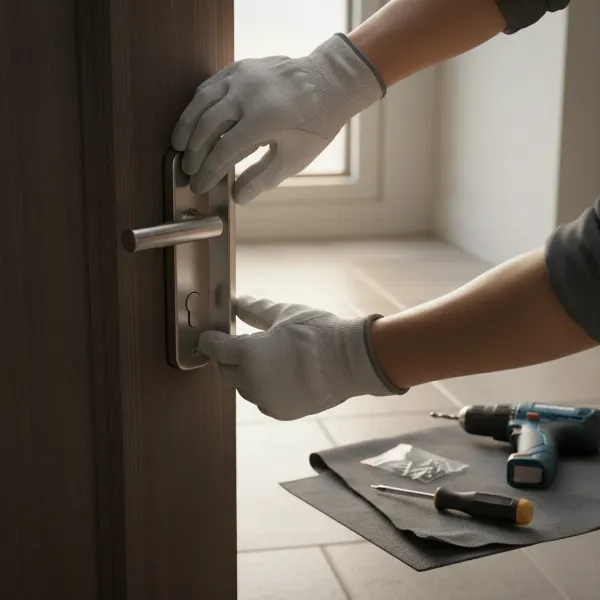
In an increasingly connected world, securing your home goes beyond traditional locks and peepholes. Homeowners today are presented with a sophisticated array of smart security devices, primarily smart door locks and security cameras. Both offer distinct advantages, promising enhanced peace of mind, but they tackle security from different angles. Are you wondering which device provides the best protection, or if a combination of both is the ultimate solution? This article, drawing from over a decade of hands-on experience with diverse locking mechanisms, will delve deep into the functionalities, benefits, and practical applications of smart door locks and security cameras, helping you make an informed decision to safeguard your sanctuary.
What is a Smart Door Lock? Why Should You Use One?
A smart door lock is an electronic-mechanical lock designed to perform locking and unlocking operations on a door when it receives authenticated instructions from an authorized device using a wireless protocol. Beyond simple keyless entry, smart door locks offer a robust layer of security and unparalleled convenience, allowing you to control access to your home with precision and flexibility.
The primary benefits of integrating a smart door lock into your home security system are significant. Firstly, enhanced security is paramount; with features like unique passcodes, biometric authentication, and the ability to remotely grant or deny access, you significantly reduce the risks associated with lost keys or unauthorized duplication. Secondly, convenience is a major draw. Imagine never fumbling for keys in the rain or locking yourself out again. Remote management allows you to unlock your door for a family member or service provider from anywhere in the world via your smartphone. Thirdly, smart locks offer superior remote management capabilities, providing real-time alerts about who enters or exits your home and at what time. Common use cases include providing temporary access to pet sitters, house cleaners, or delivery personnel, monitoring children arriving home from school, and eliminating the need for spare keys hidden in vulnerable spots.
Understanding Security Cameras: Your Digital Eyes
Security cameras, ranging from traditional CCTV systems to modern doorbell cameras, act as your digital eyes, providing surveillance and visual records of activity around your property. These devices are crucial for monitoring, deterrence, and evidence collection in the event of an incident.
The core purpose of a security camera is to capture video footage, typically focused on entry points, perimeters, or common areas. Key benefits include visual deterrence, where the visible presence of a camera can discourage potential intruders. Live monitoring capabilities allow you to view real-time feeds from your smartphone or other devices, offering immediate insight into any unusual activity. Most modern cameras also feature motion detection, triggering recording and sending alerts when movement is detected, ensuring you’re notified of visitors or suspicious activity instantly. Furthermore, recorded footage serves as invaluable evidence for law enforcement if a crime occurs, helping to identify individuals or understand the sequence of events. Security cameras are commonly used to monitor front doors for package deliveries, deter porch pirates, keep an eye on children playing in the yard, or provide general surveillance of property boundaries.
Smart Door Lock vs. Security Camera: A Direct Comparison
While both smart door locks and security cameras contribute to home security, they serve fundamentally different, yet complementary, functions. Understanding their distinctions is key to building a comprehensive security strategy.
| Feature | Smart Door Lock | Security Camera (Doorbell/CCTV) |
|---|---|---|
| Primary Function | Access control and physical barrier | Visual surveillance and monitoring |
| Key Capability | Grant/deny entry, keyless access, remote locking | Record video, live feed, motion alerts |
| Interaction | Direct interaction for entry | Passive observation, remote viewing |
| Deterrence | Deters forced entry attempts by strengthening door | Deters visible threats through surveillance |
| Evidence | Entry logs, timestamps of access | Video footage of activity, facial recognition |
| Immediate Action | Remotely lock/unlock, restrict access | Two-way audio, remote viewing, record incident |
| Power | Typically battery-powered | Can be wired (PoE) or battery-powered |
| Vulnerability | Hacking, battery failure, physical bypass | Hacking, blind spots, internet dependence |
A smart door lock primarily controls who can enter your home. It’s a physical barrier that replaces or augments a traditional lock, offering convenience and control over access. Security cameras, on the other hand, focus on observing what happens around your home, providing critical visual context and evidence. They don’t directly prevent entry but can deter criminals and capture their actions.
“A smart door lock is the bouncer at your club, deciding who gets in. A security camera is the watchful eye of the manager, seeing everything that happens at the entrance.” – Admin, ReviewPado.com, Smart Lock Technician
Integrated Solutions: Smart Door Locks with Cameras
The evolution of home security has led to integrated solutions, most notably smart door locks with built-in cameras, often referred to as video smart locks. These devices synergize the strengths of both technologies into a single, comprehensive unit.
These advanced systems combine keyless entry mechanisms (fingerprint, PIN, app) with a high-definition camera, motion sensor, and often a doorbell. The advantages are numerous: real-time monitoring and remote access allow you to see who’s at your door anytime, anywhere, and even unlock it remotely for trusted visitors. Enhanced security often includes facial recognition technology, ensuring only authorized users can enter, and robust night vision capabilities for round-the-clock surveillance. Other key features include flexible video storage options (local SD card or cloud) and seamless app integration with real-time alerts. While traditional CCTV systems can be high-effort and costly to install, video smart locks often present a more affordable and straightforward DIY-friendly setup. However, power consumption for continuous camera streaming can be a factor, with battery life being a consideration for all-in-one devices compared to wired doorbell cameras.
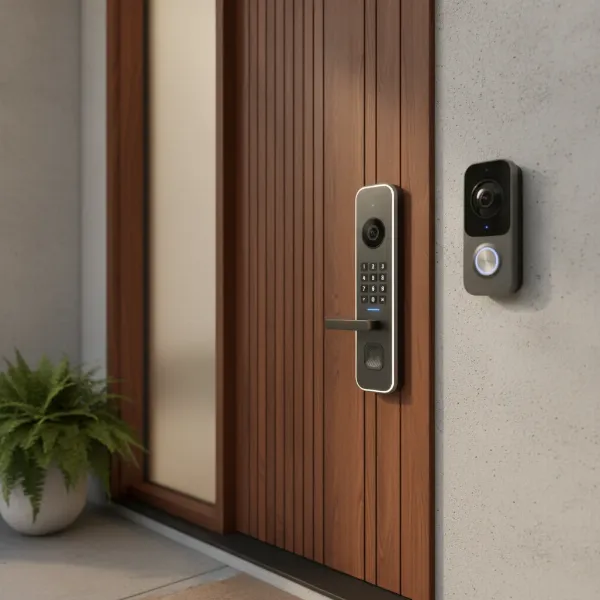 A modern smart door lock with an integrated camera next to a separate smart doorbell camera on a stylized home entry. Both devices showcase sleek designs, focusing on their respective functionalities with clear visual distinctions for monitoring and access control.
The Power of Pairing: Smart Locks and Separate Security Cameras
While integrated solutions are powerful, pairing a dedicated smart door lock with a separate security camera (like a video doorbell) offers a highly robust and flexible home security system. This approach allows each device to excel in its primary function without compromise.
When you combine a smart door lock with a doorbell camera, you create an incredibly effective barrier and surveillance system. The smart lock handles secure access, providing various keyless entry methods and remote control, while the doorbell camera provides wide-angle, high-definition video surveillance of your doorstep. This pairing means you can see who’s at the door, communicate with them via two-way audio, and then decide whether to remotely unlock the door through your smart lock application. This setup also often means better battery life for the smart lock, as it doesn’t have to power a continuous camera feed, and potentially more reliable power for the doorbell camera if it’s wired. The distinct devices offer redundancy and specialized performance, ensuring that even if one component has an issue, the other continues to function. For instance, if your doorbell camera’s internet connection falters, your smart lock still operates locally.
Choosing the Right Solution for Your Home
Deciding between a smart door lock, a security camera, or a combination involves assessing your specific needs, budget, and property characteristics.
Identifying Your Security Needs
- Primary concern is physical access control? A smart door lock is foundational. You want to manage who enters and exits, eliminate physical keys, and get alerts for door activity.
- Primary concern is visual monitoring and deterrence? A security camera, especially a doorbell camera, is essential. You want to see visitors, monitor packages, deter trespassers, and capture video evidence.
- Want both seamless access control and visual verification at the main entry? An integrated smart door lock with a camera might be ideal for simplicity.
- Desire maximum coverage and flexibility? Pairing a dedicated smart door lock with separate security cameras (doorbell and other outdoor cameras) offers the most comprehensive system.
|
Our Picks for the Best Smart door lock in 2026
As an Amazon Associate I earn from qualifying purchases.
|
||
| Num | Product | Action |
|---|---|---|
| 1 | TEEHO TE001 Keyless Entry Door Lock with Keypad - Smart Deadbolt Lock for Front Door with 2 Keys - Auto Lock - Easy Installation - Satin Nickel |

|
| 2 | Veise VE017 Fingerprint Smart Door Lock, App Control, 8-in-1 Keyless Entry, Auto Lock, Emergency Power Port, Electronic Touchscreen Keypad, Biometric Smart Locks for Front Door, Matte Black |
|
| 3 | Philips Wi-Fi Door Lock, WiFi Smart Lock Keyless Entry Deadbolt for Front Door, Compatible with Alexa & Google Assistant, Remote Control, Built-in WiFi, APP Fingerprint Passcode Unlock, Auto Locking |
|
| 4 | Schlage Encode Smart Wi-Fi Deadbolt Lock with Touchscreen Keypad, Keyless Front Door Entry, App Control, Alexa, Google Home and Airbnb Compatible, Matte Black, BE489WB CEN 622 |
|
| 5 | eufy Security Smart Lock C30, Keyless Entry Door Lock, Built-in WiFi Keypad Deadbolt for Front Door, No Bridge Required, Easy Installation, App Remote Control, Reliable Power, BHMA Grade 3 |
|
| 6 | Keypad Smart Door Lock with Knob, Yamiry Keyless Entry Digital Lock with Handle, Fingerprint Electronic Knob for Front Door |
|
| 7 | Philips WiFi Keypad Door Lock with Handle, Built-in WiFi, APP Remote Control, Voice & Fingerprint Unlock, Smart Locks for Front Door with Auto Lock, Digital Front Door Lock Set, Keyless Entry Deadbolt |
|
| 8 | Smart Door Handle Lock with Keypad: Yamiry Fingerprint Smart Knob - Keyless Entry Digital Lock for Front Door - Deadbolt with APP - Generate Passcode Remotely - DIY Installation |
|
| 9 | eufy Security Smart Lock C220, Fingerprint Keyless Entry Door Lock, Built-in Wi-Fi, App Remote Control, Front Door Smart Lock Deadbolt, 8Months Battery, Reliable Power, IP53 Waterproof, BHMA Grade 3 |
|
| 10 | TEEHO TE001 Keyless Entry Door Lock with Keypad - Smart Deadbolt Lock for Front Door with 2 Keys - Auto Lock - Easy Installation - Matte Black |
|
Budget Considerations
Smart door locks and basic doorbell cameras can start from relatively affordable price points, while high-end integrated systems or extensive multi-camera setups will naturally cost more. Evaluate the features you genuinely need against your financial comfort zone. Remember to factor in potential subscription costs for cloud storage or advanced features.
Key Features to Prioritize
- Access Methods: Fingerprint, PIN, app, voice control, mechanical key override.
- Connectivity: Wi-Fi for remote control and integration, Bluetooth for local control, Z-Wave/Zigbee for smart home ecosystems.
- Camera Quality: HD resolution, wide-angle lens, night vision.
- Storage: Local (SD card) vs. Cloud storage (subscription fees).
- Integration: Compatibility with existing smart home platforms (Alexa, Google Home, Apple HomeKit).
- Power Source: Battery life for locks, wired options for cameras.
- Durability and Weather Resistance: Especially for outdoor components.
Assessing Your Door and Installation Requirements
- Door Type and Thickness: Ensure the smart lock is compatible with your door’s specifications. Most are designed for standard door preparations, but some unique doors may require specific models or professional installation.
- Existing Wiring: For wired doorbell cameras, check if your home has existing doorbell wiring. If not, battery-powered options or professional installation for new wiring might be necessary.
- DIY vs. Professional Installation: Many smart locks and doorbell cameras are designed for DIY installation, but if you’re uncomfortable with power tools or electrical work, consider professional help to ensure optimal performance and security.
Brand Reputation and Support
Always choose reputable brands known for security and reliability (e.g., Yale, August, Ring, Arlo, SimpliSafe, Google Nest). Look for products with clear warranties, responsive customer support, and good user reviews. A reliable brand ensures ongoing software updates, which are critical for maintaining security and functionality.
Installation and Maintenance Tips
Proper installation and regular maintenance are crucial for the longevity and effectiveness of both smart door locks and security cameras.
Smart Door Lock Installation
- Prepare Tools: Gather screwdrivers, a tape measure, and potentially a drill (though many are designed to fit existing holes).
- Remove Old Lock: Carefully uninstall your existing deadbolt, noting the orientation of parts.
- Install New Lock: Follow the manufacturer’s instructions precisely. This typically involves installing the deadbolt mechanism, exterior keypad/assembly, interior assembly, and connecting any wires.
- Test Thoroughly: Manually test the lock multiple times. Then, pair it with your app and test all digital functionalities (remote lock/unlock, codes, fingerprints).
- Calibration: Some locks require calibration for optimal performance.
Security Camera Installation
- Choose Location: Identify a spot that provides optimal viewing angles (covering the main entry, packages, etc.) and is within Wi-Fi range.
- Power: Determine if you’ll use existing doorbell wiring (for wired doorbells) or rely on battery power. For non-doorbell cameras, consider power outlets or solar panel options.
- Mounting: Securely mount the camera according to instructions, ensuring it’s at an appropriate height to capture faces clearly without being easily tampered with.
- Connect to Wi-Fi/App: Follow the app’s setup guide to connect the camera to your home network and configure settings like motion zones and alert preferences.
Maintenance and Longevity
- Batteries: For battery-powered devices, monitor battery levels regularly and replace them proactively. Use high-quality batteries to prevent leaks and ensure consistent performance.
- Cleaning: Periodically wipe down camera lenses and keypads to ensure clear visibility and responsive operation.
- Software Updates: Keep firmware updated. Manufacturers frequently release updates to patch security vulnerabilities and add new features.
- Connectivity: Ensure a strong, stable Wi-Fi connection for all smart devices. Weak signals can lead to delayed alerts or dropped video feeds.
- Physical Inspection: Occasionally check mounting hardware for looseness and ensure all components are secure.
Common Issues and Troubleshooting
Even with advanced technology, you might encounter issues. Here’s how to address some common problems:
Smart Door Lock Issues
- Dead Battery: The most common issue. Always have spare batteries on hand. Most smart locks provide low-battery warnings. If completely dead, use the physical key override or a temporary power source (often a 9V battery port) if available.
- Forgotten Passcode/Lost Card: Use your smartphone app to reset or add new codes. If the app isn’t accessible, some locks have master codes or require a factory reset.
- Fingerprint Reader Malfunction: Ensure your finger is clean and dry. Recalibrate or re-register fingerprints if issues persist. Dirt or moisture can affect recognition.
- Connectivity Problems: Restart your Wi-Fi router and the smart lock. Check your router’s proximity to the lock and consider a Wi-Fi extender if the signal is weak. Ensure the lock’s firmware is up to date.
Security Camera Issues
- No Live Feed/Recording: Check internet connection and Wi-Fi signal strength. Ensure the camera is powered on. Reboot the camera and your router. Verify subscription status for cloud storage.
- False Motion Alerts: Adjust motion detection zones and sensitivity settings within the app. Some cameras allow you to differentiate between people, animals, and vehicles.
- Poor Video Quality: Clean the camera lens. Check internet upload speed, as low bandwidth can affect streaming quality. Ensure night vision settings are correct for low-light conditions.
- Audio Issues: Check microphone and speaker settings in the app. Ensure there are no obstructions covering the microphone.
Conclusion
The choice between a smart door lock and a security camera, or an integrated system, ultimately depends on your specific security priorities. Smart door locks offer unparalleled access control and convenience, while security cameras provide essential visual monitoring and deterrence. For robust home security, the synergy of both—whether as separate, complementary devices or an all-in-one video smart lock—creates a formidable defense. By understanding their individual strengths and how they can work together, you can design a security system that not only deters threats but also simplifies your daily life, offering genuine peace of mind. What steps will you take to enhance your home’s security in the coming year?
Frequently Asked Questions
What is the main difference between a smart door lock and a doorbell camera?
A smart door lock primarily manages physical access to your home, offering keyless entry and remote control over who can unlock your door. A doorbell camera focuses on visual surveillance, allowing you to see and communicate with visitors at your doorstep, as well as record any activity.
Can a smart door lock replace a security camera?
No, a smart door lock cannot fully replace a security camera. While some advanced smart locks include integrated cameras for visual verification, their primary function remains access control. Dedicated security cameras provide broader surveillance coverage, motion detection, and continuous recording capabilities that most smart locks do not offer.
Is it better to have a smart lock with a camera or a separate doorbell camera?
It depends on your preference. A smart lock with a camera offers convenience by integrating access control and visual monitoring into one device, often with a simpler installation. However, separate devices (a smart lock and a dedicated doorbell camera) may offer better individual performance, wider camera angles, more robust battery life for the lock, and redundancy in your security setup.
Do smart door locks improve home security against burglaries?
Yes, smart door locks can significantly improve home security. They eliminate vulnerabilities associated with physical keys (lost, stolen, or copied), allow for remote monitoring of door activity, and provide temporary access codes, reducing the need to hide spare keys. Many also feature tamper alerts and robust encryption.
What are the main benefits of combining smart locks and security cameras?
Combining smart locks and security cameras creates a comprehensive security system. It allows you to visually identify someone at your door (camera) before remotely granting them access (smart lock). This integration offers enhanced control, monitoring, and peace of mind, ensuring you’re aware of and in control of your home’s entry points.