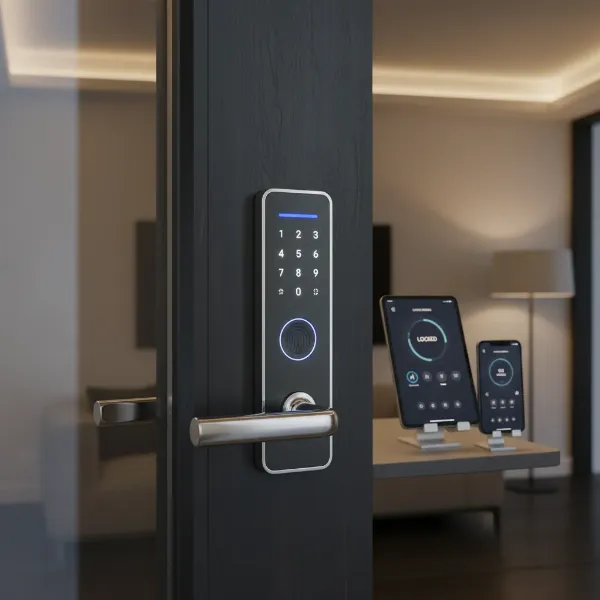
Securing your small apartment without compromising on style or functionality can seem like a daunting task in a world brimming with complex gadgets. The right smart door lock, however, transforms your compact living space into a modern, highly secure haven, offering unparalleled convenience and peace of mind. Forget fumbling for keys or worrying if you locked up; smart locks bring advanced security and effortless access right to your fingertips. This comprehensive guide will navigate the best smart door lock options tailored for apartment dwellers, helping you make an informed choice that enhances both your security and daily life.
What is a Smart Door Lock? Why Use One?
A smart door lock is an electronic and mechanical locking device that allows you to open and close your door using an authorized authentication method other than a traditional physical key. These modern locks integrate with your smartphone, smart home system, or other digital interfaces, offering a new level of control and security. For small apartment living, where space and sometimes landlord restrictions are key considerations, smart locks provide discreet yet powerful security upgrades.
The primary benefits of incorporating a smart door lock into your apartment are enhanced security, unmatched convenience, and flexible remote management. With features like automatic locking, tamper alerts, and encrypted access, your apartment gains a robust defense against intruders. Convenience comes from keyless entry options such as fingerprints, passcodes, or smartphone access, eliminating the need for physical keys. Remote management allows you to lock or unlock your door from anywhere, grant temporary access to guests or service providers, and monitor entry and exit activity through an app, which is particularly useful for short-term rentals or managing visitors in a small space. Many smart locks are designed to fit seamlessly into existing deadbolt setups, making them ideal for renters who cannot make permanent alterations to their doors.
Popular Types of Smart Door Locks on the Market
The variety of smart door locks available today means there’s a solution for nearly every need and apartment type. Understanding the different categories can help you narrow down the best fit for your home.
By Unlock Method
Smart locks offer a multitude of ways to gain entry, moving beyond the traditional key.
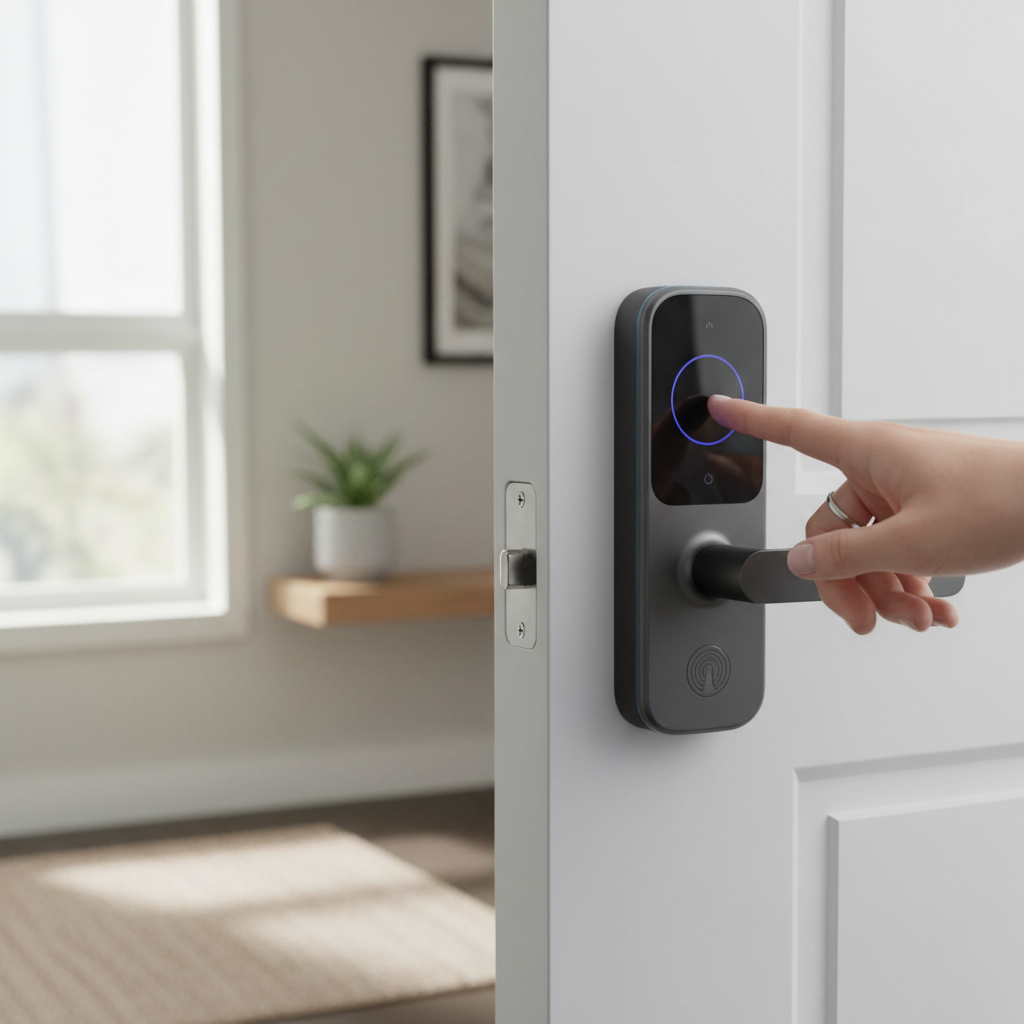
- Fingerprint: Biometric scanners allow for quick, secure access with a simple touch. This is a highly convenient option, especially when your hands are full.
- Passcode/Keypad: Entry via a numerical code entered on a keypad. This is excellent for granting temporary access to guests or service personnel without sharing a physical key.
- RFID Card/Fob: Some locks use small, programmable cards or fobs that you tap against the lock to open.
- Smartphone App: Control your lock directly from your phone, offering remote access and activity monitoring. This is a core feature for most smart locks.
- Physical Key: Many smart locks retain a traditional key override as a backup, which can be essential for apartment dwellers whose landlords require a physical key.
|
Our Picks for the Best Smart door lock in 2026
As an Amazon Associate I earn from qualifying purchases.
|
||
| Num | Product | Action |
|---|---|---|
| 1 | Philips WiFi Keypad Door Lock with Handle, Built-in WiFi, APP Remote Control, Voice & Fingerprint Unlock, Smart Locks for Front Door with Auto Lock, Digital Front Door Lock Set, Keyless Entry Deadbolt |

|
| 2 | eufy Security Smart Lock C30, Keyless Entry Door Lock, Built-in WiFi Keypad Deadbolt for Front Door, No Bridge Required, Easy Installation, App Remote Control, Reliable Power, BHMA Grade 3 |
|
| 3 | Keypad Smart Door Lock with Knob, Yamiry Keyless Entry Digital Lock with Handle, Fingerprint Electronic Knob for Front Door |
|
| 4 | eufy Security Smart Lock C220, Fingerprint Keyless Entry Door Lock, Built-in Wi-Fi, App Remote Control, Front Door Smart Lock Deadbolt, 8Months Battery, Reliable Power, IP53 Waterproof, BHMA Grade 3 |
|
| 5 | Schlage Encode Smart Wi-Fi Deadbolt Lock with Touchscreen Keypad, Keyless Front Door Entry, App Control, Alexa, Google Home and Airbnb Compatible, Matte Black, BE489WB CEN 622 |
|
| 6 | Veise VE017 Fingerprint Smart Door Lock, App Control, 8-in-1 Keyless Entry, Auto Lock, Emergency Power Port, Electronic Touchscreen Keypad, Biometric Smart Locks for Front Door, Matte Black |
|
| 7 | Philips Wi-Fi Door Lock, WiFi Smart Lock Keyless Entry Deadbolt for Front Door, Compatible with Alexa & Google Assistant, Remote Control, Built-in WiFi, APP Fingerprint Passcode Unlock, Auto Locking |
|
| 8 | Smart Door Handle Lock with Keypad: Yamiry Fingerprint Smart Knob - Keyless Entry Digital Lock for Front Door - Deadbolt with APP - Generate Passcode Remotely - DIY Installation |
|
| 9 | TEEHO TE001 Keyless Entry Door Lock with Keypad - Smart Deadbolt Lock for Front Door with 2 Keys - Auto Lock - Easy Installation - Matte Black |
|
| 10 | TEEHO TE001 Keyless Entry Door Lock with Keypad - Smart Deadbolt Lock for Front Door with 2 Keys - Auto Lock - Easy Installation - Satin Nickel |
|
By Connectivity
The way your smart lock communicates impacts its features and integration with other smart devices.
- Bluetooth: Connects directly to your smartphone when you are within close range. It’s energy-efficient but lacks remote access without a bridge.
- Wi-Fi: Allows for direct connection to your home network, enabling remote control and monitoring from anywhere with an internet connection. This is a popular choice for full smart home integration.
- Z-Wave: A wireless protocol designed for smart home devices, offering good range and low power consumption. It typically requires a hub to connect to your home network.
- Zigbee: Another wireless protocol similar to Z-Wave, also requiring a hub for broader smart home integration. Both Z-Wave and Zigbee are excellent for building a robust smart home ecosystem.
By Design
Smart locks come in various designs to suit different door types and aesthetic preferences.
- With Handle/Lever: These locks often replace the entire door handle assembly and can include integrated keypads or fingerprint scanners.
- Deadbolt Replacement: Many smart locks are designed to replace your existing deadbolt, keeping your door handle as is. This is a common and often renter-friendly option.
- Retrofit (Interior Only): These locks attach to the inside of your existing deadbolt, leaving the exterior unchanged. This is often the best solution for renters as it doesn’t alter the outside appearance and usually doesn’t require landlord approval for exterior modifications. The August Smart Lock is a prime example of this design.
Comparing Top Smart Door Lock Brands
When selecting a smart lock for your small apartment, several brands consistently stand out for their reliability, features, and suitability for apartment living. Let’s compare some of the leading contenders.
| Brand | Key Features for Apartments | Price Range (Approx.) | Security | Convenience | Renter-Friendly |
|---|---|---|---|---|---|
| August | Retrofit design, preserves existing keys, auto-unlock/lock, guest access, activity log | $150 – $250 | Good (retrofit adds to existing deadbolt) | Excellent (app, auto) | Very High |
| Yale | Compact design, various access methods (keypad, app, Home Keys), robust build, smart home integration | $180 – $300 | Excellent (sturdy, tamper alarms) | Excellent (keypad, app) | High (some models) |
| Schlage | Wi-Fi built-in (Encode), keypad, physical key backup, voice control, durable | $200 – $350 | Excellent (heavy-duty, tamper alarms) | Very Good (keypad, app) | Moderate (replaces deadbolt) |
| Eufy | Fingerprint, keypad, app, video doorbell option (S330), no monthly fees | $100 – $300 | Very Good (multiple methods, video) | Excellent (fingerprint, app) | Moderate (can be bulky) |
| Kwikset | Touch-to-open (Kevo), Bluetooth/Wi-Fi, smart home compatible, traditional key backup | $150 – $250 | Good (secure, alarm option) | Very Good (tap, app) | Moderate (replaces deadbolt) |
| Ultraloq | Multiple unlock methods (fingerprint, keypad, app, key), durable, auto-lock | $120 – $250 | Very Good (biometric + codes) | Excellent (versatile access) | Moderate (replaces deadbolt) |
Comparison Table of the Best Smart Door Lock Models
Choosing the right model involves looking at specific features that align with your apartment’s needs. Here’s a comparison of top smart lock models ideal for small apartment living.
| Model | Price (Approx.) | Unlock Methods | Key Features for Apartments | Renter-Friendly Score (1-5, 5 being best) | User Rating (Out of 5) |
|---|---|---|---|---|---|
| August Wi-Fi Smart Lock | $249 | App, Apple Watch, Voice, Original Key | Retrofit design, auto-lock/unlock, virtual keys, activity log, sleek and compact. | 5 | 4.5 |
| Yale Assure Lock 2 | $200 | Keypad, App, Apple Home Keys, Key | Compact, sturdy, excellent app, works with multiple smart home platforms, auto-lock. | 4 | 4.4 |
| Schlage Encode Plus | $300 | Keypad, App, Apple HomeKey, Key | Built-in Wi-Fi, durable, robust security, integrates with HomeKit. | 3 | 4.3 |
| Eufy Security Smart Lock S230 | $180 | Fingerprint, Keypad, App, Key | Easy installation, multiple unlocking options, subscription-free app, auto-lock. | 3 | 4.2 |
| Ultraloq U-Bolt Pro | $170 | Fingerprint, Passcode, App, Key, Shake to Open, Magic Shake | 6-in-1 keyless entry, robust and secure, durable. | 3 | 4.1 |
| Aqara Smart Lock U100 | $130 | Fingerprint, Passcode, App, Key, Apple Home Key | Excellent value for Apple Home Key, Matter compatible, sleek design. | 3 | 4.3 |
“For apartment dwellers, the biggest consideration often isn’t just security, but convenience and landlord approval. Locks that don’t alter the exterior, like the August Smart Lock, are a game-changer for renters.” – John Smith, Smart Home Security Expert
Guide to Choosing the Right Smart Door Lock
Selecting the perfect smart lock for your small apartment involves a thoughtful evaluation of your specific circumstances and preferences. It’s more than just picking the trendiest gadget; it’s about finding a solution that genuinely improves your daily security and convenience.
Determine Your Usage Needs
First, consider who will be using the lock and how. If you live alone, your needs might differ from those with roommates, a partner, or frequent guests. For a family in a small apartment, ease of access for children and the ability to monitor entry might be priorities. For a rental property, managing guest access with temporary codes and tracking entry/exit logs is crucial. Understanding these needs helps prioritize features.
Set Your Budget
Smart locks range widely in price, from entry-level options under $100 to premium models exceeding $300. Decide how much you’re willing to invest, keeping in mind that higher-priced models often offer more advanced features, robust build quality, and broader smart home compatibility. Balance your desired features with what you can comfortably afford.
Identify Essential Features
What security and convenience features are non-negotiable for you?
- Keyless Entry: Do you prefer fingerprint, keypad, or smartphone access?
- Remote Access: Is the ability to lock/unlock from afar important for you? (Requires Wi-Fi or a bridge).
- Auto-Lock/Unlock: This feature can automatically lock your door when you leave or unlock it when you approach.
- Guest Access Management: If you have visitors or service providers, look for locks that allow you to generate temporary codes or virtual keys.
- Activity Logs: Do you want to see who entered and exited your apartment and when?
- Physical Key Backup: Crucial for many renters and provides peace of mind in case of battery failure.
- Compact Design: In small apartments, a bulky lock can look out of place. Prioritize sleek, unobtrusive designs.
Check Your Door Type and Thickness
Before purchasing, measure your door’s thickness and check its existing hardware. Most smart locks are designed to fit standard deadbolts, but older apartment doors or non-standard designs might require specific models or professional installation. For renters, confirm if the lock requires modifying the door’s exterior or if it’s a simple interior retrofit that leaves the outside hardware untouched, like many August models. This is often the key to avoiding landlord issues.
Choose a Reputable Brand with Good Warranty and Support
Opt for established brands known for their product quality and customer service. Check reviews for reliability and ease of use, and ensure the company offers a solid warranty and accessible technical support. This can save you headaches down the line if you encounter any issues with installation or daily operation.
Installation and Usage Guide for Smart Door Lock
Installing a smart door lock is often a straightforward process, especially for models designed for apartment living. However, understanding the steps and maintenance tips can ensure a smooth experience.
Gather Necessary Tools
Most smart lock installations require only basic tools:
- Phillips head screwdriver
- Measuring tape
- Optional: Drill (only if specified by manufacturer and landlord permits)
Basic Installation Steps
For many smart locks, especially those that replace an existing deadbolt or are interior retrofits, the process typically involves:
- Remove Existing Deadbolt: Unscrew and remove the interior thumb-turn assembly and the exterior key cylinder.
- Install New Deadbolt Latch: Insert the new latch mechanism into the door edge.
- Install Exterior Keypad/Assembly: Place the exterior component of the smart lock through the door, ensuring it aligns with the latch.
- Install Interior Assembly: Attach the interior portion of the smart lock, connecting any cables and securing it with screws.
- Insert Batteries: Power up the lock with the recommended batteries.
Note: For renter-friendly retrofit locks like August, the process is even simpler, as you only replace the interior thumb-turn, leaving the exterior untouched.
Setup and Using Key Features
Once physically installed, you’ll typically download the manufacturer’s app to set up your smart lock:
- Pair with App: Follow in-app instructions to connect your lock via Bluetooth or Wi-Fi.
- Calibrate: The app will guide you through calibrating the lock to your door.
- Create Access Codes/Fingerprints: Set up unique passcodes for family members or guests, or register fingerprints.
- Integrate with Smart Home: Connect to Amazon Alexa, Google Assistant, or Apple HomeKit for voice control and automation.
- Configure Auto-Lock/Unlock: Adjust settings for automatic locking after a set time or unlocking upon arrival.
Maintenance Tips to Extend Lock Life
- Regular Battery Checks: Smart locks are battery-powered. Most apps will warn you when batteries are low, but regular checks are good practice. Replace all batteries simultaneously.
- Clean Keypad/Scanner: Periodically wipe down keypads and fingerprint scanners to remove dirt and grime that could hinder functionality.
- Firmware Updates: Keep your lock’s firmware updated through the app to ensure optimal performance and security patches.
- Door Alignment: Ensure your door and frame are properly aligned. A misaligned door can put strain on the lock’s mechanism and drain batteries faster.
Common Issues and Troubleshooting When Using a Smart Door Lock
Even the best smart door locks can encounter occasional hiccups. Knowing how to address common problems can quickly restore your security and convenience.
The Lock’s Battery Dies Suddenly
A common concern is the lock running out of power, leaving you stranded. Most smart locks provide low-battery warnings via their app. However, if it dies unexpectedly:
- Use Physical Key: Always have your physical key backup accessible (if your lock has one).
- External Power: Some locks have external battery terminals (often 9V) that allow you to temporarily power the lock to enter a code or use the app.
- Carry Spare Batteries: Keep a set of spare batteries in a convenient location outside your apartment, such as in your car or at a trusted neighbor’s.
Forgotten Passcode or Lost RFID Card
Losing your digital credentials can be frustrating but is usually easily resolved.
- Smartphone App: Use your smartphone app to unlock the door or reset/create new passcodes.
- Physical Key: If available, use your traditional key as a backup.
- Fingerprint/Other Methods: If your lock supports multiple entry methods, try an alternative like a registered fingerprint.
Lock Not Recognizing Fingerprint
Fingerprint scanners can sometimes be finicky due to various factors.
- Cleanliness: Ensure your finger and the scanner are clean and dry. Dirt, moisture, or even lotions can interfere with recognition.
- Rescan Fingerprint: Try rescanning and re-registering your fingerprint in the app. Sometimes, a clearer scan can improve reliability.
- Alternative Finger: Register multiple fingers from both hands for backup.
Connection Issues with the Lock
If your smart lock is not responding to your app or smart home commands, it might be a connectivity problem.
- Check Wi-Fi/Bluetooth: Ensure your home Wi-Fi network is active and your phone’s Bluetooth is on and in range.
- Restart Lock: Remove the batteries for a few seconds and reinsert them to perform a soft reset.
- Router Position: If using Wi-Fi, ensure your router is not too far from the lock, especially in larger apartments with thick walls. Consider a Wi-Fi extender if necessary.
- App/Firmware Update: Ensure both your smart lock app and the lock’s firmware are updated to the latest versions.
Conclusion
Choosing the best smart door lock for small apartment living involves balancing security, convenience, and compatibility with your lifestyle and landlord’s regulations. From retrofit options like the August Wi-Fi Smart Lock that preserve your existing keys and exterior to compact, feature-rich models like the Yale Assure Lock 2, there are excellent choices to enhance your apartment’s security. By considering unlock methods, connectivity, design, and essential features, you can find a smart lock that provides unparalleled peace of mind and simplifies your daily routine. Embrace the future of home security and transform your small apartment into a smarter, more secure space.
What smart lock feature do you value most for your apartment, and why?
Frequently Asked Questions
What features make a smart door lock ideal for apartment living?
Ideal smart door locks for apartments are often compact, easy to install without permanent modifications (like retrofit designs), and offer multiple keyless entry options such as passcodes, app control, or fingerprint access. Features like auto-lock, activity logs, and remote management are also highly beneficial for security and convenience in a shared or smaller space.
Do I need landlord permission to install a smart door lock in my apartment?
Yes, it’s crucial to check your lease agreement and consult with your landlord before installing any smart door lock. Some leases have strict policies against modifying existing hardware. However, locks that don’t alter the door’s exterior or replace the entire mechanism, like retrofit smart locks, are often more readily approved.
How do smart locks handle power outages or dead batteries?
Most smart locks include a physical key override for manual entry in case of a power outage or dead batteries. Additionally, many models provide low-battery warnings via their app, and some feature external terminals for a temporary power boost with a 9V battery, ensuring you’re never locked out.
Can I grant temporary access to guests or service providers with a smart lock?
Absolutely. One of the major advantages of smart locks is the ability to generate temporary passcodes or virtual keys through the associated smartphone app. These can be set with specific timeframes or usage limits, providing secure and flexible access management without needing to exchange physical keys.
Are smart locks secure against hacking?
Reputable smart lock brands employ advanced encryption and security protocols to protect against hacking attempts. Using strong, unique passcodes, keeping your app and lock firmware updated, and choosing brands with a strong security track record are key steps to ensure your smart lock remains secure.
What connectivity type is best for an apartment?
For most apartments, a Wi-Fi enabled smart lock offers the best balance of remote access and smart home integration. Bluetooth-only locks are energy efficient but require you to be nearby for control, while Z-Wave or Zigbee options offer robust smart home networking but typically require a separate hub.
How difficult is it to install a smart lock myself?
Many smart locks are designed for DIY installation, typically requiring only a screwdriver and about 10-30 minutes. Retrofit locks, which only replace the interior thumb-turn, are often the easiest to install for apartment dwellers. Always follow the manufacturer’s specific instructions and consider professional installation if you’re unsure or if your door has non-standard dimensions.