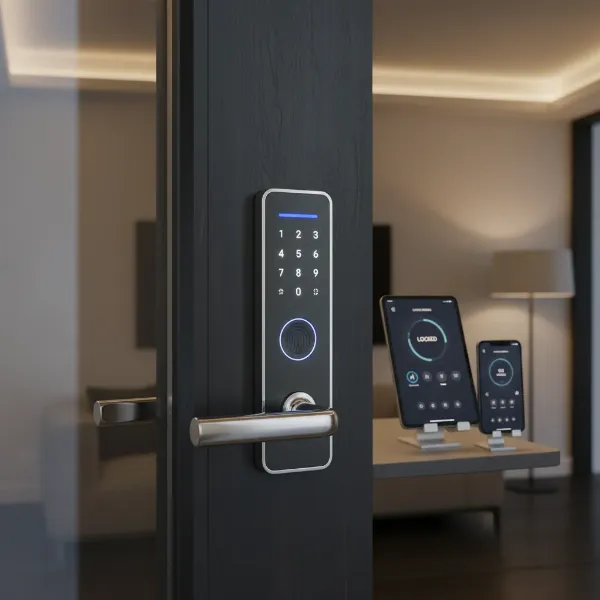
Upgrading to a smart door lock is one of the most impactful decisions you can make for your home’s security and convenience. In an era where every aspect of our lives is becoming more connected, the front door remains a critical point of control. Traditional keys, with their inherent risks of loss or unauthorized duplication, are rapidly becoming a relic of the past. Modern smart door locks offer a sophisticated blend of advanced technology, robust security features, and unparalleled ease of use, transforming how you manage access to your living space. This comprehensive guide, informed by over a decade of hands-on experience with hundreds of lock models, will help you navigate the myriad options to find the perfect smart door lock that aligns with your lifestyle and provides ultimate peace of mind.
What is a Smart Door Lock and Why Should You Use One?
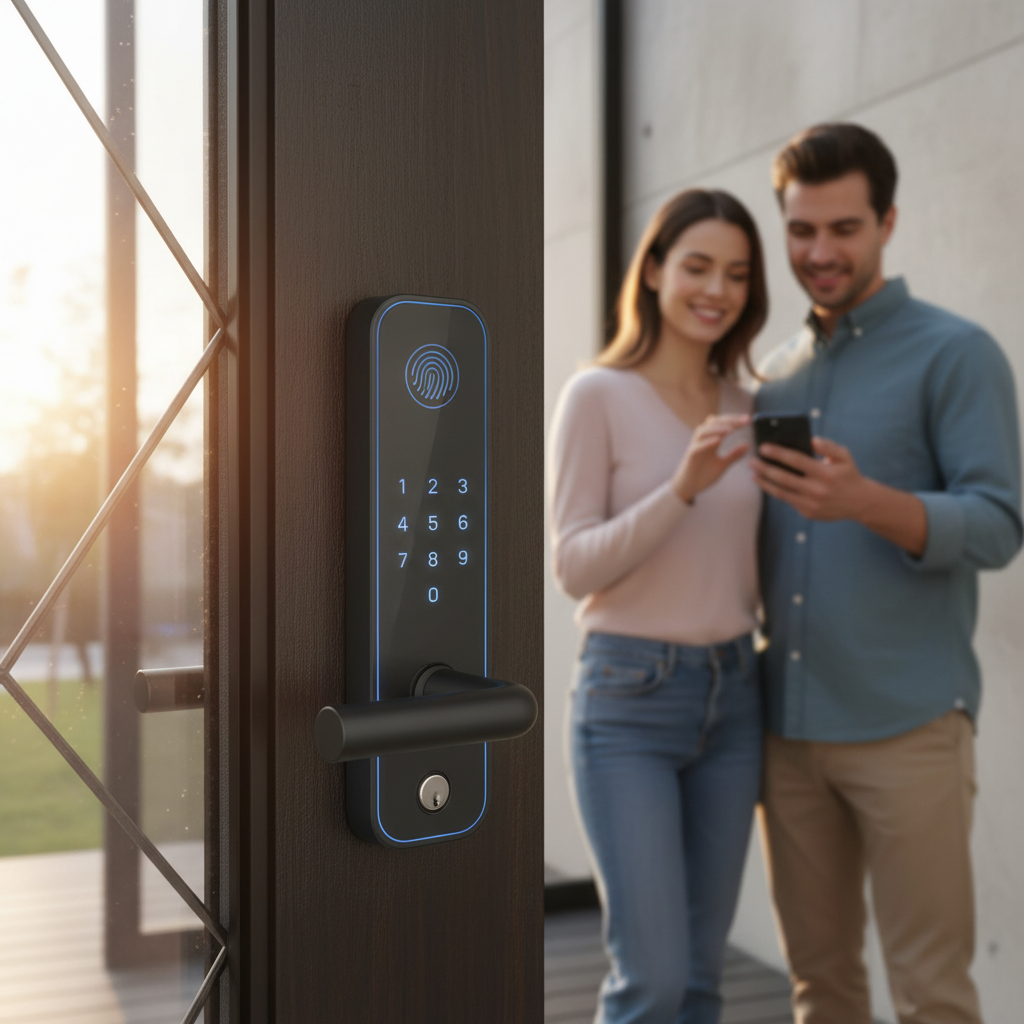
A smart door lock is an electromechanical locking device that allows for keyless entry and provides control over access to your home through various electronic credentials rather than a traditional physical key. These locks integrate with your smartphone or smart home system, offering a new level of security and convenience that mechanical locks simply cannot match. Unlike conventional locks that rely solely on a physical key, smart locks leverage advanced technology to offer features such as PIN codes, fingerprint scanning, smartphone app control, and even facial recognition, ensuring a secure and flexible entry system.
The benefits of integrating a smart door lock into your modern home are extensive. Foremost among these is enhanced security; many smart locks feature tamper alerts, built-in alarms, and advanced encryption protocols to protect against digital and physical threats. Convenience is another major advantage, enabling you to unlock your door with a simple tap on your phone, a personalized code, or even your fingerprint, eliminating the need to fumble for keys. Furthermore, remote management capabilities allow you to grant temporary access to guests or service providers from anywhere in the world, track entry and exit logs, and receive real-time notifications about your door’s status. Smart locks seamlessly integrate with other smart home devices, allowing for automated routines like turning on lights when the door unlocks, thereby creating a truly interconnected and intelligent living environment. Whether for a family home, a busy office, or a rental property, a smart door lock offers adaptable access control, superior monitoring, and an elevated sense of security.
[image-1|smart-door-lock-benefits|Illustration of a family using various smart door lock methods for convenient and secure home access|
A vibrant, illustrative image showing a modern family interacting with a smart door lock. One person uses a fingerprint scanner, another a smartphone app, and a third enters a PIN on a keypad. The background features a sleek, modern home entrance with subtle smart home icons (e.g., Wi-Fi, camera) integrated, conveying security, convenience, and modern living. Bright, inviting lighting and a warm color palette.]
Exploring Popular Smart Door Lock Types
The market for smart door locks is diverse, offering various technologies and designs to suit every need and aesthetic preference. Understanding the different types available is crucial for making an informed decision about which lock is best for your home.
By Unlocking Method
|
Our Picks for the Best Smart door lock in 2026
As an Amazon Associate I earn from qualifying purchases.
|
||
| Num | Product | Action |
|---|---|---|
| 1 | eufy Security Smart Lock C220, Fingerprint Keyless Entry Door Lock, Built-in Wi-Fi, App Remote Control, Front Door Smart Lock Deadbolt, 8Months Battery, Reliable Power, IP53 Waterproof, BHMA Grade 3 |

|
| 2 | Keypad Smart Door Lock with Knob, Yamiry Keyless Entry Digital Lock with Handle, Fingerprint Electronic Knob for Front Door |
|
| 3 | Smart Door Handle Lock with Keypad: Yamiry Fingerprint Smart Knob - Keyless Entry Digital Lock for Front Door - Deadbolt with APP - Generate Passcode Remotely - DIY Installation |
|
| 4 | Veise VE017 Fingerprint Smart Door Lock, App Control, 8-in-1 Keyless Entry, Auto Lock, Emergency Power Port, Electronic Touchscreen Keypad, Biometric Smart Locks for Front Door, Matte Black |
|
| 5 | Schlage Encode Smart Wi-Fi Deadbolt Lock with Touchscreen Keypad, Keyless Front Door Entry, App Control, Alexa, Google Home and Airbnb Compatible, Matte Black, BE489WB CEN 622 |
|
| 6 | eufy Security Smart Lock C30, Keyless Entry Door Lock, Built-in WiFi Keypad Deadbolt for Front Door, No Bridge Required, Easy Installation, App Remote Control, Reliable Power, BHMA Grade 3 |
|
| 7 | TEEHO TE001 Keyless Entry Door Lock with Keypad - Smart Deadbolt Lock for Front Door with 2 Keys - Auto Lock - Easy Installation - Satin Nickel |
|
| 8 | TEEHO TE001 Keyless Entry Door Lock with Keypad - Smart Deadbolt Lock for Front Door with 2 Keys - Auto Lock - Easy Installation - Matte Black |
|
| 9 | Philips Wi-Fi Door Lock, WiFi Smart Lock Keyless Entry Deadbolt for Front Door, Compatible with Alexa & Google Assistant, Remote Control, Built-in WiFi, APP Fingerprint Passcode Unlock, Auto Locking |
|
| 10 | Philips WiFi Keypad Door Lock with Handle, Built-in WiFi, APP Remote Control, Voice & Fingerprint Unlock, Smart Locks for Front Door with Auto Lock, Digital Front Door Lock Set, Keyless Entry Deadbolt |
|
Smart door locks offer a multitude of ways to grant access, moving far beyond the traditional key. Fingerprint scanners provide swift, secure, and personalized entry, recognizing unique biometric data. PIN code keypads are widely popular, allowing users to enter a numerical code for access, often with the flexibility to create temporary or recurring codes for guests. Many modern locks integrate smartphone app control, utilizing Bluetooth for proximity unlocking or Wi-Fi for remote access and management from anywhere. For those seeking even more advanced options, facial recognition and palm vein recognition systems offer hands-free, high-security access by scanning unique biological markers. Despite these high-tech methods, nearly all smart locks include a traditional mechanical key override as a reliable backup in case of power failure or technical issues. Some also support NFC/RFID cards or fobs, which can be convenient for children or those who prefer not to use a phone or code.
By Connectivity
The way a smart door lock connects to your network greatly influences its features and integration capabilities. Bluetooth-only locks are typically budget-friendly and offer local control via a smartphone when within range. For remote access and real-time notifications, Wi-Fi enabled locks connect directly to your home network, allowing you to manage your door from anywhere with an internet connection. More complex smart home setups often utilize Z-Wave or Zigbee protocols, which create a mesh network for reliable communication with other smart devices, though they usually require a dedicated hub. The emerging Matter-over-Thread standard promises enhanced compatibility and local communication, making it a future-proof choice for seamless integration across different smart home ecosystems, even without an internet connection. The selection of connectivity depends on your existing smart home infrastructure and your need for remote functionality versus local control.
By Design
Smart door locks come in various physical designs, compatible with different door types and aesthetic preferences. The most common type is a deadbolt replacement, where the smart lock replaces your existing deadbolt, often incorporating a keypad or fingerprint scanner into the exterior hardware. Latch-style smart locks resemble traditional handle sets but include smart capabilities. For renters or those who prefer not to alter their existing door hardware, retrofit smart locks (like the August or Nuki systems) are an excellent choice, installing over the interior side of your existing deadbolt to add smart features while retaining the original exterior keyhole. Lastly, slim and mortise-style smart locks are designed for narrow stile doors, often found on modern or glass doors, offering a streamlined appearance without sacrificing advanced functionality.
Top Smart Door Lock Brands: A Detailed Comparison
When selecting a smart door lock, the brand behind the product is as important as the features themselves. Leading manufacturers bring years of experience in security, innovation, and customer support. Here’s a comparison of some of the industry’s most reputable smart door lock brands, highlighting their strengths and what they offer to the modern homeowner.
| Brand | Core Features | Security Rating (BHMA) | Smart Home Compatibility | Reputation | Price Range |
|---|---|---|---|---|---|
| Schlage | Keypad, Wi-Fi, Apple Home Key, built-in alarm, robust | Grade 1 | Alexa, Google Home, HomeKit, Ring | Long history, commercial security, reliability | $150 – $400+ |
| Yale | Keypad, touchscreen, auto-lock, DoorSense | Grade 2 (often) | Alexa, Google Home, HomeKit, Z-Wave, Zigbee | Durability, ease of use, security system integration | $130 – $350 |
| August | Retrofit design, auto-unlock, DoorSense, virtual keys | Not typically graded | Alexa, Google Home, HomeKit, Z-Wave | Easy installation, excellent app, retrofit solution | $100 – $250 |
| Kwikset | Keypad, Wi-Fi, Matter, Thread, SmartKey re-key technology | Grade 2 (often) | Alexa, Google Home, HomeKit, SmartThings | Mainstream, balance of features, value for money | $100 – $300 |
| Lockly | Fingerprint, PIN Genie keypad, facial recognition, video | Not typically graded | Alexa, Google Home, HomeKit | Biometric focus, advanced security features | $200 – $500+ |
| Eufy | Fingerprint, keypad, video doorbell integration, local storage | Not typically graded | Alexa, Google Home | Value-oriented, integrated security solutions | $100 – $300 |
| Ultraloq | Multi-method entry (fingerprint, keypad, app, key, shake to open) | Grade 1 (often) | Alexa, Google Home, IFTTT | Versatility, budget-friendly options | $100 – $350 |
| Level | Invisible design, traditional look, Apple Home Key | Not typically graded | HomeKit | Discreet aesthetics, seamless integration | $200 – $350 |
Best Smart Door Lock Models for 2024: In-Depth Comparison
Choosing the right smart door lock often comes down to specific models, each offering a unique combination of features, aesthetics, and smart home compatibility. Here’s a detailed comparison of some of the best smart door lock models currently available, helping you pinpoint the perfect fit for your modern smart home.
| Model | Price | Unlocking Methods | Special Features | Connectivity | Pros | Cons |
|---|---|---|---|---|---|---|
| Schlage Encode Plus | $249-$329 | Keypad, App, Key, Apple Home Key | Built-in Wi-Fi, alarm, 100 passcodes | Wi-Fi, Apple HomeKit | Excellent security, Apple Home Key support, easy integration, reliable | Mediocre battery life (approx. 6 months), higher price point |
| Yale Assure Lock 2 | $130-$290 | Keypad, App, Key, DoorSense | Compact design, various finishes, digital passes | Wi-Fi, Bluetooth, Matter, Z-Wave, Zigbee modules | Highly versatile, strong build quality, good smart home compatibility, DoorSense for door status | Some versions lack fingerprint, Matter module sold separately for some configurations |
| August Wi-Fi Smart Lock (4th Gen) | $199 | App, Key (retains original), Auto-Unlock, Voice | Installs over existing deadbolt (retrofit), DoorSense | Wi-Fi (built-in) | Easiest installation (no full lock replacement), auto-unlock, remote access, excellent app, voice control | No keypad or fingerprint built-in, relies on existing deadbolt for security grade |
| Kwikset Halo Select | $150-$250 | Keypad, App, Key | Built-in Wi-Fi, Matter support, SmartKey re-keying | Wi-Fi, Matter, Thread | Good balance of features, broad smart home support, easy setup | Need to choose between Thread (battery) and Wi-Fi auto-unlock for optimal performance, no fingerprint reader |
| Ultraloq U-Bolt Pro Wi-Fi | $120-$300 | Fingerprint, Keypad, App, Key, Shake to Open | 8-in-1 unlocking, anti-peep keypad, auto-lock | Wi-Fi, Bluetooth | Most versatile entry options, strong security features, generally budget-friendly | App can be less refined than competitors, some users report occasional fingerprint recognition issues |
| Lockly Visage Zeno Series | $400-$500+ | Facial Recognition, Fingerprint, Keypad, App, Key | Facial recognition, peep-proof keypad, video camera | Wi-Fi, Bluetooth | Cutting-edge biometric security, robust feature set, high-tech experience | Very expensive, installation can be complex, potential privacy concerns with facial data |
“The true measure of a smart door lock isn’t just its features, but how seamlessly it integrates into your daily life, offering convenience without compromising on robust security.”
How to Choose the Right Smart Door Lock
Selecting the ideal smart door lock requires a thoughtful assessment of your specific needs, your home’s characteristics, and your personal preferences. With so many options available, a structured approach can simplify the decision-making process.
Assess Your Needs and Usage Environment
First, consider who will be using the lock and how. For a family home, ease of use for all members, including children, might prioritize keypad or fingerprint access. If you frequently have guests or renters (e.g., Airbnb), the ability to generate temporary access codes remotely and view activity logs is paramount. For a small office, robust audit trails and scheduled access for employees would be key. Understanding your primary users and their habits will guide your feature requirements.
Determine Your Budget
Smart door locks vary significantly in price, ranging from basic models under $100 to advanced biometric systems exceeding $500. Establishing a budget range upfront will help narrow your choices. Remember to consider not only the upfront cost but also potential long-term expenses like battery replacements or optional subscription services for advanced cloud features. Sometimes, investing a little more initially can save hassle and provide superior security in the long run.
Identify Essential Features
What features are non-negotiable for you? If security is paramount, look for locks with Grade 1 BHMA certification, tamper alarms, and advanced encryption. For ultimate convenience, auto-lock/unlock based on proximity or schedule, and remote access via Wi-Fi are highly valued. Biometric options like fingerprint or facial recognition offer swift, keyless entry. Consider smart home integration capabilities – do you need it to work with Alexa, Google Home, Apple HomeKit, or a specific smart hub like SmartThings? Make a list of your must-have features before you start comparing models.
Check Door Compatibility
Not all smart locks fit all doors. Crucial measurements include your door’s thickness (most locks fit standard doors between 1 3/8 and 2 inches) and the backset (the distance from the edge of the door to the center of the bore hole, usually 2 3/8 or 2 3/4 inches). Also, consider the door material (wood, metal, glass) and whether you need a full deadbolt replacement or a retrofit solution that installs over your existing hardware. Ensuring compatibility prevents installation headaches and ensures proper functionality.
Choose a Reputable Brand with Good Support
Finally, research the brand’s reputation for reliability, durability, and customer support. Brands like Schlage, Yale, and August have long-standing reputations in the lock industry. Look for companies that offer comprehensive warranties, clear installation guides, and responsive technical support. Reading user reviews can provide valuable insights into real-world performance and the quality of after-sales service, ensuring you have reliable assistance should any issues arise.
Installing and Maintaining Your Smart Door Lock
Proper installation and regular maintenance are crucial for ensuring the optimal performance, longevity, and security of your smart door lock. While many smart locks are designed for DIY installation, especially for those replacing standard deadbolts, attention to detail is key.
Preparing for Installation
Before you begin, gather all necessary tools, typically a Phillips head screwdriver, tape measure, and potentially a drill. Carefully read the manufacturer’s instructions. Crucially, measure your door’s thickness and backset to confirm compatibility with your chosen smart lock. Most smart locks are designed for standard door thicknesses between 1 3/8 inches and 2 inches and backsets of 2 3/8 or 2 3/4 inches. A preliminary check involves testing the new lock’s basic functionality with batteries before fully installing it.
Basic Installation Steps
The installation process generally involves removing your old deadbolt, then installing the new smart lock’s mechanical components. Start by fitting the new lock body into the door’s edge, ensuring it aligns correctly with the bore hole. Next, attach the exterior keypad/fingerprint unit and the interior assembly, making sure the connecting cables are properly routed and the spindle (square steel bar) engages correctly with the latch. It’s critical to ensure both the front and rear panels are perfectly aligned before tightening screws to prevent binding or misalignment that could affect the lock’s smooth operation. Once the hardware is in place, install the batteries and test the mechanical action of the bolt.
Setting Up Smart Features
After mechanical installation, the next step is to configure the smart features. This typically involves downloading the manufacturer’s smartphone app and pairing your lock via Bluetooth or Wi-Fi. Follow the app’s prompts to create your primary user account, set up PIN codes, register fingerprints, and enable auto-lock/unlock features. Integrate your lock with your existing smart home ecosystem (Alexa, Google Home, Apple HomeKit) for voice control and automation routines. This phase may also include setting up guest access, viewing activity logs, and customizing notifications.
Maintenance Tips to Extend Lock Lifespan
Regular maintenance will ensure your smart door lock remains reliable. The most important task is to check battery levels frequently and replace them proactively, not waiting until they completely die. Most apps provide low-battery alerts, and many locks use standard AA batteries. Periodically clean the keypad, fingerprint sensor, or facial recognition lens with a soft, dry cloth to ensure optimal responsiveness. Keep your lock’s software updated through the app to benefit from the latest security patches and feature enhancements. Finally, inspect the physical hardware for any signs of wear or misalignment, addressing any issues promptly to prevent more significant problems down the line.
[image-2|smart-door-lock-installation-guide|Illustrated steps for installing a smart door lock on a residential door|
An infographic-style illustration detailing the installation process of a smart door lock. Show a hand holding a screwdriver, a diagram of door measurements (thickness, backset), the removal of an old deadbolt, and the placement of the new smart lock components (exterior keypad, interior unit, strike plate). Use clear, sequential steps with arrows and simplified diagrams. The style should be clean, modern, and easy to understand with a neutral color palette.]
Common Smart Door Lock Issues and Troubleshooting
Even with careful installation and maintenance, smart door locks can encounter issues. Understanding common problems and their solutions can help you quickly restore functionality and maintain your home’s security.
Lock Running Out of Battery Unexpectedly
One of the most frequent issues is the lock’s battery dying without warning. While most smart locks provide low-battery alerts through their app, it’s easy to overlook these notifications. Solution: Proactively replace batteries every 6-12 months, or immediately upon receiving a low-battery alert. Always use high-quality alkaline batteries. In case of a completely dead battery and no key override, some locks offer backup power options, such as a 9V battery terminal on the exterior.
Forgotten Passwords or Lost Cards
Forgetting a PIN code or losing an RFID card is inconvenient but easily managed. Solution: Most smart locks allow you to reset or create new PIN codes remotely via the smartphone app. Similarly, lost cards can be deactivated from the app, preventing unauthorized access. Always keep a mechanical key override in a secure, accessible location outside your home as a last resort.
Fingerprint Sensor Not Recognizing
If your fingerprint sensor isn’t working reliably, several factors could be at play. Solution: Ensure your fingers and the sensor are clean and dry. Re-register your fingerprints, trying different angles or multiple fingers. Extreme temperatures or changes in skin condition can sometimes affect recognition; if persistent, consider using another entry method or checking for firmware updates.
Connectivity Problems
Issues with Wi-Fi or Bluetooth connectivity can prevent remote access, notifications, or smart home integration. Solution: First, check your home’s Wi-Fi network to ensure it’s functioning correctly. For Wi-Fi locks, ensure the lock is within range of your router or a Wi-Fi extender. For Bluetooth locks, ensure your phone is close enough. Low batteries can also affect connectivity, so check them. If issues persist, reboot your router, your smart lock, and your smartphone, then attempt to re-pair the device through its app.
Lock Mechanism Malfunctions
If the deadbolt feels stiff, doesn’t extend fully, or struggles to lock/unlock, it often points to a mechanical issue, frequently stemming from installation. Solution: The most common culprit is misalignment between the lock’s bolt and the strike plate on the door frame, or issues with the door itself (e.g., warping, loose hinges). Loosen the screws on the strike plate, adjust its position slightly, and then retighten to ensure a smooth path for the bolt. Check that the door closes snugly without excessive gaps. If the problem persists, review the initial installation steps carefully, ensuring all components are properly seated and aligned.
“In residential projects, when a smart lock malfunctions within the first few months, the immediate assumption is usually product quality. However, field data from large-scale installations consistently shows that most performance issues are not caused by defective hardware — they are caused by installation deviation.” – LEROND, Technical Diagnosis & Prevention Guide
Conclusion
Choosing the best smart door lock for your modern home is an investment in both advanced security and unparalleled convenience. By understanding the various types of locks, comparing top brands and models, and carefully considering your personal needs and door compatibility, you can confidently select a device that not only safeguards your property but also streamlines your daily life. From the ease of keyless entry to the peace of mind offered by remote monitoring and robust security features, a smart door lock truly elevates your home’s intelligence. Remember that proper installation and consistent maintenance are key to unlocking the full potential of your smart lock and ensuring its long-term reliability.
The journey to a smarter home often begins at the front door. Are you ready to embrace the future of home security and transform your entryway into an intelligent gateway?
Frequently Asked Questions
Are smart locks truly more secure than traditional locks?
Smart locks offer enhanced security features like tamper alarms, encryption, and activity logs that traditional locks lack. While traditional locks provide physical security, smart locks add layers of digital protection and monitoring, potentially making them more secure when properly installed and maintained.
What happens if a smart lock’s battery dies completely?
Most smart locks are designed with battery backup and will alert you long before the battery dies. If it does run out, nearly all models include a mechanical key override, and some have external terminals for a 9V battery to provide emergency power for a temporary unlock.
Do smart locks work without Wi-Fi or internet access?
Many smart locks can function locally via Bluetooth or a keypad even without Wi-Fi. However, features like remote control, real-time notifications, and integration with cloud-based smart home ecosystems typically require an active internet connection through Wi-Fi or a hub.
Can I install a smart door lock myself, or do I need a professional?
Many smart door locks are designed for DIY installation, especially if you’re replacing a standard deadbolt and have basic tools. Manufacturers provide detailed instructions. However, for non-standard doors, complex systems, or if you’re uncomfortable with the process, professional installation is recommended.
How long do smart door lock batteries typically last?
Battery life varies significantly based on usage, connectivity (Wi-Fi drains faster), and battery type, but most smart locks powered by AA batteries last between 6 to 12 months. Regular battery checks and proactive replacement are essential to avoid unexpected lockouts.
Are smart locks compatible with all types of doors?
Smart locks are generally compatible with most standard residential doors, specifically those with a bore hole and deadbolt. However, door thickness, backset, and material can affect compatibility. It’s crucial to measure your door accurately and check the lock’s specifications before purchasing.
What is the difference between Z-Wave and Wi-Fi smart locks?
Wi-Fi smart locks connect directly to your home Wi-Fi network for remote access without an additional hub, consuming more battery. Z-Wave locks use a low-power wireless mesh network and require a Z-Wave hub to connect to the internet, offering better battery life and broader smart home integration.