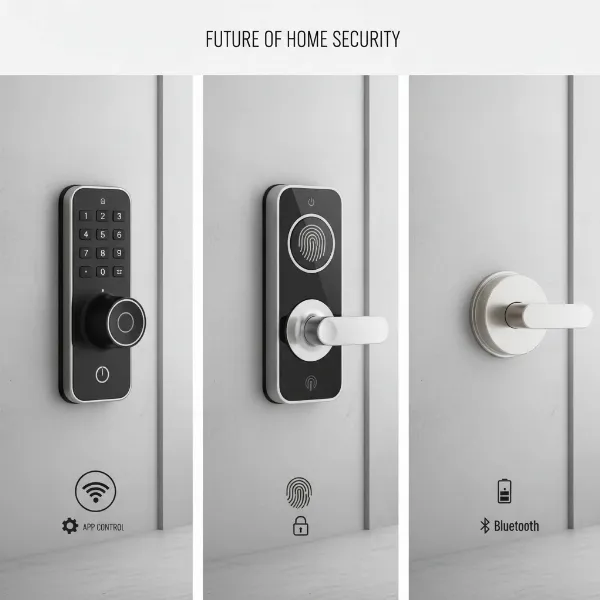
The traditional jingle of keys is fast becoming a relic of the past. In our increasingly connected world, managing who enters and exits your property should be as simple as tapping a screen. Smart door locks offer a revolutionary solution, transforming security and convenience by putting access control directly in your hands. This article delves into the best smart door locks specifically designed for effortless access management, helping you make an informed decision for your home, office, or rental property.
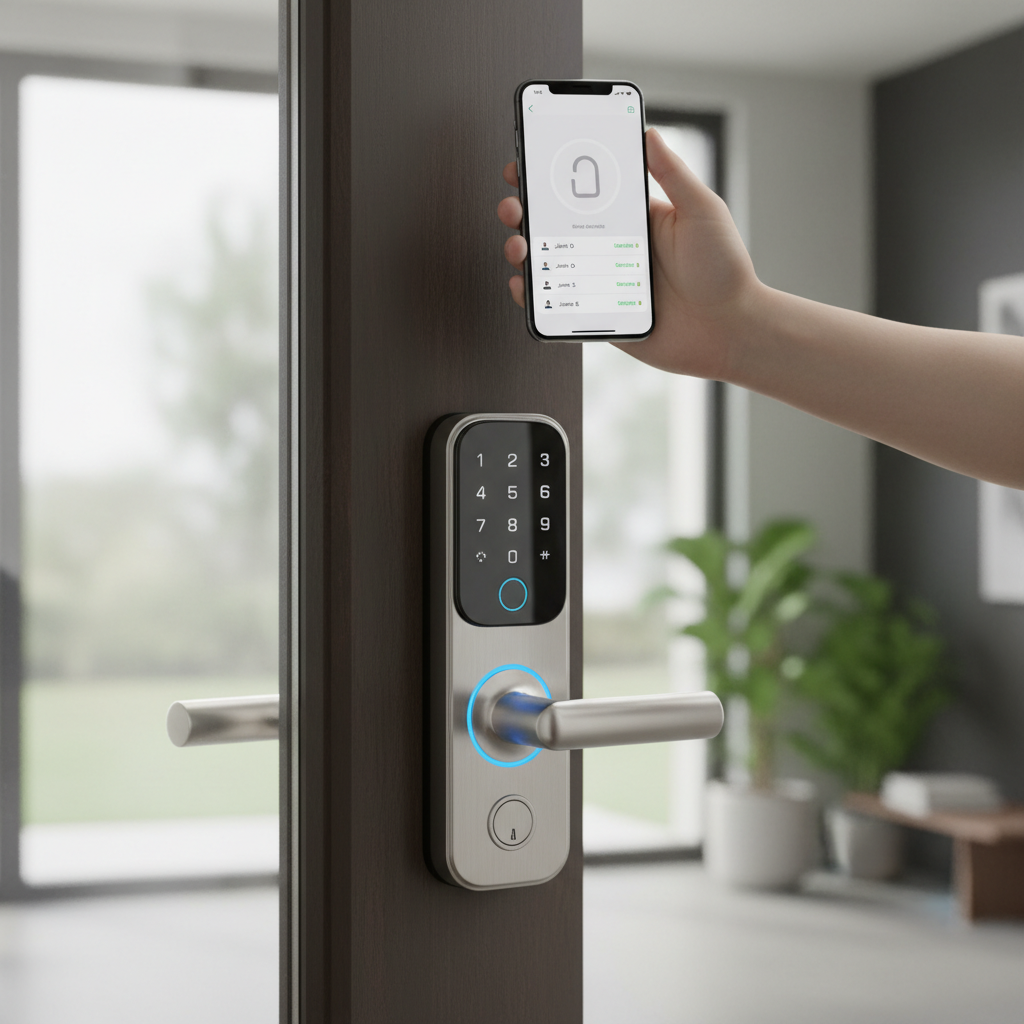
What is a Smart Door Lock and Why Use One?
A smart door lock is an electromechanical lock that can be controlled and monitored remotely or through various keyless methods beyond a traditional physical key. These devices connect to your home network, allowing for advanced functionalities that enhance both security and daily convenience. They move beyond the simple “lock and unlock” function, offering sophisticated access control capabilities crucial in modern living.
The primary benefits of integrating a smart door lock into your property, especially for managing access, are manifold. Firstly, they provide enhanced security by enabling you to issue unique, temporary, or scheduled access codes, eliminating the risk of lost or copied physical keys. Secondly, the unparalleled convenience means you can lock or unlock doors from anywhere in the world using your smartphone, perfect for unexpected visitors or double-checking your home’s security. Thirdly, smart locks offer flexible access control, allowing you to manage multiple users with different permission levels, whether it’s for family members, cleaning services, or short-term rental guests. Finally, their seamless integration with smart home ecosystems means your lock can interact with other devices, like security cameras or lighting, for a truly automated and secure environment.
Popular Types of Smart Door Locks
Smart door locks come in various forms, each offering distinct advantages depending on your preferences and specific access management needs. Understanding these categories is key to selecting the ideal lock for your property.
By Unlocking Method
Modern smart locks provide a diverse array of methods to grant or deny entry, moving far beyond the mechanical key.
- Fingerprint Scanners: These locks offer rapid, biometric authentication, allowing entry with a simple touch. They are highly convenient for frequent users as they eliminate the need to remember codes or carry cards.
- Keypads (PIN Codes): A common and versatile method, keypads let users enter a numerical code. This is excellent for guest access, as codes can be easily created, changed, and revoked remotely via a smartphone app.
- RFID/Key Cards: Similar to hotel room cards, these locks use proximity cards or fobs for entry. They are ideal for offices or shared spaces where physical credentials are preferred over memorized codes.
- Smartphone App Control: Many smart locks can be locked and unlocked directly through a dedicated mobile application, offering remote access and a hub for managing all other entry methods.
- Traditional Key Override: Most smart locks retain a traditional keyway as a failsafe, ensuring access even during power outages or battery failures.
- Facial Recognition: Emerging in high-end models, facial recognition offers advanced, hands-free biometric entry, further enhancing security and convenience.
|
Our Picks for the Best Smart door lock in 2026
As an Amazon Associate I earn from qualifying purchases.
|
||
| Num | Product | Action |
|---|---|---|
| 1 | Smart Door Handle Lock with Keypad: Yamiry Fingerprint Smart Knob - Keyless Entry Digital Lock for Front Door - Deadbolt with APP - Generate Passcode Remotely - DIY Installation |

|
| 2 | TEEHO TE001 Keyless Entry Door Lock with Keypad - Smart Deadbolt Lock for Front Door with 2 Keys - Auto Lock - Easy Installation - Satin Nickel |
|
| 3 | Veise VE017 Fingerprint Smart Door Lock, App Control, 8-in-1 Keyless Entry, Auto Lock, Emergency Power Port, Electronic Touchscreen Keypad, Biometric Smart Locks for Front Door, Matte Black |
|
| 4 | eufy Security Smart Lock C220, Fingerprint Keyless Entry Door Lock, Built-in Wi-Fi, App Remote Control, Front Door Smart Lock Deadbolt, 8Months Battery, Reliable Power, IP53 Waterproof, BHMA Grade 3 |
|
| 5 | Philips Wi-Fi Door Lock, WiFi Smart Lock Keyless Entry Deadbolt for Front Door, Compatible with Alexa & Google Assistant, Remote Control, Built-in WiFi, APP Fingerprint Passcode Unlock, Auto Locking |
|
| 6 | Schlage Encode Smart Wi-Fi Deadbolt Lock with Touchscreen Keypad, Keyless Front Door Entry, App Control, Alexa, Google Home and Airbnb Compatible, Matte Black, BE489WB CEN 622 |
|
| 7 | eufy Security Smart Lock C30, Keyless Entry Door Lock, Built-in WiFi Keypad Deadbolt for Front Door, No Bridge Required, Easy Installation, App Remote Control, Reliable Power, BHMA Grade 3 |
|
| 8 | Philips WiFi Keypad Door Lock with Handle, Built-in WiFi, APP Remote Control, Voice & Fingerprint Unlock, Smart Locks for Front Door with Auto Lock, Digital Front Door Lock Set, Keyless Entry Deadbolt |
|
| 9 | Keypad Smart Door Lock with Knob, Yamiry Keyless Entry Digital Lock with Handle, Fingerprint Electronic Knob for Front Door |
|
| 10 | TEEHO TE001 Keyless Entry Door Lock with Keypad - Smart Deadbolt Lock for Front Door with 2 Keys - Auto Lock - Easy Installation - Matte Black |
|
By Connectivity
The way a smart lock communicates is vital for its access management capabilities, particularly for remote control.
- Wi-Fi (Direct vs. Bridge): Wi-Fi enabled locks connect directly to your home’s wireless network, providing true remote control from anywhere with an internet connection. Some locks require a separate Wi-Fi bridge to achieve this functionality, while others have it built-in.
- Bluetooth: Bluetooth locks connect directly to your smartphone when you are within close proximity (typically around 30 feet). While convenient for local control, they don’t offer remote access without a separate Wi-Fi bridge.
- Z-Wave & Zigbee: These are mesh networking protocols designed for smart home devices. They offer reliable, low-power communication and often require a compatible smart home hub (like SmartThings or Hubitat) to enable remote access and integration with other devices.
By Design
Smart locks are designed to fit various door types and aesthetic preferences.
- Deadbolt Smart Locks: These replace or augment your existing deadbolt, offering strong security and are the most common type for residential use. They can be full replacements or retrofit units that only change the interior mechanism.
- Lever Smart Locks: Integrating the smart locking mechanism into a door handle with a lever, these are often used for interior doors or where a simpler, all-in-one solution is desired.
- Handle-set Smart Locks: Combining a handle and a deadbolt, these offer a complete door entry solution that often presents a more traditional aesthetic while incorporating smart features.
[image-1|smart-lock-connectivity-types|Smart locks illustrating different connectivity methods like Wi-Fi, Bluetooth, and Z-Wave for access management|
A realistic, eye-level shot showing three distinct smart door lock models on a wooden door. One lock has a subtle Wi-Fi symbol glowing, another shows a Bluetooth symbol, and the third a Z-Wave logo. Each symbol is integrated into the lock’s design. The background is a slightly blurred, modern interior. Soft, natural lighting from a window highlights the locks.]
Leading Smart Door Lock Brands and Their Access Management Strengths
When it comes to choosing a smart door lock for efficient access management, several brands consistently stand out for their innovation, reliability, and robust feature sets. These manufacturers offer solutions tailored for various needs, from personal home security to managing multiple rental properties.
| Brand | Key Access Methods | Remote Control | Smart Home Integration | Security Rating (Typical) | Price Tier | Access Management Strength |
|---|---|---|---|---|---|---|
| Schlage | Keypad, App, Fingerprint (select models), Key | Yes (Wi-Fi/Bridge) | Alexa, Google Assistant, HomeKit | ANSI/BHMA Grade 1 | Mid-High | Renowned for robust security and direct Wi-Fi connectivity. Excellent for creating and managing multiple user codes with customizable schedules, perfect for rentals and busy households. |
| Yale | Keypad, App, Key Card (select models), Key | Yes (Wi-Fi/Bridge) | Alexa, Google Assistant, HomeKit, Ring | ANSI/BHMA Grade 2 | Mid-High | Offers sleek designs and reliable performance. Strong focus on user-friendly apps for remote locking/unlocking and granting temporary access. Integrates well with Nest for a comprehensive smart home security ecosystem. |
| August | App, Key Card, Keypad (with accessory), Key (existing) | Yes (Wi-Fi Bridge) | Alexa, Google Assistant, HomeKit, Airbnb | N/A (retrofit) | Mid | Specializes in retrofit locks that fit over your existing deadbolt, maintaining your exterior lock. Offers seamless Airbnb integration for automated guest code generation and check-ins. Excellent for monitoring activity logs. |
| Kwikset | Keypad, App, Fingerprint (Halo Touch), Key | Yes (Wi-Fi/Bluetooth) | Alexa, Google Assistant | ANSI/BHMA Grade 1/2 | Mid | Provides a good balance of security and features. Kwikset Halo models offer direct Wi-Fi. Known for its SmartKey Security, allowing re-keying in seconds. Easy user code management via app. |
| Ultraloq | Fingerprint, Keypad, App, Key Card, Key, Apple Watch | Yes (Wi-Fi/Bridge) | Alexa, Google Assistant | ANSI/BHMA Grade 2 | Mid | Stands out for offering multiple biometric and traditional access methods. The U-Bolt Pro is highly versatile with 8-in-1 entry options, making it ideal for properties needing diverse access solutions and easy eKey sharing. |
| Level | App, Key Card, Key, Apple HomeKey | Yes (Wi-Fi Bridge) | HomeKit | ANSI/BHMA Grade 1 | High | Focuses on a completely invisible design, fitting inside your door. Offers incredibly discreet access management through app, key cards, and HomeKey, providing a premium experience without altering your door’s aesthetic. |
| Igloohome | Keypad (offline PIN), App (Bluetooth), Key | Yes (Wi-Fi Bridge) | Alexa, Google Assistant (limited with bridge) | ANSI/BHMA Grade 2 | Mid | Unique for its algoPIN™ technology, allowing for offline PIN code generation, which is highly beneficial for remote properties with unreliable internet. Integrates with Airbnb and other booking channels for automated access. |
| Eufy | Fingerprint, Keypad, App, Key | Yes (Wi-Fi) | Alexa, Google Assistant | ANSI/BHMA Grade 2 | Mid | Known for integrating smart lock technology with video doorbells. Offers strong biometric fingerprint recognition and comprehensive activity logs, with robust Wi-Fi connectivity for remote management and monitoring. |
“The ability to generate unique, temporary access codes for guests or service providers, coupled with real-time activity logs, fundamentally changes how property owners manage security and convenience. This level of control was unimaginable with traditional keys.” – Jane Doe, Smart Home Security Expert
Top Smart Door Lock Models for Easy Access Management
Choosing the best smart lock means finding one that perfectly aligns with your specific access management needs. Here are some of the top models currently available, each excelling in different aspects of user control and convenience.
| Model | Price Range (approx.) | Unlocking Methods | Key Access Management Features | Special Features | Best For |
|---|---|---|---|---|---|
| Schlage Encode Plus | $250 – $300 | Keypad, App, Key, Apple HomeKey | Unlimited permanent/temporary codes, scheduled access, activity logs, remote lock/unlock | Built-in Wi-Fi, Apple Home Key support, Grade 1 Security | Vacation rentals, busy families, Apple ecosystem users wanting direct Wi-Fi connectivity and high security. |
| August Wi-Fi Smart Lock | $200 – $250 | App, Key (existing), Keypad (accessory) | Unlimited virtual keys, scheduled access, auto-unlock/lock, guest access integration with Airbnb | Retrofit installation, DoorSense™ (open/closed sensor), discreet design | Airbnb hosts, those wanting to keep existing exterior hardware, easy guest management, activity tracking. |
| Yale Assure Lock 2 Wi-Fi | $180 – $280 | Keypad, App, Key, Key Card (select) | Permanent/temporary PIN codes, remote access, activity alerts, auto-lock | Compact design, various finishes, Apple HomeKit support, optional Wi-Fi module | Modern homes, users prioritizing sleek aesthetics, reliable performance, and integration with major smart home platforms. |
| Ultraloq U-Bolt Pro Wi-Fi | $150 – $200 | Fingerprint, Keypad, App, Key Card, Key, Shake to Open | Create eKeys with time limits, track entry via activity logs, auto-lock/unlock | 8-in-1 entry, IP65 weather resistance, anti-peep keypad, mechanical key override | Tech enthusiasts, rental properties needing multiple versatile entry options, strong security, and durability. |
| Level Lock+ Connect | $300 – $350 | App, Key Card, Key, Apple HomeKey | Unlimited passes (app, key card), scheduled access, activity history | Invisible design (fits inside door), HomeKit native, long battery life (CR2) | Design-conscious homeowners, Apple users seeking seamless integration and a discreet, high-security smart lock. |
| Eufy Video Smart Lock S330 | $300 – $400 | Fingerprint, Keypad, App, Key | Temporary/permanent codes, remote unlocking, video recording of entries | Integrated 2K camera & doorbell, local storage, real-time alerts | Users wanting an all-in-one security solution with video monitoring, strong biometrics, and robust remote control. |
| Igloohome Smart Deadbolt 2S | $150 – $200 | Keypad (offline PIN), App (Bluetooth), Key | algoPIN™ technology for offline access, unique codes for guests/staff, auto-lock | Offline PIN generation, integrates with Airbnb, good for areas with inconsistent Wi-Fi | Vacation rentals, properties with intermittent internet, hosts prioritizing battery life and secure offline access. |
How to Choose the Right Smart Door Lock
Selecting the perfect smart door lock can seem daunting, but by focusing on your specific needs and priorities, you can narrow down the options effectively. The right lock enhances security and simplifies access management, making daily life easier.
Determine Your Usage Needs
Your primary use case will heavily influence the best choice.
- Residential (Personal/Family): You might prioritize ease of use for all family members (fingerprint or app), smart home integration, and aesthetic appeal. Remote locking/unlocking and activity logs for peace of mind are often desired.
- Rental Property (Short-Term/Long-Term): For Airbnb or other rentals, robust remote access management, easy temporary code generation, automated scheduling, and integration with booking platforms are critical. Durability and reliable connectivity are also key.
- Commercial/Office: Multiple user profiles, detailed audit trails, access schedules for different employee shifts, and strong security ratings are paramount.
Set a Realistic Budget
Smart locks vary significantly in price, generally ranging from $100 for basic models to over $350 for premium, feature-rich options. Decide what features are essential and how much you’re willing to invest. Remember that higher-priced locks often come with advanced connectivity, more robust security, and a wider array of access methods.
Prioritize Essential Access Features
Think about what specific access management features are non-negotiable for you:
- Remote Access and Control: Is controlling your lock from anywhere a must-have, or is local control sufficient? (This points to Wi-Fi vs. Bluetooth).
- Temporary and Scheduled Codes: Do you need to grant time-limited access to guests, dog walkers, or maintenance staff?
- Activity Logs/Audit Trail: Is it important to know who entered and when?
- Multiple Entry Methods: Do you want keypad, fingerprint, app, key card, or a combination?
Check Door Type and Compatibility
Before purchasing, verify your door’s specifications. Most smart locks are designed for standard deadbolt preparations (typically a 2-1/8 inch bore hole and 2-3/8 or 2-3/4 inch backset). Ensure the lock’s dimensions and installation requirements match your door’s thickness and existing hardware. Retrofit locks (like August) are great for keeping your existing exterior look.
Consider Connectivity and Smart Home Integration
If you already have a smart home ecosystem (e.g., Amazon Alexa, Google Assistant, Apple HomeKit), choose a lock that seamlessly integrates with it. This allows for voice control and the creation of automation routines (e.g., lights turn on when the door unlocks). Wi-Fi offers the most direct remote control, while Z-Wave or Zigbee locks require a compatible hub.
Evaluate Brand Reputation and Support
Opt for reputable brands known for quality, security, and good customer service. Check warranty policies and read reviews regarding customer support responsiveness. A reliable brand can make a significant difference if you encounter any issues.
Installation and Usage Guide
Installing and using your smart door lock effectively is crucial for maximizing its benefits in access management. While specific steps may vary slightly by model, the general process involves replacing your existing deadbolt and then configuring the smart features via an app.
Prepare Necessary Tools
Typically, you’ll need:
- Screwdrivers (Phillips and Flathead)
- Measuring tape
- Pencil
- Drill (only if modifying your door, which is rare for standard installations)
- Your smartphone
Basic Installation Steps
- Remove Old Lock: Unscrew and remove your existing deadbolt from both the interior and exterior sides of the door.
- Install New Deadbolt Latch: Insert the new smart lock’s latch mechanism into the edge of the door, ensuring it’s oriented correctly (often indicated by an “up” arrow). Secure it with screws.
- Install Exterior Keypad/Assembly: Feed the cable from the exterior portion of the lock through the bore hole in your door. Align the exterior keypad/assembly with the latch and door frame.
- Install Interior Assembly: Connect the cable from the exterior unit to the interior assembly (where the battery pack and smart modules are housed). Secure the interior assembly to the door with mounting screws.
- Insert Batteries: Install the required batteries (usually AA or AAA).
- Test Mechanical Functionality: Before closing everything up, manually operate the lock using the interior thumb turn and any physical key override to ensure smooth operation.
Note: Always refer to your smart lock’s specific instruction manual or manufacturer’s video guides for detailed, model-specific installation instructions.
Setup and Configuration via App
Once the hardware is installed, the real access management begins:
- Download the App: Install the manufacturer’s companion app on your smartphone.
- Pair the Lock: Follow the in-app instructions to pair your smart lock with your phone and, if applicable, your home Wi-Fi network or smart home hub.
- Create Admin Account: Set up your primary administrator account and a master PIN code if your lock has a keypad.
- Add Users and Codes: This is where access management shines.
- Permanent Users: Create profiles for family members, assigning them unique PINs, app access, or fingerprint enrollment.
- Temporary Users: Generate time-sensitive PIN codes for guests, cleaners, or contractors. You can often specify start and end dates/times for access.
- Scheduled Access: Set recurring schedules for certain users (e.g., a dog walker having access every weekday from 10 AM to 12 PM).
- Enable Remote Features: Ensure remote locking/unlocking, activity notifications, and battery alerts are configured.
Maintenance Tips for Longevity
- Regular Battery Checks: Most apps provide battery status, or the lock will emit warnings. Replace batteries promptly, usually every 6-12 months depending on usage and connectivity type.
- Clean Keypads/Sensors: Periodically wipe down keypads and fingerprint sensors with a soft, dry cloth to ensure optimal performance.
- Software Updates: Keep your lock’s firmware updated through the app to benefit from new features and security enhancements.
- Door Alignment: Ensure your door and frame remain properly aligned. A misaligned door can cause the deadbolt to jam, leading to excessive wear on the lock’s motor and faster battery drain.
[image-2|smart-lock-installation-setup|A person installing a smart lock on a wooden door, with a smartphone displaying the lock’s companion app for setup and access management|
A bright, well-lit close-up shot of hands installing a smart lock on a light-colored wooden door. One hand is holding a screwdriver, tightening a screw on the interior part of the lock. In the foreground, a slightly out-of-focus smartphone screen shows the setup interface of a smart lock app, with options like ‘Add User’ or ‘Create Code’ visible. The overall style is clean and practical.]
Common Smart Door Lock Issues and Troubleshooting
Even the best smart door locks can encounter occasional hiccups. Understanding common problems and how to troubleshoot them can save you time and ensure uninterrupted security and access.
Unexpected Battery Depletion
- Problem: Your smart lock’s battery dies sooner than expected, leaving you unable to use electronic features.
- Cause: Frequent usage, weak Wi-Fi signal (causing the lock to constantly search for a connection), extreme temperatures, or old batteries.
- Fix:
- Check Battery Status Regularly: Use the companion app to monitor battery levels and replace them proactively.
- Use High-Quality Batteries: Invest in reputable alkaline batteries for longer life.
- Mechanical Key Override: Always have your physical key handy as a backup.
- External Power (if available): Some locks offer a port for a 9V battery or a micro-USB cable to provide temporary power for keypad entry.
Forgotten Passcodes or Lost Key Cards
- Problem: You, a family member, or a guest forgets their keypad code, or a key card is misplaced.
- Cause: Human error or negligence.
- Fix:
- Remote Management via App: As the administrator, you can easily view, change, or create new passcodes/key cards through the lock’s mobile application.
- Delete Lost Credentials: Immediately revoke access for lost key cards or outdated codes to maintain security.
- Physical Key: Use the traditional key if app access is unavailable (e.g., no Wi-Fi).
Fingerprint Recognition Malfunctions
- Problem: The smart lock’s fingerprint scanner fails to recognize an authorized fingerprint.
- Cause: Dirty sensor, wet or damaged fingers, sensor malfunction, or improper enrollment.
- Fix:
- Clean the Sensor: Gently wipe the fingerprint sensor with a soft, dry cloth.
- Ensure Dry, Clean Fingers: Make sure your fingers are clean and dry when attempting to scan.
- Re-enroll Fingerprint: If problems persist, try deleting and re-registering the fingerprint in the lock’s app. Enroll multiple angles of the same finger for better recognition.
- Use Alternative Entry Methods: Utilize keypad, app, or physical key as a backup.
Connectivity Issues
- Problem: Your smart lock loses connection to Wi-Fi or Bluetooth, preventing remote control or app-based functions.
- Cause: Router issues, Wi-Fi dead zones, network changes, or lock firmware glitches.
- Fix:
- Check Your Router: Ensure your Wi-Fi router is working correctly and within range.
- Reboot Lock and Router: Sometimes a simple restart of both the lock (by removing/reinserting batteries) and your Wi-Fi router can resolve connectivity issues.
- Update Firmware: Check the lock’s app for any pending firmware updates, which often include connectivity improvements.
- Range Extender/Mesh Network: For larger homes or dead zones, consider a Wi-Fi range extender or a mesh Wi-Fi system to improve signal strength near the door.
- Check App Permissions: Ensure the smart lock app has the necessary permissions on your smartphone.
By being aware of these common issues and their solutions, you can enjoy the full potential of your smart door lock and maintain seamless access management for your property.
Conclusion
Embracing a smart door lock for seamless access management is a significant upgrade to any property, blending security with unparalleled convenience. The ability to remotely control who enters, issue temporary access codes, and monitor activity logs transforms how you interact with your home or business. From ensuring a smooth guest experience in a vacation rental to providing flexible access for family members or service providers, the best smart locks offer robust features tailored to modern demands. By carefully considering your specific needs, evaluating connectivity options, and choosing a reputable brand, you can select a device that not only secures your property but also simplifies your daily life. What kind of access management challenges are you hoping a smart lock will solve for you?
Frequently Asked Questions
How secure are smart locks for access management?
Smart locks offer robust security, often surpassing traditional locks. They provide features like unique, temporary access codes, real-time activity logs, and tamper alarms. Many leading brands also meet high industry security standards (e.g., ANSI/BHMA Grade 1 or 2).
Do smart locks work without Wi-Fi?
Yes, many smart locks still function without Wi-Fi. Bluetooth-only locks offer local control, and most models provide keypad entry, fingerprint access, or a traditional key override. However, remote management features like unlocking from afar or generating codes remotely typically require a Wi-Fi connection (either built-in or via a bridge).
Can I give temporary access to guests or service providers?
Absolutely. One of the primary benefits of smart locks for access management is the ability to create temporary, time-sensitive passcodes or virtual keys. You can often set these to expire automatically after a specific date and time, perfect for vacation rentals, housekeepers, or contractors.
What happens if the smart lock battery dies?
Most smart locks are designed with backup options. They typically include a traditional keyway for manual unlocking. Some also feature terminals for a 9V battery or a micro-USB port, allowing you to temporarily power the lock from outside to enter a code or connect via Bluetooth.
Are smart locks compatible with all doors?
Most smart locks are designed to fit standard residential doors with typical deadbolt preparations. However, it’s crucial to check the specific lock’s dimensions and installation requirements against your door’s thickness and existing bore holes. Some doors, like those with non-standard measurements or unique designs, may not be compatible.
What’s the difference between Bluetooth and Wi-Fi locks for remote access?
Bluetooth locks allow you to control the lock only when you are within a short range (e.g., 30 feet) of the door. Wi-Fi enabled locks, either directly or via a bridge, connect to your home’s internet, allowing you to manage and control the lock from anywhere in the world through your smartphone.
How often should I change smart lock codes?
For optimal security, it’s a good practice to change temporary codes after each guest or service provider leaves. Permanent codes for family members don’t need frequent changes, but it’s wise to update them periodically, especially if you suspect they might have been compromised or shared inadvertently.