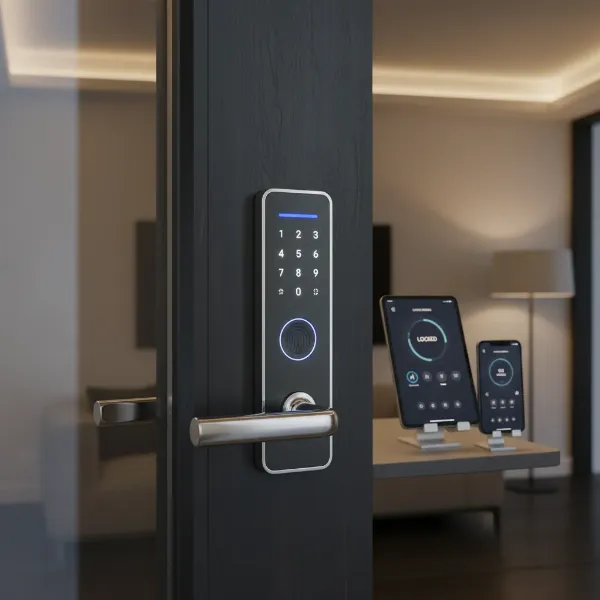
Have you ever left home, only to be plagued by the nagging doubt: “Did I lock the door?” For many, this common anxiety is a daily occurrence, often leading to wasted time and unnecessary stress. The traditional key system, a staple for centuries, is increasingly showing its limitations in our fast-paced, connected world. Smart door locks offer a compelling solution, transforming how we secure our homes and manage access with unparalleled convenience and advanced security features. This comprehensive review delves into the intricate specifications of smart door locks, helping you navigate the market and choose a product that offers both peace of mind and cutting-edge technology for your home.
What is a Smart Door Lock and Why Should You Use One?
A smart door lock is an electronic locking system that replaces or augments your traditional deadbolt, allowing you to control and monitor access to your home using a smartphone or other connected devices. Unlike mechanical locks, smart locks integrate modern technology to offer enhanced security and ease of use.
The primary benefits of upgrading to a smart door lock are multifaceted. Firstly, they offer enhanced security. Many models feature advanced encryption, tamper alerts, activity logs that track who enters and exits, and automatic locking functions, significantly bolstering your home’s defense against unauthorized entry. Secondly, unparalleled convenience is a major draw. Imagine granting access to a delivery driver or houseguest from anywhere in the world, or having your door automatically unlock as you approach. Keyless entry through passcodes, fingerprints, or smartphone apps eliminates the hassle of carrying physical keys, reducing the risk of being locked out or losing them. Thirdly, smart locks provide seamless integration with other smart home devices. They can link with security cameras, smart lighting, thermostats, and voice assistants like Amazon Alexa or Google Home, creating a cohesive and automated living environment. Common use cases include providing temporary access for service personnel, monitoring children’s entry and exit, and securing rental properties with easily manageable digital keys.
Popular Types of Smart Door Locks on the Market
The smart door lock market is diverse, offering various types categorized by their unlocking methods, connectivity, and design. Understanding these distinctions is crucial for selecting a lock that aligns with your specific needs and existing home infrastructure.
By Unlocking Method
Smart locks provide a multitude of ways to grant or deny access, moving far beyond the traditional key.
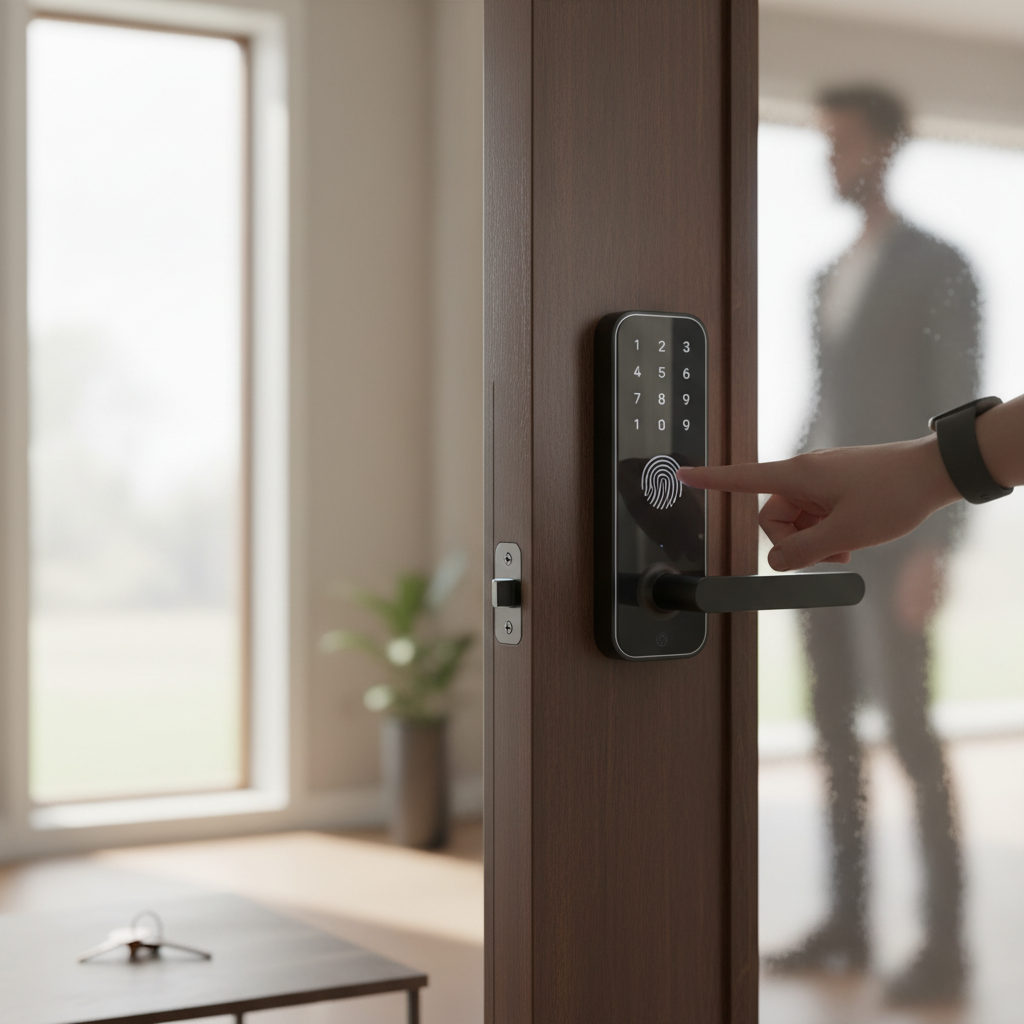
- Fingerprint Recognition: Biometric smart locks, such as those from Ultraloq and Lockly, scan unique physical characteristics like fingerprints to grant access. This method is fast, secure, and eliminates the need for codes or keys. Some advanced models, like the Lockin Veno Pro, even feature palm vein recognition.
- Passcode Keypads: Keypad locks are a common and widely adopted type, where users enter a numerical code on a touchscreen or physical keypad. Brands like Schlage and Yale offer robust keypad options, with some even having dynamic keypads where numbers shuffle to prevent “smudge attacks.”
- RFID Cards/Fobs: Similar to hotel room keys, RFID (Radio-Frequency Identification) locks use small cards or fobs that, when tapped against the lock, grant access. These are particularly useful for guests or those who prefer not to use a smartphone.
- Smartphone App: Most smart locks offer control via a dedicated mobile app, allowing users to lock/unlock doors, manage access, and view activity logs remotely. This is the cornerstone of smart lock convenience.
- Mechanical Key: Many smart locks, especially those that replace existing deadbolts, include a traditional mechanical key as a backup. This ensures access even if batteries die or technology fails.
- Facial Recognition: Advanced models are emerging with facial recognition technology, adding another layer of biometric security.
|
Our Picks for the Best Smart door lock in 2026
As an Amazon Associate I earn from qualifying purchases.
|
||
| Num | Product | Action |
|---|---|---|
| 1 | Philips Wi-Fi Door Lock, WiFi Smart Lock Keyless Entry Deadbolt for Front Door, Compatible with Alexa & Google Assistant, Remote Control, Built-in WiFi, APP Fingerprint Passcode Unlock, Auto Locking |

|
| 2 | eufy Security Smart Lock C30, Keyless Entry Door Lock, Built-in WiFi Keypad Deadbolt for Front Door, No Bridge Required, Easy Installation, App Remote Control, Reliable Power, BHMA Grade 3 |
|
| 3 | TEEHO TE001 Keyless Entry Door Lock with Keypad - Smart Deadbolt Lock for Front Door with 2 Keys - Auto Lock - Easy Installation - Satin Nickel |
|
| 4 | TEEHO TE001 Keyless Entry Door Lock with Keypad - Smart Deadbolt Lock for Front Door with 2 Keys - Auto Lock - Easy Installation - Matte Black |
|
| 5 | Philips WiFi Keypad Door Lock with Handle, Built-in WiFi, APP Remote Control, Voice & Fingerprint Unlock, Smart Locks for Front Door with Auto Lock, Digital Front Door Lock Set, Keyless Entry Deadbolt |
|
| 6 | Schlage Encode Smart Wi-Fi Deadbolt Lock with Touchscreen Keypad, Keyless Front Door Entry, App Control, Alexa, Google Home and Airbnb Compatible, Matte Black, BE489WB CEN 622 |
|
| 7 | Smart Door Handle Lock with Keypad: Yamiry Fingerprint Smart Knob - Keyless Entry Digital Lock for Front Door - Deadbolt with APP - Generate Passcode Remotely - DIY Installation |
|
| 8 | Veise VE017 Fingerprint Smart Door Lock, App Control, 8-in-1 Keyless Entry, Auto Lock, Emergency Power Port, Electronic Touchscreen Keypad, Biometric Smart Locks for Front Door, Matte Black |
|
| 9 | Keypad Smart Door Lock with Knob, Yamiry Keyless Entry Digital Lock with Handle, Fingerprint Electronic Knob for Front Door |
|
| 10 | eufy Security Smart Lock C220, Fingerprint Keyless Entry Door Lock, Built-in Wi-Fi, App Remote Control, Front Door Smart Lock Deadbolt, 8Months Battery, Reliable Power, IP53 Waterproof, BHMA Grade 3 |
|
By Connectivity
The way a smart lock communicates is fundamental to its functionality and integration capabilities.
- Bluetooth (BLE): Bluetooth Low Energy locks connect directly to your smartphone when you are within a short range. They are energy-efficient but typically require you to be physically near the door for control. August Smart Locks are known for their Bluetooth capabilities, often integrating into existing deadbolts.
- Wi-Fi: Wi-Fi enabled locks connect directly to your home’s Wi-Fi network, allowing for remote control from anywhere with internet access. While highly convenient, they generally consume more power than Bluetooth locks. Brands like Schlage Encode and many newer models offer built-in Wi-Fi, eliminating the need for a separate hub.
- Z-Wave: Z-Wave is a wireless protocol specifically designed for smart home devices, known for its reliability and low power consumption. Z-Wave locks require a compatible smart home hub (e.g., SmartThings, Hubitat) to communicate with your smartphone or other devices. This creates a mesh network, extending range and enhancing stability.
- Zigbee: Similar to Z-Wave, Zigbee is another mesh networking protocol popular in smart home ecosystems. It offers low power consumption and robust connectivity, also requiring a compatible hub for full functionality. Aqara offers locks that support Zigbee and Matter over Thread.
- Matter/Thread: Matter is a newer, unified connectivity standard that aims to simplify smart home device integration across different ecosystems (Apple HomeKit, Google Home, Amazon Alexa, Samsung SmartThings). Thread is an IP-based mesh networking protocol often used with Matter, offering improved reliability and lower power. Locks supporting Matter/Thread represent the future of seamless smart home integration.
By Design
Smart locks come in various form factors to suit different door types and aesthetic preferences.
- Deadbolt Smart Locks: These are the most common type, replacing your existing deadbolt with a smart mechanism. They often feature an exterior keypad or fingerprint reader and an interior assembly. Many allow you to keep your existing key for backup.
- Lever Handle Smart Locks: These locks integrate the smart mechanism directly into the door handle, offering an all-in-one solution for both locking and opening the door.
- Handle-less Smart Locks: These are minimalist designs where the smart technology is discreetly integrated, often appearing as a standard deadbolt without a large keypad or handle, such as Level Lock models.
- Electronic Locks for Glass Doors: Specialized smart locks are available for glass doors, often used in offices or modern homes, designed to clamp onto the glass without requiring drilling.
Comparing Leading Smart Door Lock Brands
The smart lock market is competitive, with several established brands and innovative newcomers vying for attention. Here’s a comparison of some leading brands based on common criteria:
| Brand | Price Range (Approx.) | Key Features | Durability Rating (BHMA) | Security Features | Smart Home Integration | Support & Warranty |
|---|---|---|---|---|---|---|
| Ultraloq | $150 – $350 | Fingerprint, Keypad, App, Key, Auto-lock | Grade 1 or 2 | Anti-peep keypad, dual data encryption | Alexa, Google Home, IFTTT | 18-month electronics, lifetime mechanical |
| Lockly | $200 – $500+ | Fingerprint, Keypad (PIN Genie), App, Key | Grade 2 | Patented PIN Genie, offline access codes, 3D fingerprint | Alexa, Google Home | 5-year electronics, lifetime mechanical |
| Schlage | $150 – $400 | Keypad, App, Key, Wi-Fi, Z-Wave | Grade 1 or 2 | Built-in alarm, SecureScreen, tamper alerts | Alexa, Google Home, HomeKit, Ring | 3-year electronics, lifetime mechanical |
| Yale | $130 – $350 | Touchscreen Keypad, App, Key (some models), Wi-Fi, Z-Wave | Grade 2 | Auto-lock, activity logs, privacy mode | Alexa, Google Home, HomeKit (with module) | 1-year electronics, lifetime mechanical |
| August | $150 – $250 | Retrofit design, App, Auto-unlock/lock, DoorSense | N/A (uses existing deadbolt) | Activity feed, guest access management | Alexa, Google Home, HomeKit, Z-Wave, SmartThings | 1-year electronics, lifetime mechanical |
| Aqara | $100 – $300 | Fingerprint, Keypad, App, NFC, Key, Matter/Thread | Grade 2 | Alarm, remote control, instant notifications | HomeKit, Google Home, Alexa, Matter | 1-year limited |
“The rapid evolution of smart lock technology means that today’s locks offer a blend of robust physical security and sophisticated digital safeguards, providing a comprehensive defense for your home.” – Alex Chen, Smart Home Security Analyst
Top Smart Door Lock Models Compared
Choosing the “best” smart lock depends heavily on individual priorities. Here’s a comparison of some highly-rated models, highlighting their key features and what makes them stand out:
| Model | Price (Approx.) | Unlocking Methods | Special Features | Connectivity | User Rating (out of 5) | Best For |
|---|---|---|---|---|---|---|
| Ultraloq Bolt Fingerprint WiFi Deadbolt | $175 | Fingerprint, Keypad, App, Key | Built-in Wi-Fi, Auto-lock, multiple users | Wi-Fi | 4.5 | Overall versatility & reliability |
| Lockly Secure Pro | $300 | Fingerprint, PIN Genie Keypad, App, Key | Dynamic keypad, video doorbell (some models) | Wi-Fi, Bluetooth | 4.3 | Enhanced security & privacy |
| Schlage Encode Plus | $270 | Keypad, App, Key, Apple Home Key | Built-in Wi-Fi, Apple Home Key, alarm | Wi-Fi | 4.4 | Apple HomeKit users & robust security |
| Yale Assure Lock 2 | $160 | Touchscreen Keypad, App, Key (optional) | Sleek design, easy installation | Bluetooth, Wi-Fi/Z-Wave/Zigbee (module) | 4.2 | Modern aesthetics & broad compatibility |
| August Wi-Fi Smart Lock | $200 | App, Auto-lock/unlock, Key (existing) | Retrofit design, DoorSense, geofencing | Wi-Fi, Bluetooth | 4.1 | Renters & those wanting to keep existing keys |
| Aqara Smart Lock U100 | $180 | Fingerprint, Keypad, App, NFC, Key | Matter/Thread support, auto-lock | Bluetooth, Zigbee, Matter/Thread | 4.0 | Future-proof smart home integration |
| Wyze Lock Bolt v2 | $70 | Fingerprint, Keypad, Key | Affordable, BHMA Grade 2, IP53 weather | Bluetooth | 4.0 | Budget-conscious with essential features |
How to Choose the Right Smart Door Lock
Selecting the perfect smart door lock involves a thoughtful evaluation of your specific requirements and environment. Making an informed decision ensures you invest in a device that genuinely enhances your security and daily convenience.
Determine Usage Needs
Consider who will be using the lock and how. For a family home, you might prioritize multiple user profiles (fingerprint, unique passcodes for children), activity logs, and auto-locking features. For an office, robust access control, time-limited entries, and integration with existing security systems are key. Rental properties benefit greatly from remote access management, easy code changes for new tenants, and temporary guest access.
Budget Expectations
Smart locks vary widely in price, typically ranging from under $100 for basic models to over $500 for high-end, feature-rich options. Set a realistic budget, but be mindful that investing in a higher-grade lock often translates to better durability, more advanced security features, and broader smart home compatibility.
Essential Features
Prioritize features that are critical for your peace of mind and convenience. Do you need fingerprint unlocking for quick, keyless entry? Is a remote control via smartphone app essential for managing access when you’re away? Intrusion alerts and tamper detection can significantly boost security, notifying you instantly of suspicious activity. Consider if voice control (Alexa, Google Assistant) or specific smart home platform compatibility (Apple HomeKit, SmartThings) is important for your connected home ecosystem.
Check Door Type and Thickness
Before purchasing, measure your door’s thickness and backset (distance from door edge to the center of the bore hole). Most smart locks fit standard doors (1 3/8 to 2 inches thick) and backsets (2 3/8 or 2 3/4 inches), but always verify compatibility. Some locks are designed for specific door types, such as deadbolt replacements or retrofit solutions that work with your existing hardware.
Choose a Reputable Brand with Warranty and Support
Opt for brands known for their quality, reliability, and customer service. Companies like Schlage, Yale, and Ultraloq have strong reputations. Check the warranty period for both electronics and mechanical components, and ensure the brand offers accessible customer support for installation queries or troubleshooting. A good warranty and reliable support can save you significant hassle in the long run.
Installation and Usage Guide for Smart Door Locks
Installing and setting up a smart door lock is often a straightforward process, designed to be accessible even for those without extensive DIY experience. However, careful attention to detail during installation and proper usage practices are key to ensuring optimal performance and longevity.
Essential Tools
Most smart lock installations require only a few basic tools:
- Phillips head screwdriver: For most screws.
- Tape measure: To verify door dimensions.
- Pencil: For marking adjustments.
- Drill (optional): Only if new holes are required or existing ones need enlargement (rare for standard replacements).
Always refer to your specific lock’s manual, as some specialized models might require additional tools.
Basic Installation Steps
While each lock has specific instructions, the general process for replacing a deadbolt is as follows:
- Remove Existing Hardware: Unscrew and remove your old deadbolt, including the latch and strike plate on the door frame.
- Install New Latch: Insert the new smart lock’s latch into the edge of the door, ensuring it’s correctly oriented (some are adjustable).
- Install Exterior Assembly: Place the exterior keypad or fingerprint reader assembly through the bore hole, ensuring the spindle (if present) aligns with the latch.
- Install Interior Assembly: Connect the interior assembly, which typically houses the battery pack and control board, to the exterior component. Secure it with screws.
- Install Strike Plate: Replace the old strike plate on the door frame with the new one, ensuring the deadbolt can extend and retract smoothly without obstruction.
- Test Mechanism: Manually test the deadbolt to ensure it locks and unlocks freely. Adjust the strike plate if needed.
Many manufacturers provide detailed video guides that can simplify the process, such as those from Desloc.
Setting Up and Using Features
After physical installation, the next step is typically to set up the lock via its companion smartphone app:
- Download App: Install the manufacturer’s app on your smartphone.
- Pair Lock: Follow in-app instructions to pair your lock via Bluetooth or connect it to your Wi-Fi network.
- Enroll Access Methods: Set up your preferred unlocking methods, such as enrolling fingerprints, creating user passcodes, or linking RFID cards.
- Configure Smart Features: Customize settings like auto-locking duration, enable intrusion alerts, manage guest access, and integrate with your smart home ecosystem (Alexa, Google Home, Apple HomeKit).
Maintenance Tips to Extend Lock Lifespan
Proper maintenance helps keep your smart lock functioning smoothly:
- Regular Battery Checks: Smart locks are battery-powered (usually AA or proprietary packs). Replace batteries proactively (every 6-12 months) or when low-battery alerts are issued. Use high-quality alkaline or lithium batteries for best performance.
- Keep Clean: Wipe down keypads and fingerprint sensors with a soft, dry cloth to remove dirt and smudges.
- Lubricate Moving Parts: If the deadbolt mechanism feels sticky, apply a small amount of graphite lubricant (avoid oil-based lubricants) to the bolt.
- Software Updates: Keep the lock’s firmware and the mobile app updated to benefit from new features, security patches, and performance improvements.
- Door Alignment: Ensure your door remains properly aligned with the frame. A misaligned door can cause the deadbolt to stick or strain the lock’s motor, leading to premature wear.
Common Smart Door Lock Issues and Solutions
Even the most advanced smart locks can encounter occasional glitches. Knowing how to diagnose and troubleshoot common problems can help you quickly restore functionality and maintain your home’s security.
Sudden Battery Drain
Problem: Your smart lock’s batteries deplete much faster than expected.
Causes:
- Weak Wi-Fi signal: The lock works harder to maintain a connection, consuming more power.
- Extreme temperatures: Cold weather significantly impacts battery performance.
- Frequent usage/alerts: Excessive locking/unlocking or constant notifications can drain batteries.
- Low-quality batteries: Cheap or old batteries may not provide consistent power.
Solution: - Use high-quality alkaline or lithium batteries.
- Ensure a strong Wi-Fi signal at your door, potentially by moving your router or adding a Wi-Fi extender.
- Adjust app settings to reduce how often the lock checks status or sends alerts.
- Avoid installing the lock in areas with extreme direct sunlight or moisture.
Forgotten Passcode or Lost RFID Card
Problem: You can’t unlock your door because you’ve forgotten your access code or lost your RFID card.
Solution:
- Smartphone App: Use the companion app to remotely unlock the door or create a new temporary passcode.
- Backup Mechanical Key: Most smart locks include a physical key override for such emergencies.
- Fingerprint/Biometric: If enrolled, use your fingerprint or other biometric method.
- Reset (last resort): Some locks allow a factory reset via a button or app, but this will erase all user data, requiring re-setup.
Lock Not Recognizing Fingerprint
Problem: The fingerprint sensor fails to recognize registered fingerprints.
Causes:
- Dirty sensor: Smudges, dirt, or moisture on the sensor.
- Improper placement: Finger not placed correctly on the sensor.
- Damaged fingerprint: Changes to skin (e.g., cuts, dry skin) can affect recognition.
- Software glitch: Temporary malfunction.
Solution: - Clean the fingerprint sensor with a soft, dry cloth.
- Ensure your finger is clean, dry, and placed firmly and completely on the sensor.
- Re-enroll your fingerprint in the app, possibly adding multiple angles or different fingers.
- Restart the lock (remove and reinsert batteries) or check for firmware updates.
Lock Connectivity Issues
Problem: The smart lock won’t pair with your phone or loses connection to your smart home hub.
Causes:
- Weak signal: Bluetooth range issues or poor Wi-Fi coverage.
- Outdated app/firmware: Software not up-to-date.
- Router issues: Wi-Fi network problems.
- Interference: Other wireless devices interfering with the signal.
Solution: - Ensure your phone’s Bluetooth/Wi-Fi is on and you’re close to the lock during pairing.
- Restart both your smartphone and the smart lock (by removing batteries).
- Update the lock’s app and firmware to the latest versions.
- Move your Wi-Fi router closer to the door or consider a Wi-Fi extender or a compatible smart home hub for Z-Wave/Zigbee locks to create a more robust mesh network.
- If persistent, perform a factory reset and re-pair the lock.
“Many smart lock issues stem from simple causes like low batteries or network connectivity. A little troubleshooting know-how can resolve most problems quickly, maintaining your smart home’s seamless operation.” – Dr. Emily R. Thorne, IoT Security Researcher
Conclusion
Smart door locks represent a significant leap forward in home security and convenience, moving beyond the limitations of traditional keys. By offering diverse unlocking methods—from biometric scans and passcodes to smartphone control—and robust connectivity options like Wi-Fi and Matter, these devices provide unparalleled control and peace of mind. Whether you prioritize advanced security features, seamless smart home integration, or simply the elimination of physical keys, there’s a smart lock designed to meet your needs. Careful consideration of your specific usage, budget, and desired features, coupled with understanding leading brands and troubleshooting common issues, will empower you to choose the perfect smart door lock. Are you ready to embrace the future of home access and experience the next level of security and convenience?
Frequently Asked Questions
What is the average battery life of a smart door lock?
Most smart door locks, particularly those using AA batteries, can last between 6 to 12 months on a single set of batteries. Factors like Wi-Fi connectivity, frequent usage, extreme temperatures, and backlight intensity can influence battery drain.
Are smart door locks truly more secure than traditional locks?
Yes, smart door locks generally offer enhanced security features compared to traditional locks. They incorporate advanced encryption, tamper alerts, activity logs, and anti-hack technologies. Many also have high BHMA (Builders Hardware Manufacturers Association) ratings for durability.
Can smart locks be hacked or bypassed?
While no lock is entirely impenetrable, reputable smart locks are designed with robust encryption and security protocols to resist hacking attempts. They are generally as secure, if not more secure, than traditional locks, which can be picked or forced. Choosing brands with strong security track records is crucial.
Do smart locks work during a power outage or Wi-Fi failure?
Most smart locks are designed to function even without power or Wi-Fi. They typically have local processing for keypad and fingerprint entry, and almost all include a mechanical key override for emergencies. Wi-Fi dependent features like remote control will be unavailable without a network connection.
Can I install a smart lock myself, or do I need a professional?
Many smart locks are designed for DIY installation, especially those that replace standard deadbolts. They usually come with detailed instructions and may even have video guides. Basic tools like a Phillips head screwdriver are often sufficient. However, if your door requires modification or you are uncomfortable with the process, professional installation is recommended.