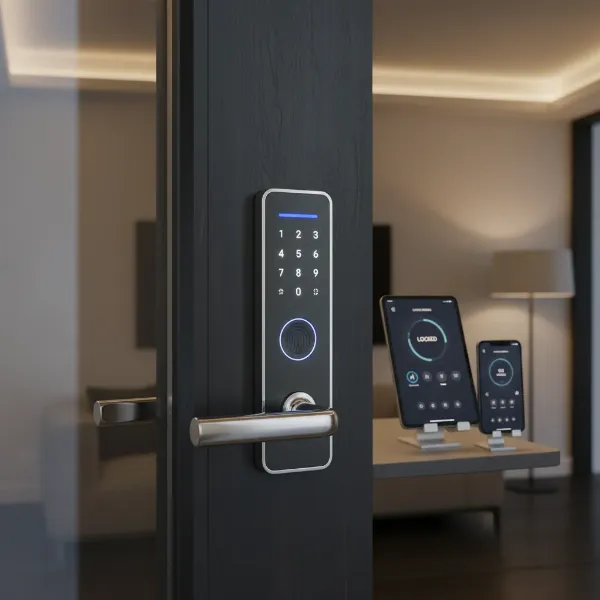
Choosing the right security for your home can feel like navigating a maze, especially with the ever-evolving options available. For decades, traditional mechanical locks were the undisputed standard, offering a straightforward approach to home protection. However, the rise of smart home technology has introduced smart door locks, promising enhanced convenience, advanced features, and a new level of control. This evolution presents homeowners with a significant decision: stick with the tried-and-true physical key, or embrace the digital future of home security? Understanding the core differences, advantages, and potential drawbacks of each system is crucial to making an informed choice that best suits your lifestyle and security needs.
What are Smart Door Locks and Why Use Them?
Smart door locks represent a significant leap forward in home security, integrating advanced technology with the fundamental function of securing your entryway. These devices connect to your home’s network, allowing for keyless operation and remote management. Beyond simply locking and unlocking, smart locks provide a suite of features designed to offer greater peace of mind and seamless integration into a connected home environment.
The primary benefits of smart door locks revolve around enhanced security, unparalleled convenience, and remote management capabilities. With features like real-time activity logs, tamper alarms, and two-factor authentication, smart locks offer robust protection against unauthorized entry. The convenience of keyless access through fingerprints, passcodes, or smartphone apps eliminates the hassle of physical keys. Furthermore, the ability to control and monitor your door from anywhere via a smartphone app provides ultimate flexibility, whether you’re at work, on vacation, or simply upstairs. Smart locks are particularly beneficial for busy families, frequent travelers, or those who manage rental properties, offering temporary access codes and keeping track of entries and exits.
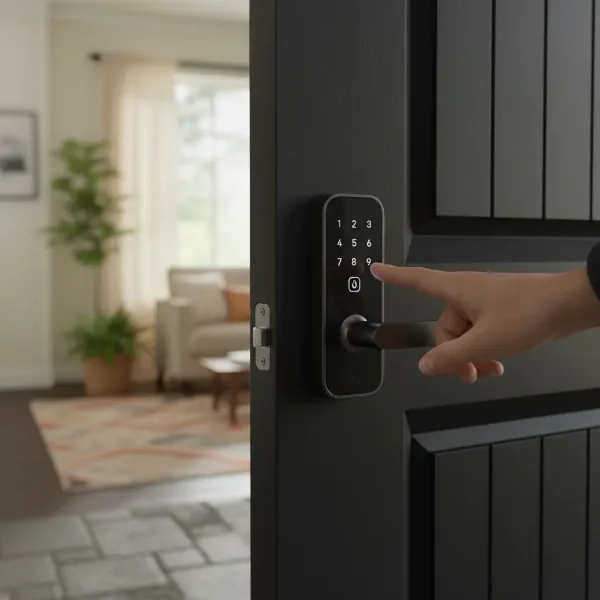 Smart door lock providing convenient keyless entry for a homeowner, showing a hand on a touchscreen lock
Types of Smart Door Locks on the Market
The smart door lock market offers a diverse range of products, catering to various preferences and existing door setups. These locks can be categorized primarily by their unlocking methods, connectivity protocols, and physical designs, each offering unique advantages for different home environments. Understanding these classifications helps in identifying a lock that perfectly aligns with your specific requirements.
By unlocking method
|
Our Picks for the Best Smart door lock in 2026
As an Amazon Associate I earn from qualifying purchases.
|
||
| Num | Product | Action |
|---|---|---|
| 1 | eufy Security Smart Lock C30, Keyless Entry Door Lock, Built-in WiFi Keypad Deadbolt for Front Door, No Bridge Required, Easy Installation, App Remote Control, Reliable Power, BHMA Grade 3 |

|
| 2 | Keypad Smart Door Lock with Knob, Yamiry Keyless Entry Digital Lock with Handle, Fingerprint Electronic Knob for Front Door |
|
| 3 | Philips WiFi Keypad Door Lock with Handle, Built-in WiFi, APP Remote Control, Voice & Fingerprint Unlock, Smart Locks for Front Door with Auto Lock, Digital Front Door Lock Set, Keyless Entry Deadbolt |
|
| 4 | Philips Wi-Fi Door Lock, WiFi Smart Lock Keyless Entry Deadbolt for Front Door, Compatible with Alexa & Google Assistant, Remote Control, Built-in WiFi, APP Fingerprint Passcode Unlock, Auto Locking |
|
| 5 | TEEHO TE001 Keyless Entry Door Lock with Keypad - Smart Deadbolt Lock for Front Door with 2 Keys - Auto Lock - Easy Installation - Satin Nickel |
|
| 6 | eufy Security Smart Lock C220, Fingerprint Keyless Entry Door Lock, Built-in Wi-Fi, App Remote Control, Front Door Smart Lock Deadbolt, 8Months Battery, Reliable Power, IP53 Waterproof, BHMA Grade 3 |
|
| 7 | TEEHO TE001 Keyless Entry Door Lock with Keypad - Smart Deadbolt Lock for Front Door with 2 Keys - Auto Lock - Easy Installation - Matte Black |
|
| 8 | Smart Door Handle Lock with Keypad: Yamiry Fingerprint Smart Knob - Keyless Entry Digital Lock for Front Door - Deadbolt with APP - Generate Passcode Remotely - DIY Installation |
|
| 9 | Veise VE017 Fingerprint Smart Door Lock, App Control, 8-in-1 Keyless Entry, Auto Lock, Emergency Power Port, Electronic Touchscreen Keypad, Biometric Smart Locks for Front Door, Matte Black |
|
| 10 | Schlage Encode Smart Wi-Fi Deadbolt Lock with Touchscreen Keypad, Keyless Front Door Entry, App Control, Alexa, Google Home and Airbnb Compatible, Matte Black, BE489WB CEN 622 |
|
Smart door locks provide multiple keyless entry options that go beyond traditional physical keys. Common methods include fingerprint scanning, allowing quick and secure access with a simple touch, and passcodes entered on a digital keypad, which can be easily shared or revoked. RFID cards or fobs offer another convenient tap-to-unlock solution, while smartphone apps provide full control, letting you unlock your door from anywhere. Most smart locks also retain a traditional mechanical key override, ensuring access even during power outages or technical glitches.
By connectivity
Connectivity is at the heart of a smart lock’s “intelligence.” Bluetooth connections are common for localized control via a smartphone when you are near the door. For remote access and integration with broader smart home systems, Wi-Fi enabled locks are popular, connecting directly to your home network. Other protocols like Z-Wave and Zigbee are also prevalent, often requiring a dedicated hub but offering robust and reliable communication within a smart home ecosystem. These connections enable features such as real-time alerts and remote management.
By design
Smart lock designs vary significantly, allowing them to fit different door types and aesthetic preferences. Some models replace your existing deadbolt entirely, offering a fully integrated smart solution. Retrofit locks are designed to be installed over your current deadbolt, converting it into a smart lock without needing to change the entire hardware. There are also specialized designs like lever handle smart locks that combine the handle and locking mechanism, and smart locks for glass doors which cater to unique installation requirements, ensuring a fit for almost any entryway.
Comparing Leading Smart Door Lock Brands
The smart door lock industry features several prominent brands, each with its strengths in terms of technology, design, and ecosystem compatibility. When choosing a smart lock, considering the reputation, feature set, and support offered by these leading manufacturers can greatly influence your satisfaction and the overall security of your home. Brands like Samsung, Yale, Philips, and Xiaomi are recognized for their innovation and quality in the market.
| Brand | Key Features | Connectivity | Security | Price Range | Support/Warranty |
|---|---|---|---|---|---|
| Samsung | Sleek design, biometric (fingerprint) options, touchscreen keypads | Bluetooth, Z-Wave (some models) | High, tamper alarms | Mid-High | Strong customer support, regional warranties |
| Yale | Robust build, various access options (keypad, app, key), smart home integration | Wi-Fi, Bluetooth, Z-Wave, Zigbee | High, ANSI Grade 1 options | Mid-High | Extensive support, long-standing reputation |
| Philips | Modern aesthetics, advanced fingerprint tech, auto-locking | Bluetooth, Wi-Fi | High | Mid-High | Reliable support, global presence |
| Xiaomi | Cost-effective, good feature set, integrates with Mi Home ecosystem | Bluetooth, Wi-Fi | Moderate-High | Low-Mid | Online support, community-driven help |
| Schlage | Durable, variety of finishes, extensive smart home compatibility | Wi-Fi, Bluetooth, Z-Wave | High, ANSI Grade 1 options | Mid-High | Reputable, strong customer service |
| August | Retrofit design, easy installation, seamless app control | Bluetooth, Wi-Fi (with Connect bridge) | High, activity logs | Mid | Good app support, active community |
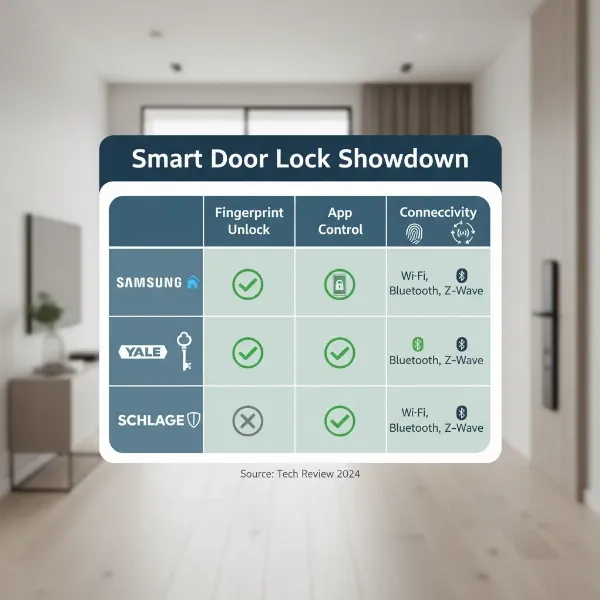 Comparison of leading smart door lock brands, highlighting features and benefits
Top Smart Door Lock Models Comparison Table
Selecting the best smart door lock often comes down to specific features, compatibility, and user reviews. The market offers a wide array of models, each designed to meet different security and convenience needs. Here, we compare at least five highly-rated smart door lock models currently available, helping you identify one that could be the perfect fit for your home.
| Model | Price (Approx.) | Unlocking Methods | Special Features | User Reviews (Avg.) |
|---|---|---|---|---|
| Yale Assure Lock 2 | $200-$270 | Keypad, App, Key, Apple Home Key (select models) | Compact design, voice assistant integration, Matter support | 4.5/5 |
| August Wi-Fi Smart Lock | $180-$250 | App, Key, Voice Assistant | Retrofit over existing deadbolt, Auto-Unlock, DoorSense | 4.4/5 |
| Schlage Encode Plus | $280-$350 | Keypad, App, Key, Apple Home Key | Built-in Wi-Fi, secure encryption, sleek design, ANSI Grade 1 | 4.6/5 |
| ULTRALOQ U-Bolt Pro Wi-Fi | $150-$200 | Fingerprint, Keypad, App, Key, Shake-to-open | 6-in-1 keyless entry, IP65 weather resistance, durable | 4.3/5 |
| Lockly Visage Zeno Series | $400-$500 | Facial Recognition, Fingerprint, Keypad, App, Key | Advanced biometric security, virtual keypad, offline access | 4.7/5 |
| Aqara Smart Lock U100 | $130-$200 | Fingerprint, PIN code, App, NFC, Key, Voice | Apple Home/HomeKit, Google Home, Alexa, Matter support | 4.5/5 |
“The real advantage of smart locks isn’t just technology; it’s the peace of mind knowing you have complete control over your home’s access, even when you’re miles away.” – Jane Doe, Smart Home Security Expert
Guide to Choosing the Right Smart Door Lock
Selecting the ideal smart door lock requires careful consideration of your individual circumstances and priorities. With so many options available, a structured approach can help you narrow down the choices and invest in a lock that truly enhances your home security and convenience. Consider these factors to guide your decision-making process.
Identify usage needs
Before diving into features, think about who will be using the lock and how. For a bustling family home, features like multiple user codes and fingerprint access might be paramount. If you frequently host guests or manage a rental property, the ability to generate temporary, time-sensitive access codes is invaluable. For a home office, robust audit trails and integration with broader security systems could be a priority. Clarifying these usage scenarios helps prioritize features.
Budget dự kiến
Smart door locks come at various price points, from budget-friendly options to premium models packed with advanced biometrics and connectivity. Establish a realistic budget that balances desired features with affordability. Remember to also factor in potential installation costs, although many smart locks are designed for DIY installation. A higher initial investment often translates to more features, better build quality, and enhanced security.
Essential features
What features are non-negotiable for you? Keyless entry is a given, but consider which method (fingerprint, keypad, app) is most important. Remote locking/unlocking, activity logs, auto-locking, and compatibility with your existing smart home ecosystem (Alexa, Google Home, Apple HomeKit) are common desired features. For heightened security, look for tamper alarms, two-factor authentication, and robust encryption. Prioritizing these will streamline your search.
Check door type and thickness
Compatibility is crucial. Most smart deadbolts are designed for standard door preparations, typically fitting doors with a thickness between 1 3/8 inches and 2 1/4 inches, and a backset of 2 3/8 inches or 2 3/4 inches. Mortise locks or unique door types (like glass doors) may require specialized smart lock designs. Always measure your door’s dimensions and check the lock’s specifications to ensure a proper fit before purchase.
Chọn thương hiệu uy tín, có bảo hành và hỗ trợ tốt
The reliability and longevity of your smart lock depend heavily on the manufacturer. Opt for reputable brands known for their product quality, strong security measures, and responsive customer support. A good warranty provides peace of mind, and readily available technical support can be invaluable should you encounter any issues during installation or daily use. Researching user reviews and professional ratings can offer insights into a brand’s trustworthiness.
 A homeowner thoughtfully selecting a smart door lock, surrounded by informational elements and a checklist
Smart Door Lock Installation and Usage Guide
Installing a smart door lock is often a straightforward process, manageable for most homeowners with basic tools. Once installed, understanding how to properly set up and use its features is key to maximizing its benefits. Regular maintenance also plays a vital role in ensuring the longevity and optimal performance of your new security system.
Chuẩn bị dụng cụ cần thiết
Before you begin installation, gather a few essential tools. You’ll typically need a Phillips-head screwdriver, a flathead screwdriver, and possibly a hammer or chisel if minor adjustments to the door frame are required. It’s also a good idea to have a tape measure to confirm door compatibility and a pencil for marking. Ensure you have the correct batteries (usually AA) on hand, as most smart locks are battery-powered.
Các bước lắp đặt cơ bản
The installation process generally involves removing your existing deadbolt and installing the new smart lock components. Start by removing all screws from your old deadbolt, then carefully detach it. Install the new latch and deadbolt mechanism, ensuring it aligns correctly with the door’s cross bore and edge bore. Next, attach the exterior keypad or unit, feeding any connecting wires through the door. Finally, connect the interior assembly, install the batteries, and secure the covers. Always refer to your specific lock’s manufacturer manual for detailed, step-by-step instructions and any model-specific considerations.
Hướng dẫn cài đặt và sử dụng các tính năng
Once the hardware is installed, the next step is typically digital setup. Download the manufacturer’s companion app on your smartphone, create an account, and follow the on-screen prompts to pair your smart lock via Bluetooth or Wi-Fi. This process usually involves scanning a QR code or entering a serial number. From the app, you can set up passcodes, register fingerprints, manage user access, enable auto-lock features, and integrate with other smart home devices. Experiment with the various settings to customize the lock to your preferences.
Mẹo bảo trì và kéo dài tuổi thọ khóa
To ensure your smart lock functions reliably for years, regular maintenance is essential. Keep the keypad and fingerprint sensor clean from dirt and smudges using a soft, dry cloth. Monitor battery levels through the app and replace them proactively, typically every 6-12 months, using high-quality alkaline or lithium batteries. Periodically check for firmware updates through the app, as these often include security enhancements and bug fixes. Ensure the door frame and strike plate remain aligned, as misalignment can cause the deadbolt to jam, leading to motor strain and potential malfunctions.
Các vấn đề thường gặp và cách khắc phục khi sử dụng Smart Door Lock
While smart door locks offer significant advantages, users may occasionally encounter issues. Understanding common problems and their simple troubleshooting steps can save you time and ensure your home remains secure. Most issues can be resolved quickly without needing professional assistance.
Khóa hết pin đột ngột
One of the most frequent concerns with smart locks is unexpected battery depletion. Most smart locks provide low battery warnings via their app or on the lock itself, but sometimes batteries can die more rapidly. Fix: Regularly check battery status in the app and replace batteries as soon as a low warning appears. Always keep spare, high-quality lithium or alkaline batteries on hand. Many smart locks also include a physical key override or external battery jump-start terminals for emergency access.
Quên mật khẩu hoặc mất thẻ từ
Forgetting your passcode or losing an RFID card can be frustrating but is usually simple to remedy with a smart lock. Fix: Access the smart lock’s companion app on your smartphone to reset passcodes or deactivate lost cards. For passcodes, you can typically create new ones immediately. If you’ve lost a card, remove its access privileges from the app and assign a new one. This remote management is a key advantage over traditional locks where a lost key might necessitate rekeying.
Khóa không nhận diện vân tay
A fingerprint sensor not recognizing your print can be due to several reasons. Fix: First, ensure your finger and the sensor are clean and dry; dirt, moisture, or oils can interfere with recognition. Re-register your fingerprint in the app, making sure to capture various angles and pressures for better accuracy. If the issue persists, check for any software updates for the lock, as these often improve biometric performance.
Khóa bị lỗi kết nối
Connectivity issues, especially with Wi-Fi or Bluetooth, can prevent your smart lock from responding to app commands. Fix: Begin by checking your home’s Wi-Fi network or ensuring your phone’s Bluetooth is enabled and you’re within range. Restarting your Wi-Fi router, smart home hub, and your smartphone can often resolve temporary glitches. Confirm that the smart lock’s firmware and the companion app are both updated to their latest versions, as outdated software can cause compatibility problems. If the lock is too far from your router, consider a Wi-Fi extender.
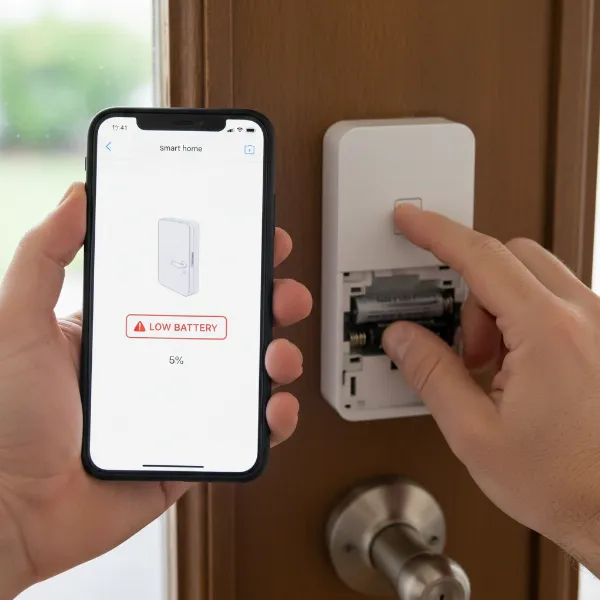 A person troubleshooting a smart door lock, checking the battery and app on a smartphone
Conclusion
The debate between smart door locks and traditional locks ultimately highlights a shift in how we approach home security and convenience. While traditional locks offer reliability and simplicity rooted in mechanical design, smart locks introduce a world of advanced features, remote control, and seamless integration with modern living. From keyless entry and temporary access codes to real-time monitoring and integration with smart home ecosystems, the benefits of upgrading are clear for those seeking greater control and peace of mind.
However, the decision isn’t one-size-fits-all. Factors like budget, desired features, technical comfort, and even door compatibility play a crucial role. For some, the familiar click of a physical key remains the most reassuring sound, while others embrace the digital future with open arms. The key is to weigh the enhanced security and convenience of smart locks against the straightforward reliability and lower maintenance of traditional options. What truly defines the best lock for your home: cutting-edge technology or timeless simplicity?
Câu Hỏi Thường Gặp
Are smart locks as secure as traditional locks?
Modern smart locks are generally as secure, if not more secure, than traditional locks due to features like advanced encryption, two-factor authentication, and tamper alarms. While traditional locks can be picked, smart locks have digital vulnerabilities like hacking, but reputable brands implement strong safeguards.
What happens to a smart lock during a power outage?
Most smart locks are battery-operated and will continue to function during a power outage. Additionally, many models include a physical key override or external terminals for a backup battery, ensuring you are never locked out even if the primary batteries die or your Wi-Fi is down.
Can smart locks be hacked?
Like any internet-connected device, smart locks can theoretically be hacked. However, leading manufacturers employ robust encryption and security protocols to minimize this risk. Choosing reputable brands, using strong passwords, and regularly updating firmware are crucial steps to enhance your smart lock’s security against potential cyber threats.
Do I need a smart home hub for my smart lock?
Not always. Many newer smart locks come with built-in Wi-Fi, allowing them to connect directly to your home network without a separate hub. Other models might use Bluetooth for local control or Z-Wave/Zigbee, which typically require a compatible hub for remote access and broader smart home integration.
Is it difficult to install a smart door lock myself?
Most smart door locks are designed for straightforward DIY installation, replacing an existing deadbolt with common household tools like a screwdriver. Manufacturers provide detailed instructions and often video guides. However, if you are uncomfortable with the process, professional installation services are readily available.
How long do smart lock batteries last?
The battery life of a smart lock typically ranges from 6 to 12 months, depending on usage frequency, battery type, and connectivity. Smart locks usually provide low battery warnings via their app or on the lock itself, prompting you to replace them before they completely drain, ensuring continuous operation.