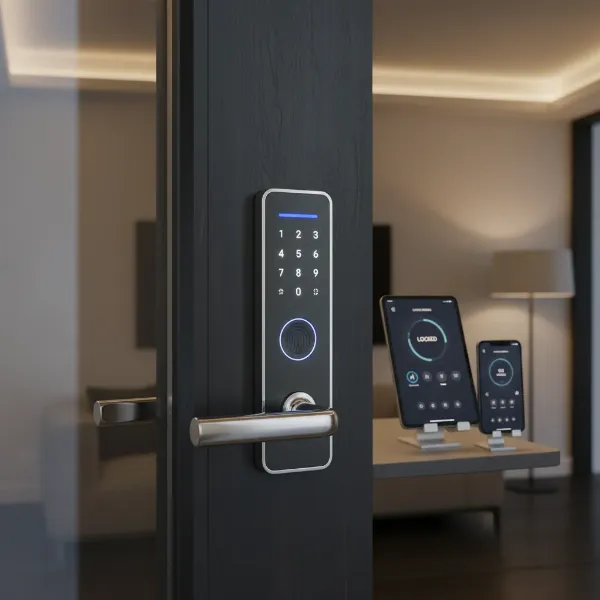
Are you still fumbling with keys, or constantly worried about who has access to your home? In an era where convenience and security are paramount, the humble door lock has undergone a revolutionary transformation. For years, the traditional manual lock stood as the sole guardian of our entryways, offering a basic, mechanical form of protection. However, with the rapid advancement of smart home technology, smart door locks have emerged as a sophisticated alternative, promising enhanced security, unparalleled convenience, and intelligent control over your property. This comprehensive guide, informed by over a decade of hands-on experience with hundreds of lock models, will help you navigate this critical decision, ensuring your home is both secure and seamlessly integrated into your modern lifestyle. Choosing between a smart door lock and a manual lock isn’t just about technology; it’s about defining your home’s future.
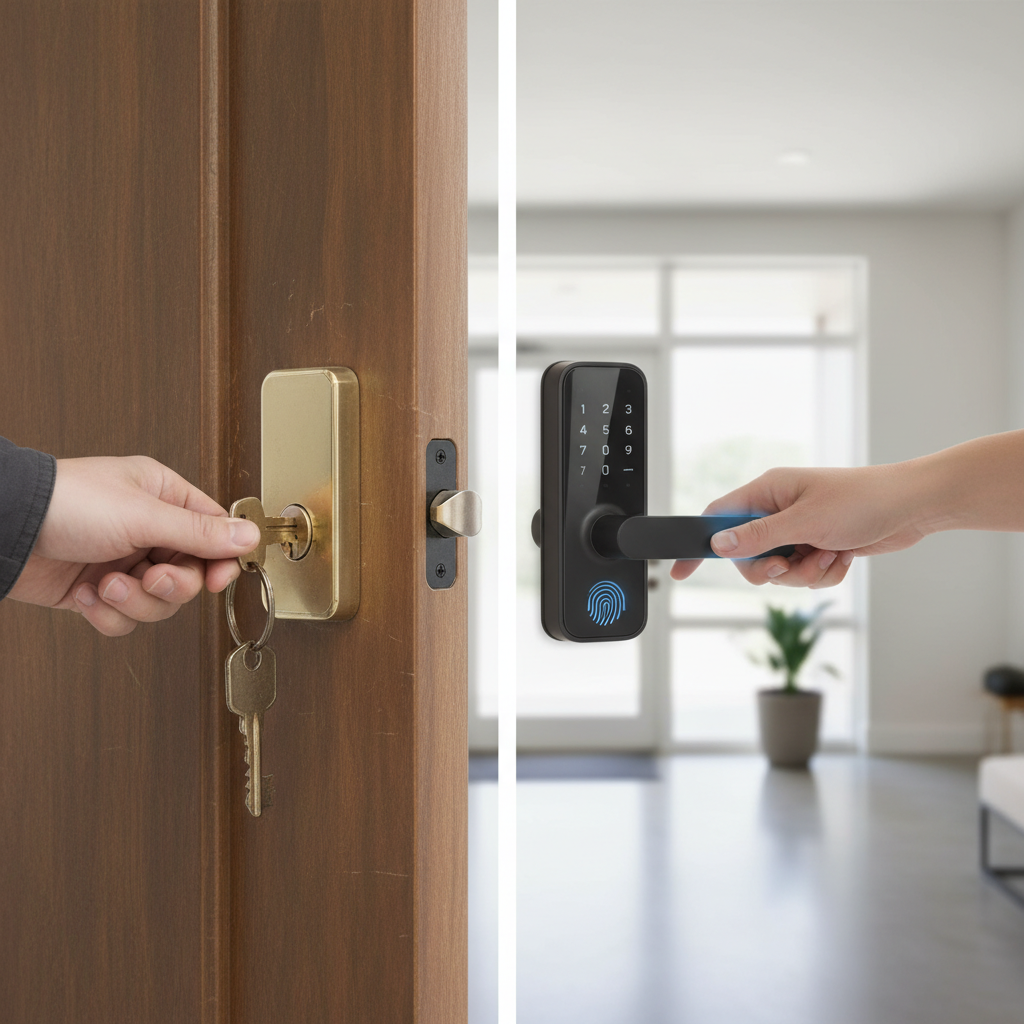
What is a Smart Door Lock? Why Should You Use One?
A smart door lock is an electromechanical device designed to perform locking and unlocking operations on a door when it receives instructions from an authorized device using a wireless protocol and a cryptographic key. Unlike conventional locks that rely solely on physical keys, smart locks offer a variety of keyless entry methods, integrating seamlessly with your smart home ecosystem. They represent a significant leap forward in home security and accessibility, moving beyond the simple mechanical barrier.
The primary benefits of transitioning to a smart door lock are multi-faceted, addressing common frustrations and enhancing peace of mind. Firstly, enhanced security is a major draw. Many smart locks come equipped with advanced features such as tamper alarms, auto-locking, and real-time activity logs, providing a much higher level of awareness and protection than traditional locks. You receive notifications if someone attempts to force the lock or if the door is left ajar. Secondly, unrivaled convenience stands out. Imagine never having to carry keys again, or being able to grant access to a guest or service person remotely, no matter where you are. This eliminates the stress of lost keys and inconvenient key handovers. Lastly, remote management capabilities allow you to lock or unlock your door from anywhere using your smartphone, check the lock status, and even monitor who enters and exits your home. This level of control is simply impossible with manual locks.
Common use cases for smart door locks extend beyond just personal residences. They are ideal for families with children who might forget keys, pet sitters, cleaning services, or even short-term rental properties where guest access needs to be managed efficiently. For homeowners seeking to upgrade their security, streamline daily routines, and integrate their entryways into a broader smart home system, a smart door lock offers an intelligent and practical solution.
Popular Types of Smart Door Locks on the Market
The smart door lock market is diverse, offering a range of options to suit different preferences, security needs, and existing door configurations. Understanding these categories is crucial for making an informed decision about which lock is right for your home.
By Unlocking Method
The method of entry is perhaps the most significant differentiator among smart locks, moving beyond the traditional key.
- Fingerprint Recognition: This method offers lightning-fast, keyless entry by scanning your unique fingerprint. It’s highly secure and convenient, eliminating the need to remember codes or carry cards.
- Keypad/Passcode Entry: Users can unlock the door by entering a specific numerical code on a touchscreen or physical keypad. This is excellent for guests, as temporary codes can be easily generated and revoked.
- RFID Card/Fob: Similar to hotel key cards, these locks open when a programmed card or fob is tapped against the lock. They are often used in commercial settings or for shared access.
- Smartphone App (Bluetooth/Wi-Fi): Many smart locks can be controlled directly through a dedicated app on your smartphone. This allows for remote unlocking, monitoring, and management of user access.
- Traditional Key Override: Almost all smart locks include a physical key override as a backup, ensuring you can still access your home even in the event of power failure or system malfunction. This offers crucial peace of mind.
|
Our Picks for the Best Smart door lock in 2026
As an Amazon Associate I earn from qualifying purchases.
|
||
| Num | Product | Action |
|---|---|---|
| 1 | Veise VE017 Fingerprint Smart Door Lock, App Control, 8-in-1 Keyless Entry, Auto Lock, Emergency Power Port, Electronic Touchscreen Keypad, Biometric Smart Locks for Front Door, Matte Black |

|
| 2 | Smart Door Handle Lock with Keypad: Yamiry Fingerprint Smart Knob - Keyless Entry Digital Lock for Front Door - Deadbolt with APP - Generate Passcode Remotely - DIY Installation |
|
| 3 | eufy Security Smart Lock C30, Keyless Entry Door Lock, Built-in WiFi Keypad Deadbolt for Front Door, No Bridge Required, Easy Installation, App Remote Control, Reliable Power, BHMA Grade 3 |
|
| 4 | Philips Wi-Fi Door Lock, WiFi Smart Lock Keyless Entry Deadbolt for Front Door, Compatible with Alexa & Google Assistant, Remote Control, Built-in WiFi, APP Fingerprint Passcode Unlock, Auto Locking |
|
| 5 | Schlage Encode Smart Wi-Fi Deadbolt Lock with Touchscreen Keypad, Keyless Front Door Entry, App Control, Alexa, Google Home and Airbnb Compatible, Matte Black, BE489WB CEN 622 |
|
| 6 | TEEHO TE001 Keyless Entry Door Lock with Keypad - Smart Deadbolt Lock for Front Door with 2 Keys - Auto Lock - Easy Installation - Satin Nickel |
|
| 7 | TEEHO TE001 Keyless Entry Door Lock with Keypad - Smart Deadbolt Lock for Front Door with 2 Keys - Auto Lock - Easy Installation - Matte Black |
|
| 8 | Philips WiFi Keypad Door Lock with Handle, Built-in WiFi, APP Remote Control, Voice & Fingerprint Unlock, Smart Locks for Front Door with Auto Lock, Digital Front Door Lock Set, Keyless Entry Deadbolt |
|
| 9 | eufy Security Smart Lock C220, Fingerprint Keyless Entry Door Lock, Built-in Wi-Fi, App Remote Control, Front Door Smart Lock Deadbolt, 8Months Battery, Reliable Power, IP53 Waterproof, BHMA Grade 3 |
|
| 10 | Keypad Smart Door Lock with Knob, Yamiry Keyless Entry Digital Lock with Handle, Fingerprint Electronic Knob for Front Door |
|
By Connectivity
How a smart lock communicates with other devices and your home network impacts its functionality and remote capabilities.
- Bluetooth: Ideal for short-range communication, Bluetooth locks connect directly to your smartphone when you are nearby. They are energy-efficient but lack remote control features unless paired with a Wi-Fi bridge.
- Wi-Fi: Wi-Fi enabled locks connect directly to your home Wi-Fi network, allowing for full remote control and monitoring from anywhere with an internet connection. They typically consume more power than Bluetooth-only locks.
- Z-Wave: A wireless protocol specifically designed for smart home devices, Z-Wave offers reliable, low-power communication over longer distances than Bluetooth. It requires a Z-Wave hub to integrate with other smart home systems.
- Zigbee: Similar to Z-Wave, Zigbee is another mesh network protocol for smart homes, known for its robustness and ability to connect many devices. It also requires a compatible hub for full functionality.
By Design
Smart lock designs vary to accommodate different door types and aesthetic preferences.
- Deadbolt Replacement: These locks replace your existing deadbolt, often retaining the original door handle. They are the most common type and offer a sleek, integrated look.
- Lever/Handle Locks: Combining the lock and handle into one unit, these are suitable for doors where a separate deadbolt isn’t typically used or desired.
- Mortise Locks: More robust and often found in commercial or high-end residential settings, mortise locks offer advanced security features and require a specialized door preparation.
- Keypad Deadbolts (without handle): These are standalone keypads that replace your deadbolt, requiring you to use your existing handle or knob.
- Smart Locks for Glass Doors: Specifically designed for frameless glass doors, these locks often use clamping mechanisms rather than drilling, providing security for non-traditional entries.
[image-1|smart-door-lock-types-comparison|Different types of smart door locks with various unlocking methods and designs compared|
A clear, illustrative infographic comparing different types of smart door locks: one showing a fingerprint scanner, another a keypad, a third a smartphone app interface, and a fourth an RFID card. Each type should have small icons representing their primary unlocking method, set against a modern home interior background with soft, natural lighting. The style should be clean and informative, resembling an editorial graphic.]
Comparing Leading Smart Door Lock Brands
The market is home to several reputable brands, each with its strengths in terms of features, design, and ecosystem integration. When choosing, it’s beneficial to look beyond individual models and consider the brand’s overall reputation for quality, security, and customer support.
| Brand | Price Range (Approx.) | Key Features | Durability/Build Quality | Security Features | Ecosystem Integration | Support/Warranty |
|---|---|---|---|---|---|---|
| Yale | Mid-High | Assure Lock series, robust build, multiple access methods | Excellent, metal casing | Tamper alerts, auto-lock, privacy button | HomeKit, Google Home, Alexa, Z-Wave | Strong, 1-3 year |
| Schlage | Mid-High | Encode/Connect series, Wi-Fi built-in, versatile designs | Excellent, heavy-duty | Built-in alarm, anti-pick shield, grade 1 deadbolt | Alexa, Google Home, HomeKit, Ring | Good, 3-year |
| August | Mid-High | Retrofit design, DoorSense, virtual keys | Good, minimalist | Activity feed, auto-lock/unlock, virtual keys | HomeKit, Alexa, Google Home, Z-Wave | Good, 1-year |
| Kwikset | Mid-Range | SmartKey security, wide range of styles | Good, solid | SmartKey re-keying, BumpGuard, activity logs | Alexa, Google Home, Zigbee | Good, lifetime mech. |
| Philips | Mid-Range | Sleek design, push-pull handles, biometric options | Very Good, premium feel | Dual verification, anti-prying alarm, privacy mode | Proprietary app, some HomeKit | Good, 2-year |
| Samsung | Mid-Range | Elegant design, push-pull, fingerprint focus | Very Good, sleek | Random security code, anti-theft mode, fire detection | Proprietary app | Standard, 1-2 year |
| Xiaomi | Low-Mid | Cost-effective, good features for the price, app control | Fair-Good, plastic/metal | Multi-level encryption, real-time alerts | Mi Home ecosystem | Varies by region, 1-year |
| Lockly | High | Patented PIN Genie keypad, 3D fingerprint | Excellent, robust | Anti-peep function, offline access codes, auto-lock | Alexa, Google Home | Good, 5-year mech. |
Yale and Schlage are often considered industry leaders for their reliability and robust security features, making them excellent choices for those prioritizing durability. August stands out for its easy installation over existing deadbolts, preserving your keys. Philips and Samsung cater to users looking for modern aesthetics and advanced biometric features, often integrating unique push-pull handles. For budget-conscious buyers, Xiaomi offers compelling features at a more accessible price point, while Lockly provides cutting-edge biometric security with its unique keypad.
Top Smart Door Lock Models Available Today
Selecting a specific model requires aligning features with your personal needs and budget. Here’s a comparison of some of the best smart door lock models currently on the market, showcasing their unique selling points and user feedback.
| Model | Price (Approx.) | Unlocking Methods | Special Features | User Rating (1-5) | Best For |
|---|---|---|---|---|---|
| Yale Assure Lock 2 | $170 – $250 | Keypad, App, Key (optional), HomeKit | Sleeker design, faster processor, easy installation | 4.6 | Apple HomeKit users, easy upgrades |
| Schlage Encode Plus | $250 – $320 | Keypad, App, Key, Apple Home Key | Built-in Wi-Fi, Apple Home Key support, Grade 1 | 4.7 | Ultimate convenience for Apple users |
| August Wi-Fi Smart Lock (4th Gen) | $200 – $250 | App, Key (existing), DoorSense | Retrofits existing deadbolt, built-in Wi-Fi, compact | 4.5 | Renters, preserving original keys |
| Lockly Secure Pro | $280 – $350 | Fingerprint, PIN Genie, App, Key | Patented anti-peep keypad, 3D fingerprint sensor | 4.4 | High-security needs, unique access methods |
| Samsung SHP-DP728 | $300 – $400 | Fingerprint, PIN, RFID, App, Key | Push-pull handle, anti-theft mode, fire detection | 4.3 | Modern homes, advanced biometrics, sleek design |
| Kwikset Halo Wi-Fi | $200 – $250 | Keypad, App, Key | Built-in Wi-Fi, SmartKey Security, voice control | 4.2 | Direct Wi-Fi access, re-keyability |
The Yale Assure Lock 2 builds on a strong legacy, offering enhanced speed and design, particularly appealing to those already invested in smart home ecosystems like Apple HomeKit. The Schlage Encode Plus raises the bar for seamless integration, especially for Apple users with its Home Key support, allowing unlocking with just a tap of your iPhone or Apple Watch. For those who prefer to keep their existing deadbolt and key, the August Wi-Fi Smart Lock is an excellent choice, converting your current lock into a smart one with minimal hassle.
“In my experience, the true value of a smart lock isn’t just about keyless entry, but the peace of mind that comes from knowing exactly who is entering and leaving your home, and being able to manage that access from anywhere.” – Admin, Founder of reviewpado.com
For the ultimate in security and advanced biometric features, the Lockly Secure Pro provides a unique rotating PIN keypad and a reliable 3D fingerprint sensor, making it incredibly difficult for unauthorized access. The Samsung SHP-DP728 stands out with its elegant push-pull design and a suite of smart features, perfect for contemporary homes. Finally, the Kwikset Halo Wi-Fi offers a robust and user-friendly option with direct Wi-Fi connectivity and the convenience of Kwikset’s re-keyable cylinders.
Guide to Choosing the Right Smart Door Lock
Selecting the ideal smart door lock requires careful consideration of your specific circumstances and priorities. With so many options available, a structured approach can simplify the decision-making process.
Determine Your Usage Needs
Start by evaluating who will be using the lock and for what purpose.
- Family Home: Prioritize ease of use for all family members (fingerprint for adults, codes for kids), remote monitoring, and secure guest access.
- Office/Small Business: Look for robust access control features, audit trails, and the ability to manage multiple user profiles easily.
- Rental Property (Airbnb, short-term): Keyless entry with easy code generation/revocation, remote management, and temporary access scheduling are crucial.
- Elderly or Disabled Individuals: Consider locks with large keypads, voice control, or automatic unlocking features to enhance accessibility.
Set Your Budget
Smart locks range widely in price, from under $100 to over $400. Define a realistic budget early on. Remember that while cheaper options exist, investing in a reputable brand often translates to better security, reliability, and long-term support. Balance the desired features with what you’re willing to spend, keeping in mind that this is an investment in your home’s security.
Identify Essential Features
Make a list of “must-have” features that align with your needs.
- Keyless Entry Methods: Do you prefer fingerprint, keypad, app control, or a combination?
- Connectivity: Do you need full remote control via Wi-Fi, or is Bluetooth sufficient?
- Auto-Lock/Unlock: Forgetting to lock the door can be a thing of the past with these features.
- Activity Logs: Do you want to track who enters and exits and when?
- Security Alerts: Tamper alarms, low battery warnings, or open-door notifications can be critical.
- Voice Assistant Integration: If you use Alexa, Google Assistant, or HomeKit, ensure compatibility for seamless smart home integration.
Check Door Type and Thickness
Before purchasing, measure your door’s thickness and check its boreholes (the holes drilled for the lock). Most smart locks are designed for standard door preparations (typically 1 3/8″ to 2″ thick doors with 2 1/8″ cross bores and 1″ edge bores). However, some older doors or unique door types (e.g., sliding doors, narrow stile doors) may require specific lock models or adapters. Always consult the product specifications or a professional if unsure.
Choose a Reputable Brand with Good Support
Opt for brands known for their security, reliability, and customer service. Good warranty coverage (e.g., 1-5 years for electronics, lifetime for mechanical parts) and accessible technical support are invaluable if you encounter issues. Research online reviews and professional assessments to gauge a brand’s standing.
Installation and Usage Guide for Smart Door Locks
Installing and setting up a smart door lock can seem daunting, but most modern locks are designed for DIY installation, often requiring just a few basic tools.
Necessary Tools
Typically, you’ll need:
- Phillips head screwdriver
- Measuring tape
- (Optional) Drill, if new holes are required or existing ones need modification (though this is rare for standard replacements)
Basic Installation Steps
- Remove Existing Lock: Unscrew and remove your current deadbolt and any associated hardware from the door.
- Install New Deadbolt Latch: Insert the new deadbolt latch into the edge of the door, ensuring it extends correctly.
- Install Exterior Keypad/Assembly: Place the exterior part of the smart lock through the door’s cross bore, aligning it with the latch.
- Install Interior Assembly: Connect the interior component, often housing the battery pack and smart modules, to the exterior part using the provided screws. Ensure wires are neatly tucked away.
- Install Batteries: Insert the specified batteries (usually AA) into the battery pack.
- Test Operation: Manually test the deadbolt to ensure smooth operation before closing the door.
Always refer to the specific installation manual provided with your smart lock model, as steps can vary. Many manufacturers provide detailed video tutorials online that can walk you through the process step-by-step.
Setting Up and Using Features
After physical installation, the digital setup begins:
- Download the App: Install the manufacturer’s dedicated smartphone app.
- Pair the Lock: Follow the in-app instructions to pair your smart lock with your smartphone, often involving scanning a QR code or pressing a pairing button on the lock.
- Create User Codes/Fingerprints: Set up your master code, then add individual user codes for family members or guests. For fingerprint locks, register each authorized fingerprint.
- Configure Settings: Customize features like auto-lock duration, tamper alarms, and notification preferences.
- Integrate with Smart Home Hubs: If your lock is Wi-Fi, Z-Wave, or Zigbee enabled, integrate it with your smart home hub (e.g., Alexa, Google Home, SmartThings) for voice control and advanced automation.
Maintenance Tips to Extend Lock Lifespan
- Regular Battery Checks: Smart locks are powered by batteries. Most apps will notify you when batteries are low, but it’s good practice to check them every 3-6 months. Keep spare batteries handy.
- Clean Keypad/Sensor: Periodically wipe down the keypad or fingerprint sensor with a soft, damp cloth to remove dirt and grime, ensuring optimal functionality.
- Firmware Updates: Keep your lock’s firmware updated through the app to benefit from new features, security patches, and performance improvements.
- Lubricate Moving Parts: For mechanical components of the deadbolt, a small amount of graphite lubricant can ensure smooth operation over time.
- Avoid Harsh Chemicals: Do not use abrasive cleaners on the lock’s finish or electronic components.
Common Problems and How to Troubleshoot Smart Door Locks
Even with robust technology, smart locks can encounter issues. Knowing how to troubleshoot common problems can save you a call to support.
Sudden Battery Depletion
- Cause: Frequent usage, weak Wi-Fi signal causing the lock to constantly search for a connection, extreme temperatures, or old batteries.
- Solution: Replace with fresh, high-quality alkaline batteries. If persistent, check your Wi-Fi signal strength near the door or consider a lock with longer battery life. Ensure auto-lock is not set too aggressively. Most locks have a backup key or a port for a 9V battery to provide emergency power.
Forgotten Passcode or Lost RFID Card
- Cause: Human error, or misplacement of access credentials.
- Solution: For passcodes, access the manufacturer’s app to retrieve or reset the code. For RFID cards/fobs, use the app to delete the lost credential and issue a new one. This is a significant advantage over lost physical keys, which require re-keying.
Fingerprint Reader Not Recognizing Biometrics
- Cause: Dirty sensor, wet or damaged finger, changes in fingerprint due to cuts or dryness, or improper initial registration.
- Solution: Clean the sensor thoroughly. Ensure your finger is clean and dry. Try registering your fingerprint again, perhaps from different angles, and register multiple fingers for backup. Some locks allow registering the same finger multiple times for better recognition.
Connectivity Issues (Wi-Fi/Bluetooth)
- Cause: Router issues, weak signal, network congestion, or interference from other devices.
- Solution: Restart your Wi-Fi router and the smart lock (by temporarily removing batteries). Ensure the lock is within range of your Wi-Fi router or Bluetooth device. Check for firmware updates for both your router and the lock. If using a hub (Z-Wave/Zigbee), ensure the hub is powered and functioning correctly. Repositioning the router or adding a Wi-Fi extender might help.
By understanding these common scenarios and their solutions, you can maintain the optimal performance and reliability of your smart door lock, ensuring continuous security and convenience for your home.
Conclusion
The decision between a smart door lock and a traditional manual lock boils down to a fundamental choice: embracing modern convenience and advanced security, or sticking with proven but limited mechanical methods. While manual locks offer simplicity and reliability, they cannot compete with the intelligence, flexibility, and enhanced peace of mind that a smart door lock provides. From keyless entry and remote access to real-time monitoring and integration with your smart home ecosystem, smart door locks offer a superior solution for contemporary living.
As technology continues to evolve, smart door locks will only become more sophisticated, secure, and user-friendly. Investing in a smart lock today is not just an upgrade; it’s a step towards a more secure, convenient, and connected future for your home. Which level of control and peace of mind will you choose for your home’s gateway?
Frequently Asked Questions
Is a smart door lock truly more secure than a traditional lock?
Yes, modern smart door locks often surpass traditional locks in security due to features like tamper alarms, auto-locking, real-time activity logs, and encryption for digital communication. They also eliminate vulnerabilities associated with lost or copied physical keys.
What happens if the smart door lock battery dies?
Most smart locks include a physical key override, a port for an emergency 9V battery jump-start, or a USB port for temporary power. The lock’s app will typically provide low battery warnings well in advance.
Can smart door locks be hacked?
While no system is 100% hack-proof, reputable smart lock brands use strong encryption and security protocols to minimize the risk of hacking. Keeping firmware updated and using strong, unique passwords for accounts are crucial for security.
How difficult is it to install a smart door lock?
Most smart door locks are designed for DIY installation, typically taking 15-30 minutes with just a screwdriver. They replace your existing deadbolt and come with clear instructions. Professional installation is also an option if you prefer.
Are smart locks compatible with all door types?
Most smart locks are designed for standard residential doors with specific thicknesses and boreholes. It’s essential to check the product’s specifications against your door’s dimensions before purchasing to ensure compatibility.
Can I give temporary access to guests or service providers?
Absolutely. One of the main advantages of smart locks is the ability to generate temporary passcodes or virtual keys that can be set to expire after a certain period or number of uses, making it ideal for guests, cleaners, or delivery personnel.
Do smart door locks work with voice assistants like Alexa or Google Home?
Many smart door locks offer integration with popular voice assistants, allowing you to lock and unlock your door (often with a PIN for security) using voice commands, as well as incorporate them into broader smart home routines.