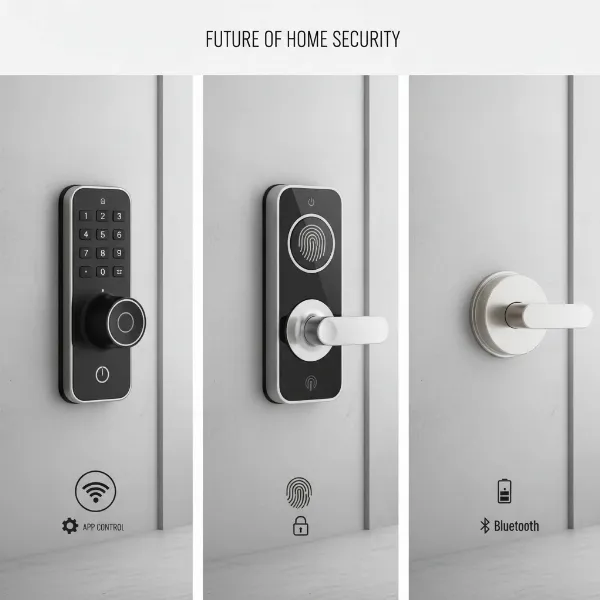
The modern home is constantly evolving, and at its forefront is the smart door lock, transforming how we secure and access our living spaces. Gone are the days of fumbling for keys or worrying about forgotten entries. Smart door locks offer a blend of cutting-edge technology and convenience that traditional deadbolts simply cannot match. Yet, within this innovative category, a crucial distinction often arises: understanding the role of Wi-Fi locks and how they compare to other smart lock technologies. This article will help you navigate these options, ensuring you select the ideal smart lock to provide peace of mind and enhanced control over your home’s security.
What is a Smart Door Lock? Why Use One?
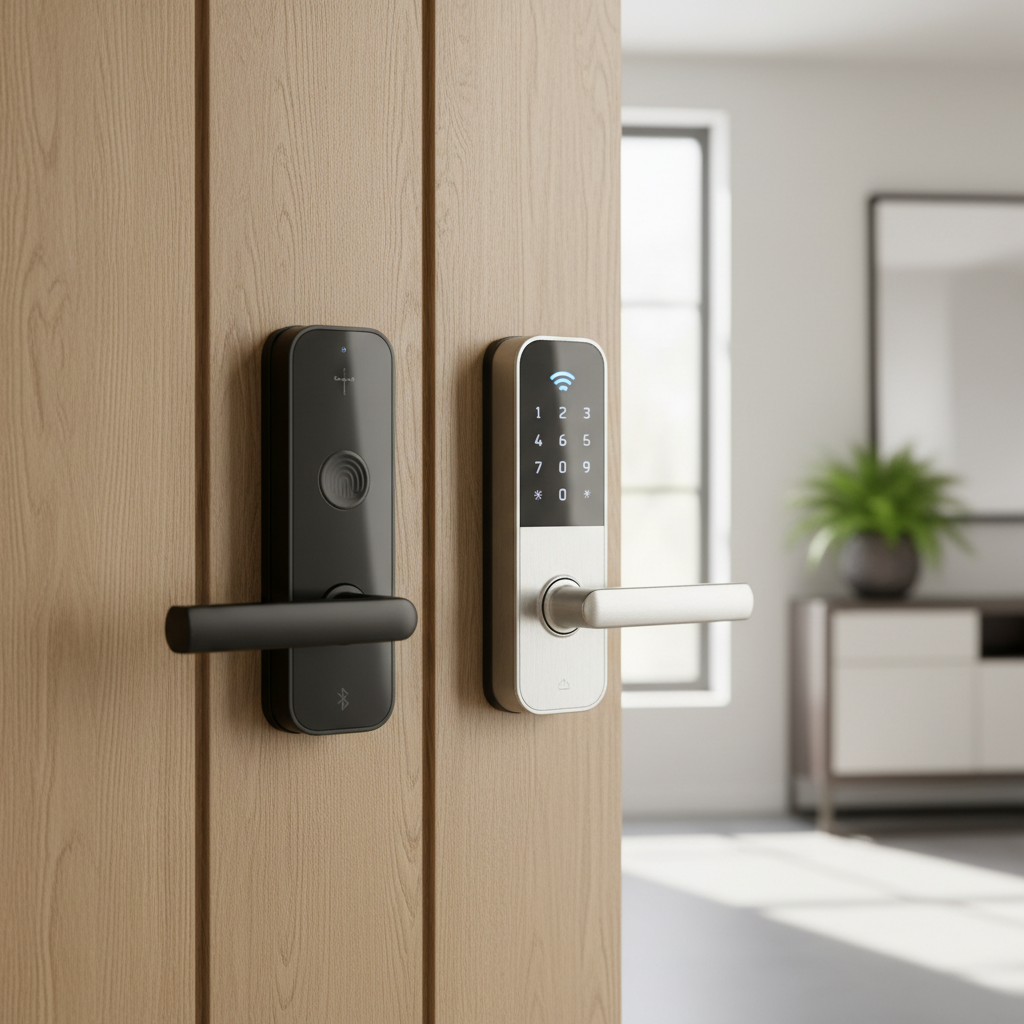
A smart door lock is an electronic device that replaces or augments your existing door’s traditional locking mechanism, allowing for keyless entry and advanced control capabilities. Rather than relying solely on a physical key, these devices enable access through various digital methods like smartphones, keypads, biometric fingerprint readers, or even voice commands. They are designed to connect with other smart home systems, creating a more integrated and automated security environment.
The shift to smart door locks is driven by several compelling benefits:
- Enhanced Security: Modern smart locks come equipped with advanced features such as real-time activity logs, remote monitoring, tamper alerts, and encrypted communications, significantly bolstering your home’s protection against unauthorized access. You can know exactly who enters and exits your home and when.
- Unmatched Convenience: The primary draw for many is keyless entry. Imagine arriving home with arms full of groceries and your door unlocking automatically, or granting access to a family member or delivery person remotely, eliminating the need for spare keys or hiding one under the mat.
- Remote Management: Whether you’re at work, on vacation, or simply in another room, smart locks allow you to lock or unlock your door and manage access permissions from virtually anywhere using your smartphone. This is particularly useful for rental properties, dog walkers, or unexpected guests.
- Smart Home Integration: Many smart locks integrate seamlessly with popular smart home platforms like Amazon Alexa, Google Assistant, and Apple HomeKit, enabling voice control and automation routines, such as turning on lights when the door unlocks.
Smart locks are ideal for busy families needing to track their children’s arrivals, homeowners managing rental properties, or anyone seeking a modern, interconnected security system for their smart home.
[image-1|smart-lock-convenience-home|A person effortlessly unlocking a modern smart door lock with a smartphone app while carrying groceries, emphasizing convenience and keyless entry in a contemporary home setting with soft, inviting lighting|
A person in casual attire, mid-30s, stands in front of a modern home door, holding groceries in one arm and using a smartphone with the other to unlock a sleek smart door lock. The door is slightly ajar, revealing a warm, inviting interior. The scene is well-lit with natural daylight, highlighting the lock’s design and the user’s relaxed posture, conveying ease and modern convenience. The style is realistic and contemporary.]
Types of Smart Door Locks: A Connectivity and Access Guide
Smart door locks offer a diverse range of features, but their core functionality often revolves around two key aspects: how you unlock them and how they connect to your broader smart home ecosystem. Understanding these distinctions is critical when evaluating which lock best suits your lifestyle and security needs.
By Unlocking Method
The convenience of a smart lock often comes down to its versatile unlocking options, moving beyond the traditional physical key:
- Fingerprint (Biometric): These locks use advanced biometric sensors to recognize authorized fingerprints, offering a quick, highly secure, and keyless entry method.
- Passcode/Keypad: A common and reliable method where users enter a numeric code on a physical keypad mounted on the lock. This is great for temporary access codes for guests or service providers.
- Smartphone App: Control your lock directly through a dedicated mobile application, often featuring auto-unlock capabilities when your paired smartphone is nearby.
- Key Fob/RFID: Some locks use radio frequency identification (RFID) technology, allowing you to unlock the door with a small card or fob, similar to hotel room keys.
- Traditional Key: For peace of mind and emergency situations, most smart locks retain a physical key override, ensuring you’re never truly locked out even if technology fails.
- Voice Command: Integrated with smart assistants like Amazon Alexa or Google Assistant, certain smart locks can be locked or unlocked using simple voice commands.
|
Our Picks for the Best Smart door lock in 2026
As an Amazon Associate I earn from qualifying purchases.
|
||
| Num | Product | Action |
|---|---|---|
| 1 | Philips Wi-Fi Door Lock, WiFi Smart Lock Keyless Entry Deadbolt for Front Door, Compatible with Alexa & Google Assistant, Remote Control, Built-in WiFi, APP Fingerprint Passcode Unlock, Auto Locking |

|
| 2 | eufy Security Smart Lock C220, Fingerprint Keyless Entry Door Lock, Built-in Wi-Fi, App Remote Control, Front Door Smart Lock Deadbolt, 8Months Battery, Reliable Power, IP53 Waterproof, BHMA Grade 3 |
|
| 3 | Smart Door Handle Lock with Keypad: Yamiry Fingerprint Smart Knob - Keyless Entry Digital Lock for Front Door - Deadbolt with APP - Generate Passcode Remotely - DIY Installation |
|
| 4 | Veise VE017 Fingerprint Smart Door Lock, App Control, 8-in-1 Keyless Entry, Auto Lock, Emergency Power Port, Electronic Touchscreen Keypad, Biometric Smart Locks for Front Door, Matte Black |
|
| 5 | Schlage Encode Smart Wi-Fi Deadbolt Lock with Touchscreen Keypad, Keyless Front Door Entry, App Control, Alexa, Google Home and Airbnb Compatible, Matte Black, BE489WB CEN 622 |
|
| 6 | Philips WiFi Keypad Door Lock with Handle, Built-in WiFi, APP Remote Control, Voice & Fingerprint Unlock, Smart Locks for Front Door with Auto Lock, Digital Front Door Lock Set, Keyless Entry Deadbolt |
|
| 7 | eufy Security Smart Lock C30, Keyless Entry Door Lock, Built-in WiFi Keypad Deadbolt for Front Door, No Bridge Required, Easy Installation, App Remote Control, Reliable Power, BHMA Grade 3 |
|
| 8 | TEEHO TE001 Keyless Entry Door Lock with Keypad - Smart Deadbolt Lock for Front Door with 2 Keys - Auto Lock - Easy Installation - Satin Nickel |
|
| 9 | TEEHO TE001 Keyless Entry Door Lock with Keypad - Smart Deadbolt Lock for Front Door with 2 Keys - Auto Lock - Easy Installation - Matte Black |
|
| 10 | Keypad Smart Door Lock with Knob, Yamiry Keyless Entry Digital Lock with Handle, Fingerprint Electronic Knob for Front Door |
|
By Connectivity (Wi-Fi Locks vs. Others)
The way a smart lock connects determines its range of features, battery life, and overall integration with your smart home. This is where the crucial comparison between Wi-Fi locks and other connectivity types comes into play.
Wi-Fi Locks
Wi-Fi locks connect directly to your home’s existing wireless network, offering extensive remote capabilities.
- Pros: The standout advantage is true remote access. You can control your door from anywhere with an internet connection, receiving real-time alerts and managing user permissions from across town or even another continent. They seamlessly integrate with popular smart home platforms like Alexa and Google Home for voice control and advanced automation.
- Cons: This constant connection to your network means higher energy consumption, leading to faster battery drain compared to other types. Wi-Fi locks are also dependent on a stable internet connection; remote features may be limited or unavailable during outages. While convenient, some argue they may have increased vulnerability to Wi-Fi hacking compared to offline alternatives, and some models might still require a bridge or hub for full functionality, adding to complexity and cost.
Bluetooth Locks
Bluetooth smart locks utilize short-range wireless technology, primarily connecting directly to your smartphone when you are in close proximity.
- Pros: They are notably energy-efficient, boasting significantly longer battery life than Wi-Fi locks because they only connect when a device is within range. Bluetooth locks also do not require an internet connection for basic operation, making them reliable even during network outages. Their short-range nature can also be seen as an added security measure against remote hacking attempts.
- Cons: The primary limitation is their restricted range, typically around 25 feet. This means no true remote access without pairing with a separate Wi-Fi bridge or hub. Consequently, they offer fewer real-time alerts and limited smart home integrations unless connected via a gateway.
Z-Wave and Zigbee Locks
These protocols are designed specifically for smart home devices, creating a low-power, reliable mesh network.
- How it works: Z-Wave and Zigbee devices communicate with each other and a central smart home hub, which then connects to your internet. Each device in the network can extend the signal, creating a robust system.
- Pros: They offer excellent battery life due to their low energy consumption and provide an extended and highly reliable range through mesh networking. These locks are built with strong security through advanced encryption and are ideal for comprehensive smart home ecosystems, integrating smoothly with various devices.
- Cons: The main drawback is the necessity of a dedicated smart home hub, which is an additional purchase and setup step. This can make the initial installation slightly more complex than direct Wi-Fi options.
Matter and Thread Locks
Matter is a new, unified connectivity standard designed to simplify smart home ecosystems, while Thread is an IP-based mesh networking protocol often used with Matter.
- How it works: Matter-enabled locks aim to work universally across platforms like Apple Home, Google Home, and Alexa without compatibility headaches. Thread provides the underlying network for fast, local, and reliable communication.
- Pros: They are considered future-proof, offering enhanced local control, improved responsiveness, and unparalleled compatibility across different smart home ecosystems. This eliminates the need for multiple apps or hubs for different brands.
- Cons: As emerging technologies, the number of available devices is still growing, though adoption is accelerating rapidly.
“Choosing the right smart lock connectivity isn’t just about convenience; it’s about aligning with your lifestyle, your home’s infrastructure, and your priorities for security and automation. Understanding these nuances is the first step towards a truly smart home.” – Alex Chen, Smart Home Integration Specialist
Comparing Leading Smart Door Lock Brands
When investing in a smart door lock, the brand often dictates the quality, feature set, and long-term support you can expect. Here’s a comparison of some top brands known for their innovation and reliability in the smart lock market:
| Brand | Price Range (Approx.) | Primary Connectivity | Key Features | Security Grade (BHMA) | Smart Home Compatibility |
|---|---|---|---|---|---|
| Samsung | $200 – $500+ | Wi-Fi (often with hub) | Push-pull design, fingerprint, RFID, keypad, strong encryption | Grade 2 | Samsung SmartThings |
| Yale | $150 – $400 | Wi-Fi (built-in/module), Z-Wave, Bluetooth, Matter | Keypad, touchscreen, auto-lock, DoorSense, Apple HomeKey | Grade 1 or 2 | Yale Access, Apple HomeKit, Google Home, Alexa, SmartThings, Ring Alarm |
| Philips | $180 – $450 | Bluetooth, Wi-Fi (with gateway) | Fingerprint, keypad, app control, privacy mode, sleek design | Grade 2 | Philips Home Access App |
| Xiaomi | $100 – $300 | Bluetooth, Zigbee | Fingerprint, NFC, keypad, integrated doorbell, budget-friendly options | Grade 2 | Xiaomi Home, Mijia Ecosystem |
| Schlage | $180 – $400 | Wi-Fi (built-in), Bluetooth, Z-Wave | Keypad, touchscreen, voice control, Apple HomeKey, durable build, alarm tech | Grade 1 or 2 | Schlage Home, Apple HomeKit, Google Home, Alexa, SmartThings |
| August | $150 – $300 | Wi-Fi (built-in/module), Bluetooth | Retrofit design, DoorSense (open/closed status), auto-lock/unlock, virtual keys | N/A (retrofit) | August App, Apple HomeKit, Google Home, Alexa, SmartThings |
Top Smart Door Lock Models for 2024
The smart lock market is continuously evolving, with new models offering enhanced features and improved integration. Here’s a comparison of some of the best smart door lock models currently available, providing a range of options for different needs and preferences:
| Model | Price (Approx.) | Unlocking Methods | Connectivity | Key Features | User Rating (out of 5) |
|---|---|---|---|---|---|
| Level Lock+ | $329 | Touch, Key card, App, Apple Home Key, Key | Bluetooth, Matter (with bridge) | Invisible design, works with existing deadbolt, highly versatile, premium feel | 4.5 |
| Yale Assure Lock 2 | $170 – $250 | Keypad, App, Apple Home Key, Key | Bluetooth, Wi-Fi (module) | Compact design, robust app, auto-lock, HomeKit compatible, various finishes | 4.4 |
| Schlage Encode Plus | $319 | Keypad, App, Apple Home Key, Key | Wi-Fi | Built-in Wi-Fi, Apple Home Key, voice control, robust security, illuminated keypad | 4.6 |
| August Wi-Fi Smart Lock (4th Gen) | $190 | App, Auto-Unlock, Key | Wi-Fi | Retrofit over existing deadbolt, DoorSense, compact, no separate bridge needed | 4.3 |
| Kwikset Halo Select | $200 – $250 | Keypad, App, Key | Wi-Fi, Matter | Built-in Wi-Fi, smart home compatibility, easy installation, voice commands | 4.2 |
Choosing the Right Smart Door Lock for Your Home
Selecting a smart door lock is a significant decision that impacts your home’s security and daily convenience. With various options available, considering your specific needs, budget, and existing smart home ecosystem is crucial.
Evaluate Your Needs
Start by understanding what you truly need from a smart lock to ensure it seamlessly integrates into your life.
- Security vs. Convenience: Prioritize whether your primary goal is robust security features like tamper alerts and detailed activity logs, or ultimate convenience through remote access and auto-unlock. If remote control is paramount, a Wi-Fi lock is likely your best bet, but if local reliability and battery life are key, a Bluetooth or Z-Wave option might be better.
- Property Type: Consider if you are a homeowner, a renter, or managing a rental property. Renters often benefit from retrofit locks that don’t require replacing the entire deadbolt, like the August Smart Lock. Homeowners have more flexibility for full replacement models.
- Smart Home Ecosystem: What smart home platforms do you already use? Whether it’s Apple HomeKit, Google Home, Amazon Alexa, or Samsung SmartThings, ensure your chosen lock is compatible for smooth integration and centralized control.
- Internet Reliability: If your home’s internet connection is frequently unstable or prone to outages, relying heavily on a Wi-Fi-dependent lock for critical functions might lead to frustration. In such cases, locks with strong local control (Bluetooth, Z-Wave with a reliable hub) and physical key backups are more dependable.
Budget and Features
Smart locks come with a wide range of prices and features, so aligning these with your expectations is important.
- Budget: Smart locks can range from approximately $100 to over $400, not including potential installation costs or the price of additional hubs if needed. Determine how much you are willing to invest.
- Essential Features: Identify the features that are non-negotiable for you. Do you need fingerprint recognition for quick access, the ability to generate temporary passcodes for visitors, detailed activity logs, or voice control integration? Make a list of your must-haves.
- Connectivity Preference: Revisit the connectivity options. Do you require the full remote access capabilities of a Wi-Fi lock, or is local control via Bluetooth sufficient for your daily needs, prioritizing battery life and simplicity?
Installation and Support
Before making a final purchase, consider the practical aspects of installation and the availability of ongoing support.
- Door Type & Thickness: Verify that the smart lock you choose is compatible with your specific door type, borehole, and thickness. Most smart locks are designed for standard deadbolts, but it’s always best to double-check the manufacturer’s specifications.
- Brand Reputation: Opt for reputable brands that offer reliable warranties and responsive customer support. This ensures you have assistance if you encounter any issues during installation or ongoing use.
Installation and Maintenance Guide for Your Smart Door Lock
Installing and maintaining your smart door lock properly is key to ensuring its security, functionality, and longevity. While specific steps vary by model, here’s a general guide to get you started and keep your lock in top condition.
Basic Installation Steps
Most smart locks are designed for DIY installation, often requiring only a few common tools. However, always refer to your specific model’s manual or video tutorials.
- Preparation: Gather your tools, typically a Phillips head screwdriver, a tape measure, and potentially a pencil. Read through the entire instruction manual before beginning.
- Remove Existing Deadbolt: Carefully remove your current deadbolt, ensuring you keep all screws and parts organized in case you need them later.
- Install New Hardware: Follow the manufacturer’s instructions to install the new smart lock components, including the exterior keypad/reader, the latch, and the interior assembly. Pay close attention to cable connections and ensure proper alignment of the deadbolt with the strike plate on the door frame. Misalignment can cause grinding or jamming.
- Install Batteries: Once the mechanical parts are in place, insert the recommended batteries into the interior unit.
- Setup via App: Download the dedicated smartphone app for your smart lock. Follow the in-app instructions to pair the lock with your smartphone or smart home hub, set up initial passcodes, and register fingerprints if applicable.
- Testing: Thoroughly test all unlocking methods (app, keypad, fingerprint, physical key) to ensure they function correctly. Check remote control if it’s a Wi-Fi lock.
Usage and Maintenance Tips
Consistent maintenance will help your smart lock perform optimally and extend its lifespan.
- Battery Management: This is crucial, especially for Wi-Fi locks that consume more power. Enable low-battery alerts on your app and replace batteries proactively, typically every 6-12 months for Wi-Fi models and longer for Bluetooth/Z-Wave. Always use high-quality alkaline or lithium batteries as recommended by the manufacturer.
- Firmware Updates: Regularly check for and install firmware updates for your lock and app updates for your smartphone. These updates often include security patches, bug fixes, and performance enhancements.
- Cleaning: Keep the keypad, touchscreen, and fingerprint sensor clean and dry. Use a soft, lint-free cloth to wipe away dust and smudges, avoiding harsh chemicals that could damage the electronics.
- Physical Key Backup: Always keep a physical key in a secure, accessible location outside your home (e.g., with a trusted neighbor or in a secure lockbox). This is your ultimate failsafe in case of battery failure, electronic malfunction, or an internet outage.
Common Smart Door Lock Issues and Troubleshooting
Even with advanced technology, smart door locks can encounter issues. Knowing how to diagnose and troubleshoot common problems can save you time and ensure your home remains secure.
Connectivity Problems (Especially Wi-Fi)
Connectivity issues are among the most frustrating, particularly with Wi-Fi locks that rely heavily on a stable network.
- Symptoms: Your lock appears “offline” in the app, you cannot control it remotely, or there’s a significant delay in commands.
- Fixes:
- Restart Devices: Try restarting your Wi-Fi router and the smart lock itself. A simple reboot can often resolve temporary glitches.
- Check Signal Strength: Ensure your lock is within adequate range of your Wi-Fi router. Thick walls, large appliances, or other wireless devices can interfere with the signal. Consider repositioning your router or using a Wi-Fi extender.
- Update Software: Verify that both your smart lock’s firmware and its companion app are updated to the latest versions. Outdated software can cause compatibility and connectivity bugs.
- Re-pair: If issues persist, try removing the lock from your app or Bluetooth settings and then re-pairing it according to the manufacturer’s instructions.
Battery Depletion
Smart locks are electronic devices, and batteries are their lifeline. Unresponsive locks are often due to power issues.
- Symptoms: The lock is completely dead, unresponsive to commands, produces frequent beeping sounds, or sends low battery alerts via the app.
- Fixes:
- Replace Batteries: Immediately replace the batteries with a fresh set of high-quality alkaline or lithium cells. Even if you think your current batteries are new, try a different set.
- Check Contacts: Ensure the battery contacts inside the lock are clean and free of corrosion. Gently clean them if necessary.
- Emergency Backup: Many smart locks include an emergency power option, such as a 9V battery terminal on the exterior, or a hidden physical keyhole. Familiarize yourself with these backup methods.
Unresponsive Keypad or Fingerprint Sensor
When your primary keyless entry method fails, it can be a hassle.
- Symptoms: The keypad doesn’t register presses, frequently rejects correct passcodes, or the fingerprint sensor fails to recognize authorized prints.
- Fixes:
- Clean Sensor/Keypad: Use a soft, dry cloth to gently wipe away any dirt, dust, or moisture from the keypad or fingerprint sensor. For biometric sensors, ensure your finger is clean and dry before use.
- Verify Codes/Prints: Double-check that you are entering the correct passcode or using an enrolled fingerprint.
- Reset Lock: If cleaning and re-entering don’t work, a factory reset of the lock (following manufacturer instructions) can often clear software errors affecting these components.
Mechanical Issues
Sometimes the problem isn’t electronic, but mechanical, impacting the deadbolt’s physical operation.
- Symptoms: The lock motor makes grinding noises but doesn’t engage, the deadbolt feels stiff, or the physical key is difficult to turn.
- Fixes:
- Check Door Alignment: A sagging door or misaligned strike plate can prevent the deadbolt from extending properly. Check if your door sags or if the strike plate needs adjustment.
- Lubrication: Apply a graphite-based lubricant (avoiding oil-based sprays like WD-40, which can attract dirt) to the deadbolt mechanism and keyway for smoother operation.
- Tighten Hinges: Loose door hinges can contribute to misalignment; ensure they are tightly secured.
Conclusion
Smart door locks represent a significant leap forward in home security and convenience, offering unparalleled control and flexibility that traditional locks cannot match. The fundamental choice often boils down to understanding the nuances of connectivity: whether the always-on, remote capabilities of a Wi-Fi lock are essential for your lifestyle, or if the enhanced battery life and local reliability of Bluetooth, Z-Wave, or Matter solutions are more suitable. Each type of smart lock, including Wi-Fi variants, presents a unique set of advantages and considerations regarding battery drain, internet dependency, and integration with your broader smart home ecosystem. By carefully weighing these pros and cons, evaluating your specific needs, and choosing a reputable brand, you can select a smart door lock that not only secures your home but also enriches your daily life with its intelligent features. Invest wisely in modern security and experience the peace of mind that comes with a truly smart entryway. Which smart lock connectivity best aligns with your vision for a smarter, more secure home?
Frequently Asked Questions
Is a Wi-Fi smart lock better than a Bluetooth smart lock?
Neither is inherently “better”; it depends on your priorities. Wi-Fi locks offer true remote access from anywhere with an internet connection but consume more battery. Bluetooth locks are more energy-efficient and reliable during internet outages but are limited to short-range control without a separate hub.
Do Wi-Fi smart locks work during internet outages?
Most Wi-Fi smart locks will still function locally using a keypad, fingerprint, or a physical key during an internet outage. However, remote control via the app and any cloud-dependent features, like real-time alerts to your phone, will be unavailable until the internet connection is restored.
How long do smart lock batteries typically last?
Battery life varies significantly by connectivity type and usage. Wi-Fi locks generally last 6-12 months due to their constant network connection. Bluetooth, Z-Wave, and Zigbee locks, with their lower power consumption, can last 12-24 months or even longer on a single set of batteries.
Can smart locks be hacked?
While no technology is entirely immune, modern smart locks employ robust encryption and security protocols to minimize hacking risks. Choosing reputable brands, using strong, unique passwords, enabling two-factor authentication, and keeping firmware updated significantly enhances security against cyber threats.
What is the difference between Z-Wave, Zigbee, and Wi-Fi?
Wi-Fi connects directly to your home router for broad internet access but uses more power. Z-Wave and Zigbee are low-power mesh network protocols designed specifically for smart home devices, offering better battery life and network stability, but they usually require a dedicated hub to connect to your internet.
Do I need a hub for a smart door lock?
Some Wi-Fi smart locks have built-in Wi-Fi and do not require a separate hub. However, Bluetooth-only locks often need a Wi-Fi bridge or hub for remote access. Z-Wave and Zigbee locks always require a compatible smart home hub to function and integrate into your network.
Can I use a smart lock on any door?
Most smart locks are designed to fit standard deadbolt preparations. However, it’s essential to check the lock’s specifications for compatibility with your door