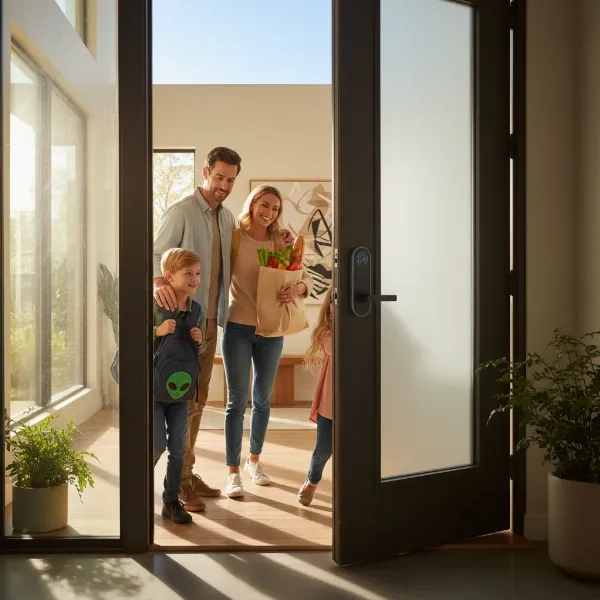
Have you ever found yourself fumbling for keys in the dark, or worse, wondering if you locked the front door after you’ve already left? A smart door lock isn’t just a gadget; it’s a fundamental upgrade to your home’s security and daily convenience, transforming the way you interact with your living space. This comprehensive guide will navigate the world of smart door locks, from their core definitions to detailed comparisons of top models, ensuring you make an informed decision for a more secure and streamlined home.
What is a Smart Door Lock and Why Should You Use One?
A smart door lock is an electromechanical lock that can be controlled remotely via a smartphone application or other networked devices, offering features beyond a traditional mechanical lock. Unlike conventional locks that rely solely on physical keys, smart door locks integrate with your home’s network to provide advanced security, keyless entry, and enhanced control. They represent a significant leap in home access technology, designed to simplify your life while bolstering protection.
The primary reasons to adopt a smart door lock are rooted in enhanced security, unparalleled convenience, and robust remote management capabilities. With a smart lock, you can grant temporary access to guests or service providers, receive notifications about who enters and exits your home, and even lock your door from thousands of miles away. This level of control and insight offers homeowners peace of mind, knowing their property is secure and accessible exactly when needed. Common use cases range from busy families needing flexible entry options to smart home enthusiasts seeking full integration with their automated systems.
Popular Smart Door Lock Types on the Market
The smart door lock market is diverse, offering various types tailored to different needs and preferences. Understanding these categories is crucial for selecting the best fit for your home.
By Unlocking Method
Smart locks provide multiple ways to gain entry, moving beyond the traditional key.
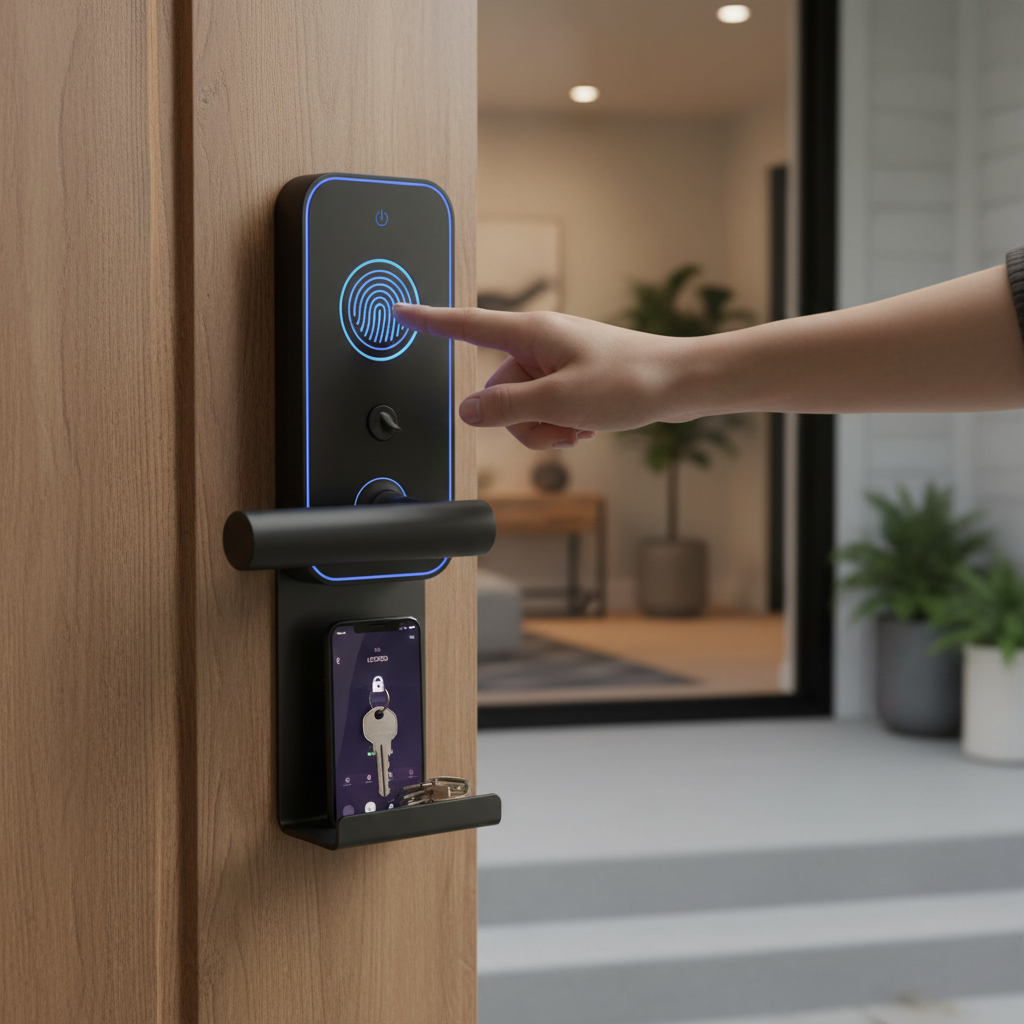
- Fingerprint: Offers swift, keyless access using biometric technology. Simply place your finger on the scanner, and the door unlocks. This method is highly secure and incredibly convenient, eliminating the need for codes or cards.
- Passcode/Keypad: Users enter a numerical code on a touchscreen or physical keypad. Many models support “anti-peep” functions, allowing you to enter random numbers before or after your actual code to deter shoulder-surfing.
- RFID Card/Fob: Similar to hotel key cards, these locks open when a programmed card or fob is tapped against the reader. It’s a quick and easy option, particularly useful for children or elderly family members who might find keypads challenging.
- Smartphone App: Control your lock directly from your phone. This method often allows for remote locking/unlocking, managing access codes, viewing activity logs, and integrating with other smart home devices.
- Mechanical Key: Most smart locks include a traditional key override as a backup, ensuring you can always enter your home even if the battery dies or technology fails.
|
Our Picks for the Best Smart door lock in 2026
As an Amazon Associate I earn from qualifying purchases.
|
||
| Num | Product | Action |
|---|---|---|
| 1 | Smart Door Handle Lock with Keypad: Yamiry Fingerprint Smart Knob - Keyless Entry Digital Lock for Front Door - Deadbolt with APP - Generate Passcode Remotely - DIY Installation |

|
| 2 | Philips Wi-Fi Door Lock, WiFi Smart Lock Keyless Entry Deadbolt for Front Door, Compatible with Alexa & Google Assistant, Remote Control, Built-in WiFi, APP Fingerprint Passcode Unlock, Auto Locking |
|
| 3 | TEEHO TE001 Keyless Entry Door Lock with Keypad - Smart Deadbolt Lock for Front Door with 2 Keys - Auto Lock - Easy Installation - Satin Nickel |
|
| 4 | Philips WiFi Keypad Door Lock with Handle, Built-in WiFi, APP Remote Control, Voice & Fingerprint Unlock, Smart Locks for Front Door with Auto Lock, Digital Front Door Lock Set, Keyless Entry Deadbolt |
|
| 5 | TEEHO TE001 Keyless Entry Door Lock with Keypad - Smart Deadbolt Lock for Front Door with 2 Keys - Auto Lock - Easy Installation - Matte Black |
|
| 6 | eufy Security Smart Lock C30, Keyless Entry Door Lock, Built-in WiFi Keypad Deadbolt for Front Door, No Bridge Required, Easy Installation, App Remote Control, Reliable Power, BHMA Grade 3 |
|
| 7 | Keypad Smart Door Lock with Knob, Yamiry Keyless Entry Digital Lock with Handle, Fingerprint Electronic Knob for Front Door |
|
| 8 | Veise VE017 Fingerprint Smart Door Lock, App Control, 8-in-1 Keyless Entry, Auto Lock, Emergency Power Port, Electronic Touchscreen Keypad, Biometric Smart Locks for Front Door, Matte Black |
|
| 9 | Schlage Encode Smart Wi-Fi Deadbolt Lock with Touchscreen Keypad, Keyless Front Door Entry, App Control, Alexa, Google Home and Airbnb Compatible, Matte Black, BE489WB CEN 622 |
|
| 10 | eufy Security Smart Lock C220, Fingerprint Keyless Entry Door Lock, Built-in Wi-Fi, App Remote Control, Front Door Smart Lock Deadbolt, 8Months Battery, Reliable Power, IP53 Waterproof, BHMA Grade 3 |
|
By Connectivity
How a smart lock communicates is vital for its functionality and integration with your smart home ecosystem.
- Bluetooth: Connects directly to your smartphone within a short range (typically 30-40 feet). It’s great for local control and often used as a primary connection for setup, but doesn’t offer remote access without a bridge.
- Wi-Fi: Connects directly to your home’s Wi-Fi network, allowing for full remote access and control from anywhere with an internet connection. This is often the most convenient for comprehensive smart home integration.
- Z-Wave: A wireless protocol designed specifically for smart home devices, known for its low power consumption and robust mesh network. Z-Wave locks require a compatible smart home hub (like Samsung SmartThings or Hubitat) to function and offer remote access.
- Zigbee: Another low-power wireless protocol for smart homes, similar to Z-Wave. Zigbee locks also require a hub for full functionality and remote control, creating a stable and expandable network.
By Design
Smart lock aesthetics and installation considerations vary based on design.
- Lever/Handle Set: These locks incorporate the smart locking mechanism directly into a traditional door handle or lever, offering an integrated look.
- Deadbolt Replacement: Many smart locks are designed to replace your existing deadbolt, keeping your current handle set. This is a popular choice for easy upgrades.
- Keyless Entry (No Handle): Some designs are purely keyless, featuring only a keypad or fingerprint scanner with no external handle, requiring a separate handle for opening the door.
- For Glass Doors: Specialized smart locks exist for frameless glass doors, common in offices or modern apartments, offering specific clamping or adhesive installation methods.
[image-1|smart-door-lock-types|An illustrative image showing different types of smart door locks with various unlocking methods|
A realistic infographic showcasing four distinct types of smart door locks: a fingerprint lock, a keypad lock, a card reader lock, and a smartphone app interface controlling a lock. Each lock type is clearly labeled with its respective unlocking method, set against a modern home interior backdrop with soft, inviting lighting. The style is clean and informative, suitable for a technical guide.]
Comparing Leading Smart Door Lock Brands
When investing in a smart door lock, the brand behind the product plays a crucial role in terms of quality, security, and ongoing support. Here’s a comparison of some of the leading brands in the market.
| Brand | Price Range (Estimated) | Key Features | Durability/Build Quality | Security Level | Support & Warranty |
|---|---|---|---|---|---|
| Yale | Mid-High | Assure series, Wi-Fi/Bluetooth, keyless, integration with Google/Alexa. | Excellent, robust metal construction. | High, tamper alarms, auto-lock. | Strong, extensive warranty, good customer service. |
| Samsung | Mid-High | Fingerprint, keypad, push-pull design, smart home integration. | Premium, sleek, high-quality materials. | Very High, anti-hacking, randomizer. | Good, varying by region, standard warranty. |
| Philips | Mid-High | Advanced fingerprint, long battery life, stylish designs. | High, durable, modern aesthetics. | High, multiple encryption layers. | Growing, decent warranty support. |
| Schlage | Mid-High | Connect/Encode series, keypad, Z-Wave/Wi-Fi, voice control. | Very Good, heavy-duty construction. | High, strong encryption, built-in alarm. | Excellent, long warranties, accessible support. |
| August | Mid | Retrofit, auto-unlock, guest access, activity log. | Good, focuses on existing deadbolt. | Moderate-High, digital keys. | Good, responsive support. |
| Xiaomi | Low-Mid | Affordable, fingerprint, integration with Xiaomi ecosystem. | Decent, good value for price. | Moderate-High, app-based security. | Varies by region, often community-driven. |
“The landscape of home security has dramatically shifted with smart locks. They not only offer superior convenience but also empower homeowners with granular control over access, a feature traditional locks simply cannot provide.” – Dr. Emily Chen, Cybersecurity Expert and Smart Home Integrator
Comparison Table of the Best Smart Door Lock Models Today
Choosing a specific model can be daunting with so many options available. Here’s a comparison of some top-rated smart door lock models, highlighting their key attributes and user sentiment.
| Model | Price (Estimated) | Unlock Methods | Special Features | User Rating (out of 5) | Best For |
|---|---|---|---|---|---|
| Yale Assure Lock 2 | $150-$250 | Keypad, App, Key (optional) | Sleek design, easy installation, Apple HomeKey, Wi-Fi bridge option. | 4.5 | Tech-savvy users, HomeKit integration. |
| Samsung SHP-DP728 | $300-$500 | Fingerprint, Keypad, Card, App, Key | Push-pull handle, motion sensor, intrusion alarm. | 4.6 | Modern homes, high security, intuitive entry. |
| Schlage Encode Plus | $250-$350 | Keypad, App, Key | Built-in Wi-Fi, Apple HomeKey, voice control. | 4.7 | Seamless smart home integration, reliable. |
| August Wi-Fi Smart Lock (4th Gen) | $200-$250 | App, Auto-Unlock, Key (existing) | Retrofit installation, DoorSense, virtual keys. | 4.3 | Renters, easy installation, existing deadbolt. |
| Philips DDL702E-FVP | $400-$600 | Fingerprint, Keypad, App, Key, Face Recognition | Facial recognition, automatic locking, smart alarm. | 4.8 | High-end homes, advanced security, luxury. |
| Eufy Security Smart Lock Touch & Wi-Fi | $200-$280 | Fingerprint, Keypad, App, Key | Built-in Wi-Fi, fast fingerprint scanner, IP65 weather-resistant. | 4.4 | Value-conscious, robust features, all-weather. |
Guide to Choosing the Right Smart Door Lock
Selecting the ideal smart door lock requires careful consideration of your specific needs, budget, and existing home setup. A thoughtful approach ensures you pick a device that truly enhances your lifestyle.
Determine Your Usage Needs
Start by clarifying who will be using the lock and how.
- Family Home: Prioritize ease of use for all members, including children or elderly, possibly with multiple entry methods like fingerprint and keypad. Guest access features for friends and family are also important.
- Office/Business: Focus on robust user management, access scheduling, and comprehensive activity logs for tracking entry and exit times.
- Rental Property: Look for remote management capabilities, easy code generation and deletion for tenants, and integration with rental management platforms if available.
Set Your Budget
Smart door locks range significantly in price. Entry-level models offer basic smart functions, while high-end options boast advanced biometrics, premium materials, and extensive smart home integration. Define how much you’re willing to spend, keeping in mind that higher prices often reflect better build quality, more features, and stronger security protocols.
Essential Features to Consider
Not all smart locks are created equal. Identify the features that are non-negotiable for you.
- Fingerprint Unlock: For quick and secure keyless entry.
- Intrusion Alert: Alarms if forced entry is detected.
- Remote Control: Essential for managing access or checking status when you’re away from home.
- Auto-Lock/Unlock: Locks automatically when you leave and unlocks upon your arrival.
- Temporary Access Codes: For guests, cleaners, or delivery services.
- Activity Logs: To monitor who enters and exits and when.
- Voice Assistant Integration: Compatibility with Alexa, Google Assistant, or Siri for hands-free control.
Check Door Type and Thickness
Before purchasing, measure your door’s thickness and check its boreholes (the holes drilled into the door). Most smart locks are designed for standard door specifications, but some older or custom doors may require specific hardware or professional installation. Ensure the lock you choose is compatible with your door’s material and dimensions.
Choose a Reputable Brand with Good Support
Opting for a well-known brand often guarantees better product quality, more reliable security, and accessible customer support. Research brand reputation, read user reviews, and check the warranty policy. A good warranty and responsive technical support can save you headaches down the line.
Smart Door Lock Installation and Usage Guide
Installing and getting started with your new smart door lock might seem daunting, but many models are designed for DIY installation. Proper setup ensures optimal performance and security.
Prepare Necessary Tools
Before you begin, gather the following:
- Screwdriver (Phillips and sometimes flathead)
- Measuring tape
- Drill (if new holes are required, though often not)
- Pencil
- Pliers (occasionally)
- The smart lock’s instruction manual
Basic Installation Steps
While specifics vary by model, the general process involves:
- Remove Old Hardware: Unscrew and take off your existing deadbolt and handle (if replacing both).
- Install Latch Bolt: Insert the new latch bolt into the edge of the door, ensuring it’s oriented correctly.
- Install Exterior Assembly: Place the exterior part of the smart lock through the door, aligning it with the latch bolt.
- Install Interior Assembly: Attach the interior part, connecting any cables or ribbon connectors. Secure with screws.
- Install Batteries: Insert the required batteries, usually AA.
- Test: Manually test the lock and bolt movement.
Many manufacturers provide detailed video tutorials, which can be incredibly helpful for visual learners.
Setting Up and Using Features
After physical installation, you’ll typically need to:
- Download the App: Install the manufacturer’s dedicated smartphone app.
- Pair the Lock: Follow in-app instructions to pair your smart lock via Bluetooth or Wi-Fi.
- Create User Accounts/Codes: Set up administrator and user passcodes, fingerprints, or assign RFID cards.
- Configure Settings: Customize auto-lock duration, notification preferences, and integrate with smart home hubs if applicable.
Maintenance Tips to Extend Lock Lifespan
- Battery Management: Replace batteries promptly when notified by the app or an indicator light. Keep spare batteries on hand.
- Cleanliness: Periodically wipe down keypads and fingerprint sensors with a soft, dry cloth to remove dirt and grime. Avoid harsh chemicals.
- Firmware Updates: Regularly check for and install firmware updates through the app. These often include security patches and feature improvements.
- Door Alignment: Ensure your door and frame are properly aligned. A misaligned door can put strain on the lock’s mechanism, leading to premature wear.
[image-2|smart-door-lock-installation-guide|An illustration depicting the step-by-step process of installing a smart door lock onto a residential door.|
A bright, clear illustration showing hands installing a modern smart door lock onto a wooden door. The image should feature a series of simplified steps or visual cues like arrows indicating placement of components such as the exterior keypad, interior assembly, and latch bolt. The background is a clean, slightly blurred home entryway, emphasizing the DIY-friendly nature of the installation. The lighting is even and natural, giving an approachable and instructional feel.]
Common Issues and Troubleshooting When Using Smart Door Locks
Even the most advanced smart door locks can encounter issues. Knowing how to diagnose and resolve common problems can save you time and frustration.
Sudden Battery Drain
This is a frequent concern. If your lock’s battery dies unexpectedly:
- Check Battery Type: Ensure you’re using the recommended battery type (usually alkaline or lithium).
- Environmental Factors: Extreme temperatures can affect battery life.
- Usage Frequency: High traffic doors will drain batteries faster.
- Connectivity Issues: A constantly struggling Wi-Fi or Z-Wave connection can consume more power.
- Emergency Power: Most locks have external battery terminals (e.g., micro-USB port or 9V battery contacts) to temporarily power the lock and gain entry. Always use the mechanical key as a backup.
Forgotten Passcode or Lost RFID Card
- Passcode: Most smart locks allow you to retrieve or reset passcodes via the smartphone app, provided you have admin access.
- RFID Card: Deactivate lost cards through the app and issue new ones. The mechanical key is always your immediate fallback.
Fingerprint Reader Not Recognizing Biometrics
If your fingerprint sensor isn’t working:
- Clean Sensor: Dirt, grease, or moisture on your finger or the sensor can interfere with recognition. Wipe both clean.
- Re-enroll Fingerprints: If the issue persists, try deleting and re-enrolling your fingerprints in the app. Ensure proper placement during enrollment.
- Environmental Changes: Dry skin or minor injuries can temporarily alter fingerprints.
Connectivity Problems
When your smart lock loses connection to Wi-Fi or your smart home hub:
- Check Router/Hub: Ensure your Wi-Fi router or smart home hub is online and functioning correctly.
- Signal Strength: The lock might be too far from the router/hub. Consider a Wi-Fi extender or moving the hub closer if possible.
- Interference: Other electronic devices or building materials can interfere with wireless signals.
- Reboot: Try rebooting your router, hub, and the smart lock itself (usually by removing and reinserting batteries).
- Firmware: Ensure your lock’s firmware and app are up to date.
Conclusion
Embracing a smart door lock is more than just installing a new piece of hardware; it’s investing in a smarter, more secure, and convenient way of life. From the flexibility of multiple entry methods to the peace of mind offered by remote monitoring, these devices are designed to seamlessly integrate into the modern home. By understanding the different types, comparing leading brands, and following best practices for installation and maintenance, you can confidently choose a smart door lock that meets your specific needs. What innovative ways will you use a smart door lock to enhance your home’s intelligence and security?
Frequently Asked Questions
What makes a smart door lock more secure than a traditional lock?
Smart door locks enhance security through features like tamper alarms, activity logs, and unique digital keys that are harder to duplicate than physical ones. Many also offer anti-peep keypads and automatically lock, reducing human error.
Can smart door locks be hacked?
While no system is 100% impervious, reputable smart locks use advanced encryption and security protocols to prevent hacking. Keeping firmware updated and using strong, unique passwords significantly reduces risks, making them generally very secure.
What happens if the power goes out or my Wi-Fi is down?
Most smart door locks are battery-powered, so a power outage won’t affect their operation. If Wi-Fi is down, local access methods (keypad, fingerprint, Bluetooth) will still function. All reputable smart locks also include a traditional key override for emergencies.
How long do smart door lock batteries typically last?
Battery life varies greatly depending on usage frequency, connectivity type (Wi-Fi drains faster), and environmental factors. Generally, batteries can last anywhere from six months to a year. Locks usually provide low-battery warnings via the app or on the device itself.
Can I install a smart door lock myself, or do I need a professional?
Many smart door locks are designed for DIY installation, especially those that replace existing deadbolts. If you’re comfortable with basic hand tools and following instructions, you can likely install one yourself. However, for complex installations or if you’re unsure, professional installation is always an option.
Are smart locks compatible with all types of doors?
Most smart locks are designed to fit standard residential doors with specific thicknesses and bore sizes. It’s crucial to measure your door and existing hardware before purchasing to ensure compatibility. Some specialized doors (e.g., very thin, thick, or glass doors) may require specific smart lock models.
Do smart door locks work with voice assistants like Alexa or Google Assistant?
Many smart door locks offer integration with popular voice assistants such as Amazon Alexa, Google Assistant, and Apple HomeKit. This allows for convenient voice commands to lock or check the status of your door, provided you have a compatible smart home hub or direct Wi-Fi connection.