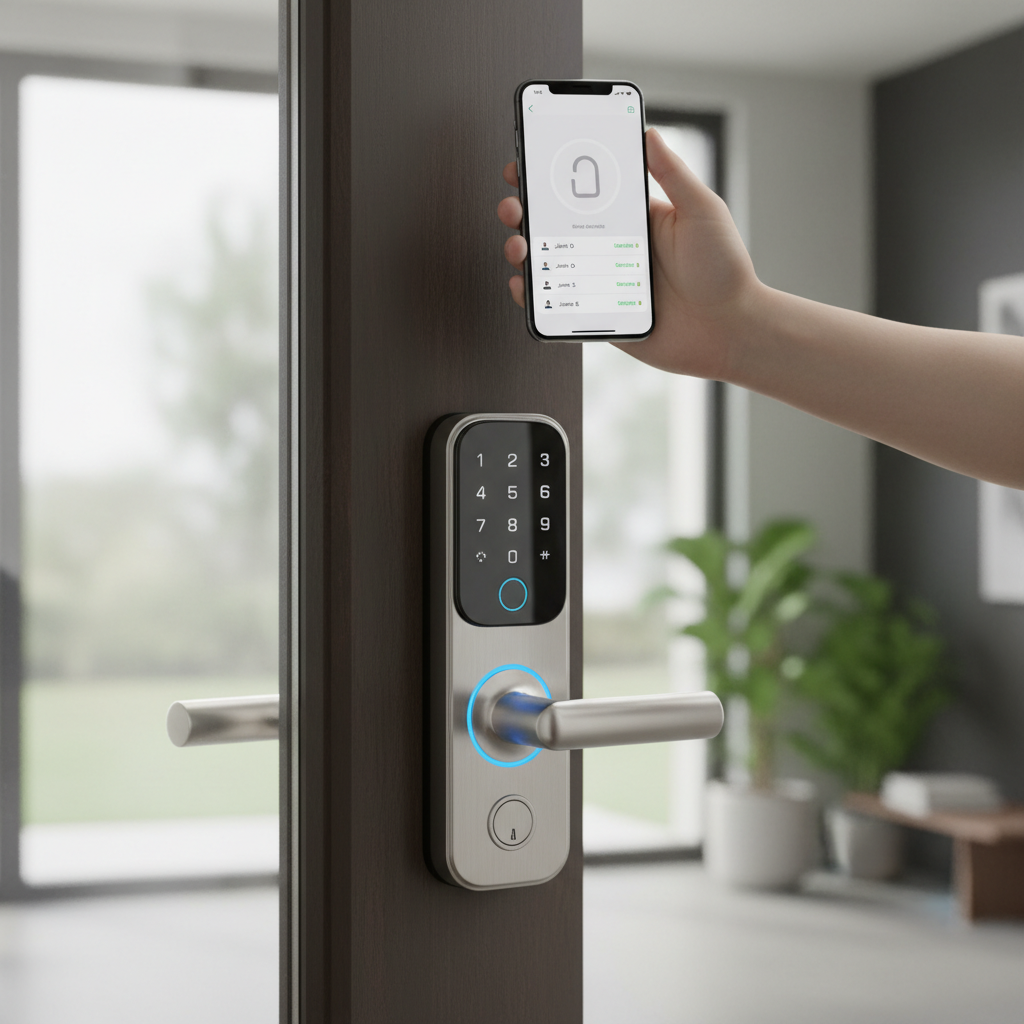
Imagine a home that anticipates your arrival, unlocking its doors with a mere touch or even as you approach. This isn’t a scene from a futuristic film; it’s the reality offered by today’s sophisticated smart door locks. For over a decade, I’ve had the privilege of working hands-on with hundreds of different models, from industry giants to innovative newcomers. I understand the intricate technology, diverse features, and common user experiences that define these devices. This guide will leverage that deep expertise to help you navigate the crowded market, making an informed decision for your home’s security and convenience.
What is a Smart Door Lock? Why Should You Use One?
A smart door lock is an electronic lock that integrates with a home network, allowing you to control and monitor access to your property using a smartphone, keypad, or other smart devices. Unlike traditional locks, these modern marvels offer far more than just basic security; they introduce a new level of convenience and control that enhances your daily life.
The primary benefits of upgrading to a smart door lock are multifaceted. Firstly, enhanced security is paramount. Many smart locks feature advanced encryption, tamper alarms, and activity logs that record who enters and exits, providing peace of mind. Secondly, unparalleled convenience eliminates the need for physical keys. You can unlock your door with a fingerprint, a PIN code, your smartphone, or even a voice command. This is particularly useful when your hands are full or if you want to grant temporary access to guests or service providers without handing over a physical key. Thirdly, remote management allows you to lock or unlock your door from anywhere in the world, check its status, and receive real-time notifications directly on your phone. This means you can let in a delivery person while at work or ensure your door is locked after an unexpected departure. Finally, smart locks often integrate seamlessly with broader smart home ecosystems, working in tandem with lights, cameras, and thermostats to create automated routines that simplify your home management.
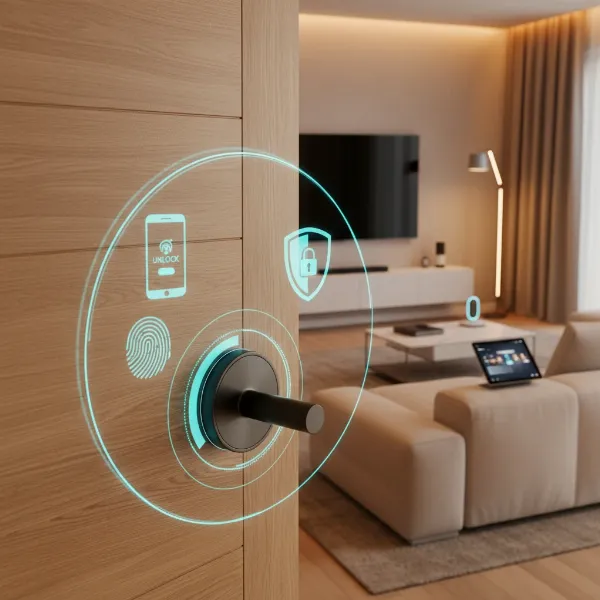 A conceptual image illustrating smart door lock benefits with icons for smartphone control, fingerprint recognition, and home security in a modern home setting.
Common use cases for smart door locks range from daily residential convenience to more specialized needs. Homeowners often appreciate the auto-lock feature that re-secures the door automatically after a set time, eliminating worries about forgetting to lock up. For those with children, smart locks allow parents to monitor when kids arrive home from school. Renters can benefit from retrofit models that don’t require permanent modifications, while also enjoying easy guest code management for visitors or short-term rentals. Beyond personal homes, smart locks are also widely adopted in small offices and Airbnb properties for streamlined access control.
Popular Types of Smart Door Locks on the Market
The diversity in smart door locks means there’s a solution for nearly every need and preference. These devices can be categorized based on their unlocking mechanisms, connectivity options, and physical design.
By Unlocking Method
The way you interact with your smart lock is a key differentiator.
- Fingerprint (Biometric): Offers quick, keyless entry by scanning your unique fingerprint. Highly secure and convenient, especially when your hands are full.
- Keypad/PIN Code: Allows entry using a numerical code entered on a touchscreen or physical keypad. Ideal for granting access to multiple users, such as family members or trusted visitors, with easily changeable codes.
- RFID/NFC (Card/Fob/Apple Home Key): Uses radio-frequency identification or Near Field Communication to unlock the door with a programmed card, key fob, smartphone, or smartwatch (like Apple Home Key). These are often used in commercial settings or by individuals seeking another keyless option.
- Smartphone App: The most common method, enabling control directly from your phone. Features often include remote locking/unlocking, activity logs, and guest access management.
- Traditional Mechanical Key: Many smart locks retain a traditional keyway as a backup for emergencies, such as battery failure.
- Facial Recognition: A more advanced and less common method, using camera technology to recognize authorized faces. These locks are typically at the higher end of the price spectrum.
|
Our Picks for the Best Smart door lock in 2026
As an Amazon Associate I earn from qualifying purchases.
|
||
| Num | Product | Action |
|---|---|---|
| 1 | Schlage Encode Smart Wi-Fi Deadbolt Lock with Touchscreen Keypad, Keyless Front Door Entry, App Control, Alexa, Google Home and Airbnb Compatible, Matte Black, BE489WB CEN 622 |

|
| 2 | TEEHO TE001 Keyless Entry Door Lock with Keypad - Smart Deadbolt Lock for Front Door with 2 Keys - Auto Lock - Easy Installation - Matte Black |
|
| 3 | Smart Door Handle Lock with Keypad: Yamiry Fingerprint Smart Knob - Keyless Entry Digital Lock for Front Door - Deadbolt with APP - Generate Passcode Remotely - DIY Installation |
|
| 4 | Keypad Smart Door Lock with Knob, Yamiry Keyless Entry Digital Lock with Handle, Fingerprint Electronic Knob for Front Door |
|
| 5 | eufy Security Smart Lock C30, Keyless Entry Door Lock, Built-in WiFi Keypad Deadbolt for Front Door, No Bridge Required, Easy Installation, App Remote Control, Reliable Power, BHMA Grade 3 |
|
| 6 | eufy Security Smart Lock C220, Fingerprint Keyless Entry Door Lock, Built-in Wi-Fi, App Remote Control, Front Door Smart Lock Deadbolt, 8Months Battery, Reliable Power, IP53 Waterproof, BHMA Grade 3 |
|
| 7 | Philips WiFi Keypad Door Lock with Handle, Built-in WiFi, APP Remote Control, Voice & Fingerprint Unlock, Smart Locks for Front Door with Auto Lock, Digital Front Door Lock Set, Keyless Entry Deadbolt |
|
| 8 | Philips Wi-Fi Door Lock, WiFi Smart Lock Keyless Entry Deadbolt for Front Door, Compatible with Alexa & Google Assistant, Remote Control, Built-in WiFi, APP Fingerprint Passcode Unlock, Auto Locking |
|
| 9 | TEEHO TE001 Keyless Entry Door Lock with Keypad - Smart Deadbolt Lock for Front Door with 2 Keys - Auto Lock - Easy Installation - Satin Nickel |
|
| 10 | Veise VE017 Fingerprint Smart Door Lock, App Control, 8-in-1 Keyless Entry, Auto Lock, Emergency Power Port, Electronic Touchscreen Keypad, Biometric Smart Locks for Front Door, Matte Black |
|
By Connectivity
The connectivity method dictates how your smart lock communicates with other devices and your smart home system.
- Bluetooth: Connects directly to your smartphone when you are within a short range (typically 30-50 feet). It’s energy-efficient but lacks remote control capabilities without a bridge or hub.
- Wi-Fi: Connects directly to your home’s Wi-Fi network, allowing for remote access and control from anywhere with an internet connection. This often consumes more battery power than other methods.
- Z-Wave & Zigbee: These are mesh networking protocols designed specifically for smart home devices. They offer reliable, low-power communication over longer distances but require a compatible smart home hub to function. They are excellent for integrating your lock into a larger smart home ecosystem.
- Matter: A new, unified smart home connectivity standard designed to work across different platforms (Apple Home, Google Home, Amazon Alexa, Samsung SmartThings). Matter aims to simplify device setup and improve interoperability, ensuring your lock works with various ecosystems now and in the future.
By Design
Smart locks come in different forms to suit various door types and aesthetic preferences.
- Deadbolt Replacements: These locks completely replace your existing deadbolt. They often feature an integrated keypad or fingerprint scanner on the exterior and a smart module on the interior.
- Deadbolt Adapters/Retrofit Locks: These are designed to fit over your existing deadbolt on the interior side of the door, keeping your original exterior hardware and keys. They are ideal for renters or those who prefer to maintain the traditional look of their door.
- Lever Handle Smart Locks: These incorporate smart technology directly into the door handle and latch mechanism, offering an all-in-one solution for doors that require a lever handle.
- Mortise Smart Locks: More common in European and Asian markets, these are typically larger, multi-point locking systems integrated into the door’s edge. Smart versions offer advanced security and features for these robust lock types.
Comparing Leading Smart Door Lock Brands
Choosing a smart lock often comes down to brand reputation, feature sets, and ecosystem compatibility. Here’s a comparison of some of the leading brands known for their quality and innovation in the smart lock space:
| Brand | Key Strengths | Typical Price Range | Notable Features | Smart Home Integration | Security Rating |
|---|---|---|---|---|---|
| Yale | Reliability, modern design, wide range of connectivity | Mid-High ($150-$300+) | Touchscreen keypads, Auto-Lock, DoorSense, Apple Home Key, Wi-Fi, Z-Wave, Bluetooth | Alexa, Google Home, Apple HomeKit, SmartThings | ANSI/BHMA Grade 2 or 3 |
| Schlage | Robust security, ease of installation, durable | Mid-High ($150-$350+) | Built-in Wi-Fi, Apple Home Key, customizable codes, activity logs, voice control | Alexa, Google Home, Apple HomeKit, Ring, SmartThings | ANSI/BHMA Grade 1 or 2 |
| August | Retrofit design, preserves existing key, auto-unlock | Mid-High ($180-$250+) | Installs on interior side, DoorSense, Virtual Keys, Wi-Fi Connect (bridge needed) | Alexa, Google Home, Apple HomeKit, SmartThings | N/A (uses existing deadbolt) |
| Kwikset | User-friendly, good value, fingerprint options | Mid-Range ($100-$250) | Keypads, fingerprint readers, SmartKey security, Wi-Fi (some models) | Alexa, Google Home, Apple HomeKit, SmartThings | ANSI/BHMA Grade 2 |
| Aqara | Apple HomeKit focus, Zigbee/Matter support, biometrics | Mid-Range ($130-$250) | Fingerprint, PIN, NFC, app, key, Matter over Thread, sleek design | Apple HomeKit, Google Home, Alexa, SmartThings | ANSI/BHMA Grade 2 or 3 |
| Ultraloq | Multi-access options, budget-friendly biometrics | Low-Mid ($100-$200) | Fingerprint, keypad, app, key, auto-lock, IP65 weather resistance | Alexa, Google Home | ANSI/BHMA Grade 2 |
| Philips | Aesthetic design, advanced features (facial rec.) | High ($300-$500+) | Facial recognition, fingerprint, large displays, robust build | Limited (often proprietary app) | ANSI/BHMA Grade 2 or 3 |
| Samsung | Sleek design, often push-pull handles, biometrics | High ($250-$450+) | Fingerprint, PIN, RFID card, auto-lock, intuitive interfaces | Limited (often proprietary app/SmartThings) | ANSI/BHMA Grade 2 or 3 |
These brands offer a spectrum of choices, from straightforward keypad entry to advanced biometric systems and full smart home integration. Your ideal choice will depend on a balance of desired features, budget, and compatibility with your existing smart home setup.
Top Smart Door Lock Models Available Today
To further aid your decision, here’s a comparison of some of the best smart door lock models currently on the market, highlighting their specific features and user appeal. This table represents a snapshot of highly-rated options that cater to different needs and budgets.
| Model | Price Range (Approx.) | Unlocking Methods | Special Features | User Rating (out of 5) | Best For |
|---|---|---|---|---|---|
| Schlage Encode Plus | $250 – $300 | Keypad, App, Key, Apple Home Key | Built-in Wi-Fi, highly secure, easy installation, activity logs | 4.6 | Apple HomeKit users, robust security |
| Yale Assure Lock 2 | $160 – $290 | Keypad, App, Key, Bluetooth, Wi-Fi | Sleek design, DoorSense, versatile connectivity (Matter option), auto-lock | 4.5 | Versatility, modern aesthetics, smart home integration |
| Aqara Smart Lock U100 | $130 – $180 | Fingerprint, Keypad, App, NFC, Key | Matter over Thread, fast fingerprint reader, multi-ecosystem support | 4.4 | Tech enthusiasts, Apple HomeKit users |
| Ultraloq U-Bolt Pro Wi-Fi | $120 – $180 | Fingerprint, Keypad, App, Key, Auto-unlock | 8-in-1 access, IP65 weather-resistant, affordable biometric | 4.3 | Budget-conscious buyers, multiple access needs |
| August Wi-Fi Smart Lock | $200 – $250 | App, Key (existing), Auto-unlock | Retrofit design, DoorSense, virtual keys, small form factor, easy install | 4.2 | Renters, preserving exterior look, auto-unlock |
| Kwikset Halo Touch | $180 – $220 | Fingerprint, App, Key, Wi-Fi | No hub required, intrusion detection, auto-lock, voice control | 4.1 | Simple fingerprint access, direct Wi-Fi |
This selection offers a range of options, from top-tier security and integration to more budget-friendly yet feature-rich choices. The best model for you will align with your specific preferences for unlocking methods, smart home compatibility, and security needs.
How to Choose the Right Smart Door Lock
Selecting the perfect smart door lock involves more than just picking a fancy gadget; it requires a thoughtful assessment of your specific needs, budget, and home environment.
Determine Your Usage Needs
Start by considering who will be using the lock and how.
- For families: You might prioritize multiple user codes, fingerprint access for children, and activity logs to track comings and goings.
- For offices or rental properties: Easy guest code management, scheduling access, and remote control are crucial for managing various users and cleaning services.
- For personal use: Convenience features like auto-unlock as you approach or voice control might be more appealing. Do you need remote access for package deliveries or just keyless entry?
Set Your Budget
Smart locks vary significantly in price, reflecting their features and build quality.
- Basic models ($100 – $150): Typically offer keypad entry and Bluetooth connectivity, suitable for simple keyless access.
- Mid-range models ($150 – $250): Often include Wi-Fi connectivity, app control, and additional features like fingerprint sensors or more robust smart home integration.
- Top-of-the-line models ($250 – $500+): Feature advanced biometrics (facial recognition), premium materials, comprehensive smart home ecosystem support (Matter), and higher security ratings.
Identify Essential Features
Make a list of “must-have” features that align with your usage needs.
- Unlocking methods: Do you prefer fingerprint, keypad, app, or a combination?
- Remote access: Is controlling the lock from anywhere a priority? If so, Wi-Fi or a Z-Wave/Zigbee hub is necessary.
- Auto-lock/Auto-unlock: Do you want the door to lock automatically when closed or unlock as you approach?
- Activity logs and alerts: Is it important to know who entered and when, and receive notifications for unusual activity?
- Voice control: Do you want to integrate with Alexa, Google Assistant, or Apple Siri?
- Security rating: Look for ANSI/BHMA certifications (Grade 1 being the highest for residential security).
Check Door Type and Thickness
Compatibility is key. Most smart locks are designed for standard US deadbolts, but it’s essential to measure your door’s thickness and existing borehole dimensions.
- Deadbolt vs. Lever/Mortise: Ensure the lock type matches your door’s existing hardware.
- Retrofit options: If you cannot make permanent changes (e.g., in a rental), choose a retrofit lock that installs over your existing deadbolt.
- Door material: While most locks work with common wooden doors, some installations on metal or glass doors might require specialized hardware or professional assistance.
Choose a Reputable Brand with Good Support
Opting for well-established brands like Yale, Schlage, or August often guarantees better product quality, more reliable software, and superior customer support. Check their warranty policies and read user reviews regarding post-purchase assistance. A good warranty provides peace of mind, especially for electronic components.
How to Install and Use a Smart Door Lock
Installing a smart door lock might seem daunting, but many models are designed for DIY installation. While specific steps vary by model, here’s a general guide. Always refer to your lock’s specific instruction manual for precise details.
Preparing for Installation
- Check Compatibility: Before you begin, confirm your new smart lock is compatible with your door’s thickness, backset, and borehole dimensions. Most fit standard doors, but double-checking prevents frustration.
- Gather Tools: You’ll typically need a Phillips head screwdriver, a tape measure, and sometimes a power drill, chisel, or hammer for minor adjustments.
- Test Existing Lock & Door: Ensure your current deadbolt operates smoothly and the door closes and latches correctly. Address any issues with the door or frame first.
- Product Test: It’s a good idea to insert batteries into the new smart lock and perform a basic function test before disassembling your door.
Basic Installation Steps
- Remove Old Lock: Unscrew and remove your existing deadbolt assembly from both sides of the door.
- Install New Latch/Bolt: Insert the new smart lock’s latch or bolt into the edge of the door. Ensure it’s oriented correctly (some have reversible latches for left/right-handed doors). Secure it with screws.
- Install Exterior Keypad/Assembly: Feed the connecting cables from the exterior keypad through the borehole in your door. Position the exterior component flush against the door.
- Install Interior Mounting Plate: On the interior side, place the mounting plate over the borehole, ensuring the cables pass through it.
- Connect Cables: Attach the connecting cables from the exterior assembly to the interior assembly or module as instructed in your manual. Be careful not to pinch any wires.
- Install Interior Assembly: Align the interior assembly with the mounting plate, ensuring the thumbturn (if present) aligns with the tailpiece of the bolt. Secure the interior assembly with screws.
- Install Batteries & Cover: Insert the required batteries and replace the battery cover.
- Test Operation: Manually test the deadbolt with the thumbturn and then try the electronic functions (keypad, app, fingerprint) to ensure smooth operation.
Setting Up and Using Features
Once physically installed, the next step is typically to download the manufacturer’s smartphone app.
- Pairing: Follow the in-app instructions to pair your lock with your smartphone via Bluetooth or Wi-Fi.
- Code/Fingerprint Enrollment: Create your master PIN code, then enroll user PINs or fingerprints for family members.
- Smart Home Integration: If desired, link your smart lock to your smart home hub (e.g., Alexa, Google Home, Apple HomeKit) to enable voice control and automation routines.
- Advanced Features: Explore settings for auto-lock duration, remote access, guest access management, activity alerts, and DoorSense (if available) which indicates if your door is ajar.
Maintenance Tips to Extend Lock Lifespan
- Regular Battery Checks: Most apps provide battery status alerts. Replace batteries promptly (typically every 6-12 months, depending on usage and connectivity). Keep a physical key or a spare power bank (if supported) handy for emergencies.
- Clean Keypads/Sensors: Periodically wipe down keypads and fingerprint sensors with a soft, damp cloth to remove dirt and grime that can impede functionality.
- Software Updates: Keep your lock’s firmware updated through the app. Updates often include security enhancements and new features.
- Door Alignment: Ensure your door remains properly aligned within its frame. A misaligned door can put stress on the lock mechanism, leading to premature wear.
Common Smart Door Lock Issues and Troubleshooting
Even with robust design, smart locks, like any electronic device, can encounter issues. Here’s how to address some common problems.
Sudden Battery Drain
Problem: Your smart lock’s batteries die unexpectedly or drain much faster than advertised.
Solution: Check if the lock is frequently searching for Wi-Fi or Bluetooth connections, which consumes more power. Ensure a strong signal to your Wi-Fi router or hub. Cold weather can also reduce battery life. Always use high-quality, non-rechargeable alkaline batteries. If the issue persists, contact customer support; there might be a hardware fault. Keep a mechanical key or a portable battery pack (if your lock supports emergency power) readily available.
Forgotten Passcode or Lost Card
Problem: You’ve forgotten your PIN code, or an authorized RFID card is lost.
Solution: Most smart locks allow you to manage codes and cards via the smartphone app. You can typically add, delete, or modify user codes and revoke access for lost cards directly from your phone, even remotely. If you’ve forgotten the master code, there’s usually a recovery process through the app or a reset button on the interior assembly (which might require a physical key to access).
Fingerprint Recognition Issues
Problem: The smart lock isn’t consistently recognizing registered fingerprints.
Solution: Ensure the fingerprint sensor is clean and free of dirt, moisture, or smudges. Re-register your fingerprint, making sure to capture various angles and pressures of your finger. Dry or excessively moist fingers can sometimes cause issues; try again when your hand is clean and dry. Some locks perform better than others in diverse conditions.
Connectivity Problems
Problem: Your smart lock frequently disconnects from Wi-Fi or Bluetooth, or remote control fails.
Solution:
- Wi-Fi: Check your home Wi-Fi network for signal strength at the door. Move your router closer or use a Wi-Fi extender if necessary. Reboot your router and the smart lock. Ensure no physical obstructions (thick walls, large metal objects) are interfering with the signal.
- Bluetooth: Make sure your smartphone is within range (typically 30-50 feet) of the lock. Ensure Bluetooth is enabled on your phone.
- Z-Wave/Zigbee: Verify your smart home hub is online and within range of the lock. Check for any interference with other wireless devices.
Mechanical Malfunctions
Problem: The lock mechanism feels stiff, the bolt isn’t extending/retracting smoothly, or the handle gets stuck.
Solution:
- Alignment: Often, these issues stem from misalignment of the lock body, strike plate, or door frame. Ensure the deadbolt hole in the door frame is properly aligned with the lock bolt.
- Wiring: During installation, ensure no wires are pinched or obstructing the mechanical movement of the lock components.
- Lubrication: A small amount of graphite lubricant (not oil-based) can sometimes help smooth out a stiff mechanism, but consult your manual first.
- Professional Help: If you suspect a deeper mechanical issue or an installation error, it’s best to consult the manufacturer’s support or a professional locksmith.
“A smart lock is more than just a keyless entry; it’s the gateway to a more responsive and secure home. Understanding its nuances ensures you harness its full potential.” – Admin, Reviewpado.com
Conclusion
Smart door locks represent a significant leap forward in home security and convenience, transforming how we interact with our living spaces. From the effortless entry provided by biometric scanners to the peace of mind offered by remote monitoring, these devices cater to a diverse range of needs and preferences. By carefully considering the various types, comparing leading brands and models, and understanding the nuances of installation and troubleshooting, you can select a smart lock that perfectly integrates into your lifestyle. Embrace the future of home security, and unlock a smarter, more secure home. What kind of smart lock features would enhance your daily routine the most?
Frequently Asked Questions
What is the average battery life for a smart door lock?
The average battery life for a smart door lock typically ranges from 6 to 12 months, depending on the model, usage frequency, and connectivity type. Wi-Fi-enabled locks generally consume more power than Bluetooth or Z-Wave/Zigbee models.
Can smart door locks be hacked?
While no system is entirely impervious, reputable smart door locks employ advanced encryption and security protocols to prevent hacking. Choosing locks with strong security ratings (e.g., ANSI/BHMA Grade 1) and keeping firmware updated significantly reduces risks.
Do I need a smart home hub for my smart lock to work?
It depends on the lock. Many modern smart locks have built-in Wi-Fi, allowing direct connection to your home network without a separate hub. However, Z-Wave or Zigbee locks require a compatible smart home hub to function and integrate into your smart ecosystem.
What happens if the smart lock battery dies?
Most smart locks include a physical key override, allowing manual entry even if the battery dies. Some models also have terminals for a 9V battery or a USB power bank to provide temporary power for unlocking.
Are smart locks difficult to install?
Many smart locks are designed for DIY installation and can be installed with basic tools in under an hour, especially retrofit models. However, some advanced models or specific door types may benefit from professional installation.
Can I give temporary access to guests or service providers?
Yes, this is one of the primary benefits. Most smart locks allow you to create temporary or scheduled PIN codes through their smartphone app, which can be revoked at any time. This eliminates the need for physical key exchanges.
Are smart locks compatible with all types of doors?
Most smart locks are designed for standard residential deadbolt installations. However, compatibility can vary based on door thickness, backset, and borehole diameter. Always check the product specifications against your door measurements before purchasing.