In an age where our homes are becoming smarter, more connected, and increasingly intuitive, the traditional deadbolt can feel like a relic from another era. Imagine a world where fumbling for keys is a distant memory, where your door unlocks with a touch or a simple command, and where you hold the power to secure your home from anywhere on the globe. This isn’t a futuristic fantasy; it’s the reality offered by smart door locks. For anyone considering upgrading their home security and convenience, understanding these sophisticated devices is paramount. This comprehensive guide will navigate you through everything you need to know, from the core technologies to the top models, ensuring you make an informed choice for your peace of mind.
What is a Smart Door Lock? Why Should You Use One?
A smart door lock is an electromechanical lock that allows you to open and close your door using an authorized authentication method other than a traditional mechanical key. These innovative devices integrate with your home’s network, bringing enhanced security, unparalleled convenience, and remote management capabilities right to your fingertips. They transform how you interact with your home, providing a seamless and secure entry experience.
The primary benefits of switching to a smart door lock are significant. Firstly, enhanced security is a major draw. Many smart locks offer advanced encryption, tamper alerts, and activity logs, notifying you of any unusual activity. Secondly, unmatched convenience means no more lost keys or hiding a spare under a doormat. You can unlock your door with a fingerprint, a PIN code, a smartphone, or even a voice command. Thirdly, remote access and control are game-changers, allowing you to lock or unlock your door from anywhere, grant temporary access to guests or service providers, and monitor entry and exit times. These locks are ideal for busy households, short-term rental properties, and anyone seeking greater control and peace of mind over their home access.
Popular Smart Door Lock Types on the Market
The smart door lock landscape is diverse, offering various technologies and designs to suit different preferences and security needs. Understanding these categories is crucial for finding the perfect fit for your home.
By Unlocking Method
Smart locks differentiate themselves significantly through their unlocking mechanisms, providing a range of keyless entry options.
- Fingerprint Recognition: These locks use biometric technology to identify your unique fingerprint, offering swift and secure access with just a touch. They eliminate the need for keys or codes, making entry incredibly convenient.
- Keypad (PIN Code): A numerical keypad allows entry via a personalized code. Many systems enable multiple codes for different users and temporary codes for guests or service personnel.
- Smart Card or Fob: Using RFID or NFC technology, these locks grant access when a programmed card or fob is tapped against the reader. They are often convenient for frequent visitors or those who prefer not to use a phone or code.
- Smartphone App: Connected via Bluetooth or Wi-Fi, dedicated mobile apps allow you to lock or unlock your door from your smartphone. This method often includes remote access features, activity logs, and user management.
- Mechanical Key: While offering advanced digital features, many smart locks still include a traditional key override as a fail-safe, ensuring access even during power outages or system malfunctions.
- Palm Vein / Facial Recognition: Representing cutting-edge biometrics, these methods offer extremely high security by scanning unique physiological traits, though they are less common and typically found in higher-end models.
|
Our Picks for the Best Smart door lock in 2026
As an Amazon Associate I earn from qualifying purchases.
|
||
| Num | Product | Action |
|---|---|---|
| 1 | Schlage Encode Smart Wi-Fi Deadbolt Lock with Touchscreen Keypad, Keyless Front Door Entry, App Control, Alexa, Google Home and Airbnb Compatible, Matte Black, BE489WB CEN 622 |

|
| 2 | Keypad Smart Door Lock with Knob, Yamiry Keyless Entry Digital Lock with Handle, Fingerprint Electronic Knob for Front Door |
|
| 3 | TEEHO TE001 Keyless Entry Door Lock with Keypad - Smart Deadbolt Lock for Front Door with 2 Keys - Auto Lock - Easy Installation - Matte Black |
|
| 4 | Smart Door Handle Lock with Keypad: Yamiry Fingerprint Smart Knob - Keyless Entry Digital Lock for Front Door - Deadbolt with APP - Generate Passcode Remotely - DIY Installation |
|
| 5 | Philips Wi-Fi Door Lock, WiFi Smart Lock Keyless Entry Deadbolt for Front Door, Compatible with Alexa & Google Assistant, Remote Control, Built-in WiFi, APP Fingerprint Passcode Unlock, Auto Locking |
|
| 6 | eufy Security Smart Lock C220, Fingerprint Keyless Entry Door Lock, Built-in Wi-Fi, App Remote Control, Front Door Smart Lock Deadbolt, 8Months Battery, Reliable Power, IP53 Waterproof, BHMA Grade 3 |
|
| 7 | eufy Security Smart Lock C30, Keyless Entry Door Lock, Built-in WiFi Keypad Deadbolt for Front Door, No Bridge Required, Easy Installation, App Remote Control, Reliable Power, BHMA Grade 3 |
|
| 8 | Philips WiFi Keypad Door Lock with Handle, Built-in WiFi, APP Remote Control, Voice & Fingerprint Unlock, Smart Locks for Front Door with Auto Lock, Digital Front Door Lock Set, Keyless Entry Deadbolt |
|
| 9 | Veise VE017 Fingerprint Smart Door Lock, App Control, 8-in-1 Keyless Entry, Auto Lock, Emergency Power Port, Electronic Touchscreen Keypad, Biometric Smart Locks for Front Door, Matte Black |
|
| 10 | TEEHO TE001 Keyless Entry Door Lock with Keypad - Smart Deadbolt Lock for Front Door with 2 Keys - Auto Lock - Easy Installation - Satin Nickel |
|
By Connectivity
The way a smart lock communicates is vital for its functionality, especially regarding remote control and smart home integration.
- Bluetooth: Ideal for close-range control, Bluetooth locks connect directly to your smartphone when you are within proximity. They are generally energy-efficient but lack remote access without a separate Wi-Fi bridge.
- Wi-Fi: Locks with built-in Wi-Fi connect directly to your home network, enabling full remote control from anywhere with an internet connection. This often comes at the cost of faster battery drain compared to other methods.
- Z-Wave / Zigbee: These are low-power wireless protocols specifically designed for smart home devices. Locks using these require a compatible smart home hub to function, offering robust network stability and good battery life, often integrating seamlessly into larger smart home ecosystems.
- Thread / Matter: Emerging standards like Thread and Matter aim to simplify smart home connectivity, offering improved reliability, responsiveness, and interoperability between different brands and devices. Many newer smart locks are adopting these protocols for a more unified smart home experience.
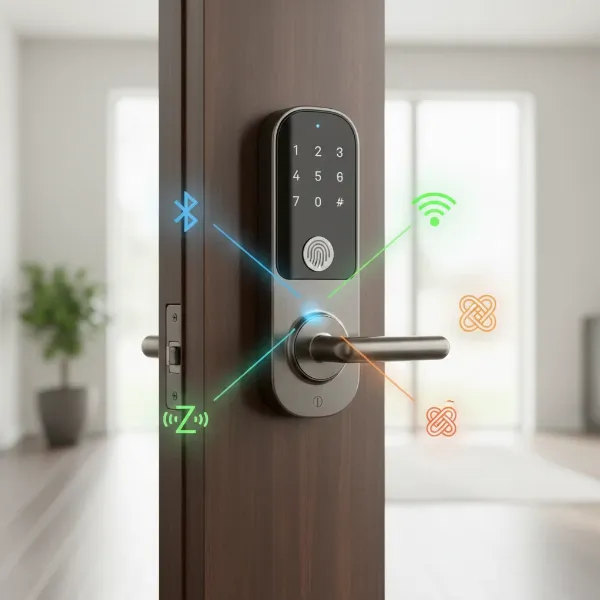 Various types of smart door locks with different connectivity symbols (Bluetooth, Wi-Fi, Z-Wave, Thread) displayed on a modern door.
By Design
Smart locks come in various aesthetic and functional designs to match different door types and user preferences.
- With Handleset/Lever: These locks integrate the smart locking mechanism directly into a door handle or lever, offering a cohesive look and often combining multiple access methods.
- Deadbolt Only: Designed to replace or augment an existing deadbolt, these are often less conspicuous and maintain the door’s original handle. They are very popular for their straightforward installation.
- Keyless (No Keyway): Some smart locks completely forgo a physical keyway, relying solely on digital access methods for maximum security against traditional lock picking.
- Electronic Locks for Glass Doors: Specialized smart locks are available for glass doors, often requiring surface mounting or specific clamping mechanisms, differing significantly from standard residential deadbolts.
Comparing Leading Smart Door Lock Brands
Choosing a smart lock often involves weighing the reputations and offerings of several leading brands. Here’s a comparison of some of the most prominent players in the market, based on key criteria.
| Brand | Key Features & Technology | Security & Durability | Price Range | Smart Home Integration | Support & Warranty |
|---|---|---|---|---|---|
| Schlage | Keypad, Wi-Fi, Apple Home Key, built-in alarm | High-grade security ratings, robust build | Mid-High | Alexa, Google Assistant, Apple HomeKit | Good, often lifetime mechanical |
| Yale | Keypad, Bluetooth, Wi-Fi (with module), DoorSense | Solid security, dependable performance | Mid | Alexa, Google Assistant, HomeKit (with module), Z-Wave | Strong, good customer service |
| August | Retrofit design, Wi-Fi, DoorSense, auto-lock/unlock | Strong, easy to install on existing locks | Mid | Alexa, Google Assistant, HomeKit, Z-Wave, IFTTT | Good, focused on user experience |
| Eufy | Fingerprint, Keypad, Wi-Fi, integrated camera (select models) | Advanced biometrics, video monitoring | Mid | Alexa, Google Assistant | Growing, good app support |
| Ultraloq | Fingerprint, Keypad, Bluetooth, Wi-Fi, mechanical key | Multiple security layers, sturdy | Mid | Alexa, Google Assistant, IFTTT | Responsive customer service |
| Kwikset | Keypad, Wi-Fi, SmartKey re-key technology | Good, with re-keyable cylinders | Budget-Mid | Alexa, Google Assistant, Apple HomeKit (select models) | Extensive, limited lifetime warranty |
| Level | Invisible design, Bluetooth, Apple Home Key | High, blends into existing hardware | High | Apple HomeKit, Alexa (with bridge) | Premium, strong design focus |
Top Smart Door Lock Models Available Today
Selecting the best smart door lock can be challenging with so many excellent options. Here’s a look at some of the best models, highlighting their unique features and what makes them stand out.
| Model | Price Range | Unlocking Methods | Special Features | User Rating & Comments |
|---|---|---|---|---|
| Schlage Encode Plus Smart Wi-Fi Deadbolt | $260 – $330 | Keypad, App, Apple Home Key | Built-in Wi-Fi, no hub needed, Home Key support | “Seamless HomeKit integration, reliable keypad.” |
| Eufy Smart Lock Touch & Wi-Fi | $200 – $250 | Fingerprint, Keypad, App, Key | Fast fingerprint sensor, Wi-Fi, durable design | “Fingerprint is lightning fast, great value.” |
| Yale Assure Lock 2 Key-Free Bluetooth | $170 – $240 | Keypad, App (Bluetooth) | Sleek design, easy installation, DoorSense | “Clean look, works great with Bluetooth, Wi-Fi module option.” |
| Ultraloq U-Bolt Pro Wi-Fi Smart Lock | $200 – $270 | Fingerprint, Keypad, App, Key, Voice | 6-in-1 unlocking, built-in Wi-Fi, auto-lock | “So many ways to open, very secure feeling.” |
| August Wi-Fi Smart Lock (4th Gen) | $190 – $220 | App, Key (existing deadbolt) | Retrofits existing deadbolt, DoorSense, auto-unlock | “Keeps my existing keys, easy to install myself.” |
| Kwikset Halo Touch Fingerprint Smart Lock | $200 – $240 | Fingerprint, Keypad, App, Key | Fast fingerprint, built-in Wi-Fi, re-keyable | “Quick fingerprint access, great for families.” |
| Level Lock+ Connect | $300 – $350 | App, Key Card, Apple Home Key | Invisible design, standard lock appearance, Home Key | “Looks like a regular lock but packed with tech.” |
How to Choose the Right Smart Door Lock
Selecting the ideal smart door lock requires careful consideration of your specific needs, budget, and existing home setup. Don’s expertise is valuable here.
Determine Your Usage Needs
Before anything else, clarify how and where the lock will be used.
- Family Home: Prioritize ease of use for multiple family members, strong security, and perhaps features like geofencing for auto-unlocking.
- Office/Business: Look for robust user management, activity logs, and potentially integration with existing access control systems.
- Rental Property (Airbnb, etc.): Focus on remote access for creating/revoking temporary codes, scheduling access, and real-time notifications.
Set a Budget
Smart locks vary widely in price, from budget-friendly keypad models to high-end biometric and connected systems. Determine how much you’re willing to invest, keeping in mind that higher price points often correlate with more advanced features, better build quality, and enhanced security. Don’t forget potential ongoing costs like subscription fees for advanced cloud features if applicable.
Essential Features to Consider
Prioritize features that genuinely enhance your security and convenience.
- Unlocking Methods: Do you prefer fingerprint, keypad, app control, or a combination?
- Connectivity: Do you need remote Wi-Fi control, or is Bluetooth proximity enough? Consider compatibility with your existing smart home ecosystem (Alexa, Google Assistant, HomeKit).
- Security Features: Look for advanced encryption, tamper alarms, auto-locking, and privacy modes.
- Battery Life: How long do the batteries last, and how are you alerted to low power? A mechanical key override is essential for backup.
- Durability: Check for weather resistance, especially if the lock will be exposed to the elements.
Check Door Type and Thickness
Compatibility is critical for proper installation and function.
- Door Type: Is it a standard single-panel door, a sliding door, a French door, or a multipoint locking system? Different door types require specific lock mechanisms.
- Door Thickness: Measure your door’s thickness. Most smart locks fit standard door thicknesses, but some require specific dimensions.
- Backset: This is the distance from the edge of the door to the center of the bore hole. Ensure the smart lock’s backset matches your door’s.
- Handing: While many locks are reversible, some may require you to specify left-hand or right-hand operation.
Choose a Reputable Brand with Good Support
“When it comes to smart home security, brand reputation isn’t just about marketing; it’s about reliable hardware, consistent software updates, and accessible customer support. Investing in a trusted name ensures you’re backed by proven quality and ongoing assistance.”
– Don Le, Smart Lock Expert, reviewpado.com
Research brands known for reliability, security, and good customer service. Read reviews, check warranty policies, and understand their support channels. A good warranty and responsive support can be invaluable if you encounter issues.
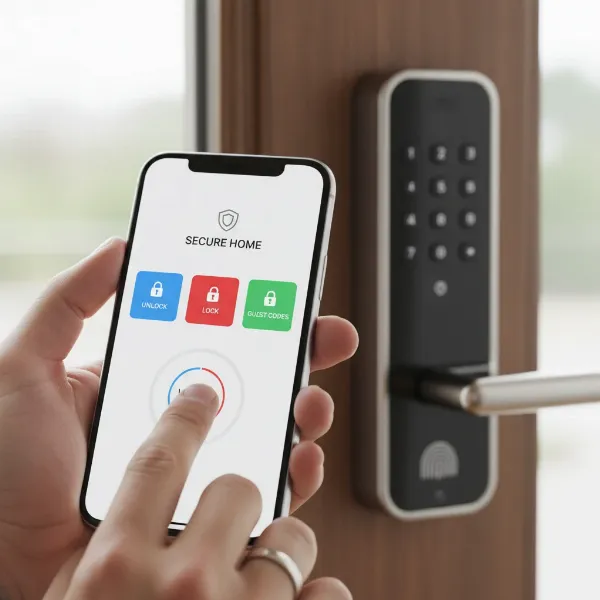 A person's hand interacting with a smartphone app to control a smart door lock, with icons representing various features like fingerprint, keypad, and remote access.
Installation and Usage of Smart Door Locks
While the idea of installing a high-tech device on your door might seem daunting, most smart door locks are designed for relatively straightforward DIY installation.
Necessary Tools
Typically, you’ll only need a few common household tools:
- Screwdriver (Phillips head and sometimes flathead)
- Measuring tape
- Pencil
- Chisel (rarely, for minor adjustments)
Basic Installation Steps
- Remove Old Lock: Unscrew and remove your existing deadbolt or handle set.
- Install New Deadbolt/Latch: Insert the new deadbolt or latch mechanism into the door edge.
- Mount Exterior Assembly: Place the exterior keypad or lock assembly onto the door.
- Install Interior Assembly: Secure the interior component, often housing the battery pack and thumb turn, onto the door, connecting any cables from the exterior assembly.
- Insert Batteries: Load the required batteries (usually AA) into the battery compartment.
- Test Mechanism: Manually test the lock and unlock mechanism to ensure smooth operation.
- Pair with App: Follow the manufacturer’s instructions to pair the lock with its smartphone app via Bluetooth or Wi-Fi.
Many manufacturers provide detailed video tutorials, which can be incredibly helpful during the installation process.
Setting Up and Using Features
Once physically installed, the real power of your smart lock comes alive through its app:
- Create User Codes/Fingerprints: Set up unique PIN codes or enroll fingerprints for family members and trusted individuals.
- Schedule Access: For guests or service providers, set temporary or time-restricted access codes.
- Enable Auto-Lock/Unlock: Configure the lock to automatically lock after a set period or unlock as you approach (geofencing).
- Notifications: Customize alerts for when the door is locked/unlocked, or if there’s any tampering.
- Integrate with Smart Home: Connect your lock to your smart home hub (Alexa, Google Assistant, HomeKit) for voice control and integration into routines.
Maintenance Tips
- Regular Battery Checks: Batteries are the lifeblood of your smart lock. Most apps provide low battery warnings, but it’s good practice to check them every few months, especially for Wi-Fi-enabled locks which consume more power.
- Software Updates: Keep your lock’s firmware updated to ensure optimal performance, security patches, and access to new features.
- Cleanliness: Periodically wipe down the keypad or fingerprint reader with a soft, damp cloth to prevent dirt buildup from affecting functionality.
- Lubrication: A light spray of graphite lubricant (never oil-based lubricants) into the mechanical parts of the deadbolt can ensure smooth operation.
Common Smart Door Lock Problems and Solutions
Even with advanced technology, smart door locks can encounter issues. Knowing how to troubleshoot common problems can save you time and frustration.
Sudden Battery Drain
Problem: Your smart lock’s batteries die unexpectedly fast.
Cause: High usage, frequent Wi-Fi activity, poor signal strength (forcing the lock to work harder), or extreme temperatures.
Solution: Use high-quality alkaline batteries. If it’s a Wi-Fi lock, consider a Wi-Fi extender to improve signal. Reduce unnecessary features that constantly poll the network. Some models may offer a specific “low power” mode.
Forgotten Passcode or Lost Smart Card/Fob
Problem: You can’t remember your PIN code or have misplaced your smart card/fob.
Solution: Always have a mechanical key backup accessible outside your home. Use the smartphone app to reset codes or disable lost fobs. Some locks allow you to create temporary codes via the app for immediate access.
Fingerprint Reader Not Recognizing
Problem: The fingerprint sensor frequently fails to recognize registered fingerprints.
Cause: Dirty sensor, wet or damaged fingers, improper scanning technique, or dry skin.
Solution: Clean the sensor regularly with a soft cloth. Ensure your finger is clean and dry. Try enrolling multiple angles or different fingers for each user. Re-enroll your fingerprint if the issue persists.
Connectivity Issues
Problem: The lock disconnects from Wi-Fi/Bluetooth or fails to respond to app commands.
Cause: Weak Wi-Fi signal, interference from other devices, router issues, or temporary network outages.
Solution:
- Wi-Fi: Check your home Wi-Fi network. Restart your router and the smart lock (usually by removing and reinserting batteries). Ensure the lock is within range of your router or consider a Wi-Fi extender.
- Bluetooth: Ensure your phone’s Bluetooth is enabled and you are within close range of the lock. Restart your phone and the lock.
Conclusion
Smart door locks represent a significant leap forward in home security and convenience, offering a blend of cutting-edge technology and everyday practicality. From keyless entry to remote control and seamless smart home integration, these devices empower you with unparalleled command over who enters your home and when. By understanding the various types, comparing top brands, and knowing how to choose and maintain them, you’re well-equipped to select a smart door lock that not only secures your home but also simplifies your daily life. Are you ready to embrace the future of home access and finally bid farewell to the hassle of keys?
Frequently Asked Questions
How secure are smart door locks against hacking?
Modern smart door locks employ strong encryption and security protocols, making them generally very secure. Reputable brands regularly release firmware updates to patch vulnerabilities. Using strong, unique passwords and two-factor authentication further enhances security.
What happens if the smart lock battery dies?
Most smart locks include multiple safeguards. They typically provide low battery warnings for weeks or months in advance. If the battery does die, almost all models have a mechanical key override, and some offer external battery terminals for a temporary power boost.
Can smart locks be installed on any door?
While many smart locks are designed to fit standard deadbolt preparations, compatibility varies. Factors like door thickness, backset, and the type of door (e.g., sliding, French, multipoint) can affect installation. Always check the manufacturer’s specifications against your door’s measurements.
Do I need a smart home hub to use a smart lock?
It depends on the lock. Many Wi-Fi-enabled smart locks connect directly to your home network without a separate hub. However, Z-Wave or Zigbee locks require a compatible hub to function and integrate with a wider smart home ecosystem.
What’s the difference between Bluetooth and Wi-Fi smart locks?
Bluetooth locks connect directly to your phone when you’re nearby, offering local control. Wi-Fi locks connect to your home network, providing remote control from anywhere with an internet connection. Wi-Fi often consumes more battery power than Bluetooth.