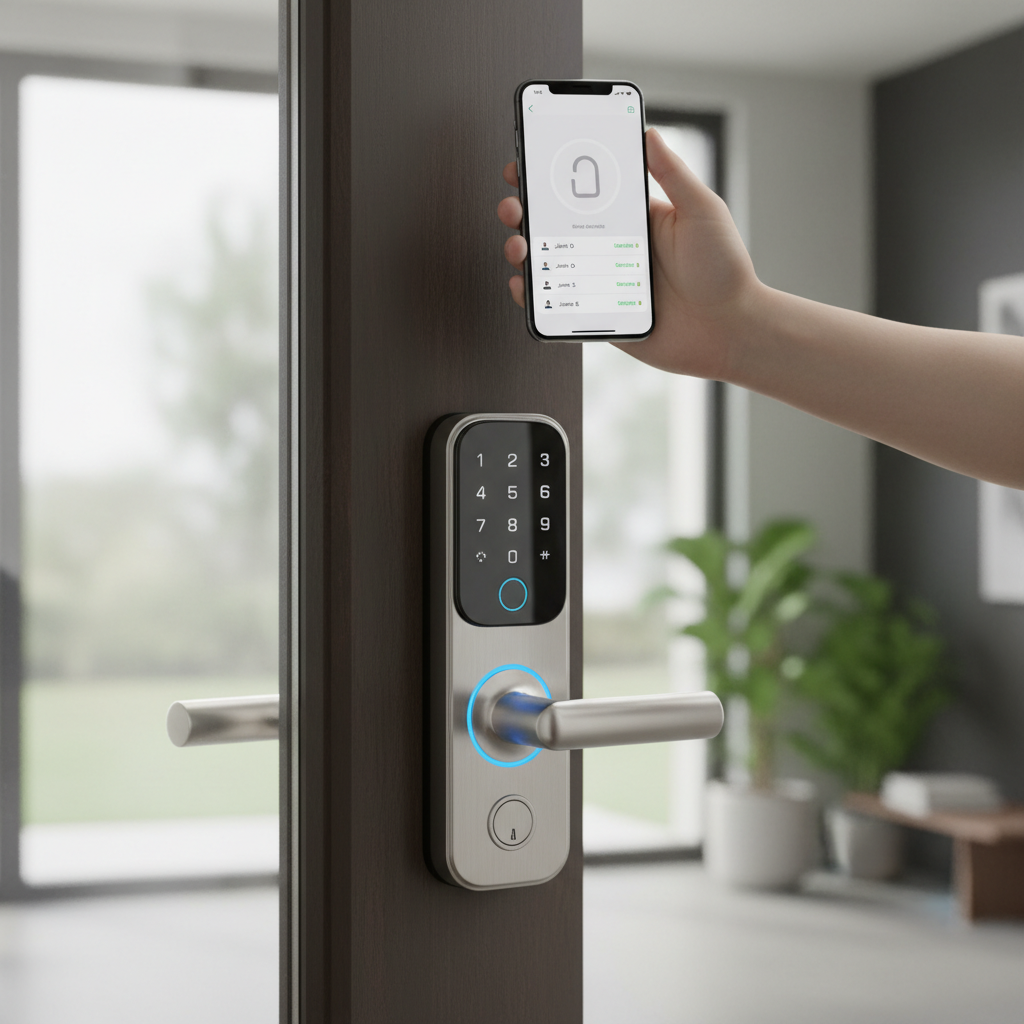
In an increasingly connected world, the traditional key often feels like a relic of the past. Smart door locks have emerged as a pivotal upgrade, transforming how we secure and access our homes. For over a decade, I’ve immersed myself in the intricate mechanics and advanced technologies behind hundreds of different lock models, witnessing firsthand their evolution from nascent concepts to sophisticated security solutions. This extensive experience has granted me a deep understanding of their functionalities, potential pitfalls, and the genuine peace of mind they can offer. This comprehensive review aims to distil that expertise, guiding you through the complex landscape of smart door locks to help you select the ideal product for your home.
What is a Smart Door Lock? Why Should You Use One?
A smart door lock is an electronic and mechanical locking device that gains access permissions through authorized means rather than a traditional physical key. These locks can be controlled remotely and integrated with various smart home systems, marking a significant leap forward in residential and commercial security. They represent a fusion of robust hardware and intelligent software, designed to offer unparalleled control and convenience.
The primary appeal of smart locks lies in their multifaceted benefits. First, they dramatically enhance security by providing keyless entry options like passcodes, fingerprints, or app control, eliminating the vulnerability of lost or stolen physical keys. Many models also include auto-locking features, ensuring your door is always secure even if you forget to lock it. Second, the convenience factor is undeniable; imagine unlocking your door with a tap on your smartphone as you approach, or granting temporary access to a delivery person or a guest from anywhere in the world. Third, smart locks empower you with remote management capabilities, allowing you to monitor activity logs, receive real-time notifications, and control access permissions from virtually any location. This comprehensive oversight offers an elevated sense of security and control over who enters your property and when.
Common use cases for smart door locks span a wide range of scenarios. Homeowners appreciate the ease of access for family members, the ability to grant temporary entry to service providers, and the reassurance of remote monitoring. For rental properties, especially vacation rentals, smart locks are indispensable, enabling seamless guest check-ins and check-outs without the need for physical key exchanges. Businesses also benefit from controlled access for employees and detailed entry logs. Ultimately, a smart door lock isn’t just a gadget; it’s a fundamental component of a modern, secure, and convenient living environment.
Popular Smart Door Lock Types on the Market
The smart door lock market is diverse, offering various types tailored to different needs and preferences. Understanding these classifications is crucial for making an informed choice that aligns with your specific security and lifestyle requirements.
By Unlocking Method
Smart locks differentiate themselves significantly through their access methods, moving beyond the simple physical key.
- Fingerprint Recognition: Biometric fingerprint scanners offer swift, keyless entry by recognizing authorized users’ unique prints. This method is highly convenient and secure, eliminating the need to remember codes or carry cards.
- Keypad Entry (PIN Codes): Many smart locks feature a digital keypad where users enter a unique numerical code. These are excellent for guests or service providers, allowing you to create temporary or time-sensitive codes.
- RFID/NFC Cards or Fobs: Similar to hotel key cards, these locks allow access by tapping a programmed card or fob against the reader. They are often used in commercial settings or for individuals who prefer not to use a keypad or smartphone.
- Smartphone App Control: This is perhaps the most common method, leveraging Bluetooth for proximity unlocking or Wi-Fi for remote control. Apps provide a centralized interface for managing users, monitoring activity, and adjusting settings.
- Voice Command: Integrated with smart home assistants like Alexa or Google Assistant, some locks can be controlled using voice commands, offering hands-free operation.
- Traditional Physical Key: Many smart locks retain a traditional key override as a backup, ensuring access even during power outages or system malfunctions.
- Palm Vein Recognition & Facial Recognition: These are advanced biometric methods, less common but offering high levels of security and convenience by scanning unique biological patterns. Palm vein scanning is noted for its resistance to forgery.
|
Our Picks for the Best Smart door lock in 2026
As an Amazon Associate I earn from qualifying purchases.
|
||
| Num | Product | Action |
|---|---|---|
| 1 | eufy Security Smart Lock C30, Keyless Entry Door Lock, Built-in WiFi Keypad Deadbolt for Front Door, No Bridge Required, Easy Installation, App Remote Control, Reliable Power, BHMA Grade 3 |

|
| 2 | Smart Door Handle Lock with Keypad: Yamiry Fingerprint Smart Knob - Keyless Entry Digital Lock for Front Door - Deadbolt with APP - Generate Passcode Remotely - DIY Installation |
|
| 3 | eufy Security Smart Lock C220, Fingerprint Keyless Entry Door Lock, Built-in Wi-Fi, App Remote Control, Front Door Smart Lock Deadbolt, 8Months Battery, Reliable Power, IP53 Waterproof, BHMA Grade 3 |
|
| 4 | TEEHO TE001 Keyless Entry Door Lock with Keypad - Smart Deadbolt Lock for Front Door with 2 Keys - Auto Lock - Easy Installation - Matte Black |
|
| 5 | Keypad Smart Door Lock with Knob, Yamiry Keyless Entry Digital Lock with Handle, Fingerprint Electronic Knob for Front Door |
|
| 6 | TEEHO TE001 Keyless Entry Door Lock with Keypad - Smart Deadbolt Lock for Front Door with 2 Keys - Auto Lock - Easy Installation - Satin Nickel |
|
| 7 | Philips Wi-Fi Door Lock, WiFi Smart Lock Keyless Entry Deadbolt for Front Door, Compatible with Alexa & Google Assistant, Remote Control, Built-in WiFi, APP Fingerprint Passcode Unlock, Auto Locking |
|
| 8 | Schlage Encode Smart Wi-Fi Deadbolt Lock with Touchscreen Keypad, Keyless Front Door Entry, App Control, Alexa, Google Home and Airbnb Compatible, Matte Black, BE489WB CEN 622 |
|
| 9 | Veise VE017 Fingerprint Smart Door Lock, App Control, 8-in-1 Keyless Entry, Auto Lock, Emergency Power Port, Electronic Touchscreen Keypad, Biometric Smart Locks for Front Door, Matte Black |
|
| 10 | Philips WiFi Keypad Door Lock with Handle, Built-in WiFi, APP Remote Control, Voice & Fingerprint Unlock, Smart Locks for Front Door with Auto Lock, Digital Front Door Lock Set, Keyless Entry Deadbolt |
|
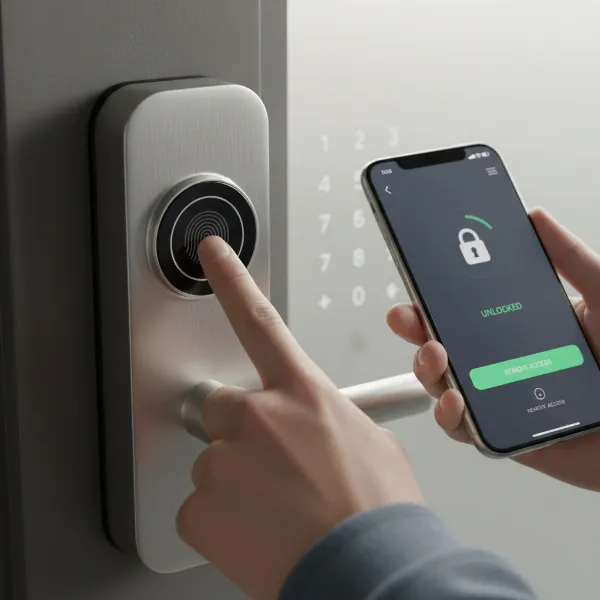 Diverse unlocking methods for a smart door lock including fingerprint, keypad, and smartphone app
By Connectivity
The connectivity options dictate how your smart lock communicates with other devices and your network, impacting remote functionality and smart home integration.
- Bluetooth: Ideal for local control within a short range, connecting directly to your smartphone. It’s energy-efficient but lacks remote access without a bridge.
- Wi-Fi: Allows direct connection to your home Wi-Fi network for remote control from anywhere with internet access. Some Wi-Fi locks may still benefit from a dedicated hub for better performance or battery life.
- Z-Wave & Zigbee: These are mesh networking protocols designed for smart home devices, offering reliable communication over longer distances and lower power consumption than Wi-Fi. They require a compatible smart home hub.
- Matter: A newer, open-source connectivity standard designed to simplify smart home integration, allowing devices from different brands to communicate seamlessly. Matter-enabled locks promise broader compatibility and easier setup.
By Design
Smart locks come in various forms to suit different door types and aesthetic preferences.
- Deadbolt Replacement: These locks fully replace your existing deadbolt, often integrating a keypad or fingerprint scanner into the exterior unit. This is the most common type for a full smart lock upgrade.
- Retrofit Locks: Designed to fit over your existing interior deadbolt hardware, these locks allow you to keep your current exterior lock and keys. They are ideal for renters or those who prefer a less noticeable smart lock. The August Smart Lock is a prime example.
- Lever/Handle Smart Locks: These replace both the deadbolt and the door handle, offering an all-in-one solution. They are often found on side doors or interior doors but are also available for front entries.
Comparing Leading Smart Door Lock Brands
Choosing a smart lock often comes down to selecting a reputable brand known for reliability, security, and innovation. Here’s a comparison of some of the leading brands in the market:
| Brand | Key Strengths | Typical Features | Price Range (Approx.) | Smart Home Integration | Notes |
|---|---|---|---|---|---|
| Yale | Heritage brand, reliable, wide range of options | Keypad, app, Apple Home Key, DoorSense | $150 – $300 | HomeKit, Alexa, Google Assistant, Z-Wave, Zigbee | Often compact, good for existing security systems. |
| Schlage | Robust security, commercial-grade, durable | Keypad, app, Apple Home Key, built-in alarm | $200 – $350 | HomeKit, Alexa, Google Assistant, Wi-Fi, Matter | Known for strong encryption and durability. |
| Level | Discreet design (hidden tech), Apple Home Key | App, Apple Home Key, touch-to-unlock, NFC | $250 – $350 | HomeKit (natively), Alexa, Google Assistant (via bridge) | Blends seamlessly with traditional aesthetics. |
| August | Retrofit design, easy installation, geofencing | App, Auto-Unlock/Lock, DoorSense, virtual keys | $150 – $250 | HomeKit, Alexa, Google Assistant, Z-Wave | Excellent for renters, keeps existing keys. |
| Lockly | Advanced biometrics (fingerprint, palm vein), video | Fingerprint, keypad (PIN Genie), app, camera | $250 – $500 | Alexa, Google Assistant | Focus on high-tech biometric security. |
| Kwikset | User-friendly, good value, SmartKey rekeying | Keypad, app, fingerprint, auto-lock | $100 – $250 | Alexa, Google Assistant, SmartThings, Matter | SmartKey allows rekeying without changing locks. |
| Wyze | Budget-friendly, good core features | App, keypad, fingerprint (on some models) | $70 – $150 | Alexa, Google Assistant | Offers strong performance for its price point. |
“The true value of a smart lock isn’t just in its ability to unlock remotely, but in its capacity to offer adaptable security and profound peace of mind through intelligent automation.”
Comparison Table of the Best Smart Door Lock Models Today
To further narrow down your options, here’s a look at some of the best smart door lock models currently available, highlighting their unique features and approximate pricing. This table focuses on models frequently praised for their performance, reliability, and innovative features.
| Model | Price (Approx.) | Unlocking Methods | Special Features | Connectivity | User Reviews (Summary) | Ideal Use Case |
|---|---|---|---|---|---|---|
| Level Lock+ Connect | $329 | App, Apple Home Key, Key, NFC | Invisible design, truly hidden tech, reliable | Bluetooth, Wi-Fi (via bridge), Matter | High praise for aesthetics & HomeKit integration. | Discreet integration, Apple HomeKit users. |
| Yale Assure Lock 2 | $170 – $290 | Keypad, App, Key, Apple Home Key | DoorSense, compact design, various finishes | Bluetooth, Wi-Fi (optional module), Z-Wave, Zigbee | Versatile, solid performance, good for families. | All-around reliable choice, customizable. |
| Schlage Encode Plus | $319 | Keypad, App, Key, Apple Home Key | Built-in Wi-Fi, Home Key support, robust security | Wi-Fi, Bluetooth, Matter | Excellent for security, ease of use, Home Key users. | Premium security, Apple ecosystem integration. |
| August Wi-Fi Smart Lock (4th Gen) | $190 | App, Auto-Unlock, Key (existing) | Retrofit design, DoorSense, virtual keys, geofencing | Wi-Fi, Bluetooth | Best for renters, easy install, convenient auto-unlock. | Renters, keeping existing keys, convenience. |
| Wyze Lock Bolt | $66 | Fingerprint, Keypad, Key | Fast fingerprint reader, backlit keypad, no Wi-Fi | Bluetooth | Best budget pick, reliable biometric, no subscription. | Budget-conscious, local keyless entry. |
| Lockly Vision Elite | $400 – $500 | Fingerprint, Keypad, App, Key, Video | Built-in 2K camera, video doorbell, AI detection | Wi-Fi, Bluetooth | Integrated security, advanced biometrics, smart features. | All-in-one security, advanced features. |
| Aqara Smart Lock U100 | $170 | Fingerprint, Keypad, App, Key | Apple Home Key, Matter, auto-lock, tamper alarms | Bluetooth, Zigbee, Matter | Great value, strong HomeKit support, versatile. | Value-focused, HomeKit/Matter users. |
| Nuki Smart Lock (retrofit) | $250 – $300 | App, Auto-Unlock, Key (existing) | Retrofit (mounts on existing), fast auto-unlock, Matter-ready | Bluetooth, Wi-Fi (optional bridge), Matter | Best retrofit choice, quick auto-unlock, easy installation. | Renters, retrofit installations, European users. |
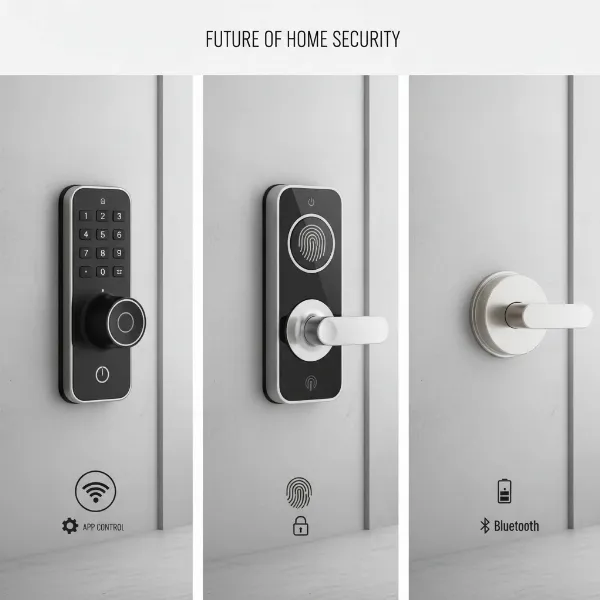 Detailed comparison of various smart lock models, highlighting their design and key features
Guide to Choosing the Right Smart Door Lock
Selecting the perfect smart door lock involves a thoughtful evaluation of your needs, your home’s specifications, and the features that matter most to you. It’s not a one-size-fits-all decision, but a tailored choice that will secure your home for years to come.
Determine Your Needs
Before diving into specifications, consider how you intend to use the smart lock. For a family home, you might prioritize multiple user codes, activity logs, and robust security. For an office, features like remote access for employees and robust user management are key. If you manage a rental property, especially an Airbnb, look for locks that facilitate easy guest access, temporary codes, and remote monitoring for seamless check-ins and security oversight.
Set Your Budget
Smart locks vary significantly in price, typically ranging from under $100 for basic models to over $500 for high-end, feature-rich options. Beyond the initial purchase price, factor in potential hidden costs such as required smart home hubs or subscription fees for advanced cloud features. It’s an investment in security and convenience, so balance cost with the features and reliability you need.
Essential Features
Identify the core functionalities that are non-negotiable for your use. Do you need fingerprint access for quick entry? Is a keypad essential for guests? Remote access via Wi-Fi for locking/unlocking from anywhere? Consider features like auto-locking, tamper alarms, activity logs, and integration with your existing smart home ecosystem (e.g., Apple HomeKit, Amazon Alexa, Google Assistant). If video monitoring is a priority, models with integrated cameras offer an all-in-one solution.
Check Door Compatibility
This is a critical, often overlooked step. Most smart locks are designed to replace standard deadbolts, but door specifications can vary. Measure your door’s thickness (typically 1-3/8″ to 2″), backset (distance from door edge to center of borehole, usually 2-3/8″ or 2-3/4″), and borehole diameter (typically 2-1/8″). Ensure the latch and cross bore align properly. If your door has non-standard dimensions or you prefer to keep your existing key, a retrofit smart lock might be a more suitable option.
Choose a Reputable Brand with Good Support
Security devices are not where you want to cut corners. Opt for established brands like Yale, Schlage, August, Level, or Kwikset, known for their durable hardware, strong security protocols, and regular software updates. Check customer reviews for their mobile apps and evaluate their customer support and warranty policies. A strong warranty and responsive support are invaluable if you encounter any issues.
Smart Door Lock Installation and Usage Guide
Installing a smart door lock can be a straightforward DIY project for many homeowners, though some advanced systems might benefit from professional installation. Proper installation ensures optimal performance and security.
Tools and Preparation
Before you begin, gather the necessary tools: a Phillips-head screwdriver, a tape measure, and a pencil. For new installations or adjustments, you might also need a power drill with appropriate bits, a hole saw, a chisel, and a level. Crucially, confirm your door’s compatibility with the lock (thickness, backset, boreholes) and check the Wi-Fi signal strength at the door if your lock requires internet connectivity. Review the manufacturer’s instructions thoroughly, as steps can vary slightly between models.
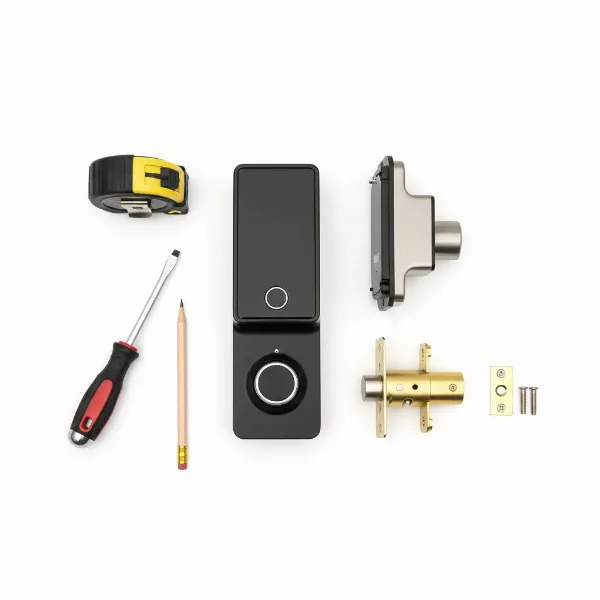 Essential tools laid out for smart door lock installation, including screwdrivers, tape measure, and the lock components
Basic Installation Steps
- Remove Existing Lock: Start by unscrewing and removing your old deadbolt and any associated hardware from the door.
- Install New Latch/Deadbolt: Insert the new deadbolt mechanism into the door’s edge, ensuring the bevelled side faces the closing direction. Secure it with screws.
- Install Strike Plate: Replace the strike plate on the door frame, aligning it precisely with the new deadbolt. Adjust as needed to ensure smooth locking and unlocking.
- Attach Exterior Panel: Feed any necessary cables from the exterior lock panel through the borehole to the interior side of the door. Position the exterior unit correctly.
- Connect Wires & Interior Panel: Connect the cables from the exterior unit to the interior assembly, following the manufacturer’s wiring diagram. Attach the interior mounting plate and then the interior lock panel.
- Install Batteries & Cover: Insert the recommended batteries into the interior unit and secure the battery cover.
- Test & Calibrate: Once powered, test the lock’s functionality using the default code or app. Many locks will require a calibration step to determine the door’s locking direction and position.
Setup and Feature Configuration
After physical installation, the digital setup begins. Download the manufacturer’s companion app and follow the prompts to pair your lock with your smartphone. This is where you’ll typically configure:
- User Codes: Create unique PINs for family members, guests, and service providers, often with options for time-sensitive or single-use codes.
- Biometric Enrollment: Register fingerprints or other biometric data if your lock supports these features.
- Smart Home Integration: Connect your smart lock to your smart home hub (e.g., Apple HomeKit, Alexa, Google Home) to enable voice control, automation routines, and remote access.
- Notifications: Set up alerts for activity, low battery, or tampering.
Maintenance Tips
To ensure the longevity and reliable operation of your smart door lock, adhere to these maintenance practices:
- Regular Battery Replacement: Smart locks are battery-powered. Pay attention to low-battery warnings and replace batteries proactively, typically every 6-12 months, depending on usage. Always use the recommended battery type.
- Firmware Updates: Manufacturers frequently release firmware updates to improve security, add features, and fix bugs. Keep your lock’s firmware updated via the companion app.
- Cleanliness: Periodically clean keypads and fingerprint sensors with a soft, dry cloth to prevent residue buildup from affecting functionality.
- Lubrication: If the mechanical parts feel stiff, use a silicon-based lubricant on the deadbolt mechanism. Avoid oil-based lubricants, which can attract dirt.
Common Issues and Troubleshooting with Smart Door Locks
Even the most advanced smart locks can encounter occasional glitches. Knowing how to diagnose and resolve common issues can save you frustration and maintain your home’s security.
Sudden Battery Depletion
This is perhaps the most frequent issue. Smart locks rely on battery power, and heavy usage or cold weather can accelerate depletion.
- Solution: Replace all batteries with fresh, high-quality alkaline batteries immediately upon receiving a low-battery alert. Check battery contacts for corrosion and clean if necessary. Most smart locks also include a mechanical key override or external battery jump-start points (e.g., 9V battery contacts) for emergency access.
Forgotten Passcode or Lost Card
It happens to the best of us—a forgotten code or a misplaced access card.
- Solution: Access the lock’s companion app to reset or retrieve passcodes, or to deactivate a lost card. If app access is unavailable, refer to your lock’s manual for instructions on performing a master reset or using an administrator code to regain control.
Fingerprint Not Recognized
Frustration mounts when your fingerprint scanner fails to grant access.
- Solution: Ensure your finger is clean and dry, and placed correctly on the sensor. Some locks perform better with multiple fingerprint enrollments for the same finger. Try re-enrolling your fingerprint in the app. If the issue persists, clean the sensor surface and check for any firmware updates that might improve recognition algorithms.
Connectivity Problems
Whether it’s Wi-Fi or Bluetooth, connectivity issues can prevent remote control or app-based unlocking.
- Solution: First, check your home Wi-Fi network or ensure your smartphone is within Bluetooth range. Restart your Wi-Fi router, the smart lock (by removing batteries for a few seconds), and your smartphone. Ensure the lock’s firmware and companion app are up to date. Thick walls, metal doors, or other wireless devices can interfere with signals; consider repositioning your router or using a Wi-Fi extender. If needed, remove the lock from your app/Bluetooth settings and reconnect it.
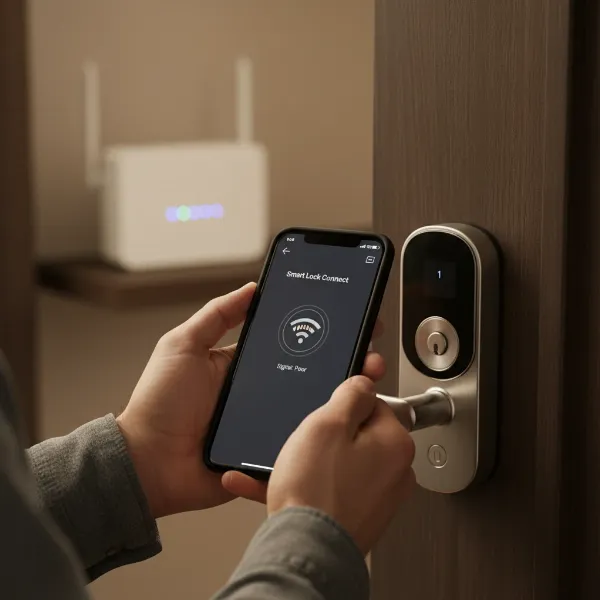 A person troubleshooting a smart door lock, checking Wi-Fi signal on a smartphone with a router in the background
Mechanical Jams
Sometimes the problem isn’t electronic but mechanical, such as the deadbolt not extending or retracting smoothly.
- Solution: Inspect the deadbolt and strike plate for any misalignment or obstructions. Doors can shift over time, causing the latch to bind. Try lubricating the deadbolt mechanism with a silicon-based spray. If misalignment is the issue, slightly loosen the strike plate screws and adjust its position, or check your door hinges for sagging. If the problem persists, professional assistance may be required.
Conclusion
Smart door locks are undoubtedly a transformative force in home security, blending cutting-edge technology with unparalleled convenience. From fingerprint scanners and keypads to remote app control and seamless smart home integration, these devices offer a versatile array of features designed to simplify access and bolster protection. By carefully considering your individual needs, evaluating various unlocking methods and connectivity options, and choosing a reputable brand, you can make an informed decision that enhances your daily life.
The journey to finding the perfect smart door lock involves more than just picking the trendiest gadget; it requires understanding the core principles of security, anticipating future needs, and recognizing the importance of reliable performance. With the right smart lock, you gain not just a keyless entry system, but a vigilant guardian and a helpful assistant, all rolled into one. Are you ready to embrace the future of home security and experience the freedom and control a smart door lock can bring?
Frequently Asked Questions
What are the main advantages of a smart door lock over a traditional lock?
Smart door locks offer keyless entry, remote control via smartphone, real-time activity logs, the ability to grant temporary access codes, and integration with smart home systems, providing superior convenience and security compared to traditional mechanical locks.
Are smart door locks vulnerable to hacking?
While any connected device carries some risk, reputable smart lock brands implement advanced encryption and security protocols to protect against hacking. Using strong, unique passwords, enabling two-factor authentication, and regularly updating firmware significantly mitigate these risks.
How long do smart door lock batteries typically last?
Battery life varies depending on usage frequency, lock model, and connectivity type (Wi-Fi often consumes more power). On average, smart lock batteries last between 6 to 12 months. Most locks provide low-battery warnings well in advance, and many offer emergency backup access.
Can I install a smart door lock myself, or do I need a professional?
Many smart door locks are designed for DIY installation, especially those replacing standard deadbolts, requiring only basic tools like a screwdriver. However, checking door compatibility is crucial. If you’re uncomfortable with the process or if your door requires modifications, professional installation ensures proper functioning and security.
What should I do if my smart lock isn’t connecting to Wi-Fi?
If your smart lock isn’t connecting, first check your Wi-Fi router and network stability. Try restarting the router, the lock, and your smartphone. Ensure the lock is within range of your Wi-Fi signal and update its firmware and companion app. Reducing interference from other devices or moving the router closer can also help.
Do smart locks work with all types of doors?
Smart locks are typically designed for standard residential doors with specific thicknesses and borehole dimensions. It’s essential to measure your door’s thickness, backset, and borehole diameter to ensure compatibility with your chosen smart lock model before purchase. Retrofit options are available for those who cannot or