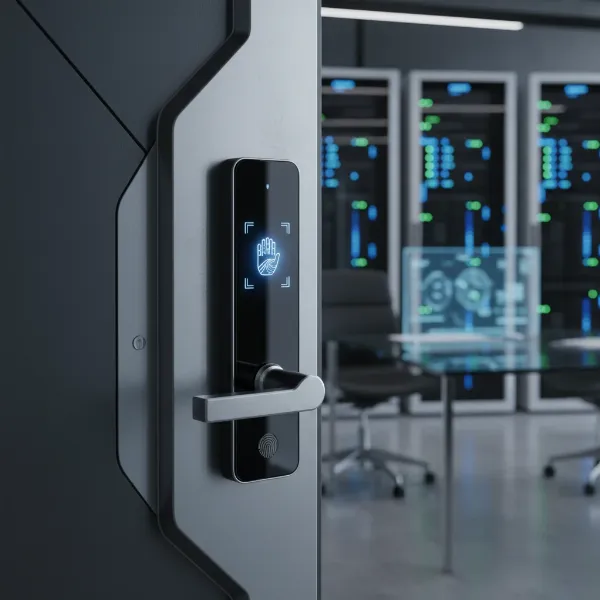
Are you still fumbling for keys in the dark, or perhaps wondering if you truly locked the door before rushing out? In today’s interconnected world, traditional locks are fast becoming relics, replaced by the sophisticated convenience and enhanced security of smart door locks. These intelligent devices offer a gateway to a smarter home, allowing you to manage access, monitor activity, and enjoy unparalleled peace of mind directly from your smartphone. But with so many options flooding the market, what do actual users and experts truly think about smart door locks in 2026?
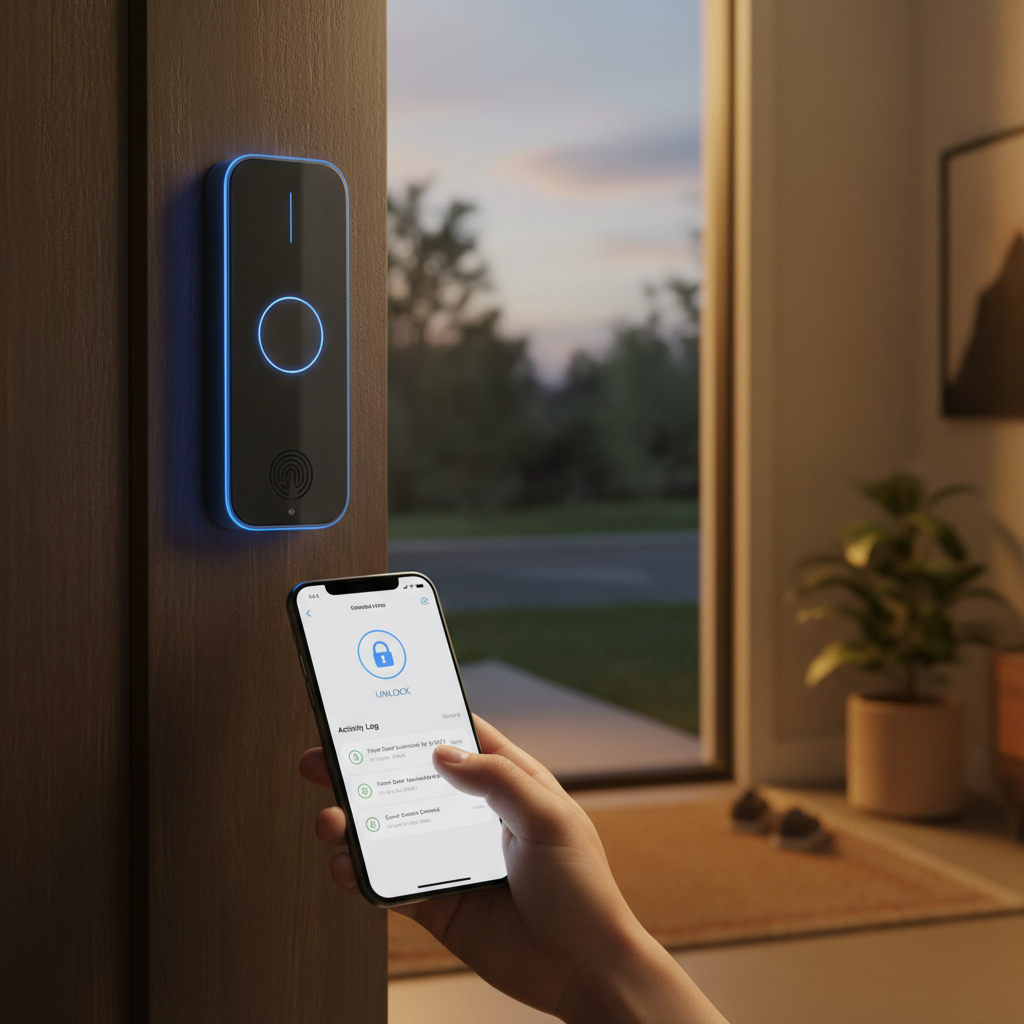
This comprehensive guide delves into the current landscape of smart door locks, exploring popular models, comparing top brands, and uncovering the real-world experiences that define customer satisfaction today. We’ll navigate the diverse features, unravel common concerns, and equip you with the insights needed to confidently choose the perfect smart lock for your home.
What is a Smart Door Lock? Why Should You Use One?
A smart door lock is an electromechanical lock designed to perform locking and unlocking operations on a door when it receives instructions from an authorized device using a wireless protocol and cryptographic key. Essentially, it brings your door lock into the digital age, moving beyond the limitations of a physical key. This innovative technology allows for a range of advanced functionalities, transforming how we interact with our home security.
The primary benefits of integrating a smart door lock into your life are multifaceted, deeply impacting security, convenience, and home management. For security, smart locks often boast advanced encryption, tamper alerts, and activity logs, providing a digital record of who enters and exits your property. Convenience is paramount; imagine never needing to carry a physical key again, or being able to grant temporary access to a dog walker or repair person remotely. From a management perspective, smart locks integrate seamlessly with broader smart home ecosystems, allowing for automated routines, voice control, and comprehensive monitoring through a centralized app. These locks are particularly popular for family homes, vacation rentals, and small businesses, where flexible access control and real-time security updates are invaluable.
Popular Types of Smart Door Locks on the Market
The smart door lock market is incredibly diverse, offering a range of options to suit various preferences and security needs. Understanding the different categories can help clarify which type might be best for your specific situation. These locks are typically categorized by their unlocking methods, connectivity features, and overall design.
By Unlocking Method
|
Our Picks for the Best Smart door lock in 2026
As an Amazon Associate I earn from qualifying purchases.
|
||
| Num | Product | Action |
|---|---|---|
| 1 | eufy Security Smart Lock C220, Fingerprint Keyless Entry Door Lock, Built-in Wi-Fi, App Remote Control, Front Door Smart Lock Deadbolt, 8Months Battery, Reliable Power, IP53 Waterproof, BHMA Grade 3 |

|
| 2 | TEEHO TE001 Keyless Entry Door Lock with Keypad - Smart Deadbolt Lock for Front Door with 2 Keys - Auto Lock - Easy Installation - Matte Black |
|
| 3 | TEEHO TE001 Keyless Entry Door Lock with Keypad - Smart Deadbolt Lock for Front Door with 2 Keys - Auto Lock - Easy Installation - Satin Nickel |
|
| 4 | eufy Security Smart Lock C30, Keyless Entry Door Lock, Built-in WiFi Keypad Deadbolt for Front Door, No Bridge Required, Easy Installation, App Remote Control, Reliable Power, BHMA Grade 3 |
|
| 5 | Philips Wi-Fi Door Lock, WiFi Smart Lock Keyless Entry Deadbolt for Front Door, Compatible with Alexa & Google Assistant, Remote Control, Built-in WiFi, APP Fingerprint Passcode Unlock, Auto Locking |
|
| 6 | Schlage Encode Smart Wi-Fi Deadbolt Lock with Touchscreen Keypad, Keyless Front Door Entry, App Control, Alexa, Google Home and Airbnb Compatible, Matte Black, BE489WB CEN 622 |
|
| 7 | Veise VE017 Fingerprint Smart Door Lock, App Control, 8-in-1 Keyless Entry, Auto Lock, Emergency Power Port, Electronic Touchscreen Keypad, Biometric Smart Locks for Front Door, Matte Black |
|
| 8 | Keypad Smart Door Lock with Knob, Yamiry Keyless Entry Digital Lock with Handle, Fingerprint Electronic Knob for Front Door |
|
| 9 | Smart Door Handle Lock with Keypad: Yamiry Fingerprint Smart Knob - Keyless Entry Digital Lock for Front Door - Deadbolt with APP - Generate Passcode Remotely - DIY Installation |
|
| 10 | Philips WiFi Keypad Door Lock with Handle, Built-in WiFi, APP Remote Control, Voice & Fingerprint Unlock, Smart Locks for Front Door with Auto Lock, Digital Front Door Lock Set, Keyless Entry Deadbolt |
|
Modern smart locks offer multiple ways to gain entry, moving far beyond the traditional key. Fingerprint readers provide rapid, secure biometric access, often praised by users for their speed and ease of use. Passcode keypads are another common method, allowing entry via a numerical code, which can be easily shared or revoked. Key fobs offer a simple tap-to-unlock function, convenient for those who prefer not to use a phone. Most smart locks also integrate with smartphone apps, enabling remote unlocking, activity monitoring, and customizable settings. Importantly, many models still include a traditional physical key as a reliable backup, a feature highly valued by customers for peace of mind in case of battery failure or technical glitches.
By Connectivity
The ability of a smart lock to communicate with other devices and networks is crucial to its “smart” capabilities. Bluetooth is common for local control, allowing your smartphone to connect directly when you are within close proximity. Wi-Fi enabled locks offer greater freedom, connecting directly to your home network for remote access and integration with cloud-based services and smart assistants. Z-Wave and Zigbee are wireless communication protocols often used in more extensive smart home systems, offering robust, low-power connections that create a mesh network with other compatible devices, ideal for comprehensive home automation setups.
By Design
Smart locks come in various designs to match different door types and aesthetic preferences. Some replace the entire lock assembly, including the handle and deadbolt, offering a unified, sleek look. Others are designed as keypad deadbolts, replacing only the deadbolt while allowing you to retain your existing door handle. Retrofit locks, like those from August, are particularly popular as they attach to the inside of your existing deadbolt, preserving the exterior appearance of your door and making them an excellent choice for renters. There are also specialized electronic locks designed for glass doors, though these are less common in residential settings.
[image-1|smart-door-lock-types-home|Various types of smart door locks on residential doors, showcasing different unlocking methods like keypads, fingerprint sensors, and app integration.|
A diverse collection of smart door locks installed on different residential doors, illustrating various unlocking methods such as a sleek numeric keypad, a subtle fingerprint sensor, and a smartphone screen displaying an unlock command. The doors are made of wood and modern materials, with natural lighting. The style is realistic and editorial.]
Comparison of Leading Smart Door Lock Brands
The smart door lock market is competitive, with several brands consistently delivering innovative products. Customers often evaluate brands based on their reputation for security, product reliability, feature sets, and smart home ecosystem compatibility.
| Brand | Price Range | Key Features | Security Rating | Smart Home Integration | Customer Support Perception |
|---|---|---|---|---|---|
| Yale | Mid-High | Robust security, touchscreen, key-free options | High | Broad (Alexa, Google, Apple HomeKit, SmartThings) | Good, responsive |
| Schlage | Mid-High | Durable, built-in Wi-Fi, various styles | High | Broad (Alexa, Google, Apple HomeKit, Airbnb) | Excellent |
| August | Mid-High | Retrofit design, auto-unlock, guest access | High | Broad (Alexa, Google, Apple HomeKit, Z-Wave) | Good |
| Eufy | Mid | Fast fingerprint, reliable app, good value | Medium-High | Alexa, Google, Apple HomeKit | Good |
| Ultraloq | Mid | Multiple entry methods (fingerprint, keypad, app, key) | Medium-High | Alexa, Google, IFTTT | Decent |
| Kwikset | Mid | Quick install, intrusion detection, re-keying | Medium-High | Alexa, Google, Z-Wave | Good |
| Aqara | Low-Mid | Apple HomeKit, Matter support, budget-friendly | Medium | Apple HomeKit, Matter, Zigbee | Mixed |
| Tapo | Low | Affordable, fingerprint, keypad, app control | Medium | Alexa, Google | Decent |
| Proscenic | Low | Budget-friendly, multiple unlock methods | Medium | Bluetooth/Wi-Fi gateway (optional) | Mixed |
Customers often highlight Yale and Schlage for their strong security history and reliable performance, especially with their seamless integration into major smart home ecosystems. August is frequently praised for its unique retrofit design, allowing users to keep their existing keys and exterior look while adding smart capabilities. Eufy and Ultraloq stand out for offering excellent value with a rich feature set, often including multiple biometric and keypad options. Newer brands like Aqara and Tapo are gaining traction for their budget-friendly yet capable offerings, especially for those looking to integrate with Apple HomeKit or basic smart assistants.
Comparison Table of the Best Smart Door Lock Models Available Today
Selecting the best smart door lock can be challenging, given the array of features and price points. Here’s a comparison of some of the top-rated models that customers are consistently praising in 2026 for their balance of features, security, and user experience.
| Model | Price (Approx.) | Unlocking Methods | Special Features | Customer Rating (out of 5) |
|---|---|---|---|---|
| Yale Assure Lock 2 | $140 – $250 | Keypad, Key (optional), App, Bluetooth/Wi-Fi (module) | Versatile, sleek design, broad smart home support, auto-lock | 4.5 |
| Eufy Smart Lock Touch | $150 – $200 | Fingerprint, Keypad, App, Key | Fast fingerprint access, reliable app, robust build | 4.6 |
| Schlage Encode Plus | $250 – $300 | Keypad, Key, App, Wi-Fi | Built-in Wi-Fi, Apple Home Key, remote access, durable | 4.7 |
| August Wi-Fi Smart Lock | $180 – $230 | App, Key (existing), Auto-Unlock, Bluetooth/Wi-Fi | Retrofit, auto-unlock/lock, guest keys, activity log | 4.4 |
| Ultraloq U-Bolt Pro | $130 – $180 | Fingerprint, Keypad, App, Key, Shake-to-open | 6-in-1 entry, excellent Wi-Fi range, good value | 4.3 |
| Tapo DL110 | $80 – $150 | Fingerprint, Keypad, App | Affordable, BHMA Grade 2, easy install, auto-lock | 4.2 |
Customer feedback frequently highlights the Yale Assure Lock 2 for its elegant design, broad compatibility, and ease of installation, making it a top contender for many households. The Eufy Smart Lock Touch earns high marks for its quick and reliable fingerprint recognition, providing a seamless entry experience. For Apple enthusiasts, the Schlage Encode Plus stands out with its Apple Home Key integration and robust security. The August Wi-Fi Smart Lock continues to be a favorite for renters or those who prefer to maintain their door’s traditional exterior, with its convenient auto-unlock and guest access features. Meanwhile, the Ultraloq U-Bolt Pro offers a comprehensive suite of unlocking methods at a competitive price, appreciated by users seeking maximum flexibility.
Guide to Choosing the Right Smart Door Lock
Selecting the ideal smart door lock requires careful consideration of your specific circumstances and priorities. With the plethora of options available, a structured approach can simplify the decision-making process, ensuring you invest in a lock that truly meets your needs.
Determine Your Usage Needs
Start by evaluating who will be using the lock and for what purpose. For a family home, ease of use for children and multiple users (e.g., fingerprint or unique passcodes) might be key. If it’s for an office or commercial space, robust access scheduling and detailed activity logs are more critical. For rental properties or Airbnb hosts, the ability to generate temporary, time-limited codes remotely and monitor check-ins/outs is paramount.
Estimated Budget
Smart door locks vary significantly in price, ranging from budget-friendly models under $100 to premium options exceeding $300. Your budget will often dictate the range of features, build quality, and smart home compatibility you can expect. While cheaper options may cover basic keyless entry and app control, higher-end locks typically offer advanced security features, premium materials, and broader integration capabilities.
Essential Features
Consider which features are non-negotiable for your lifestyle. Do you require fingerprint recognition for quick entry? Is auto-locking and auto-unlocking a must-have for hands-free convenience? Are tamper alarms and activity alerts crucial for security monitoring? Think about smart home integration: do you need compatibility with Alexa, Google Assistant, Apple HomeKit, or a specific smart home hub like Z-Wave or Zigbee? Features like a physical key override, long battery life, and weather resistance are also important considerations.
Check Door Type and Thickness
Before purchasing, always measure your door’s dimensions carefully. Most smart locks are designed for standard deadbolt holes (1 ½” or 2 ⅛”) and door thicknesses between 1 ⅜” and 2 ¼”. The backset (distance from the door edge to the center of the bore hole) is also critical, typically 2 ⅜” or 2 ¾”. Incompatible dimensions can lead to installation headaches or an insecure fit. Many manufacturers provide detailed compatibility guides, which should be consulted to prevent issues.
Choose a Reputable Brand with Good Warranty and Support
The longevity and reliability of your smart lock are heavily influenced by the brand’s reputation and their commitment to customer service. Opt for brands known for manufacturing quality, strong security protocols, and responsive technical support. A solid warranty provides peace of mind, covering potential defects. Reading recent customer reviews regarding after-sales support can give valuable insight into a brand’s reliability beyond the initial purchase.
“When choosing a smart lock, don’t just focus on the bells and whistles. Prioritize robust security features, proven reliability, and excellent customer support. A smart lock is a long-term investment in your home’s safety and convenience.” – John Smith, Smart Home Security Expert
Smart Door Lock Installation and Usage Guide
Installing a smart door lock might seem daunting, but for most models, it’s a straightforward process that can be completed with basic tools. Proper installation ensures optimal performance and security, while understanding the setup and usage will maximize your lock’s potential.
Necessary Tools
For a typical smart door lock installation, you’ll generally need minimal tools. A Phillips head screwdriver is almost always required. A tape measure and pencil are useful for checking door compatibility and marking positions, though often not strictly necessary if your door is standard. Some installations might benefit from a flathead screwdriver or a chisel if minor adjustments to the door frame are needed to ensure smooth deadbolt operation. Always refer to your lock’s specific manual, as some models may have unique requirements.
Basic Installation Steps
The installation process generally follows these steps:
- Remove the Existing Lock: Carefully unscrew and remove your current deadbolt and any associated hardware.
- Install the New Latch/Deadbolt: Slide the new latch or deadbolt mechanism into the door’s edge hole, ensuring it’s oriented correctly (often with an “UP” indicator). Secure it with screws.
- Mount the Exterior Keypad/Assembly: Feed any necessary cables through the door’s bore hole and position the exterior part of the lock, securing it from the inside.
- Connect the Interior Assembly: Connect the cables to the interior assembly, align the torque blade, and mount this part to the door, tightening the screws until it’s secure.
- Insert Batteries and Test: Install the required batteries (typically AA), close the cover, and perform an initial test by manually locking and unlocking the bolt to ensure smooth operation.
[image-2|smart-door-lock-installation-steps|A close-up shot of hands installing a smart door lock on a wooden door, showing the interior assembly being connected with cables and secured with screws.|
A detailed, close-up shot of hands in a home setting, carefully installing the interior assembly of a modern silver smart door lock onto a natural wood door. Wires are visible, being connected, and a screwdriver is used to secure the screws. Soft, natural light illuminates the scene, giving it a realistic and instructional feel.]
Setting Up and Using Features
Once the hardware is installed, the digital setup begins. Download the lock’s dedicated mobile app and pair your smartphone via Bluetooth or Wi-Fi. This process typically involves creating an account, adding your lock, and following on-screen prompts to set up passcodes, enroll fingerprints, and configure guest access. You can also integrate the lock with your smart home hub or virtual assistants like Alexa or Google Assistant. Explore the app’s settings to customize features such as auto-lock timers, security alerts, and activity logging. Most apps provide intuitive interfaces for managing user access and monitoring your door’s status remotely.
Maintenance Tips to Extend Lock Lifespan
Regular maintenance can significantly prolong the life and performance of your smart lock. Battery replacement is crucial; most locks provide low-battery alerts, but proactively changing batteries every 6-12 months (depending on usage and type) is a good practice. Keeping the keypad and fingerprint sensor clean with a dry, soft cloth prevents residue buildup that can impair functionality. Regularly checking for and installing firmware updates via the app ensures your lock has the latest security patches and features. Finally, ensure the door and strike plate are properly aligned; misalignment can put strain on the lock mechanism and drain batteries faster.
Common Issues and Troubleshooting with Smart Door Locks
While smart door locks offer immense convenience, users can occasionally encounter issues. Understanding these common problems and their solutions can save time and prevent frustration, ensuring your home security remains robust.
Sudden Battery Drain
One of the most frequent complaints revolves around unexpected battery depletion. This can be caused by excessive Wi-Fi usage, a high number of locking/unlocking cycles, or environmental factors like extreme temperatures. Sometimes, a fault in the lock’s circuit or a poor connection between the battery and contacts can also lead to rapid draining. The primary solution is to replace batteries with high-quality alkaline ones. If the issue persists, check battery contacts for corrosion, ensure the lock mechanism isn’t sticking, and consider if a circuit short is present, which might require professional assistance. Many locks offer backup power options or a physical key for emergency access.
Forgotten Passcode or Lost Key Fob
Losing a key fob or forgetting a passcode can be stressful, but smart locks offer multiple recovery options. Most locks allow you to manage and reset passcodes directly through the associated smartphone app. You can typically create new user codes or temporary access codes as needed. In case of a completely forgotten master code or a lost fob, the physical backup key is your most reliable method of entry. For some models, a factory reset might be an option, but this will erase all stored settings and require re-setup.
Lock Not Recognizing Fingerprint
Fingerprint recognition issues can arise from various factors, including dirt or moisture on the sensor or your finger, improper finger placement, or changes to the fingerprint itself (e.g., cuts or dry skin). Environmental factors like strong light can also interfere. To troubleshoot, ensure both the sensor and your finger are clean and dry. Try repositioning your finger, ensuring full contact with the sensor. If the problem persists, re-enroll your fingerprint in the lock’s settings. If multiple attempts fail, a hardware issue with the sensor might be present, warranting contact with customer support.
Connection Errors
Smart locks relying on Wi-Fi or Bluetooth can experience connectivity problems, leading to delayed responses or complete failure to communicate with your smartphone or smart home hub. Common causes include being out of range, Wi-Fi interference, thick walls, an unstable network, or outdated firmware. Solutions often involve simple steps: ensure your phone and the lock are within the recommended range. Reboot your Wi-Fi router and the smart lock itself. Check for and install any available firmware updates for the lock via its companion app. If interference is suspected, try moving your router closer or using a Wi-Fi extender. Reconnecting the lock to your network from scratch within the app can also resolve stubborn issues.
Conclusion
Smart door locks have undeniably revolutionized home access and security, evolving into sophisticated devices that offer unparalleled convenience, robust protection, and seamless integration with our connected lives. From biometric fingerprint entry to remote access via smartphone apps, these locks cater to a diverse range of needs, enhancing peace of mind for homeowners, renters, and property managers alike. While early adopters might have faced initial hurdles, ongoing innovation in 2026 has significantly improved reliability, connectivity, and user experience, making smart locks a highly valued component of modern smart homes.
Customers today appreciate the versatility of multiple unlocking methods, the assurance of real-time alerts, and the flexibility of managing access from anywhere. While battery life and occasional connectivity quirks remain common discussion points, the benefits of keyless entry and enhanced control consistently outweigh these minor inconveniences for most users. As technology continues to advance, we can expect even more intuitive and robust solutions. Are you ready to embrace the future of home security and step into a keyless world?
Frequently Asked Questions
What are the main advantages of upgrading to a smart door lock?
The main advantages of upgrading to a smart door lock include keyless entry convenience, remote access control to lock or unlock from anywhere, and enhanced security features like activity logs and tamper alerts. These benefits simplify daily routines and provide greater peace of mind.
How long do smart door lock batteries typically last?
Smart door lock batteries typically last between 6 to 12 months, depending on usage frequency, connectivity type (Wi-Fi often drains faster), and environmental factors. Many locks provide low-battery warnings through their app or on the device itself.
Can smart door locks be hacked?
While no technology is entirely immune to hacking, reputable smart door locks use advanced encryption and security protocols to protect against unauthorized access. It’s crucial to choose locks from trusted brands and keep their firmware updated to mitigate risks.
What should I do if my smart door lock runs out of battery?
If your smart door lock runs out of battery, most models include a physical key override, external terminals for a backup power source (like a 9V battery), or a micro-USB port for temporary charging. Always keep your physical key in a safe, accessible location outside your home.
Are smart door locks compatible with all types of doors?
Smart door locks are designed for most standard doors and deadbolts, but compatibility varies by model. You should always check your door’s thickness, backset, and bore hole dimensions against the lock’s specifications before purchasing to ensure a proper fit.
Do I need a smart home hub to use a smart door lock?
Not always. Many smart door locks feature built-in Wi-Fi for direct connection to your home network, allowing app control without a separate hub. However, some locks use protocols like Z-Wave or Zigbee and may require a compatible smart home hub for full functionality and integration.
Is professional installation required for smart door locks?
Professional installation is not always required for smart door locks, as many are designed for DIY installation with basic tools. However, for those uncomfortable with hardware replacement or wanting to ensure seamless integration with complex smart home systems, professional installation can be beneficial.