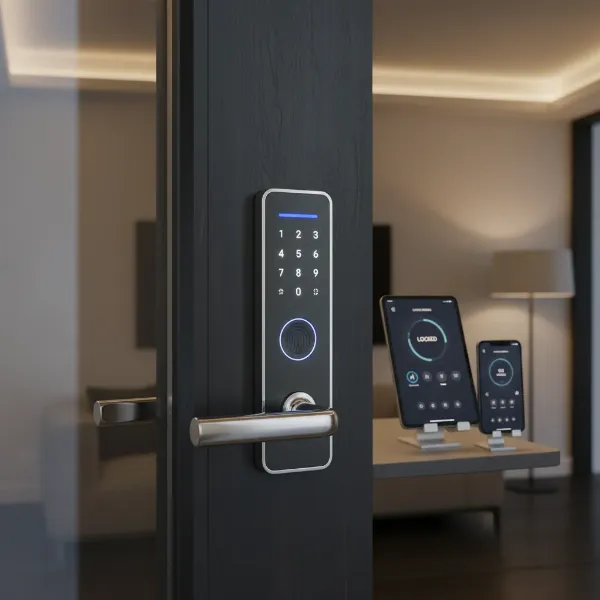
In a world that’s constantly evolving, the concept of home security has moved far beyond traditional keys and deadbolts. Imagine a home where lost keys are a thing of the past, where you can grant access to a pet sitter from across town, or receive an instant alert if someone tries to tamper with your front door. This isn’t science fiction; it’s the reality offered by the best smart door locks today. These innovative devices transform your entryway into a secure, convenient, and intelligent access point, bringing peace of mind and unparalleled control to your fingertips. For any family looking to enhance their safety and simplify daily routines, upgrading to a smart door lock is not just an option, it’s an essential step into modern living.
What is a Smart Door Lock? Why Should You Use One?
A smart door lock is an electronic locking system that uses wireless connectivity to communicate with your smartphone or other smart devices, allowing for keyless access and remote control. Unlike conventional locks that rely solely on physical keys, smart locks integrate modern technology to offer enhanced security, convenience, and flexibility in managing access to your home. They provide a sophisticated layer of protection, making your home safer and smarter.
The benefits of integrating a smart lock into your family’s daily life are extensive. Firstly, enhanced security is paramount; many smart locks feature advanced encryption, tamper detection, and built-in alarm systems that send instant alerts to your smartphone if unauthorized activity is detected. Secondly, unmatched convenience means no more fumbling for keys—entry can be gained through a PIN code, fingerprint scan, smartphone app, or even voice commands. This is especially beneficial for busy families with children, eliminating the worry of lost keys and forgotten entries. Thirdly, remote management offers control from anywhere, allowing you to lock or unlock your door, grant temporary access to guests or service providers, and monitor activity logs in real-time. Finally, seamless smart home integration means these locks can connect with existing smart home ecosystems like Amazon Alexa, Google Assistant, and Apple HomeKit, allowing you to incorporate your door security into broader automation routines, such as turning on lights when the door unlocks.
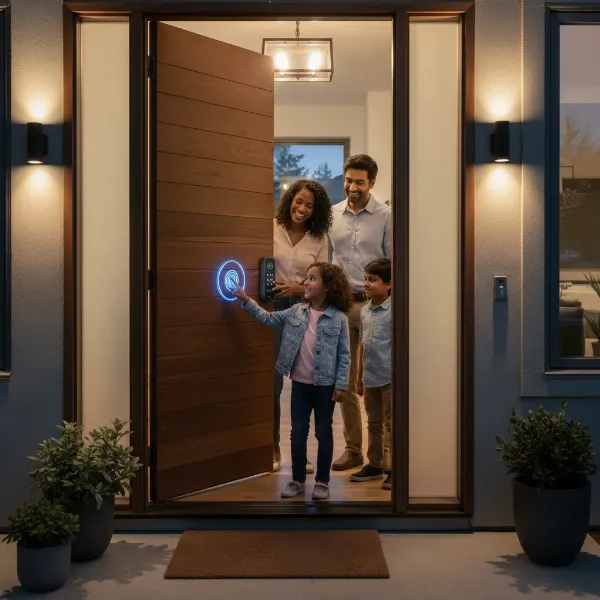 A modern smart door lock installed on a front door, showing a family entering with ease, emphasizing convenience and security.
Popular Smart Door Lock Types on the Market
Smart door locks come in various forms, each designed to cater to different needs, preferences, and aesthetic considerations. Understanding these types is crucial for selecting the perfect fit for your home and family.
By Unlocking Method
The diverse ways to unlock a smart door provide flexibility and cater to various user scenarios.
- Fingerprint Recognition: Offering swift, keyless entry, these locks utilize biometric scanning to recognize registered users. They are highly secure and convenient, eliminating the need for codes or keys entirely.
- Passcode/Keypad: Users can enter a numeric code on a physical keypad. This is ideal for granting temporary access to guests or service providers, as codes can be easily set and revoked.
- Smartphone App: Control your lock directly from your phone. Most smart locks come with a dedicated app allowing you to lock/unlock, manage users, and view activity logs.
- Key Fob/Card: Some locks offer key fobs or cards that, when tapped or swiped, grant access. This can be a simple option, particularly for those who prefer not to use fingerprints or codes.
- Traditional Key: Many smart locks still include a traditional keyhole for mechanical backup, ensuring access even in case of power failure or technical issues.
- Facial Recognition: The most advanced option, these high-tech models use biometric facial scanning for truly hands-free entry, often combined with built-in cameras for enhanced security monitoring.
|
Our Picks for the Best Smart door lock in 2026
As an Amazon Associate I earn from qualifying purchases.
|
||
| Num | Product | Action |
|---|---|---|
| 1 | Keypad Smart Door Lock with Knob, Yamiry Keyless Entry Digital Lock with Handle, Fingerprint Electronic Knob for Front Door |

|
| 2 | TEEHO TE001 Keyless Entry Door Lock with Keypad - Smart Deadbolt Lock for Front Door with 2 Keys - Auto Lock - Easy Installation - Satin Nickel |
|
| 3 | eufy Security Smart Lock C30, Keyless Entry Door Lock, Built-in WiFi Keypad Deadbolt for Front Door, No Bridge Required, Easy Installation, App Remote Control, Reliable Power, BHMA Grade 3 |
|
| 4 | Philips WiFi Keypad Door Lock with Handle, Built-in WiFi, APP Remote Control, Voice & Fingerprint Unlock, Smart Locks for Front Door with Auto Lock, Digital Front Door Lock Set, Keyless Entry Deadbolt |
|
| 5 | Smart Door Handle Lock with Keypad: Yamiry Fingerprint Smart Knob - Keyless Entry Digital Lock for Front Door - Deadbolt with APP - Generate Passcode Remotely - DIY Installation |
|
| 6 | Philips Wi-Fi Door Lock, WiFi Smart Lock Keyless Entry Deadbolt for Front Door, Compatible with Alexa & Google Assistant, Remote Control, Built-in WiFi, APP Fingerprint Passcode Unlock, Auto Locking |
|
| 7 | eufy Security Smart Lock C220, Fingerprint Keyless Entry Door Lock, Built-in Wi-Fi, App Remote Control, Front Door Smart Lock Deadbolt, 8Months Battery, Reliable Power, IP53 Waterproof, BHMA Grade 3 |
|
| 8 | Veise VE017 Fingerprint Smart Door Lock, App Control, 8-in-1 Keyless Entry, Auto Lock, Emergency Power Port, Electronic Touchscreen Keypad, Biometric Smart Locks for Front Door, Matte Black |
|
| 9 | TEEHO TE001 Keyless Entry Door Lock with Keypad - Smart Deadbolt Lock for Front Door with 2 Keys - Auto Lock - Easy Installation - Matte Black |
|
| 10 | Schlage Encode Smart Wi-Fi Deadbolt Lock with Touchscreen Keypad, Keyless Front Door Entry, App Control, Alexa, Google Home and Airbnb Compatible, Matte Black, BE489WB CEN 622 |
|
By Connectivity
The connectivity method determines how your smart lock communicates with your smartphone and other smart home devices.
- Bluetooth: Provides short-range control, typically requiring you to be within a certain proximity to the door. It’s often energy-efficient.
- Wi-Fi: Allows for remote control from anywhere with an internet connection, often without needing an additional hub. This is a common and highly convenient option.
- Z-Wave/Zigbee: These protocols are designed for smart home devices, offering a mesh network for reliable communication and energy efficiency. They often require a compatible smart home hub.
- Matter: A newer standard aiming to unify smart home devices across different ecosystems, providing interoperability between various brands and platforms.
By Design
Smart locks are designed to integrate seamlessly with various door types and existing hardware.
- Deadbolt Replacement: These locks fully replace your existing deadbolt, offering a clean, integrated look.
- Retrofit Locks: These smart locks attach to the inside of your existing deadbolt, allowing you to keep your current exterior hardware while gaining smart functionalities.
- Lever Handle Locks: Combining the handle and locking mechanism, these are suitable for doors where a separate deadbolt isn’t typically used.
- Latch-Style Smart Door Locks: Similar to traditional residential locks, these are easy to install and fit most existing doors, offering access via fingerprint, PIN, RFID, or mobile app.
- Slim and Mortise-Style Smart Door Locks: Designed for narrow doors or modern minimalist aesthetics, these offer a streamlined appearance without sacrificing function, often working well on sliding or glass doors.
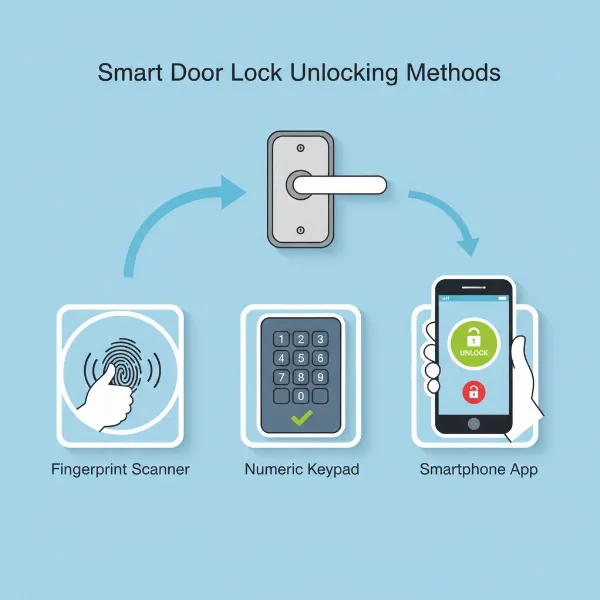 Various smart lock unlocking methods like fingerprint, keypad, and smartphone app displayed in an infographic style.
Comparing Top Smart Door Lock Brands
When investing in a smart door lock for your family, understanding the leading brands and their unique offerings is crucial. Many companies, from traditional lock manufacturers to tech giants, have entered the smart lock arena, each bringing their strengths in design, security, and smart home integration.
Here’s a comparison of some of the most prominent brands:
| Brand | Price Range | Key Features | Security Grade (ANSI/BHMA) | Smart Home Compatibility | Noteworthy Models/Highlights |
|---|---|---|---|---|---|
| Yale | $150 – $400 | Keypad, app, Apple Home Keys, DoorSense, auto-lock, flexible connectivity | Grade 2 | HomeKit, Alexa, Google Assistant, Matter, Z-Wave, Zigbee | Assure Lock 2 (compact, sturdy, excellent app) |
| Schlage | $200 – $450 | Keypad, app, Apple Home Key, built-in alarm, activity logs, Wi-Fi | Grade 1 | HomeKit, Alexa, Google Assistant, Matter | Encode Plus (Apple Home Key, built-in Wi-Fi), Schlage Encode Smart Wi-Fi Lever |
| August | $150 – $300 | Retrofit design, DoorSense, auto-lock/unlock, virtual keys, activity log | N/A (retrofit) | HomeKit, Alexa, Google Assistant, Z-Wave | Wi-Fi Smart Lock (retrofit, easy install), Smart Lock Pro (Z-Wave compatibility) |
| ULTRALOQ | $120 – $350 | Fingerprint, keypad, app, key, voice, auto-lock, Wi-Fi adapter included | Grade 1 | Alexa, Google Assistant | U-Bolt Pro (fingerprint, 8-in-1 access), U-Bolt Pro Wi-Fi (built-in Wi-Fi) |
| Eufy | $100 – $300 | Fingerprint, keypad, app, key, auto-lock, built-in sensor, robust design | N/A | Alexa, Google Assistant | Security Smart Lock S230 (sleek, industrial, auto-lock), Smart Lock C220 (fingerprint, budget) |
| Lockly | $200 – $500 | Fingerprint, PIN Genie keypad (numbers shuffle), app, camera options | Grade 1 | Alexa, Google Assistant, Apple HomeKit | Visage (video doorbell), Secure Pro (advanced security), Visage Zeno Series (Apple Home Key) |
| Kwikset | $100 – $250 | Keypad, app, Bluetooth, Wi-Fi, SmartKey re-key technology | Grade 1 | Alexa, Google Assistant, SmartThings | Halo Select (Wi-Fi/Matter), Kevo (Bluetooth, tap to open) |
| Level | $200 – $350 | Invisible design (fits inside door), app, key fob, PIN pad accessory | N/A | HomeKit, Alexa, Google Assistant, SmartThings | Level Lock+ (minimalist design, all platforms), Level Lock Pro (hidden technology) |
“The right smart lock seamlessly integrates into your family’s life, offering security without sacrificing convenience. Consider your daily routines and what features will truly simplify them.” – Alex Chen, Smart Home Security Expert
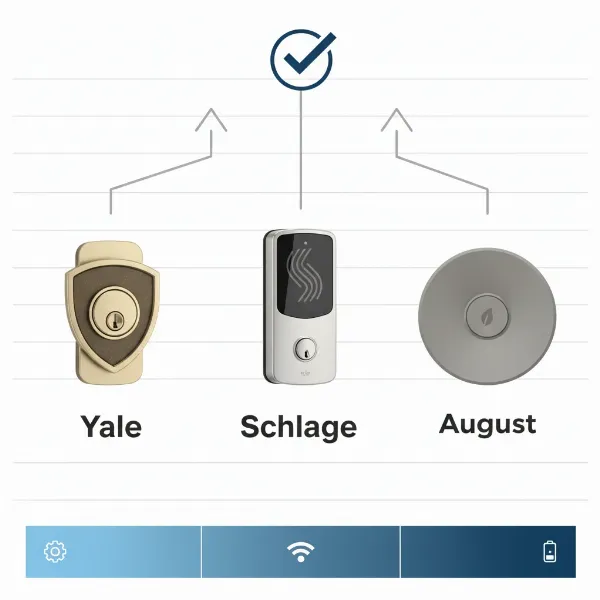 A comparison of leading smart door lock brands highlighting their features and differences in a clear, comparative visual.
Comparison Table of the Best Smart Door Lock Models Today
Choosing the absolute “best” smart door lock depends heavily on individual family needs, budget, and desired features. However, several models consistently stand out for their reliability, advanced functionality, and user satisfaction. Here’s a detailed look at some of the top contenders currently on the market:
| Model | Price Range | Unlocking Methods | Special Features | User Rating/Highlight |
|---|---|---|---|---|
| Yale Assure Lock 2 | $200 – $290 | Keypad, App, Apple Home Keys, Traditional Key (select models) | Compact design, DoorSense, auto-lock, multiple connectivity modules | Highly rated for reliability, sleek design, and robust Apple HomeKit integration. |
| ULTRALOQ U-Bolt Pro Wi-Fi | $120 – $250 | Fingerprint, Keypad, App, Key Fob, Traditional Key, Voice | 8-in-1 keyless entry, Wi-Fi built-in, auto-lock, scramble code, USB emergency power | Praised for versatile access options, robust fingerprint recognition, and great value. |
| Eufy Security Smart Lock S230 | $150 – $250 | Fingerprint, Keypad, App, Traditional Key | Built-in sensor (auto-locks), robust construction, strong security | Noted for its sleek design, reliable fingerprint scanner, and automatic locking feature for peace of mind. |
| August Wi-Fi Smart Lock | $150 – $220 | App, Voice, Auto-Unlock (geofencing), Traditional Key (original) | Retrofit design, DoorSense, virtual keys, activity log, Wi-Fi built-in | Best overall for those who want to keep their existing deadbolt, lauded for ease of installation and auto-unlock. |
| Schlage Encode Plus | $300 – $380 | Keypad, App, Apple Home Key, Traditional Key | Built-in Wi-Fi, secure encryption, integrated alarm, customizable access codes | A top pick for Apple users due to seamless Home Key integration and strong security features. |
| Lockly Visage Zeno Series | $350 – $500 | Fingerprint, PIN Genie keypad, App, Apple Home Key, Traditional Key | Patented PIN Genie (numbers shuffle), built-in camera, video doorbell option | Highly secure with unique keypad, excellent for video monitoring and advanced access control. |
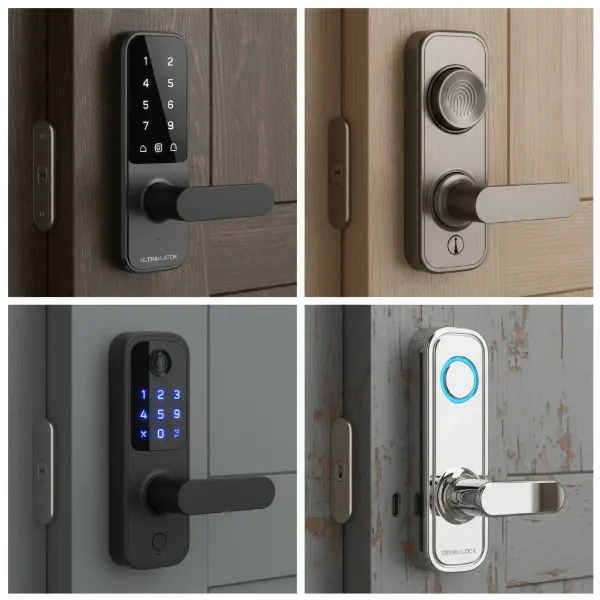 Detailed view of different smart door lock models and their unique features, emphasizing innovation and design diversity.
Guide to Choosing the Right Smart Door Lock
Selecting the ideal smart door lock for your family involves more than just picking the prettiest model. It requires a thoughtful assessment of your specific needs, budget, and the technical specifications of your home.
Determine Your Needs
Start by considering who will be using the lock and how. Is it for a bustling family home with children and frequent guests, a quiet office, or a rental property requiring easy guest access management? Different scenarios will prioritize different features. For a family, keyless entry options like fingerprint or keypad are often highly valued for convenience. If you have a rental, remote access and temporary code scheduling become critical.
Set Your Budget
Smart locks vary widely in price, typically ranging from under $100 for basic models to over $400 for high-end systems with advanced biometric features and integrated cameras. Determine how much you are willing to spend, keeping in mind that a higher price often correlates with more features, better build quality, and enhanced security.
Essential Features
Identify the features that are non-negotiable for your family. Do you need:
- Fingerprint unlock for quick, hands-free entry?
- Remote alerts for real-time notifications about who enters and leaves?
- Auto-locking to ensure your door is never accidentally left unlocked?
- Temporary access codes for dog walkers, housekeepers, or short-term visitors?
- Smart home integration with your existing ecosystem (Alexa, Google Assistant, Apple HomeKit)?
- A traditional key backup for emergencies?
Check Door Type and Thickness
Not all smart locks are compatible with all doors. Before purchasing, measure your door’s thickness and check the backset (distance from the door edge to the center of the bore hole). Ensure the lock’s specifications match your door. Some locks are designed for standard deadbolt replacements, while others are retrofit or for specific door types like sliding or glass doors.
Choose a Reputable Brand with Good Support
Opt for brands known for their quality, security, and customer service. Research warranties, return policies, and the availability of technical support. A reliable brand will offer clear installation instructions and readily available assistance if you encounter any issues. This ensures peace of mind long after the purchase.
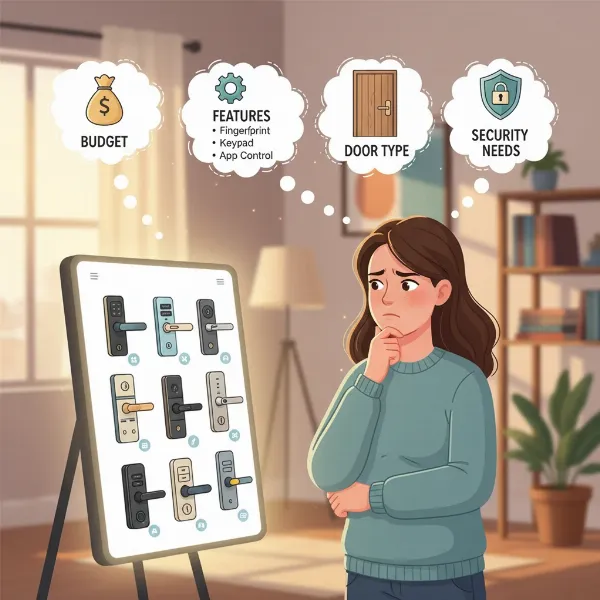 A person thoughtfully selecting a smart door lock, surrounded by decision-making factors like features, budget, and door type.
Installation and Usage Guide for Smart Door Locks
While the idea of installing a high-tech smart lock might seem daunting, many models are designed for straightforward DIY installation, replacing your existing deadbolt with minimal fuss. However, proper installation is key to optimal performance and security.
Essential Tools
Before you begin, gather the necessary tools. Most installations will only require a Philips screwdriver. However, for certain door types or if modifications are needed, you might require a milling cutter, step drill, hole saw, electric drill, or an angle grinder. Always refer to your specific lock’s instruction manual for a precise list.
Basic Installation Steps
While each model will have its unique steps, the general process for replacing a standard deadbolt involves:
- Remove your old deadbolt: Unscrew and remove the interior and exterior components, then slide out the latch.
- Install the new latch: Insert the smart lock’s latch into the door edge, ensuring it’s correctly oriented, and secure it with screws.
- Attach the exterior assembly: Feed the wiring through the door’s cross bore hole and align the exterior keypad or housing.
- Install the interior mounting plate: Secure the mounting plate on the inside of the door, connecting it to the exterior assembly.
- Connect the interior assembly: Plug in the wiring harness to the interior module, then attach the main interior housing.
- Insert batteries and test: Install the recommended batteries, typically AA, and test the lock’s mechanical and electronic functions.
Always follow the manufacturer’s detailed instructions and diagrams meticulously. Many brands also offer instructional videos online to guide you through each step.
Setting Up and Using Features
Once physically installed, the next step is typically digital setup:
- App Download: Download the corresponding smartphone app for your smart lock.
- Pairing: Follow the in-app instructions to pair your lock with your phone via Bluetooth or Wi-Fi.
- User Management: Create administrator accounts and individual user profiles.
- Code Programming: Set up unique PIN codes for family members, guests, or temporary access.
- Biometric Enrollment: Register fingerprints or facial recognition data for authorized users, if applicable.
- Feature Customization: Configure auto-lock timings, remote access settings, notifications, and integrate with your smart home ecosystem.
Maintenance Tips for Longevity
To ensure your smart lock operates smoothly for years to come:
- Regular Battery Checks: Replace batteries promptly when low-battery alerts appear. Most locks use standard AA or AAA batteries and offer warnings well in advance. Consider using high-quality alkaline or lithium batteries for better performance and longer life.
- Clean Contacts: Periodically clean battery contacts to prevent corrosion, which can disrupt power flow.
- Keep it Clean: Wipe down the keypad and exterior surfaces with a soft, dry cloth to remove dust and grime. Avoid harsh chemicals that could damage the electronics or finish.
- Lubricate Moving Parts: If the mechanical bolt feels stiff, use a silicon-based lubricant (avoid oil-based products as they attract dirt) to keep moving parts smooth.
- Software Updates: Regularly check for and install firmware updates through your smart lock app. These updates often include security patches and performance improvements.
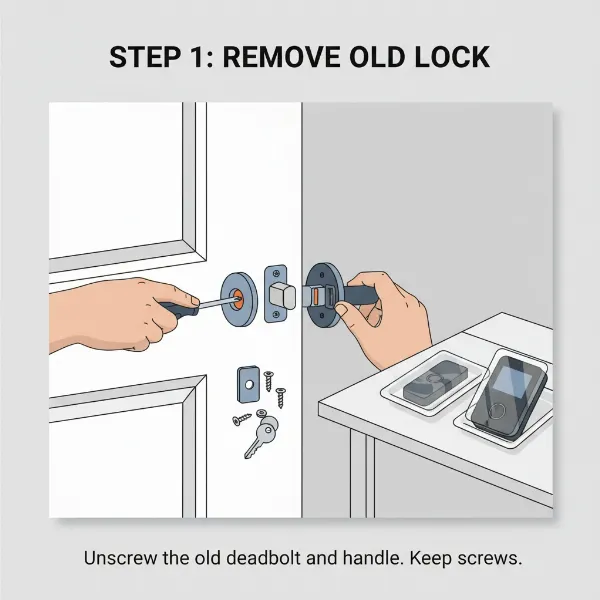 A step-by-step visual of smart door lock installation, showcasing tools and key stages for a DIY enthusiast.
Common Issues and Troubleshooting for Smart Door Locks
Even the best smart locks can encounter occasional glitches. Knowing how to troubleshoot common problems can save you time and ensure your home remains secure and accessible.
Sudden Battery Drain
Problem: Your smart lock batteries die unexpectedly, or the low battery warning appears too frequently.
Solution: Ensure you’re using the correct type and brand of batteries recommended by the manufacturer. Check battery contacts for dirt or corrosion and clean them if necessary. High usage, frequent Wi-Fi connectivity, or extreme temperatures can also impact battery life. Some models offer rechargeable battery packs, which can be a convenient alternative.
Forgotten Passcode or Lost Fob
Problem: A family member forgets their access code, or a key fob is misplaced.
Solution: This is where the smart lock app shines. You can easily reset or create new passcodes remotely through your smartphone application. For lost fobs, simply disable the lost fob’s access within the app and issue a new one. This is far more secure and convenient than re-keying a traditional lock.
Fingerprint Not Recognized
Problem: The fingerprint scanner fails to recognize an authorized user’s print.
Solution: Ensure the sensor is clean and free of dust or moisture. Re-register the user’s fingerprint in the app, trying different angles or fingers. Cuts or dry skin can sometimes affect recognition; moistening the finger slightly can help. Some advanced systems use palm vein recognition, which is less susceptible to surface skin conditions.
Connectivity Problems
Problem: The smart lock doesn’t respond to remote commands, or its connection to your smartphone/hub is unstable.
Solution: First, try restarting both your smart lock (by removing and reinserting batteries or power cycling) and your Wi-Fi router or smart home hub. Ensure your lock is within range of your Wi-Fi network or hub. Thick walls, metal objects, or other electronic devices can interfere with the signal; consider a Wi-Fi extender if signal strength is an issue. Updating the lock’s firmware can also resolve software-related connectivity bugs.
Mechanical Malfunctions
Problem: The lock mechanism feels stiff, the bolt doesn’t extend properly, or the door doesn’t close smoothly after installation.
Solution: Mechanical issues often stem from misalignment. Check if the latch aligns perfectly with the strike plate on the door frame. Loosen screws and adjust the strike plate or door hinges if needed. Lubricate internal mechanical parts with a silicon-based lubricant. If the door itself has shifted over time, adjusting door hinges or planing the door might be necessary. During initial installation, ensure spindle holes and guide plates are correctly aligned as per the technical diagrams.
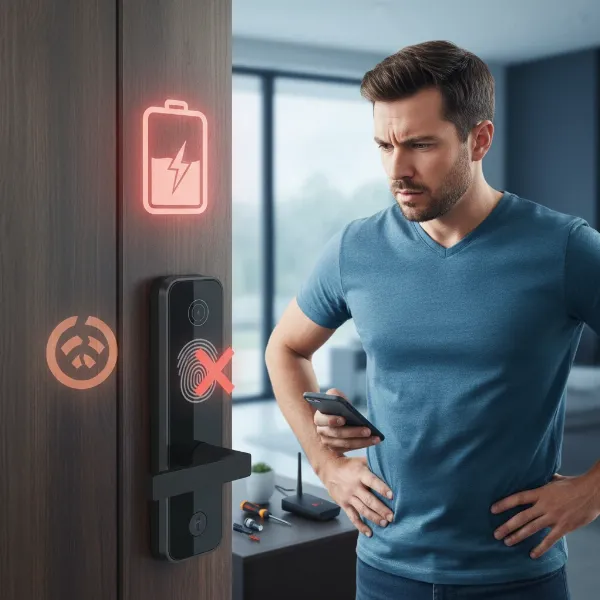 A person troubleshooting a smart door lock, representing common problems like battery issues or connectivity problems.
Conclusion
Choosing the best smart door lock for your family is a significant step towards a more secure, convenient, and technologically advanced home. From eliminating lost keys to providing remote access and real-time monitoring, these devices offer unparalleled peace of mind. By considering your family’s unique needs, understanding the various types and features available, and opting for reputable brands, you can find a smart lock that perfectly integrates into your lifestyle. With proper installation and simple maintenance, a smart door lock will serve as a reliable guardian for your home for years to come. Isn’t it time to upgrade your home’s entry and embrace the future of security?
Frequently Asked Questions
Do smart locks work without Wi-Fi?
Yes, many smart locks can still function without a constant Wi-Fi connection. Features like keypad entry, fingerprint scanning, and traditional key access will typically work locally. However, remote control, real-time notifications, and integration with other smart home systems will require a Wi-Fi or compatible hub connection.
Are smart locks safe from hacking?
Reputable smart lock brands employ advanced encryption and security protocols to protect against hacking. While no electronic device is 100% impervious, modern smart locks are designed with robust digital safeguards, including two-factor authentication and secure data protection, making them a secure choice for most homes.
How long do smart lock batteries last?
The battery life of a smart lock varies depending on the model, usage frequency, and connectivity type (Wi-Fi generally consumes more power). Most smart locks use standard AA or AAA batteries and can last anywhere from six months to over a year. They typically provide low-battery warnings well in advance.