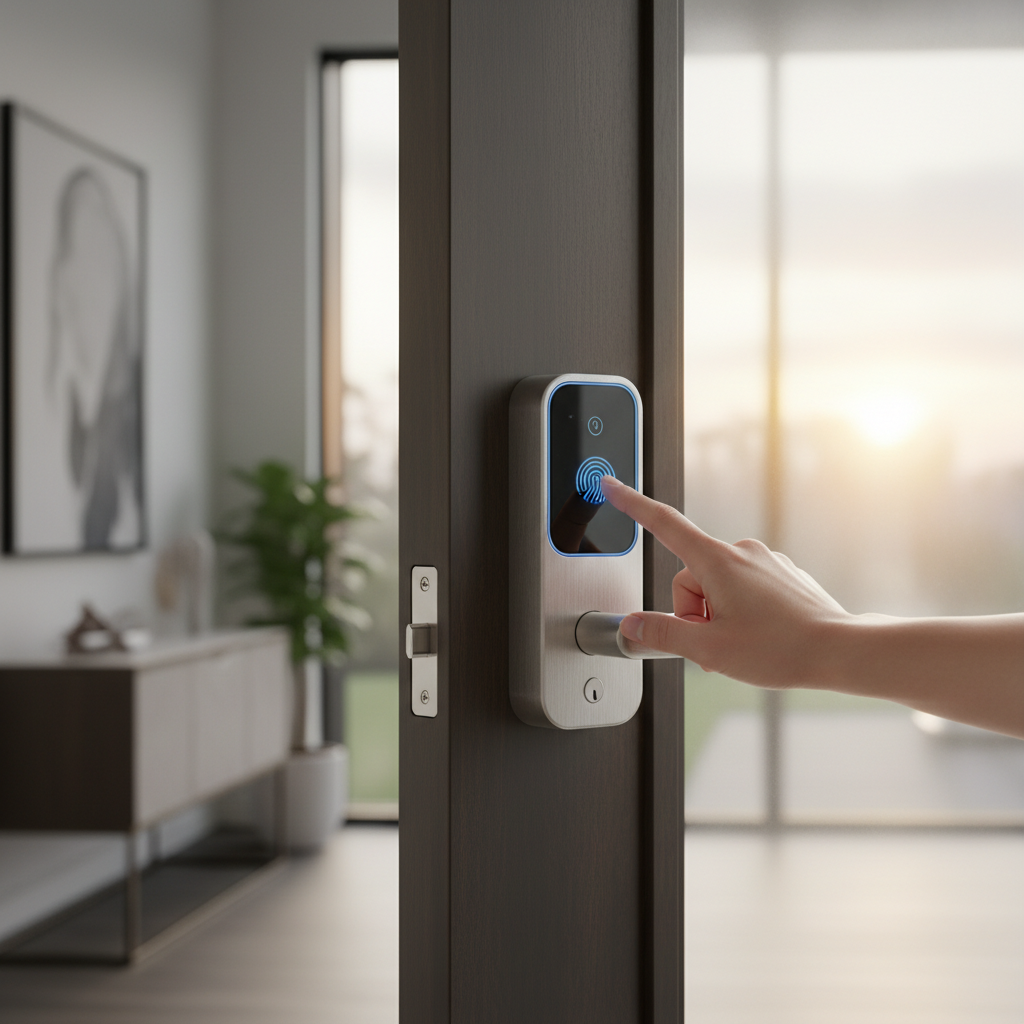
Imagine a home where fumbling for keys is a forgotten chore, where you can grant access to a friend from miles away, or where your door locks itself the moment you leave. This isn’t a futuristic fantasy; it’s the reality offered by smart door locks. These innovative devices transform traditional entryways into secure, connected portals, offering unparalleled convenience, enhanced security, and seamless control over your home’s access. Whether you’re a busy professional, a parent managing multiple schedules, or a homeowner seeking peace of mind, a smart door lock can simplify your daily routine and fortify your defenses. This comprehensive guide will explore the world of smart door locks, helping you understand their benefits, navigate the myriad of options, and choose the perfect solution for every door in your residence.
What is a Smart Door Lock? Why Should You Use One?
A smart door lock is an electromechanical device that offers keyless entry and connects to your home’s network, allowing you to control and monitor access using a smartphone app or other smart devices. Unlike traditional locks that rely solely on physical keys, smart locks integrate modern technology to provide a host of advanced functionalities.
The primary benefits of using a smart door lock revolve around enhanced security, convenience, and remote management. From a security standpoint, many smart locks offer advanced encryption, tamper alarms, and activity logs that record who enters and exits your home. This provides a detailed overview of your home’s access history, an advantage a traditional lock cannot match. For convenience, keyless entry methods like fingerprints, passcodes, or smartphone access eliminate the need to carry physical keys, reducing the risk of being locked out. The ability to grant temporary access codes to guests, dog walkers, or service providers without physical key handovers adds another layer of ease to daily life. Remote management allows you to lock or unlock your door from anywhere, a particularly useful feature if you need to let someone in while you’re away or simply forgot to lock up before leaving.
Smart door locks are ideal for various use cases. Homeowners can benefit from increased peace of mind and simplified access control for family members. For those who frequently host guests or manage vacation rentals, the ability to generate time-sensitive access codes makes guest management effortless. Offices or shared living spaces can also leverage smart locks for easy user administration and controlled access to different areas.
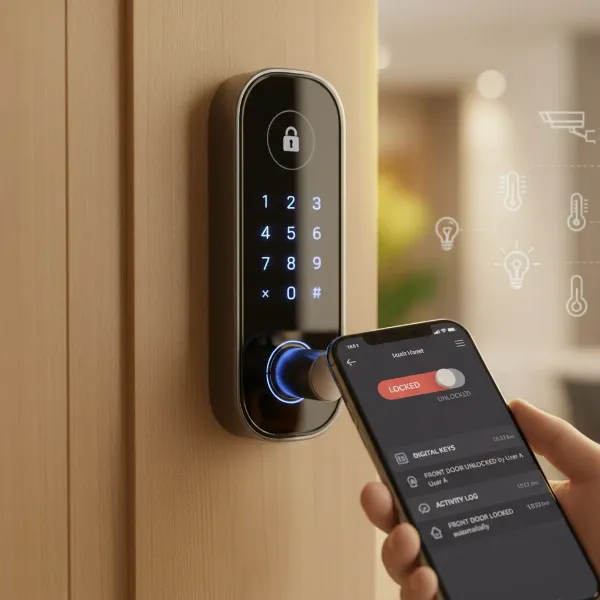 An illustrative image of a smart door lock with glowing digital access points and a smartphone displaying its app, emphasizing security and remote control.
Popular Smart Door Lock Types on the Market
The smart door lock market offers a diverse range of products, categorized mainly by their unlocking methods, connectivity, and design. Understanding these classifications helps in choosing a lock that aligns with your specific security needs and smart home ecosystem.
By Unlocking Method
Smart locks provide multiple ways to gain entry, moving beyond the traditional physical key:
- Fingerprint Recognition: This biometric method offers quick and secure access with a simple touch. It’s highly convenient as you never have to worry about forgetting a code or losing a key.
- Passcode Keypads: Entry is granted by typing a unique numerical code. Many locks allow you to create multiple, customizable codes for different users, often with temporary or scheduled access options.
- RFID Cards/Fobs: Similar to hotel key cards, these allow entry by tapping a card or fob against the lock. They are particularly useful for rental properties or offices.
- Smartphone App Control: Most smart locks come with a dedicated mobile application that allows you to lock, unlock, and manage settings remotely from your phone. Features like auto-unlock (based on geofencing) or voice control are common.
- Traditional Key Override: For emergency backup or personal preference, many smart locks retain a physical keyhole, ensuring you’re never completely locked out even if the battery dies or technology fails.
- Facial Recognition: Advanced models offer hands-free entry by scanning your face, providing a high level of security and convenience, often utilizing 3D structured light technology.
- Apple Home Key: Certain smart locks are compatible with Apple Home Key, allowing users to unlock doors by tapping their iPhone or Apple Watch.
|
Our Picks for the Best Smart door lock in 2026
As an Amazon Associate I earn from qualifying purchases.
|
||
| Num | Product | Action |
|---|---|---|
| 1 | eufy Security Smart Lock C30, Keyless Entry Door Lock, Built-in WiFi Keypad Deadbolt for Front Door, No Bridge Required, Easy Installation, App Remote Control, Reliable Power, BHMA Grade 3 |

|
| 2 | Smart Door Handle Lock with Keypad: Yamiry Fingerprint Smart Knob - Keyless Entry Digital Lock for Front Door - Deadbolt with APP - Generate Passcode Remotely - DIY Installation |
|
| 3 | Philips Wi-Fi Door Lock, WiFi Smart Lock Keyless Entry Deadbolt for Front Door, Compatible with Alexa & Google Assistant, Remote Control, Built-in WiFi, APP Fingerprint Passcode Unlock, Auto Locking |
|
| 4 | Philips WiFi Keypad Door Lock with Handle, Built-in WiFi, APP Remote Control, Voice & Fingerprint Unlock, Smart Locks for Front Door with Auto Lock, Digital Front Door Lock Set, Keyless Entry Deadbolt |
|
| 5 | eufy Security Smart Lock C220, Fingerprint Keyless Entry Door Lock, Built-in Wi-Fi, App Remote Control, Front Door Smart Lock Deadbolt, 8Months Battery, Reliable Power, IP53 Waterproof, BHMA Grade 3 |
|
| 6 | Schlage Encode Smart Wi-Fi Deadbolt Lock with Touchscreen Keypad, Keyless Front Door Entry, App Control, Alexa, Google Home and Airbnb Compatible, Matte Black, BE489WB CEN 622 |
|
| 7 | TEEHO TE001 Keyless Entry Door Lock with Keypad - Smart Deadbolt Lock for Front Door with 2 Keys - Auto Lock - Easy Installation - Satin Nickel |
|
| 8 | TEEHO TE001 Keyless Entry Door Lock with Keypad - Smart Deadbolt Lock for Front Door with 2 Keys - Auto Lock - Easy Installation - Matte Black |
|
| 9 | Veise VE017 Fingerprint Smart Door Lock, App Control, 8-in-1 Keyless Entry, Auto Lock, Emergency Power Port, Electronic Touchscreen Keypad, Biometric Smart Locks for Front Door, Matte Black |
|
| 10 | Keypad Smart Door Lock with Knob, Yamiry Keyless Entry Digital Lock with Handle, Fingerprint Electronic Knob for Front Door |
|
By Connectivity
The way a smart lock connects to your home network dictates its remote capabilities and integration with other smart devices:
- Wi-Fi: Locks with built-in Wi-Fi offer direct internet access, enabling real-time remote control from anywhere without a separate hub. However, this can be more battery-intensive.
- Bluetooth: Bluetooth locks connect directly to your smartphone within a limited range. They are energy-efficient for local control but require a hub or gateway for remote access.
- Z-Wave/Zigbee: These protocols are designed for smart home automation. They require a dedicated hub to connect to your internet but offer excellent integration with other smart home devices, creating a reliable mesh network. They are energy-efficient and scalable.
- Matter/Thread: Newer locks support Matter, a unified connectivity standard, often running over Thread. This protocol aims to simplify smart home device compatibility and offers robust, low-power connections.
By Design and Installation
Smart locks also differ in how they integrate with your existing door hardware:
- Deadbolt Smart Locks: These are the most common in North America and replace your existing deadbolt, offering straightforward installation without extensive modifications.
- Lever Locks: Combining a handle and lock in one unit, these are often found in commercial properties or specific residential applications where ease of use is prioritized.
- Mortise Locks: More common in Europe and Asia, these integrated systems are installed within the door itself, offering advanced security and a sleek appearance. Some smart locks are designed as mortise systems.
- Retrofit Smart Locks: These attach to the inside of your existing deadbolt, allowing you to keep your current exterior hardware and keys. They are an excellent option for renters or those who prefer a less noticeable smart lock.
- Full Replacement Smart Locks: These models replace the entire deadbolt and often include both inner and outer components. Brands like Level, Schlage, and Yale frequently offer this design.
Top Smart Door Lock Brands Compared
When choosing a smart door lock, several brands consistently stand out for their reliability, features, and integration capabilities. Here’s a comparison of some leading brands, evaluating them across key criteria:
| Brand | Price Range (Approx.) | Key Features | Security Grade (Typical) | Smart Home Integration | Durability / Build Quality | Customer Support / Warranty | Noteworthy Models |
|---|---|---|---|---|---|---|---|
| Yale | $150 – $350 | Keypad, App, Wi-Fi, Bluetooth, Z-Wave/Zigbee, Auto-lock/unlock, Activity logs, Apple Home Key, Facial Recognition (Pro models) | ANSI Grade 2 or 1 | Alexa, Google Home, HomeKit, SmartThings, Vivint, ADT | High, renowned for robust construction | Generally good, decent warranty periods | Assure Lock 2, Nest x Yale Lock, Luna Pro+ (Facial Recognition) |
| Schlage | $150 – $350 | Keypad, App, Wi-Fi, Bluetooth, Auto-lock, Built-in alarm, Apple Home Key, Matter over Thread | ANSI Grade 2 or 1 | Alexa, Google Home, HomeKit, Ring | High, known for strong residential security | Good | Encode Plus, Sense, Connect |
| August | $150 – $250 | Retrofit design, Auto-unlock, Virtual keys, Activity logs, DoorSense sensor, Wi-Fi (built-in or module) | ANSI Grade 2 | Alexa, Google Home, HomeKit, SmartThings, Airbnb | Good, focuses on convenience and existing deadbolts | Responsive, 1-year warranty | Wi-Fi Smart Lock (4th Gen), Smart Lock Pro |
| Kwikset | $100 – $250 | Keypad, App, Wi-Fi, Bluetooth, SmartKey rekeying, Microban antimicrobial coating, Apple Home Key (Halo) | ANSI Grade 2 or 3 | Alexa, Google Home, HomeKit (Halo), SmartThings | Medium to High, good value for money | Standard | Halo Touch, SmartCode 913, Halo Select |
| Eufy | $150 – $300 | Fingerprint, Keypad, App, Wi-Fi, Auto-lock, Doorbell camera (some models), Long battery life | ANSI Grade 2 | Alexa, Google Home | Good, often praised for fingerprint reader placement | Good, often 1-year warranty | Smart Lock C33, FamiLock S3 Max |
| Level | $230 – $380 | Invisible design (retrofit interior), Apple Home Key, Bluetooth, App | ANSI Grade 1 | HomeKit, Alexa, Google Home (via bridge) | Premium, high-quality materials, discreet | Good | Lock+, Bolt |
| Aqara | $150 – $300 | Fingerprint, Keypad, App, NFC, Zigbee, Matter, Apple Home Key, Voice control | ANSI Grade 2 | HomeKit, Google Home, Alexa, SmartThings | Good, strong integration with Aqara ecosystem | Good | Smart Lock U100 |
| Lockly | $250 – $500 | Fingerprint, Patented Peek-Proof Keypad, App, Wi-Fi, Video doorbell (Vision series), Facial Recognition (Visage Zeno) | ANSI Grade 2 | Alexa, Google Home, Apple Home Key (select models) | Very High, focus on robust physical and digital security | Good | Secure Pro, Vision Elite, Visage Zeno |
“The landscape of smart locks is constantly evolving, with brands like Yale and Schlage building on their long-standing security expertise, while newcomers like August and Level innovate with user-centric designs and seamless smart home integration. The key is to find a balance between robust security, reliable connectivity, and intuitive user experience.” – Alex Nguyen, Smart Home Technology Expert
Comparison of Top Smart Door Lock Models
Selecting the “best” smart lock often comes down to specific needs and priorities. Here’s a detailed comparison of popular models across various price points and feature sets:
| Model | Price (Approx.) | Unlocking Methods | Key Features | Pros | Cons | Best For |
|---|---|---|---|---|---|---|
| Yale Assure Lock 2 | $170 – $280 | Keypad, App, Key, Fingerprint (optional) | Wi-Fi (built-in/module), Bluetooth, Matter, Auto-lock/unlock, Activity logs | Wide range of configurations, reliable, good smart home integration, Matter support | Fingerprint module is an add-on, higher price for all features | Versatile users, smart home enthusiasts |
| Schlage Encode Plus | $319 – $350 | Keypad, App, Key, Apple Home Key | Built-in Wi-Fi, Auto-lock, Built-in alarm, Apple Home Key, Matter over Thread | Seamless Apple Home Key integration, strong security, excellent build quality | Higher price point, battery life can be mediocre | Apple ecosystem users, high-security conscious |
| August Wi-Fi Smart Lock (4th Gen) | $190 – $250 | App, Key, Voice | Retrofit existing deadbolt, Built-in Wi-Fi, DoorSense, Auto-unlock/lock, Virtual keys | Easy installation (keeps existing key), sleek design, robust app features, excellent for renters | No keypad on the unit itself (requires separate purchase), can be bulky indoors | Renters, users wanting to keep existing keys |
| Eufy Smart Lock C33 | $150 – $200 | Fingerprint, Keypad, App, Key | Wi-Fi, Fast fingerprint reader on handle, Long battery life, Activity logs | Ergonomic fingerprint placement, sturdy build, affordable, great battery life | Requires 8 AA batteries (not rechargeable) | Budget-conscious, high-traffic doors, families |
| Level Lock+ | $329 – $380 | App, Key, Apple Home Key, NFC | Invisible design, Bluetooth, HomeKit compatible, Activity logs | Undetectable from outside, premium build quality, supports Apple Home Key | High cost, relies on Bluetooth for direct control, requires bridge for remote access | Minimalist design lovers, Apple HomeKit users |
| Aqara Smart Lock U100 | $180 – $250 | Fingerprint, Keypad, App, NFC, Key | Zigbee, Matter, Apple Home Key, Voice control, Tamper alarm | Multiple unlocking methods, broad smart home compatibility, robust security, fast fingerprint | Requires an Aqara hub for full smart home integration | Smart home ecosystem users, those seeking multiple access methods |
| Lockly Visage Zeno Series | $400 – $500 | Facial Recognition, Fingerprint, Keypad, App, Key | Wi-Fi, 3D Face Scan, Auto-lock, Live view (with doorbell models) | Cutting-edge facial recognition, advanced security, includes video doorbell in some models | Very high price, can be overkill for some users | Tech enthusiasts, premium security, hands-free entry |
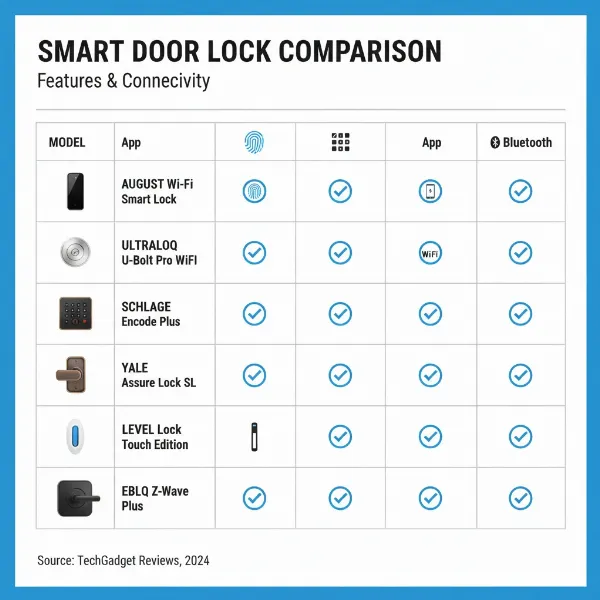 An illustrative graphic featuring diverse smart door lock models in a comparative table format, highlighting features like unlocking methods, connectivity, and design variations.
Guide to Choosing the Right Smart Door Lock
Selecting the ideal smart door lock requires a careful assessment of your specific needs, home setup, and budget. Here’s a step-by-step guide to help you make an informed decision:
1. Determine Your Usage Needs
- For your family home: Prioritize ease of use for all members (fingerprint for kids, keypad for guests), robust security, and reliable smart home integration. Features like auto-lock, activity logs, and remote access are highly valuable.
- For an office or commercial space: Look for advanced user management, time-sensitive access scheduling, and durable construction suitable for high traffic. Keypad or RFID access might be more practical.
- For a rental property (e.g., Airbnb): Seamless remote access control, easy temporary code generation, and activity monitoring are crucial. Retrofit locks can be appealing for ease of installation and removal.
2. Set Your Budget
Smart locks range widely in price, from budget-friendly options around $100 to premium models exceeding $500. Consider what features are “must-haves” versus “nice-to-haves.” More advanced features like facial recognition, built-in Wi-Fi, or Apple Home Key compatibility typically come at a higher price. Remember to factor in potential additional costs for hubs if the lock uses Z-Wave or Zigbee.
3. Identify Essential Features
- Unlocking Methods: Decide which methods are most convenient for you (fingerprint, keypad, app, key, etc.).
- Connectivity: Do you need remote access (Wi-Fi), or is local control sufficient (Bluetooth)? For comprehensive smart home integration, consider Z-Wave, Zigbee, or Matter-compatible locks.
- Security: Look for locks with strong encryption, tamper alarms, and a high ANSI/BHMA security grade (Grade 1 being the highest). Two-factor authentication adds an extra layer of digital security.
- Battery Life: Consider how often you’re willing to change batteries. Some locks offer significantly longer battery life than others.
- Smart Home Integration: Ensure the lock is compatible with your existing smart home ecosystem (Alexa, Google Home, Apple HomeKit, SmartThings).
4. Check Your Door Type and Thickness
Not all smart locks fit all doors. Before purchasing, measure your door’s thickness and check the backset (distance from the door’s edge to the center of the bore hole). Verify if your door requires a deadbolt, lever, or mortise style lock. Some smart locks are designed as full replacements, while others offer retrofit options that work with your existing deadbolt hardware.
5. Choose a Reputable Brand with Good Support
Opt for brands known for their quality, security, and customer service. Check for warranty information and the availability of installation guides or troubleshooting support. Reading user reviews can provide valuable insights into real-world performance and customer satisfaction.
Installing and Using Your Smart Door Lock
Installing a smart door lock might seem daunting, but many models are designed for DIY installation, especially deadbolt replacements or retrofit options. Here’s a general overview:
Prepare Your Tools
Typically, you’ll need a screwdriver (Phillips head is common), a measuring tape, and possibly a drill if you’re installing a new lock or modifying your door. Always refer to the manufacturer’s specific instructions for the exact tools required.
Basic Installation Steps
- Remove Existing Lock: Unscrew and remove your current deadbolt or lock assembly.
- Install New Deadbolt/Latch: Insert the new latch mechanism into the door edge.
- Install Exterior Keypad/Assembly: Mount the exterior component of the smart lock, ensuring cables are routed correctly through the door.
- Install Interior Assembly: Connect the interior component, often housing the battery pack and smart modules, to the exterior part. Secure with screws.
- Test Mechanical Operation: Before closing the door, test the physical locking and unlocking mechanism to ensure smooth operation.
- Install Batteries: Insert the recommended type and number of batteries.
- Connect to App/Smart Home: Follow the lock’s instructions to pair it with its dedicated mobile app and integrate it into your smart home system. This usually involves creating an account, adding the device, and setting up initial codes or fingerprints.
Many manufacturers provide detailed video tutorials, which can be invaluable during the installation process.
Setting Up and Using Features
- Creating User Codes: Use the mobile app to create unique PIN codes for family members, guests, or service providers. You can often set schedules for when these codes are active (e.g., cleaner access only on Tuesdays).
- Fingerprint Enrollment: For biometric locks, follow the app’s instructions to register fingerprints for authorized users.
- Auto-Lock/Unlock: Configure these features based on your preference. Auto-unlock often uses geofencing to detect your approach, while auto-lock can be set on a timer after the door closes.
- Activity Monitoring: Regularly check the lock’s activity log in the app to see who has entered and exited your home and when.
- Voice Control: If integrated with Alexa, Google Assistant, or Siri, set up voice commands for locking and unlocking (often requiring a PIN for unlocking for security).
Maintenance Tips
- Regular Battery Replacement: Smart locks rely on batteries. Replace them proactively, typically every 6-12 months, or as soon as a low battery warning appears. Keep spare batteries on hand.
- Firmware Updates: Regularly update the lock’s firmware via the mobile app. Updates often include security patches, bug fixes, and new features.
- Cleanliness: Keep keypads and fingerprint sensors clean from dust and grime to ensure optimal functionality. Use a dry cloth.
- Check Alignment: Periodically check that your door and strike plate are properly aligned. Misalignment can cause the deadbolt to jam and drain batteries faster.
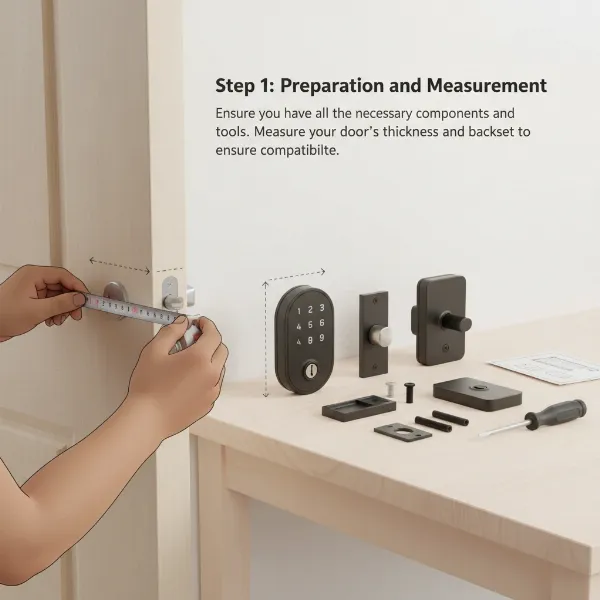 An illustrative image of a person installing a smart door lock on a modern wooden door, with tools laid out and a step-by-step graphic overlay.
Common Smart Door Lock Problems and Solutions
Even the most advanced smart locks can encounter issues. Knowing how to troubleshoot common problems can save you frustration and maintain your home’s security.
1. Lock Runs Out of Battery Unexpectedly
Problem: The lock stops responding, beeps continuously, or fails to engage, indicating a dead battery.
Solution:
- Replace Batteries Immediately: Most smart locks will give a low battery warning. Act on it promptly. Always use the recommended battery type (usually alkaline AAs) and ensure correct polarity.
- Use Key Override: In an emergency, all smart locks with a physical key override can be opened manually.
- External Power (Some Models): Some locks have terminals for a 9V battery or a USB port to provide temporary power for keypad entry when internal batteries are completely dead.
2. Connectivity Issues
Problem: The lock doesn’t respond to remote commands, the app can’t connect, or smart home integration fails.
Solution:
- Check Wi-Fi/Bluetooth: Ensure your Wi-Fi router is working, and the lock is within range. If using Bluetooth, ensure your phone is close to the lock.
- Restart Devices: Reboot your smart lock (remove and reinsert batteries), Wi-Fi router, and smartphone. A simple restart can resolve temporary glitches.
- Reduce Interference: Thick walls, metal doors, or other wireless devices can interfere with signals. Consider a Wi-Fi extender if the signal is weak.
- Reconnect: Remove the lock from your app’s device list or phone’s Bluetooth settings, then re-pair it.
3. Forgotten Passcode or Lost RFID Card
Problem: You can’t remember your entry code, or an RFID card is lost/stolen.
Solution:
- App Access: Use your smartphone app to reset passcodes or revoke access for lost cards. This can be done remotely.
- Physical Key: Always rely on your physical backup key if you cannot access the app or reset codes.
- Create Temporary Codes: For guests, use the app to generate temporary, time-limited passcodes that expire automatically.
4. Lock Not Recognizing Fingerprint
Problem: The fingerprint scanner fails to recognize an enrolled fingerprint.
Solution:
- Clean Sensor: Ensure the fingerprint sensor and your finger are clean and dry. Dust, dirt, or moisture can interfere with recognition.
- Re-enroll Fingerprint: If the issue persists, delete and re-enroll your fingerprint in the app. Ensure good technique during enrollment (covering the sensor fully).
- Try Different Fingers: Register multiple fingers for backup.
5. Jammed Deadbolt or Mechanical Malfunction
Problem: The deadbolt doesn’t extend or retract smoothly, or the door gets stuck.
Solution:
- Check Alignment: Ensure your door, frame, and strike plate are perfectly aligned. Misalignment is a common cause of jamming. Adjust the strike plate if needed.
- Clear Obstructions: Look for any physical debris or objects blocking the deadbolt.
- Lubrication: Apply a non-greasy, graphite-based lubricant to the internal mechanism of the deadbolt. Avoid oil-based lubricants, which can attract dust.
- Tighten Screws: Loose screws on the lock or strike plate can lead to misalignment.
- Professional Help: If mechanical issues persist, it’s best to consult a professional locksmith or the smart lock manufacturer.
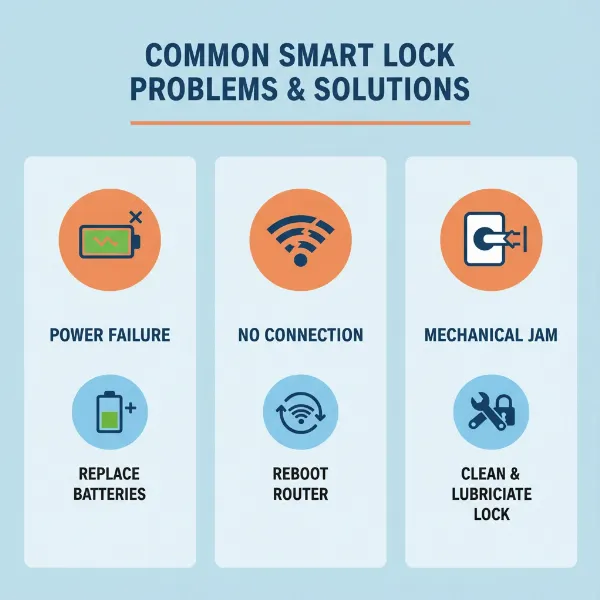 An infographic style image detailing common smart door lock issues like low battery, connectivity loss, and jammed mechanisms, with simple visual solutions.
Conclusion
Embracing smart door locks means stepping into a world where security and convenience go hand-in-hand. From effortless keyless entry and remote access control to detailed activity monitoring and seamless smart home integration, these devices offer a significant upgrade to any home. While the market presents a wide array of options, from robust deadbolt replacements to discreet retrofit solutions, understanding your specific needs, evaluating key features, and selecting a reputable brand will guide you to the perfect choice. Remember to prioritize strong security features, ensure compatibility with your door and smart home ecosystem, and stay proactive with maintenance.
With the right smart door lock, you gain more than just a way to secure your home; you gain peace of mind, simplified daily routines, and a truly connected living experience. Are you ready to unlock the future of home security?
Frequently Asked Questions
Is a smart door lock truly more secure than a traditional lock?
Smart door locks offer enhanced security through features like advanced encryption, tamper alarms, and activity logs, which traditional locks lack. While traditional locks are susceptible to physical picking, smart locks introduce potential digital vulnerabilities (like hacking); however, reputable brands employ robust encryption and security protocols to mitigate these risks. Ultimately, a high-quality smart lock with proper setup and strong passwords can provide a superior layer of protection.
How long do smart lock batteries typically last?
Battery life varies significantly between models and usage patterns. Locks with Wi-Fi connectivity tend to consume more power, while Bluetooth or Z-Wave/Zigbee locks are generally more energy-efficient. On average, you can expect batteries to last anywhere from 6 to 12 months. Most locks provide low battery warnings, and many offer external power options or traditional key overrides in case of complete battery depletion.
Can I install a smart door lock myself, or do I need a professional?
Many smart deadbolt locks are designed for DIY installation, especially those that replace an existing deadbolt without requiring new drilling. Manufacturers often provide detailed instructions, including video tutorials, to guide you through the process. However, if you are uncomfortable with hardware installation, dealing with wiring, or have a less common door type (like a mortise lock), professional installation might be advisable to ensure proper functionality and security.
What happens if my Wi-Fi goes down? Can I still use my smart lock?
Yes, in most cases, you can still use your smart lock if your Wi-Fi goes down. Many smart locks offer multiple unlocking methods, including keypad entry, fingerprint recognition, Bluetooth (for local control via your smartphone), or a traditional physical key override. While remote access via Wi-Fi would be unavailable, you won’t be locked out of your home.
Are smart locks compatible with all smart home systems like Alexa, Google Home, and Apple HomeKit?
Compatibility varies by brand and model. Many popular smart locks integrate with major platforms like Amazon Alexa and Google Home. Apple HomeKit compatibility, especially with features like Apple Home Key, is more specific to certain locks (e.g., Schlage Encode Plus, Level Lock+). Always check the product specifications to ensure the smart lock you choose is compatible with your existing smart home ecosystem.