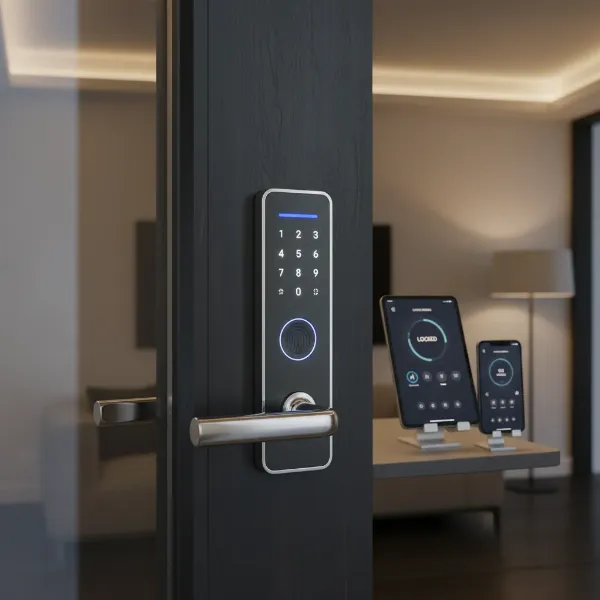
Securing your apartment is paramount, and in today’s digital age, traditional keyed locks are increasingly making way for advanced smart door locks. For apartment dwellers, these devices offer a blend of enhanced security, unparalleled convenience, and remote management capabilities that a conventional lock simply cannot match. Whether you’re a busy professional, a family, or managing a rental property, selecting the right smart lock can significantly elevate your living experience by providing peace of mind and streamlined access control. This guide will walk you through the essential factors, popular types, and top models to help you make an informed decision for your apartment.
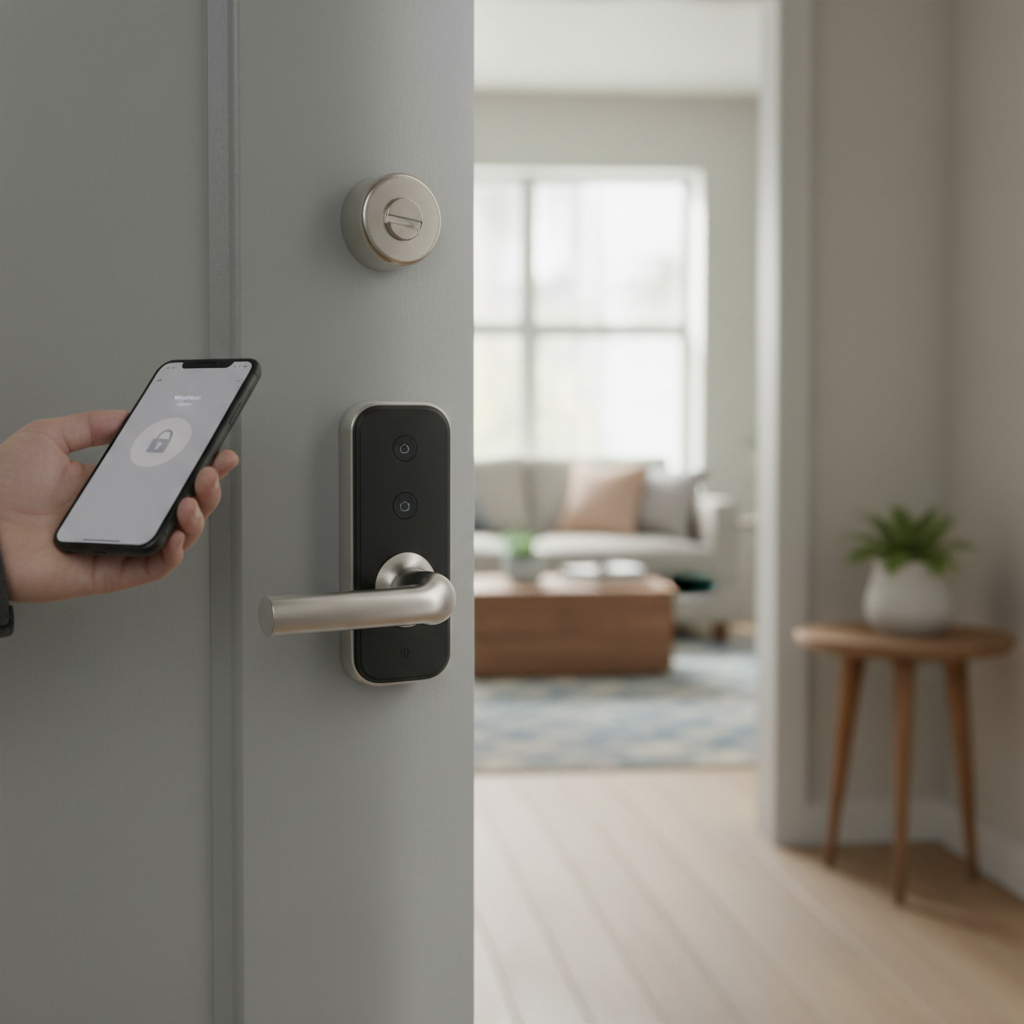
What is a Smart Door Lock? Why Should You Use One?
A smart door lock is an electronic locking system that allows you to control access to your apartment without needing a physical key. Instead, you can manage entry through a smartphone app, keypad, biometric sensors, or even voice commands. At its core, a smart lock integrates advanced technology with your door’s locking mechanism, providing enhanced security, superior convenience, and robust connectivity.
The primary benefits of using a smart door lock for your apartment include:
- Enhanced Security: Smart locks often feature encryption technology, tamper alerts, and activity logs, making them more secure than traditional locks. Many offer multiple layers of authentication, reducing the risk of unauthorized entry.
- Unparalleled Convenience: Keyless entry means no more fumbling for keys or worrying about misplacing them. You can unlock your door using a fingerprint, a PIN code, or a tap on your smartphone or smartwatch.
- Remote Management: With Wi-Fi enabled smart locks, you can lock or unlock your door from anywhere, grant temporary access to guests or service providers, and monitor who enters and exits your apartment in real-time.
Smart locks are particularly beneficial for apartment living due to frequent guest visits, package deliveries, or situations where you need to grant access to cleaners or maintenance personnel while you’re away. They offer a seamless user experience, making daily routines smoother and more secure.
Types of Smart Door Locks Popular in the Market
Smart door locks come in various forms, each offering distinct features in terms of how they operate, connect, and integrate with your home’s aesthetic.
By Unlocking Method
Smart locks provide multiple ways to gain entry, catering to different preferences and security needs:
- Fingerprint/Biometric: These locks use unique physical characteristics, most commonly fingerprints, for authentication, offering high security and rapid keyless entry. Some advanced models even feature facial recognition.
- PIN/Keypad: Users enter a numerical code on a touchscreen or physical keypad. This method is convenient for family members and allows for temporary codes for guests or service providers.
- Key Card/Fob/RFID: Similar to hotel room keys, these locks grant access when a pre-programmed card or fob is tapped against the lock.
- Smartphone App: Control your lock directly from an app on your smartphone, often with options for remote locking/unlocking, managing access, and viewing activity logs.
- Physical Key: Many smart locks retain a traditional key override for emergency backup, ensuring you’re never locked out due to tech issues or dead batteries.
- Voice Control: Integrate your smart lock with virtual assistants like Amazon Alexa, Google Assistant, or Apple Siri to lock or unlock your door with voice commands.
|
Our Picks for the Best Smart door lock in 2026
As an Amazon Associate I earn from qualifying purchases.
|
||
| Num | Product | Action |
|---|---|---|
| 1 | Keypad Smart Door Lock with Knob, Yamiry Keyless Entry Digital Lock with Handle, Fingerprint Electronic Knob for Front Door |

|
| 2 | TEEHO TE001 Keyless Entry Door Lock with Keypad - Smart Deadbolt Lock for Front Door with 2 Keys - Auto Lock - Easy Installation - Satin Nickel |
|
| 3 | eufy Security Smart Lock C30, Keyless Entry Door Lock, Built-in WiFi Keypad Deadbolt for Front Door, No Bridge Required, Easy Installation, App Remote Control, Reliable Power, BHMA Grade 3 |
|
| 4 | Veise VE017 Fingerprint Smart Door Lock, App Control, 8-in-1 Keyless Entry, Auto Lock, Emergency Power Port, Electronic Touchscreen Keypad, Biometric Smart Locks for Front Door, Matte Black |
|
| 5 | eufy Security Smart Lock C220, Fingerprint Keyless Entry Door Lock, Built-in Wi-Fi, App Remote Control, Front Door Smart Lock Deadbolt, 8Months Battery, Reliable Power, IP53 Waterproof, BHMA Grade 3 |
|
| 6 | Schlage Encode Smart Wi-Fi Deadbolt Lock with Touchscreen Keypad, Keyless Front Door Entry, App Control, Alexa, Google Home and Airbnb Compatible, Matte Black, BE489WB CEN 622 |
|
| 7 | Smart Door Handle Lock with Keypad: Yamiry Fingerprint Smart Knob - Keyless Entry Digital Lock for Front Door - Deadbolt with APP - Generate Passcode Remotely - DIY Installation |
|
| 8 | Philips WiFi Keypad Door Lock with Handle, Built-in WiFi, APP Remote Control, Voice & Fingerprint Unlock, Smart Locks for Front Door with Auto Lock, Digital Front Door Lock Set, Keyless Entry Deadbolt |
|
| 9 | TEEHO TE001 Keyless Entry Door Lock with Keypad - Smart Deadbolt Lock for Front Door with 2 Keys - Auto Lock - Easy Installation - Matte Black |
|
| 10 | Philips Wi-Fi Door Lock, WiFi Smart Lock Keyless Entry Deadbolt for Front Door, Compatible with Alexa & Google Assistant, Remote Control, Built-in WiFi, APP Fingerprint Passcode Unlock, Auto Locking |
|
By Connectivity
The connectivity method dictates how your smart lock communicates with your devices and smart home ecosystem:
- Bluetooth: Connects directly to your smartphone when you are within close range (typically 10-15 meters). Bluetooth locks generally have longer battery life but lack remote access without an additional bridge or hub.
- Wi-Fi: Connects directly to your home’s Wi-Fi network, enabling full remote access from anywhere without additional hardware. While highly convenient, Wi-Fi connectivity tends to consume more battery power.
- Z-Wave: A low-energy wireless protocol often used for smart home networks. Z-Wave locks require a compatible hub to connect to the internet and enable remote control. They offer good range and battery efficiency.
- Zigbee: Similar to Z-Wave, Zigbee is another low-power wireless protocol for smart home devices, also requiring a hub for internet connectivity and offering reliable integration within a smart home ecosystem.
- Matter/Matter-over-Thread: An emerging connectivity standard designed to improve interoperability between different smart home devices and platforms (Apple HomeKit, Google Home, Amazon Alexa, Samsung SmartThings), promising greater reliability and ease of use.
- Cellular: Some advanced locks can connect via cellular networks (4G/5G), providing independent internet connectivity without relying on home Wi-Fi or hubs, ideal for situations where consistent internet is a concern.
By Design
Smart lock designs vary to fit different door types and aesthetic preferences:
- With Handle: These locks combine the locking mechanism and a door handle (lever or knob) into one unit. They offer an all-in-one solution for doors where you want a traditional, easy-to-grip feel.
- Without Handle: Often referred to as deadbolt-only smart locks, these focus purely on the locking mechanism and do not include a built-in handle. They provide a cleaner, more modern look, often pairing with an existing pull handle or push plate.
- For Glass Doors: Specifically designed for glass doors, these locks offer elegant and secure keyless entry solutions, often featuring sleek finishes and multiple access options without compromising the door’s aesthetics.
Top Smart Door Lock Brands Comparison
When choosing a smart lock for your apartment, several reputable brands offer high-quality products. Here’s a comparison of some leading brands, focusing on aspects relevant to apartment dwellers:
| Brand | Price Range (Approx.) | Key Features | Security Rating | Smart Home Integration | Pros | Cons |
|---|---|---|---|---|---|---|
| Yale | $150 – $300+ | Keypad, App, Key, Fingerprint (select models) | ANSI/BHMA Grade 2-1 | Apple HomeKit, Alexa, Google Assistant | Reliable, durable, strong app, wide range of models, auto-lock/unlock | Fingerprint not standard on all models; some require separate Wi-Fi bridge |
| Schlage | $180 – $300+ | Keypad, App, Key, Wi-Fi built-in | ANSI/BHMA Grade 2-1 | Alexa, Google Assistant, HomeKit (Sense/Connect) | Very secure, robust hardware, easy Wi-Fi setup (Encode), good for heavy use | Design can be bulkier; some models require hub for full features |
| August | $100 – $250+ | App, Key, Keypad (separate), Wi-Fi built-in (Pro/Wi-Fi) | ANSI/BHMA Grade 2 | Apple HomeKit, Alexa, Google Assistant | Retains existing exterior lock, easy DIY install, auto-lock/unlock, good guest management | Keypad often sold separately; may not feel as “secure” as a full replacement |
| Eufy | $100 – $250+ | Fingerprint, Keypad, App, Key, Video (select models) | BHMA Grade 2 | Alexa, Google Assistant | Integrated video doorbell (S330), fast fingerprint, good value, local storage | Limited smart home ecosystems compared to others |
| Aqara | $100 – $250+ | Fingerprint, Keypad, App, Key, NFC | BHMA Grade 2-1 | Apple HomeKit, Alexa, Google Assistant, Matter | Sleek design, Matter support, robust security, good battery life | May require Aqara hub for full automation with certain models |
| Ultraloq | $120 – $280+ | Fingerprint, Keypad, App, Key, Apple Watch | BHMA Grade 2 | Alexa, Google Assistant, SmartThings | Multiple unlocking options, hybrid connectivity, sturdy build | App interface can be less intuitive than competitors |
Comparison Table: Best Smart Door Lock Models for Apartments
Choosing a specific model can be daunting, given the array of features. Here are some of the top smart door lock models that are excellent choices for apartment living, each with unique strengths:
| Model | Price (Approx.) | Unlocking Methods | Special Features | Connectivity | User Rating/Considerations |
|---|---|---|---|---|---|
| Yale Assure Lock 2 Wi-Fi | $200 | Keypad, App, Key (optional), Apple Home Key | Auto-lock/unlock, compact design, quiet operation | Wi-Fi, Bluetooth, Matter | Excellent all-rounder, sleek, reliable, good for renters (with key option) |
| Schlage Encode Smart Wi-Fi Deadbolt | $250 | Keypad, App, Key | Built-in Wi-Fi, tamper alarm, up to 100 codes | Wi-Fi | Robust security, very reliable, easy remote access, often a top choice for durability |
| August Wi-Fi Smart Lock (4th Gen) | $200 | App, Key (retains existing), Keypad (optional) | Attaches to existing deadbolt, DoorSense, auto-lock/unlock | Wi-Fi | Ideal for renters (no exterior change), seamless integration, easy guest management |
| Eufy Video Smart Lock S330 | $250 | Fingerprint, Keypad, App, Key, Video | Integrated 2K video doorbell, local storage, real-time alerts | Wi-Fi | All-in-one security, great for package monitoring, strong fingerprint reader |
| Ultraloq U-Bolt Pro Wi-Fi | $150 | Fingerprint, Keypad, App, Key, Apple Watch | 8-in-1 access, anti-peep code, voice control | Wi-Fi, Bluetooth | Highly versatile with many access options, strong build quality, good value |
| Aqara Smart Lock U100 | $180 | Fingerprint, Keypad, App, Key, NFC | Matter-over-Thread, HomeKey support, sleek design | Bluetooth, Matter/Thread | Future-proof with Matter, quick fingerprint, excellent for Apple HomeKit users |
Guide to Choosing the Right Smart Door Lock for Your Apartment
Selecting the perfect smart lock involves more than just picking a popular brand. Consider these factors to ensure it meets your specific needs and apartment requirements.
Determine Your Needs
Start by evaluating how you and others will interact with the lock:
- Usage Scenario: Is it for personal use, a family with children, or a short-term rental property? Rentals may need robust remote management and temporary access code features.
- Budget: Smart locks vary widely in price. Determine how much you’re willing to invest, balancing features with cost. Remember to factor in potential ongoing costs like battery replacements.
- Essential Features: Prioritize features that matter most to you. Do you need fingerprint access for speed, remote access for deliveries, or an activity log for accountability? Consider weather resistance if your door is exposed to elements.
Check Door Compatibility and Type
Apartment doors can have specific requirements:
- Door Thickness and Bore Holes: Most smart locks are designed for standard door specifications, but always measure your door’s thickness and existing bore holes to ensure compatibility.
- Existing Hardware: Decide if you want a full lock replacement or a retrofit option that works with your existing deadbolt (like August). Retrofit solutions are often easier for renters as they don’t alter the exterior.
- Landlord/Lease Approval: This is crucial for renters. Always check your lease agreement and obtain landlord approval before installing a smart lock, especially if it involves drilling or significant alterations. Some landlords may even encourage smart lock installation for added security.
Select a Reputable Brand
A reliable brand ensures quality, security, and ongoing support:
- Warranty and Customer Support: Choose a brand known for good customer service and a solid warranty to protect your investment.
- Security Standards: Look for locks with strong ANSI/BHMA ratings (Grade 1 or 2 indicate high security) and robust encryption (like AES-128 or AES-256) to prevent hacking.
- Firmware Updates: A reputable manufacturer regularly releases firmware updates to patch vulnerabilities and improve functionality.
Smart Door Lock Installation and Usage Guide
Installing a smart door lock is often a DIY-friendly project, and using its features is generally intuitive.
Required Tools
For most installations, you’ll need basic tools such as:
- Phillips head screwdriver
- Measuring tape
- (Optional) Drill (if new holes are required or for specific lock types)
Basic Installation Steps
While specific steps vary by model, most installations follow a similar pattern:
- Remove Old Lock: Unscrew and remove your existing deadbolt.
- Install New Deadbolt/Latch: Insert the new latch mechanism into the door edge.
- Install Exterior Assembly: Attach the exterior keypad or lock body, ensuring the spindle or cable passes through the latch.
- Install Interior Assembly: Connect the interior assembly, making sure cables are properly routed and secured.
- Test Mechanism: Manually test the lock/unlock function to ensure smooth operation.
Many smart locks are designed for straightforward installation, often taking only 10-15 minutes.
Setting Up and Using Features
Once installed, use the accompanying smartphone app to set up your lock:
- Pairing: Follow in-app instructions to pair your lock via Bluetooth or connect it to your Wi-Fi network.
- User Management: Create unique PIN codes for family members, guests, or service providers. Register fingerprints or key cards if your lock supports them.
- Automation: Set up auto-lock timers, scheduled access, or integrate with other smart home devices (e.g., lights turning on when the door unlocks).
Maintenance Tips
To ensure longevity and optimal performance:
- Battery Management: Smart locks are battery-powered. Monitor battery levels through the app and replace batteries proactively. Most locks will alert you when batteries are low.
- Cleaning: Periodically wipe down keypads and fingerprint sensors with a soft, damp cloth.
- Firmware Updates: Regularly check for and install firmware updates via the app to keep your lock secure and functioning optimally.
Common Issues and Troubleshooting for Smart Door Locks
Even the best smart locks can encounter occasional glitches. Knowing how to troubleshoot common problems can save you hassle.
Battery Drainage
- Symptom: Lock becomes unresponsive, won’t lock/unlock.
- Fix: Replace batteries immediately. Always use fresh, high-quality alkaline batteries. If it’s a Wi-Fi lock, frequent remote checks can drain batteries faster, so optimize settings. Most locks also have emergency power options (e.g., USB-C port).
Forgotten Codes or Lost Fobs
- Symptom: Cannot access the apartment due to forgotten PIN or missing access credential.
- Fix: Use your smartphone app to reset codes or revoke lost fob access. Use the physical key override for immediate entry.
Fingerprint Recognition Failure
- Symptom: Fingerprint scanner fails to recognize your print.
- Fix: Ensure your finger and the sensor are clean and dry. Try re-registering your fingerprint in the app. Extreme temperatures can sometimes affect sensor performance.
Connectivity Problems
- Symptom: Remote access fails, or lock doesn’t respond to app commands.
- Fix: Check your Wi-Fi network (if applicable) and ensure the lock is within range. Restart your Wi-Fi router. For Z-Wave/Zigbee locks, check the hub connection. Ensure the lock’s firmware is up to date.
Lock Malfunctions
- Symptom: Lock mechanism grinds, jams, or doesn’t fully extend/retract.
- Fix: First, check if the door frame or strike plate is misaligned, causing friction. Ensure all screws are tightened. If the issue persists, a factory reset (refer to your manual) might be necessary, or contact customer support.
“A smart lock is an investment in both security and convenience. Understanding its features and how to maintain them ensures it serves you reliably for years to come.” – John Smith, Smart Home Security Expert
Conclusion
Choosing the right smart door lock for your apartment is a decision that significantly impacts your daily convenience and peace of mind. By considering the various unlocking methods, connectivity options, and design types, alongside crucial factors like your landlord’s policies and the lock’s security ratings, you can find a solution that perfectly fits your lifestyle. Brands like Yale, Schlage, August, and Eufy offer a diverse range of reliable models, each with distinct advantages for apartment dwellers. Remember to prioritize ease of installation, robust security features, and a reputable brand with excellent customer support. With the right smart lock, your apartment can become a sanctuary of modern security and effortless access. Which smart lock feature will bring you the most peace of mind in your apartment?
Frequently Asked Questions
Is a smart lock secure for an apartment?
Yes, smart locks can be more secure than traditional locks. They offer features like encryption, tamper alerts, activity logs, and multiple authentication methods, making unauthorized access more difficult than with a simple physical key.
Can I install a smart lock in a rented apartment?
It depends on your lease agreement. Always check with your landlord or property manager before installing a smart lock. Many retrofit options (like August) don’t alter the exterior, making them more landlord-friendly.
What happens if the smart lock battery dies?
Most smart locks will provide low battery warnings for weeks or months. If it dies unexpectedly, nearly all smart locks include a physical key override or an emergency power option, such as a USB-C port for a temporary power boost.
Which is better for apartments: Wi-Fi or Bluetooth smart locks?
For most apartment dwellers, a Wi-Fi smart lock is generally better in the long term as it offers true remote access from anywhere, allowing you to manage entry even when you’re not home. Bluetooth locks require you to be nearby for control. Hybrid locks (Bluetooth for proximity, Wi-Fi for remote) offer the best of both worlds.
Do smart locks work with all doors?
Most smart locks are designed to fit standard residential doors. However, always measure your door’s thickness and existing bore holes. Some doors (e.g., very thin doors, specific glass door types, or non-standard frame sizes) might require specialized smart locks or professional installation.