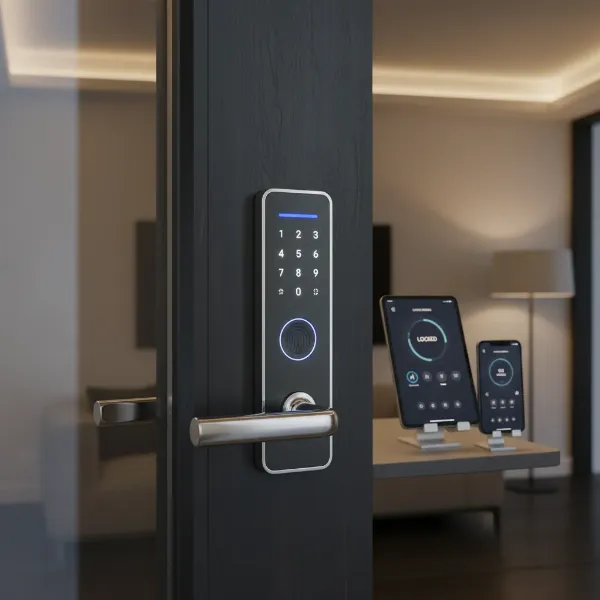
In an increasingly connected world, modernizing your home’s entry system has become a priority for many. Gone are the days when a simple physical key was the only option for security. Today, homeowners face a choice between two advanced yet distinct solutions: smart door locks and keyless entry systems. While both offer the undeniable convenience of ditching traditional keys, their functionalities, benefits, and overall impact on your daily life differ significantly. Understanding these differences is crucial to selecting the system that best aligns with your security needs, lifestyle, and smart home aspirations. This comprehensive guide will explore each type, offering a direct comparison to help you determine which is the real winner for safeguarding your home.
Understanding Keyless Entry Systems
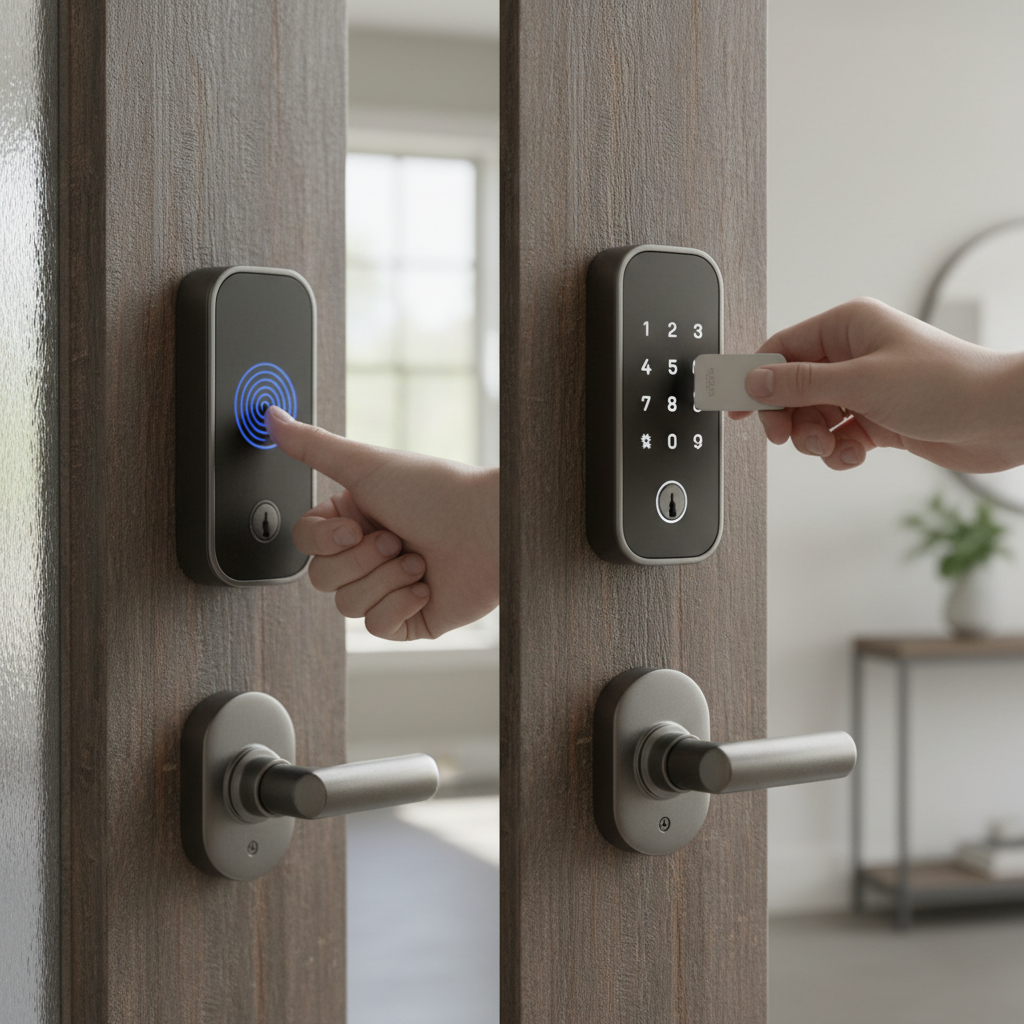
A keyless entry system, often referred to simply as an electronic lock, represents a significant upgrade from traditional keyed locks by eliminating the need for a physical key. These systems typically rely on various methods for entry, such as a numerical keypad for PIN codes, a card reader for key fobs or access cards, or even basic biometric scanners like fingerprint readers. Their primary function is to provide local electronic access control, offering enhanced convenience and security by removing the vulnerabilities associated with lost or duplicated keys.
Keyless entry systems are generally standalone devices, meaning they operate independently without requiring an internet connection or smartphone integration. They are usually battery-powered and offer reliable operation with minimal setup. Many models still include a physical keyhole as a backup, providing peace of mind in case of battery failure or technical issues. These locks are a popular choice for those seeking a straightforward, cost-effective transition away from traditional keys, ideal for side doors, garages, or rental properties where simple, secure access management is key.
The Rise of Smart Door Locks
Smart door locks build upon the foundation of keyless entry by integrating advanced connectivity and intelligence. While they offer the same keyless entry methods—such as keypads, biometrics, or key fobs—their defining characteristic is the ability to connect to your home’s network via Wi-Fi, Bluetooth, Z-Wave, or Zigbee. This connectivity transforms a simple lock into an integral part of your smart home ecosystem, enabling a wealth of advanced features and remote control capabilities.
With a smart door lock, you can manage access to your home from virtually anywhere using a smartphone app. This includes locking or unlocking the door remotely, generating temporary access codes for guests or service providers, and receiving real-time alerts about entry and exit activity. Many smart locks seamlessly integrate with voice assistants like Alexa, Google Home, or Apple HomeKit, allowing for voice-activated control and participation in automated routines. Features like auto-locking, tamper alarms, and activity logs provide an enhanced layer of security and convenience, making smart locks an attractive option for tech-savvy homeowners who value comprehensive control and seamless integration.
Smart Door Lock vs Keyless Entry: A Direct Comparison
The choice between a smart door lock and a keyless entry system ultimately hinges on your specific needs, desired level of control, and integration with other home technologies. While both offer keyless convenience, their fundamental differences in connectivity and functionality set them apart.
| Feature | Keyless Entry System (Electronic Lock) | Smart Door Lock |
|---|---|---|
| Connectivity | None (standalone) or limited local Bluetooth | Wi-Fi, Bluetooth, Z-Wave, Zigbee |
| Control | Local access via keypad, fob, or biometric | Local and remote via app, voice assistant, keypad |
| Features | Basic keyless entry, user codes | Remote access, activity logs, temporary codes, automation, smart home integration, advanced biometrics |
| Security | Good (no physical key to lose) | Enhanced (remote monitoring, alerts, encryption) |
| Convenience | High (no keys to carry) | Superior (remote control, automation, geofencing) |
| Integration | Limited to none | Full integration with smart home ecosystems |
| Price | Generally lower | Generally higher |
| Installation | Relatively straightforward | May require more complex setup for connectivity |
| Power Source | Battery-powered, typically longer life | Battery-powered, life can vary with connectivity use |
A keyless entry system provides a robust solution for those prioritizing simplicity and cost-effectiveness without needing remote capabilities. It’s an excellent choice for straightforward access control. In contrast, a smart door lock caters to users who desire extensive control, smart home integration, and advanced security features, transforming door access into an intelligent, connected experience.
Who Are the Real Winners? Choosing the Right System for You
Determining the “real winner” between a smart door lock and a keyless entry system isn’t about one being objectively superior to the other. Instead, it’s about identifying which system is the best fit for your unique circumstances and priorities. Each offers distinct advantages that cater to different homeowner profiles and needs.
When a Keyless Entry System Is Enough
A traditional keyless entry system, without the “smart” connectivity, is an excellent choice for individuals or families who:
- Prioritize Budget: These systems are typically more affordable both in initial purchase and, often, in long-term battery replacement costs due to less power consumption.
- Seek Simplicity: If you prefer a straightforward, reliable lock without complex apps, Wi-Fi configurations, or smart home integrations, a basic electronic keypad or fob system is ideal.
- Value Local Control: For those who are comfortable managing access codes directly at the lock and don’t require remote monitoring or unlocking, keyless entry provides ample convenience.
- Need Reliable Backup: Many keyless systems retain a physical key override, offering a fail-safe in situations of battery depletion or electronic malfunction, which some users prefer.
- Own Rental Properties or Secondary Doors: For managing access to a rental unit, a guest house, or a garage door, a keyless entry system offers easy code changes and robust access control without unnecessary smart features.
|
Our Picks for the Best Smart door lock in 2026
As an Amazon Associate I earn from qualifying purchases.
|
||
| Num | Product | Action |
|---|---|---|
| 1 | Philips Wi-Fi Door Lock, WiFi Smart Lock Keyless Entry Deadbolt for Front Door, Compatible with Alexa & Google Assistant, Remote Control, Built-in WiFi, APP Fingerprint Passcode Unlock, Auto Locking |

|
| 2 | Philips WiFi Keypad Door Lock with Handle, Built-in WiFi, APP Remote Control, Voice & Fingerprint Unlock, Smart Locks for Front Door with Auto Lock, Digital Front Door Lock Set, Keyless Entry Deadbolt |
|
| 3 | Schlage Encode Smart Wi-Fi Deadbolt Lock with Touchscreen Keypad, Keyless Front Door Entry, App Control, Alexa, Google Home and Airbnb Compatible, Matte Black, BE489WB CEN 622 |
|
| 4 | eufy Security Smart Lock C220, Fingerprint Keyless Entry Door Lock, Built-in Wi-Fi, App Remote Control, Front Door Smart Lock Deadbolt, 8Months Battery, Reliable Power, IP53 Waterproof, BHMA Grade 3 |
|
| 5 | Smart Door Handle Lock with Keypad: Yamiry Fingerprint Smart Knob - Keyless Entry Digital Lock for Front Door - Deadbolt with APP - Generate Passcode Remotely - DIY Installation |
|
| 6 | TEEHO TE001 Keyless Entry Door Lock with Keypad - Smart Deadbolt Lock for Front Door with 2 Keys - Auto Lock - Easy Installation - Matte Black |
|
| 7 | Keypad Smart Door Lock with Knob, Yamiry Keyless Entry Digital Lock with Handle, Fingerprint Electronic Knob for Front Door |
|
| 8 | Veise VE017 Fingerprint Smart Door Lock, App Control, 8-in-1 Keyless Entry, Auto Lock, Emergency Power Port, Electronic Touchscreen Keypad, Biometric Smart Locks for Front Door, Matte Black |
|
| 9 | TEEHO TE001 Keyless Entry Door Lock with Keypad - Smart Deadbolt Lock for Front Door with 2 Keys - Auto Lock - Easy Installation - Satin Nickel |
|
| 10 | eufy Security Smart Lock C30, Keyless Entry Door Lock, Built-in WiFi Keypad Deadbolt for Front Door, No Bridge Required, Easy Installation, App Remote Control, Reliable Power, BHMA Grade 3 |
|
When a Smart Door Lock Is Your Best Bet
A smart door lock is the definitive choice for homeowners who:
- Embrace Smart Home Technology: If your home is already equipped with smart speakers, lighting, or security cameras, a smart lock will seamlessly integrate, offering a unified control experience.
- Require Remote Management: The ability to lock or unlock your door from anywhere, generate temporary guest codes on the fly, and receive real-time activity alerts is invaluable for frequent travelers, busy parents, or those with pets or service providers.
- Prioritize Advanced Security Features: Beyond basic keyless access, smart locks often include features like tamper alarms, automatic locking, and comprehensive activity logs, providing a higher level of peace of mind.
- Desire Ultimate Convenience: Features like auto-unlock as you approach your door, voice control, and integration with other smart home routines (e.g., lights turning on when the door unlocks) offer unparalleled convenience.
- Are Tech-Savvy: Users comfortable with smartphone apps, network settings, and firmware updates will appreciate the full range of customization and control that a smart lock offers.
“The true value of a door lock isn’t just about keeping people out, but about intelligently managing who comes in, when, and how. That’s where smart locks truly redefine home security and convenience.” – Alex Johnson, Smart Home Technology Expert
Ultimately, the winner is the system that best fits your lifestyle, security demands, and technological comfort. For some, a robust, standalone keyless entry system is sufficient. For others, the expansive capabilities and integrated experience of a smart door lock are indispensable.
Key Considerations
Before making your final decision, consider these crucial factors:
- Security Level: Both are more secure than a hidden spare key. Smart locks often provide additional layers like alerts and remote monitoring.
- Convenience: Keyless entry removes keys; smart locks add remote access and automation.
- Budget: Keyless options are generally more budget-friendly.
- Smart Home Integration: If you have an existing smart home system, a smart lock will offer seamless integration.
- Door Compatibility: Ensure your chosen lock is compatible with your door type and existing hardware.
Top Features to Look for in Modern Smart Door Locks
If you lean towards the advanced capabilities of a smart door lock, understanding the key features available will help you select the best model. Modern smart locks are packed with innovations designed to enhance both security and convenience.
- Multiple Unlocking Methods: Look for locks offering diverse entry options such as fingerprint recognition, custom PIN codes, smartphone app control, physical key override, and even NFC keycards or key fobs.
- Remote Access and Control: The ability to lock or unlock your door from anywhere, anytime, through a dedicated smartphone app is a cornerstone of smart lock functionality. This feature also allows you to grant temporary access to guests or service providers remotely.
- Smart Home Integration: Ensure compatibility with your existing smart home ecosystem (e.g., Amazon Alexa, Google Home, Apple HomeKit, Samsung SmartThings, Z-Wave, Zigbee). Seamless integration allows for voice control and automation with other smart devices.
- Activity Logs and Alerts: A valuable security feature, activity logs record who entered and exited, and when. Real-time notifications alert you to any door activity, providing peace of mind.
- Auto-Lock and Auto-Unlock: Many smart locks can automatically lock your door after a set period or when you leave a designated geofenced area. Conversely, some can automatically unlock as you approach, using your phone’s location.
- Tamper Alarms: Built-in alarms can detect forced entry attempts or tampering, triggering an audible alert and sending notifications to your phone.
- Robust Battery Life and Low Battery Warnings: While smart locks require power, the best models offer extended battery life (often 6-12 months) and provide timely warnings when the battery is running low. Many also offer emergency power options.
- Durable Design and Security Ratings: Check for ANSI/BHMA grade ratings (Grade 1 being the highest) to ensure the lock meets industry standards for strength and durability.
Installation, Maintenance, and Troubleshooting Tips
Whether you opt for a keyless entry system or a full-fledged smart door lock, proper installation and maintenance are crucial for optimal performance and longevity. While specific steps vary by model, these general guidelines will help you get started and keep your lock in top condition.
Basic Installation Steps
Most keyless and smart locks are designed to replace standard deadbolts and can often be installed by a DIY enthusiast.
- Preparation: Gather necessary tools, typically a Phillips head screwdriver, measuring tape, and potentially a drill if your door requires new holes (though many are retrofit).
- Remove Old Lock: Carefully remove your existing deadbolt and strike plate.
- Install New Deadbolt: Insert the new deadbolt into the door edge, ensuring the latch faces the correct direction.
- Mount Exterior Keypad/Assembly: Attach the exterior component, feeding any cables through the door.
- Mount Interior Assembly: Connect the interior assembly, securing it to the exterior part and connecting any wires (for smart locks).
- Test: Manually test the lock mechanism to ensure smooth operation before closing the door.
- Finalize Setup: For smart locks, download the manufacturer’s app and follow the on-screen instructions for pairing, calibrating, and connecting to Wi-Fi or your smart home hub.
Usage and Maintenance Tips
- Change Codes Regularly: For keypad-based systems, periodically changing your PIN codes enhances security. Avoid easily guessable codes.
- Monitor Battery Life: All electronic locks are battery-dependent. Pay attention to low-battery warnings and replace batteries proactively. Keep spare batteries on hand.
- Clean Regularly: Wipe the keypad or fingerprint sensor with a soft, damp cloth to remove dirt or smudges that could hinder functionality. Avoid harsh chemicals.
- Keep Firmware Updated: For smart locks, regularly update the firmware via the app. These updates often include security patches and performance improvements.
- Protect Your Network: Ensure your home Wi-Fi network is secure with a strong password to protect smart locks from potential cyber threats.
Common Problems and How to Fix Them
Even with advanced technology, electronic locks can encounter issues. Knowing how to troubleshoot common problems can save you time and frustration.
Lock Runs Out of Battery Unexpectedly
- Symptom: Lock becomes unresponsive, won’t unlock electronically.
- Fix: Most keyless and smart locks have emergency power options. This might involve a physical key override, a 9V battery terminal on the exterior to provide temporary power, or a USB-C port for a power bank. Always use the physical key backup if available.
Forgotten Password or Lost Key Fob/Card
- Symptom: Cannot gain entry with usual method.
- Fix: For keypad locks, use a physical key backup. For smart locks, you can often unlock remotely via the app or reset/add new codes through the app. For key fobs/cards, access the system’s administration interface (either at the lock or through the app) to deactivate lost credentials and issue new ones.
Fingerprint Scanner Not Recognizing Fingerprint
- Symptom: Biometric sensor repeatedly fails to grant access.
- Fix: Ensure your finger and the sensor are clean and dry. Try re-registering your fingerprint in the lock’s settings. Some locks perform better with multiple registered prints from different angles. Consider environmental factors like extreme cold or dryness affecting your skin.
Lock Experiences Connection Issues (Smart Locks)
- Symptom: Remote control via app fails, or lock disconnects from smart home hub.
- Fix:
- Check Wi-Fi/Bluetooth: Ensure your home network is active and the lock is within range of your router or hub.
- Restart Router/Hub: Sometimes a simple restart of your network equipment can resolve connectivity glitches.
- Check Lock Battery: Low battery can affect wireless performance.
- Re-pair Device: If problems persist, you might need to re-pair the smart lock with its app or smart home hub. Consult your lock’s manual for specific instructions.
By understanding these common issues and their solutions, you can maintain seamless and secure access to your home.
Conclusion
Navigating the landscape of modern door security reveals two distinct paths: the reliable simplicity of keyless entry systems and the interconnected intelligence of smart door locks. While both offer the convenience of leaving traditional keys behind, they cater to different needs and lifestyles. Keyless entry systems are champions of straightforward, local access control, providing robust security and ease of use without the complexities of network integration. They are ideal for those seeking an uncomplicated upgrade to their home security.
On the other hand, smart door locks stand out as the real winners for homeowners who desire comprehensive control, remote management capabilities, and seamless integration into a broader smart home ecosystem. With features like remote locking, activity logs, and voice assistant compatibility, smart locks transform your entry point into a dynamic, intelligent access hub. The ultimate “winner” is not a universal truth but a personal reflection of your priorities concerning security, convenience, budget, and technological ambition. What kind of advanced entry system will truly unlock the potential of your home?
Frequently Asked Questions
What is the primary difference between a smart door lock and a keyless entry system?
The primary difference lies in connectivity. A keyless entry system typically offers local access via keypad, fob, or biometrics without internet connection. A smart door lock includes these keyless methods but adds Wi-Fi or Bluetooth connectivity for remote control via smartphone apps and integration with smart home systems.
Are keyless entry systems less secure than smart door locks?
Not necessarily. Both are generally more secure than traditional locks with physical keys, as they eliminate the risk of lost or copied keys. Smart locks offer additional security features like remote monitoring, real-time alerts, and encryption, which can enhance overall security awareness and responsiveness.
Can a keyless entry system be upgraded to a smart door lock?
In most cases, a basic keyless entry system cannot simply be “upgraded” to a smart lock with full connectivity. Smart locks contain different internal hardware and communication modules. You would typically need to replace the entire keyless entry system with a smart door lock.
Do smart door locks require a Wi-Fi connection to work?
Many smart door locks use Wi-Fi for remote control and smart home integration, but some also offer Bluetooth-only models. Bluetooth locks work via your smartphone when you are within close range. For full remote functionality from anywhere, a Wi-Fi connection or a compatible hub (for Z-Wave/Zigbee locks) is essential.
What happens if the battery dies in a smart door lock or keyless entry system?
Most electronic locks include a failsafe. This usually involves a physical key override, a port for a 9V battery to provide temporary power, or a USB-C port for emergency charging. Low battery warnings are typically provided well in advance.
Are smart locks vulnerable to hacking?
Like any internet-connected device, smart locks can potentially be vulnerable to cyber threats if not properly secured. Choosing reputable brands, using strong Wi-Fi passwords, enabling two-factor authentication, and regularly updating firmware helps mitigate these risks.
Which is more affordable, a smart lock or a keyless entry system?
Generally, a standalone keyless entry system is more affordable than a smart door lock. The added technology and connectivity features of smart locks typically come with a higher price tag.