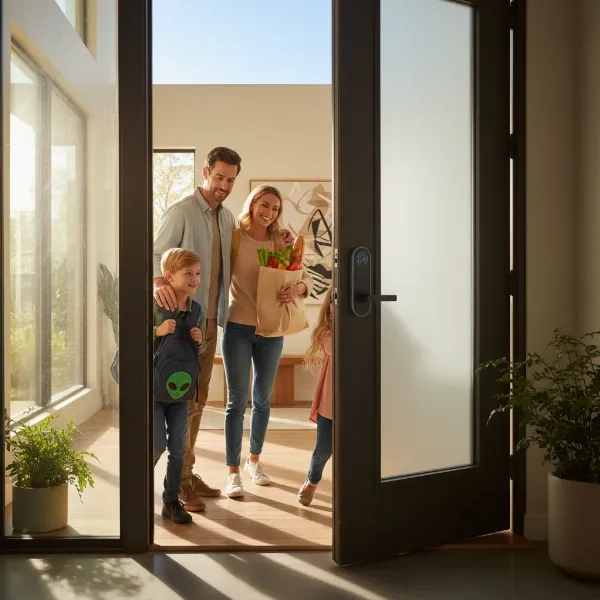
The traditional metal key, a staple of home security for millennia, is rapidly giving way to a new era of access: the smart door lock. Are these technologically advanced devices merely a flashy gadget, or a truly worthwhile investment for enhancing your home’s safety and convenience? For many homeowners, the shift from traditional locks to smart locks represents a significant upgrade, offering a blend of modern convenience, robust security features, and seamless integration into daily life. This guide will delve into every aspect of smart door locks, helping you understand their functionality, compare leading options, and make an informed decision for your property.
What is a Smart Door Lock? Why Should You Use One?
A smart door lock is an electronic locking device that goes beyond the mechanical functions of a traditional lock, utilizing advanced technology to secure and provide access to your home. Unlike conventional locks that require a physical key, smart locks integrate circuitry and a latching mechanism, allowing them to be operated through various digital methods such as smartphones, numeric keypads, biometric scanners, or even voice commands.
The decision to upgrade to a smart door lock is often driven by a desire for enhanced security, unparalleled convenience, and greater control over your home. These devices offer numerous benefits, starting with keyless entry, eliminating the hassle of carrying keys and the worry of losing them. You can unlock your door with a fingerprint, a unique code, or simply your smartphone.
Beyond convenience, smart locks bolster security by providing remote access and control, allowing you to lock or unlock your door from anywhere via a mobile app. This feature is particularly useful for letting in guests, delivery personnel, or monitoring entry activity while you’re away. Many smart locks also include advanced security features such such as alarms that trigger upon forced entry attempts, integration with home security systems, and real-time activity logs, offering a profound peace of mind.
Common use cases for smart locks include residential homes seeking modern security upgrades, rental properties needing easy guest access management, and busy families who appreciate the ability to monitor who comes and goes. The ability to issue temporary codes for service providers or revoke access instantly makes smart locks a flexible and secure solution for diverse needs.
Popular Smart Door Lock Types on the Market
The smart door lock market boasts a diverse range of products, each designed with different unlocking methods, connectivity protocols, and aesthetic considerations. Understanding these variations is key to selecting the perfect fit for your home.
By Unlocking Method
Smart locks offer multiple ways to gain access, moving beyond the simple physical key.
- Fingerprint (Biometric): Offers quick, secure, and keyless entry by scanning a registered fingerprint. Some advanced models also feature facial recognition or iris scanning.
- Passcode/Keypad: Users enter a unique numeric code on a touchscreen or physical keypad. This is highly convenient for guests or temporary access, as codes can be easily set and revoked.
- Smart Card/NFC: Similar to hotel key cards, these locks use Near Field Communication (NFC) technology, allowing access by tapping a card or an NFC-enabled device.
- Smartphone App: The most common method, allowing users to lock/unlock, manage settings, and monitor activity remotely via a dedicated mobile application.
- Traditional Key: Many smart locks retain a mechanical key override, serving as a reliable backup in case of battery failure or technical issues.
- Voice Control: Integrates with smart home assistants like Amazon Alexa or Google Assistant, enabling hands-free locking and unlocking.
- Geofencing: Automatically locks or unlocks your door when your smartphone enters or leaves a pre-defined geographic area around your home.
|
Our Picks for the Best Smart door lock in 2026
As an Amazon Associate I earn from qualifying purchases.
|
||
| Num | Product | Action |
|---|---|---|
| 1 | TEEHO TE001 Keyless Entry Door Lock with Keypad - Smart Deadbolt Lock for Front Door with 2 Keys - Auto Lock - Easy Installation - Matte Black |

|
| 2 | TEEHO TE001 Keyless Entry Door Lock with Keypad - Smart Deadbolt Lock for Front Door with 2 Keys - Auto Lock - Easy Installation - Satin Nickel |
|
| 3 | eufy Security Smart Lock C220, Fingerprint Keyless Entry Door Lock, Built-in Wi-Fi, App Remote Control, Front Door Smart Lock Deadbolt, 8Months Battery, Reliable Power, IP53 Waterproof, BHMA Grade 3 |
|
| 4 | eufy Security Smart Lock C30, Keyless Entry Door Lock, Built-in WiFi Keypad Deadbolt for Front Door, No Bridge Required, Easy Installation, App Remote Control, Reliable Power, BHMA Grade 3 |
|
| 5 | Philips WiFi Keypad Door Lock with Handle, Built-in WiFi, APP Remote Control, Voice & Fingerprint Unlock, Smart Locks for Front Door with Auto Lock, Digital Front Door Lock Set, Keyless Entry Deadbolt |
|
| 6 | Smart Door Handle Lock with Keypad: Yamiry Fingerprint Smart Knob - Keyless Entry Digital Lock for Front Door - Deadbolt with APP - Generate Passcode Remotely - DIY Installation |
|
| 7 | Veise VE017 Fingerprint Smart Door Lock, App Control, 8-in-1 Keyless Entry, Auto Lock, Emergency Power Port, Electronic Touchscreen Keypad, Biometric Smart Locks for Front Door, Matte Black |
|
| 8 | Keypad Smart Door Lock with Knob, Yamiry Keyless Entry Digital Lock with Handle, Fingerprint Electronic Knob for Front Door |
|
| 9 | Schlage Encode Smart Wi-Fi Deadbolt Lock with Touchscreen Keypad, Keyless Front Door Entry, App Control, Alexa, Google Home and Airbnb Compatible, Matte Black, BE489WB CEN 622 |
|
| 10 | Philips Wi-Fi Door Lock, WiFi Smart Lock Keyless Entry Deadbolt for Front Door, Compatible with Alexa & Google Assistant, Remote Control, Built-in WiFi, APP Fingerprint Passcode Unlock, Auto Locking |
|
By Connectivity
The connectivity method determines how your smart lock communicates with your smartphone and other smart home devices.
- Bluetooth (BLE): Ideal for short-range control, typically when you are within proximity of the door. It’s energy-efficient but offers limited remote functionality.
- Wi-Fi: Allows for full remote control and monitoring from anywhere with an internet connection, often through a dedicated app. This offers the greatest flexibility but can be more power-intensive.
- Zigbee/Z-Wave: These are mesh networking protocols popular in smart home ecosystems. They require a compatible hub to connect to your home network but offer stable connections and lower power consumption, making them excellent for multi-device setups.
- Matter: An emerging industry standard designed to ensure seamless interoperability between smart home devices and platforms (e.g., Apple HomeKit, Google Home, Amazon Alexa). Matter-enabled locks promise easier integration and broader compatibility.
By Design
Smart locks come in various designs to suit different door types and aesthetic preferences.
- Deadbolt Smart Locks: These replace or upgrade your existing mechanical deadbolt, often retaining the same external appearance while adding smart functionalities. They are very common in North America.
- Lever Handle Smart Locks: Integrate the locking mechanism and the door handle into a single unit, providing an all-in-one solution that’s often used for interior doors or specific architectural styles.
- Mortise Smart Locks: More complex and typically found in European and Asian markets, these locks are embedded within the door itself, offering a sleek, integrated look and often multiple locking points.
- Smart Padlocks/Knob Locks: Portable smart padlocks are great for gates or storage units, while smart knob locks integrate the mechanism into a traditional doorknob.
Comparing Leading Smart Door Lock Brands
The market for smart door locks is robust, with several major brands offering innovative and reliable products. Choosing the right brand often comes down to a balance of features, price, security, and smart home ecosystem compatibility.
| Brand | Key Features | Price Range (Estimated) | Durability/Security | Smart Home Integration | Support/Warranty |
|---|---|---|---|---|---|
| Yale | Touchscreen keypads, Apple Home Key support, robust build, diverse styles, often highly reliable. | Mid-High ($150-$300+) | Excellent | Apple HomeKit, Google Home, Alexa, Matter | Strong, established |
| August | Retrofit design (keeps existing exterior lock), auto-unlock/lock, guest access, activity feed. | Mid-High ($150-$250+) | Very Good | Apple HomeKit, Google Home, Alexa, Z-Wave | Good |
| Schlage | Durable, easy installation, wide range of designs, keypad and touchscreen options, integrates with many platforms. | Mid-High ($150-$300+) | Excellent | Google Home, Alexa, Apple HomeKit (Encode Plus) | Strong, established |
| Kwikset | Affordable options, varied designs (keypad, fingerprint), some Wi-Fi built-in models. | Low-Mid ($100-$200+) | Good | Alexa, Google Home (model dependent) | Standard |
| Philips | Sleek design, often biometric (fingerprint), strong security, good software. | Mid-High ($200-$350+) | Very Good | Often proprietary app, some Google Home/Alexa integration | Good |
| Xiaomi (Lockin) | Cost-effective, fingerprint, keypad, app control, often integrates with Xiaomi smart home ecosystem. | Low-Mid ($100-$200) | Fair-Good | Xiaomi Home, some Google Home/Alexa | Varies by region |
| Aqara | Focus on HomeKit integration, robust biometric features, Matter support. | Mid-High ($180-$300+) | Very Good | Apple HomeKit, Google Home, Alexa, Matter | Good |
| Ultraloq | Multi-entry options (fingerprint, keypad, app, key fob), strong weather resistance. | Mid-High ($150-$280+) | Very Good | Alexa, Google Home, IFTTT | Good |
“The right smart lock for you isn’t just about features; it’s about seamless integration with your lifestyle and existing smart home ecosystem. Prioritize reliability and customer support above all else.” – John Smith, Smart Home Security Expert
Best Smart Door Lock Models Available Today
Selecting the “best” smart lock depends heavily on individual priorities, whether it’s budget, specific unlocking methods, or smart home compatibility. Here’s a comparison of some top-rated models that stand out in the current market.
| Model | Price (Approx.) | Unlocking Methods | Special Features | User Rating (1-5) | Ideal For |
|---|---|---|---|---|---|
| Yale Assure Lock 2 | $200 – $280 | Keypad, App, Key, Apple Home Key | Sleek design, easy install, wide smart home compatibility, auto-lock. | 4.5 | Apple HomeKit users, those seeking premium features and reliability. |
| August Wi-Fi Smart Lock | $180 – $230 | App, Key, Voice, Geofencing | Retrofits existing deadbolt, auto-unlock/lock, virtual keys, activity feed. | 4.3 | Renters, users who want to keep their existing keys, Airbnb hosts. |
| Schlage Encode Plus | $250 – $300 | Keypad, App, Key, Apple Home Key | Built-in Wi-Fi, robust security, sleek design, very responsive. | 4.6 | Users prioritizing strong security, Apple HomeKey, and Wi-Fi convenience. |
| Ultraloq U-Bolt Pro Wi-Fi | $190 – $240 | Fingerprint, Keypad, App, Key, Key Fob | Multi-entry options, built-in Wi-Fi, durable, IP65 weather resistance. | 4.4 | Families, multi-user households, those needing diverse access methods. |
| Aqara Smart Lock U100 | $180 – $220 | Fingerprint, Keypad, App, NFC, Key | HomeKit, Google Home, Alexa, Matter support; fast fingerprint recognition. | 4.2 | Smart home enthusiasts, particularly HomeKit users. |
| Kwikset Halo Touch | $170 – $200 | Fingerprint, App, Key | Built-in Wi-Fi, simple operation, good budget Wi-Fi option. | 4.0 | Users seeking a reliable fingerprint lock with Wi-Fi without breaking the bank. |
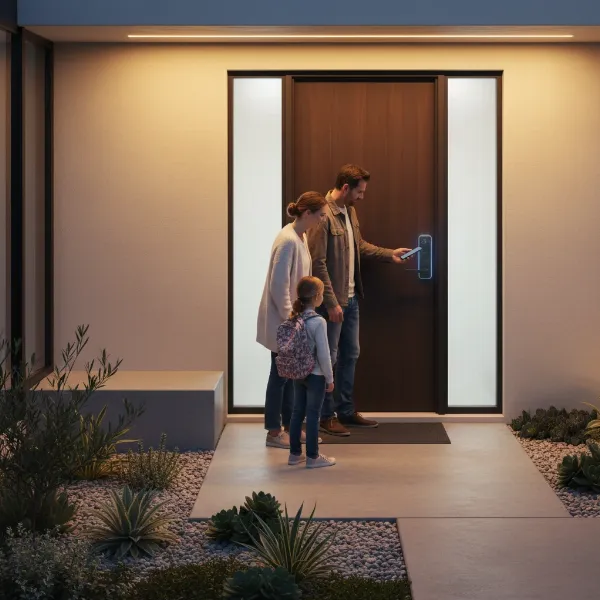 A modern family interacts with a smart door lock on their front door, illustrating keyless entry and enhanced home security.
Guide to Choosing the Right Smart Door Lock
Selecting the ideal smart door lock requires careful consideration of your unique circumstances and priorities. With so many options available, a structured approach can help you narrow down the best choice.
Determine Your Usage Needs
Start by assessing who will be using the lock and how.
- Family Home: Prioritize ease of use for all members, possibly fingerprint or keypad entry, and activity monitoring.
- Office/Business: Consider robust access control, user management features, and integration with existing security systems.
- Rental Property/Airbnb: Look for features like temporary access codes, remote management, and automatic code expiration for guests.
Set a Budget
Smart locks vary significantly in price. While basic models offer core smart features, high-end locks often include premium materials, advanced biometrics, and more seamless smart home integration. Define your budget range before you start shopping to manage expectations. Remember to factor in potential installation costs if you’re not planning a DIY approach.
Identify Essential Features
Consider which smart features are non-negotiable for you.
- Keyless Entry: Do you prefer fingerprint, keypad, or smartphone access?
- Remote Control: Is the ability to lock/unlock from anywhere essential?
- Activity Logs: Do you want to track who enters and exits your home?
- Smart Home Integration: Will it connect with your existing smart home ecosystem (Alexa, Google Home, Apple HomeKit)?
- Security Alerts: Do you want notifications for tamper attempts or low battery?
Check Your Door Type and Thickness
Not all smart locks are compatible with all doors.
- Door Thickness: Measure your door’s thickness to ensure the lock’s components will fit.
- Borehole/Backset: Check the existing boreholes and backset (distance from the door edge to the center of the borehole) to see if a standard smart deadbolt will be a direct replacement or if modifications are needed.
- Door Material: Most smart locks work with standard wooden doors, but specialized solutions might be needed for metal, glass, or aluminum doors.
Choose a Reputable Brand with Good Support
Opting for well-known brands like Yale, Schlage, or August often means better product reliability, clearer warranty policies, and readily available customer support. Read reviews about their customer service and ease of warranty claims. Good support can be invaluable if you encounter issues with installation or daily use.
Smart Door Lock Installation and Usage Guide
Installing a smart door lock is often a straightforward process for those comfortable with basic DIY tasks. However, careful attention to detail is crucial for proper function and security.
Prepare Essential Tools
Before you begin, gather the necessary tools:
- Phillips head screwdriver
- Measuring tape
- Pencil
- Drill (if new holes are needed, though many are retrofit)
- The smart lock user manual (critical for model-specific instructions)
Basic Installation Steps
While specific steps vary by model, the general process involves:
- Remove Old Lock: Unscrew and remove your existing deadbolt or lockset.
- Install New Latch/Bolt: Insert the new smart lock’s latch or deadbolt into the door edge. Ensure it aligns correctly with the strike plate on the door frame.
- Install Exterior Keypad/Assembly: Place the exterior part of the smart lock onto the door, making sure the connecting spindle or cable passes through the latch.
- Install Interior Assembly: Attach the interior part, connecting any wires or cables according to the manual. Ensure the alignment is straight and secure.
- Insert Batteries: Once assembled, insert the required batteries (usually AA). The lock may perform an automatic calibration.
- Test Functionality: Manually test the lock from both inside and outside to ensure the deadbolt extends and retracts smoothly. Then, test all digital unlocking methods (keypad, app, fingerprint).
For detailed visual guidance, many manufacturers provide helpful video tutorials specific to their models.
Setting Up and Using Features
After installation, configure your lock:
- Download App: Install the manufacturer’s app on your smartphone.
- Pair Lock: Follow the in-app instructions to pair your lock via Bluetooth or connect it to your Wi-Fi network.
- Create Codes/Register Fingerprints: Set up master codes, individual user codes, and register fingerprints for biometric models.
- Integrate Smart Home: Connect your lock to your smart home hub or voice assistant if desired.
- Customize Settings: Adjust auto-lock timers, notification preferences, and other features as per your needs.
Maintenance Tips to Extend Lock Lifespan
- Regular Battery Checks: Smart locks rely on power. Check battery levels regularly via the app and replace them before they run critically low to avoid being locked out.
- Keep Clean: Wipe keypads and fingerprint sensors with a soft, dry cloth to prevent dirt and grime from affecting functionality.
- Check Alignment: Periodically check that the door and strike plate remain aligned, especially with temperature changes that can cause slight door warping. Misalignment can strain the lock’s motor.
- Software Updates: Keep the lock’s firmware and mobile app updated to benefit from the latest security patches and features.
Common Smart Door Lock Issues and Troubleshooting
Even with careful installation and maintenance, smart locks can sometimes encounter issues. Knowing how to troubleshoot common problems can save you time and frustration.
Lock Runs Out of Battery Unexpectedly
This is one of the most common concerns. If your smart lock loses power, most models have a mechanical key override. Always keep a physical key in a safe, accessible place outside your home (e.g., with a trusted neighbor or in a secure lockbox). Regularly check battery levels in the app and replace them as soon as a low battery warning appears. Some locks also support external emergency power via a micro-USB port.
Forgotten Passcode or Lost Smart Card
If you forget your entry code, you can usually reset or change it through the accompanying smartphone app. For lost smart cards or fobs, simply remove their access permissions via the app, rendering them useless, and then register new ones. If you’ve forgotten your master code and don’t have app access, consult your user manual for a factory reset procedure, which will likely require a physical key to access the interior battery compartment.
Lock Doesn’t Recognize Fingerprint
Several factors can affect fingerprint recognition:
- Dirty Sensor: Clean the fingerprint sensor with a soft, dry cloth.
- Wet/Damaged Finger: Ensure your finger is clean and dry. Try using a different finger if available.
- Improper Placement: Make sure your entire fingerprint is covering the sensor correctly.
- Re-enroll: If issues persist, try deleting and re-registering your fingerprint in the lock’s settings.
Connectivity Problems
If your smart lock struggles to connect to your phone or Wi-Fi network:
- Check Bluetooth/Wi-Fi: Ensure your phone’s Bluetooth is on, or your Wi-Fi network is active and stable.
- Restart Devices: Try restarting your smartphone and the smart lock (often by removing and reinserting batteries).
- Update App/Firmware: Ensure both the lock’s firmware and the companion app are updated to their latest versions.
- Proximity/Obstructions: Move closer to the lock or Wi-Fi router. Large metal objects or thick walls can interfere with signals.
- Factory Reset: As a last resort, perform a factory reset on the lock and re-pair it.
Lock is Sticky or Won’t Lock/Unlock Smoothly
This often indicates a mechanical alignment issue.
- Door Alignment: Check if your door sags or shifts when closed, causing the deadbolt to rub against the strike plate.
- Strike Plate Adjustment: Loosen the screws on the strike plate on the door frame, slightly adjust its position, and retighten.
- Panel Alignment: Ensure the interior and exterior panels of the lock are installed squarely and not causing friction with the internal mechanism or door frame. If the handle feels stiff, the internal square steel hole might be misaligned or too small, requiring adjustment or re-drilling.
Conclusion
Deciding whether a smart door lock is worth the investment ultimately hinges on your personal needs, security priorities, and budget. These innovative devices undeniably offer unparalleled convenience through keyless entry, remote control, and enhanced monitoring capabilities, bringing your home security into the 21st century. While they come with a higher initial cost and a reliance on technology, the peace of mind and flexibility they provide are often invaluable.
By carefully considering your lifestyle, researching reputable brands, and understanding the various types and features available, you can confidently choose a smart door lock that perfectly complements your home. Are you ready to embrace the future of home security and unlock a new level of convenience?
Frequently Asked Questions
Are smart locks more secure than traditional locks?
Smart locks can offer enhanced security features like tamper alarms, activity logs, and integration with home security systems, which traditional locks lack. While traditional locks are vulnerable to picking or lost keys, smart locks introduce potential cyber vulnerabilities. However, reputable brands employ strong encryption to mitigate these risks.
What happens if my smart door lock runs out of battery?
Most smart locks are designed with a mechanical key override, allowing you to use a traditional physical key to unlock the door. Additionally, many models include a low-battery warning system via their app and some offer an external emergency power port (e.g., micro-USB) to temporarily power the lock.
Can smart locks be hacked?
Like any connected device, smart locks can theoretically be vulnerable to hacking. However, leading manufacturers invest heavily in advanced encryption and security protocols to protect against cyber threats. Keeping your lock’s firmware updated and using strong, unique passwords for your smart home network are crucial steps to minimize risks.
Do all smart locks require Wi-Fi?
No, not all smart locks require Wi-Fi. Some models primarily use Bluetooth for local control, meaning you need to be within a certain range to operate them. Wi-Fi enabled locks, or those connected via a hub to Zigbee/Z-Wave, offer remote access and control from anywhere with an internet connection.
How do smart locks handle multiple users?
Smart locks excel at managing multiple users. Through their companion apps, you can typically create unique passcodes or register individual fingerprints for family members, guests, or service providers. Many systems allow you to set specific access schedules or temporary permissions, which can be revoked at any time.
Can I install a smart lock myself?
Many smart locks are designed for DIY installation, especially those that replace standard deadbolts. If you’re comfortable with basic hand tools and following instructions, you can likely install one. However, if your door requires new drilling, or if you’re unsure, professional installation is recommended to ensure proper function and security.