In today’s dynamic business environment, safeguarding your office assets and controlling access are paramount. Traditional key systems often fall short, posing security risks and administrative burdens as teams grow and change. A smart door lock for your office offers a modern, efficient solution, transforming how you manage entry, enhance security, and streamline daily operations. This comprehensive guide will walk you through the essential considerations, features, and top options to help you select the perfect smart lock system for your workspace, ensuring peace of mind and operational fluidity.
What is a Smart Door Lock and Why Should Your Office Use One?
A smart door lock is an electronic locking device that enables keyless entry and offers advanced functionalities beyond traditional mechanical locks. For an office setting, these devices blend robust physical security with digital control, offering unparalleled flexibility and management capabilities. They can integrate into broader access control systems, providing a centralized platform to manage entry points across your premises.
The primary benefits for an office are manifold. Enhanced security is a key advantage, with features like real-time monitoring, tamper alerts, and audit trails that record every entry and exit, vital for compliance and security oversight. Convenience is another significant draw; employees can use fingerprints, keycodes, or mobile apps, eliminating the hassle of physical keys. This also simplifies access management, allowing administrators to instantly grant or revoke access for employees, visitors, or contractors, even remotely. Smart locks contribute to operational efficiency by reducing rekeying costs and streamlining the onboarding and offboarding processes. They provide flexibility for hybrid work models and multi-site operations, making them an indispensable tool for any modern office.
Popular Types of Smart Door Locks for Commercial Spaces
Office smart locks come in various forms, distinguished by their unlocking methods, connectivity, and design, each catering to specific security and operational needs. Understanding these distinctions is crucial for selecting the right system for your commercial environment.
By Access Method
Smart office locks offer a range of keyless entry options, moving beyond traditional keys for enhanced convenience and security.
- Fingerprint Recognition: Biometric scanners provide quick, secure, and personal access, making lost credentials a non-issue. These are ideal for frequently accessed main entrances or high-security areas.
- Keypad Entry: PIN codes offer a straightforward method, easily programmable and shareable for employees or temporary guests. Many systems allow for customizable, time-sensitive codes.
- RFID/Proximity Cards or Fobs: These provide a physical credential that can be easily distributed and revoked, often used in larger organizations with existing ID card systems.
- Smartphone Apps: Mobile credentials allow employees to unlock doors via Bluetooth or Wi-Fi using their smartphones, often with geofencing or hands-free entry features.
- Mechanical Key Override: Many smart locks retain a traditional keyway as a crucial backup, ensuring access during power outages or system malfunctions.
|
Our Picks for the Best Smart door lock in 2026
As an Amazon Associate I earn from qualifying purchases.
|
||
| Num | Product | Action |
|---|---|---|
| 1 | Smart Door Handle Lock with Keypad: Yamiry Fingerprint Smart Knob - Keyless Entry Digital Lock for Front Door - Deadbolt with APP - Generate Passcode Remotely - DIY Installation |

|
| 2 | Keypad Smart Door Lock with Knob, Yamiry Keyless Entry Digital Lock with Handle, Fingerprint Electronic Knob for Front Door |
|
| 3 | Philips WiFi Keypad Door Lock with Handle, Built-in WiFi, APP Remote Control, Voice & Fingerprint Unlock, Smart Locks for Front Door with Auto Lock, Digital Front Door Lock Set, Keyless Entry Deadbolt |
|
| 4 | eufy Security Smart Lock C30, Keyless Entry Door Lock, Built-in WiFi Keypad Deadbolt for Front Door, No Bridge Required, Easy Installation, App Remote Control, Reliable Power, BHMA Grade 3 |
|
| 5 | Schlage Encode Smart Wi-Fi Deadbolt Lock with Touchscreen Keypad, Keyless Front Door Entry, App Control, Alexa, Google Home and Airbnb Compatible, Matte Black, BE489WB CEN 622 |
|
| 6 | TEEHO TE001 Keyless Entry Door Lock with Keypad - Smart Deadbolt Lock for Front Door with 2 Keys - Auto Lock - Easy Installation - Satin Nickel |
|
| 7 | Philips Wi-Fi Door Lock, WiFi Smart Lock Keyless Entry Deadbolt for Front Door, Compatible with Alexa & Google Assistant, Remote Control, Built-in WiFi, APP Fingerprint Passcode Unlock, Auto Locking |
|
| 8 | eufy Security Smart Lock C220, Fingerprint Keyless Entry Door Lock, Built-in Wi-Fi, App Remote Control, Front Door Smart Lock Deadbolt, 8Months Battery, Reliable Power, IP53 Waterproof, BHMA Grade 3 |
|
| 9 | TEEHO TE001 Keyless Entry Door Lock with Keypad - Smart Deadbolt Lock for Front Door with 2 Keys - Auto Lock - Easy Installation - Matte Black |
|
| 10 | Veise VE017 Fingerprint Smart Door Lock, App Control, 8-in-1 Keyless Entry, Auto Lock, Emergency Power Port, Electronic Touchscreen Keypad, Biometric Smart Locks for Front Door, Matte Black |
|
By Connectivity
The way a smart lock connects to a network determines its remote management capabilities and integration potential.
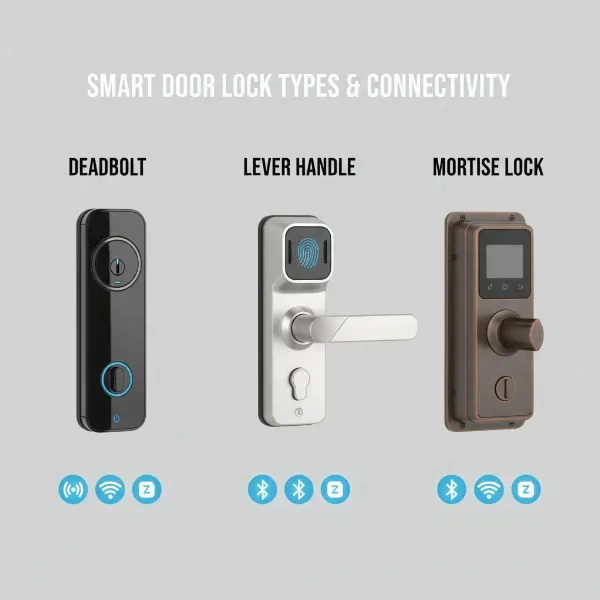
- Wi-Fi: Wi-Fi locks connect directly to your office network, enabling remote control and real-time monitoring from anywhere with an internet connection. This is highly beneficial for multi-site management.
- Bluetooth: Bluetooth locks connect directly to a smartphone within close proximity, offering localized control. Some systems use Bluetooth for initial setup or as a backup, often requiring a separate gateway for remote Wi-Fi access.
- Z-Wave/Zigbee: These are low-power wireless protocols often used in smart building ecosystems. They require a compatible hub to connect to the internet, providing reliable communication within a mesh network.
- Hardwired Systems: For high-security or large-scale access control, hardwired systems offer the most robust and consistent connection, though they require more complex installation.
By Design and Form Factor
Commercial smart locks are built to withstand heavy usage and integrate with various door types.
- Cylindrical Locks (Lever Handles): Popular for interior office doors, these are durable and meet accessibility standards. They typically feature a lever handle and are user-friendly.
- Mortise Locks: Known for their robust construction and multiple locking points, mortise locks offer superior security and are often found on main entry doors or high-value areas. They are more complex to install.
- Deadbolts: While common in residential settings, commercial-grade smart deadbolts are also available for exterior entries, offering strong resistance against forced entry.
- Glass Door Locks: Specialized electronic locks are designed for glass partitions and doors, maintaining a sleek aesthetic while providing secure access.
Comparing Leading Smart Door Lock Systems for Offices
Choosing the right smart lock system often involves evaluating solutions from various manufacturers, ranging from traditional lockmakers to innovative tech companies. For commercial applications, the focus shifts towards integrated access control systems rather than just standalone smart locks. Here’s a comparison of some prominent players in the office access control space.
| Feature / Brand | Coram | Brivo | Kisi | SALTO KS | Schlage (Commercial Series) | Assa Abloy (Aperio Series) |
|---|---|---|---|---|---|---|
| Focus | Holistic cloud-based access control, video & emergency mgmt. | Cloud-based access control, scalable ecosystem | Intuitive cloud-based access, user experience | Wireless, battery-powered smart locks, cloud | Durable commercial-grade smart locks | Global leader, advanced locking systems, integration |
| Target Office Size | Medium to Enterprise | Growing offices, multi-location | Startups, small to medium offices | Mixed buildings, phased rollouts | Small to Enterprise | Various, including large enterprises |
| Key Features | Unified dashboard, video integration, real-time response | Mobile credentials, HR/video integration, analytics | Advanced reporting, Google Workspace integration | Mobile app, RFID cards/fobs, easy installation | Wi-Fi/Bluetooth, audit trails, easy retrofit | Wireless, easy integration with existing systems |
| Connectivity | Cloud | Cloud | Cloud | Wireless (own protocol), cloud gateway | Wi-Fi, Bluetooth (depending on model) | Wireless (Aperio technology) |
| Scalability | Highly scalable | Global, centralized dashboard | High | Flexible for portfolio expansion | Varies by model, good for distributed sites | High, integrates with existing infrastructure |
| Cost | Mid-High (comprehensive system) | Mid-High (comprehensive system) | Mid (good value for features) | Mid (flexible subscription) | Mid (product-specific, often good value) | High (premium, advanced systems) |
| Integration | Deep integration with various systems | HR, video, visitor systems | Google Workspace, various tech | Other SALTO products, broader systems (via API) | Standard smart home/security platforms | CCTV, alarms, broader security systems |
“For commercial environments, the ability to manage access remotely and integrate with other security infrastructure, like video surveillance, is often more critical than just keyless entry. Cloud-based systems truly shine here.” – Alex Chen, Security Systems Architect
Top Smart Door Lock Models for Office Environments
Beyond the overarching systems, several specific smart lock models stand out for their features, reliability, and suitability for office use.
| Model / Criteria | Schlage NDEB Wireless Lock | SALTO XS4 One Electronic Lock | Dormakaba E-Plex 7900 | Sargent IN120 Wi-Fi Lock | Yale Assure Lock 2 (Commercial Grade) |
|---|---|---|---|---|---|
| Primary Access | Mobile, Proximity Cards (125/13.56 MHz), Keypad | Mobile App, RFID Cards/Fobs | Keypad, RFID Cards/Fobs | Keypad, Wi-Fi network control | Keypad, App, Apple HomeKey, Physical Key |
| Connectivity | Bluetooth, Wi-Fi (for overnight updates) | Wireless (SALTO protocol), online/offline capable | Standalone or Wireless (with network gateways) | True Wi-Fi (LAN integration) | Bluetooth, Wi-Fi (with module), Z-Wave/Zigbee |
| Security Grade | Commercial Grade 1 | Commercial Grade | Commercial Grade 1 (heavy-duty) | Commercial Grade 1 | Commercial Grade 2 (residential-focused but robust) |
| Special Features | Mobile-enabled updates, audit trails, easy retrofit | Broad range of formats/finishes, scalable ecosystem | Flexible platform (mortise/cylindrical), standalone/networked | Real-time monitoring, instant updates, IT-friendly | Compact design, robust app, multiple integrations |
| Ideal For | Interior office doors, quick retrofits | Portfolios with mixed door types, future expansion | Phased rollouts, mixed buildings, robust hardware | Offices needing live status, IT-managed networks | Smaller offices, robust residential doors |
| Power | Batteries (long life) | Batteries (long life) | Batteries (long life) | PoE or Batteries | AA Batteries |
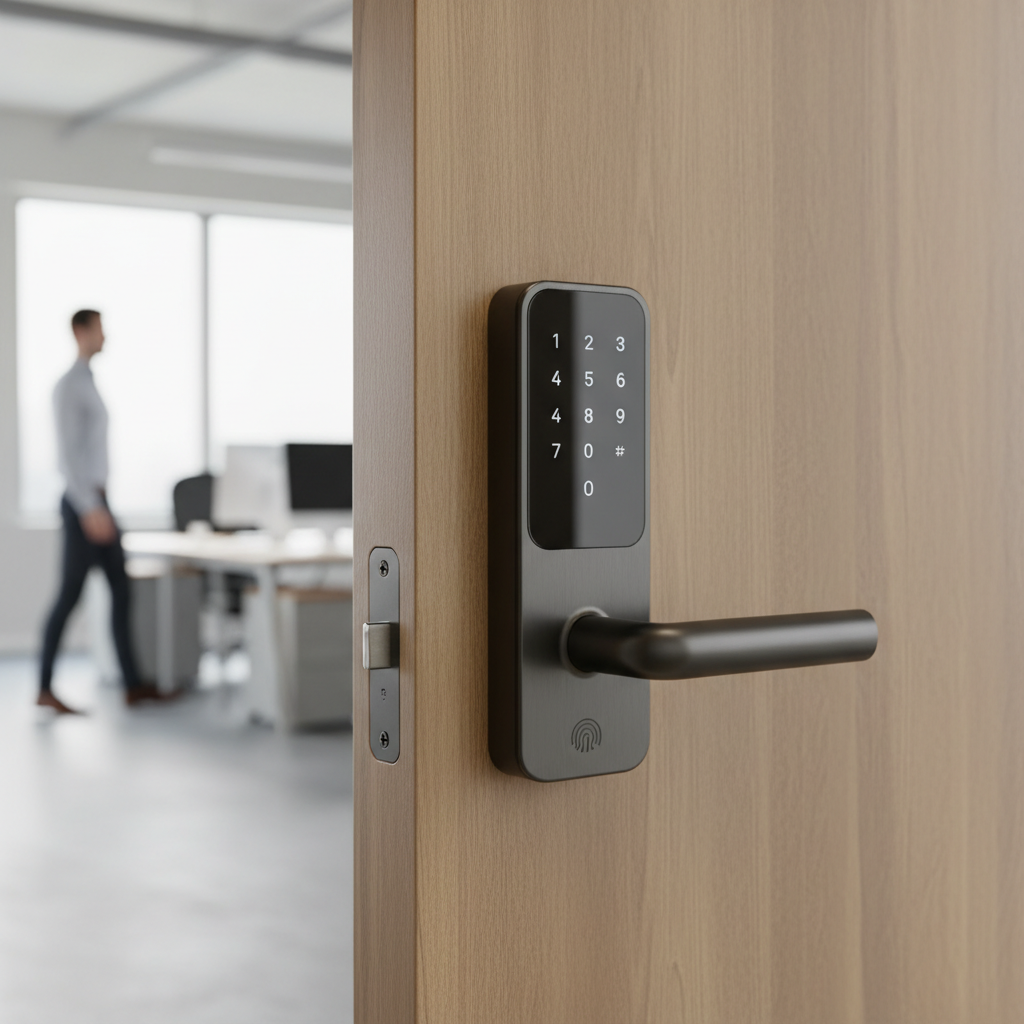
[image-1|office-smart-lock-entry|A close-up of a modern smart door lock with a keypad and fingerprint scanner on a sleek office door, emphasizing secure keyless entry.|
Close-up of a contemporary smart door lock on a minimalist office door. The lock features a prominent numeric keypad and an integrated fingerprint scanner. The door is a light, neutral color, possibly gray or white, in a well-lit modern office corridor. The image should convey security and advanced technology with a professional, clean aesthetic. Realistic photographic style.]
How to Choose the Right Smart Door Lock for Your Office
Selecting the ideal smart door lock requires a thoughtful assessment of your specific needs, the physical characteristics of your office, and your budget. This methodical approach ensures you invest in a solution that provides optimal security, convenience, and scalability.
Define Your Usage Needs
Start by clearly outlining what you need the smart lock to achieve. Is it for the main entrance, individual office doors, server rooms, or all of the above? Consider the number of users, the frequency of access, and whether you need to grant temporary access to visitors or cleaning staff. For a small startup, a simple keypad lock might suffice, while a large corporation might require a comprehensive access control system with detailed audit trails and multi-site management capabilities. Your needs for reporting, user groups, and remote control will heavily influence the best choice.
Set a Realistic Budget
Smart door locks and commercial access control systems vary widely in price, from a few hundred dollars for a standalone unit to thousands for an integrated, cloud-managed system. Factor in not just the upfront hardware cost, but also potential installation fees, recurring software subscriptions (for cloud-based systems), and maintenance. While a lower upfront cost can be appealing, a more robust system might offer better long-term value through enhanced security, efficiency, and scalability.
Identify Essential Features
Prioritize the features that are non-negotiable for your office.
- Access Methods: Do you prefer fingerprint, keypad, card, mobile app, or a combination?
- Remote Management: Is the ability to lock/unlock doors and manage users remotely essential?
- Audit Trails: Do you need detailed logs of who entered when, crucial for security and compliance?
- Integration: Will the lock need to integrate with existing security cameras, HR software, or building management systems?
- Security Standards: Look for ANSI/BHMA Grade 1 certification for heavy-duty commercial use, indicating superior durability and security.
- Power Backup: Ensure there’s a reliable backup power source or a mechanical key override for emergencies.
Check Your Door Type and Thickness
Before purchasing, inspect your office doors. Not all smart locks are compatible with every door type (e.g., wood, metal, glass) or thickness. Measure the door thickness and backset (distance from the door edge to the center of the bore hole). Also, consider if you need a cylindrical lock, mortise lock, or deadbolt, and if the lock needs to meet ADA compliance for accessibility. Some systems can retrofit existing doors, reducing installation complexity and cost.
Choose a Reputable Brand with Excellent Support
Opting for established brands known for their reliability, security, and customer support is critical. Research customer reviews and look for companies that offer comprehensive warranties and responsive technical assistance. A robust support system can be invaluable for installation guidance, troubleshooting, and ongoing maintenance, minimizing downtime and ensuring your security system always functions correctly.
Installation and Ongoing Use of Your Smart Door Lock
Proper installation and thoughtful use are key to maximizing the security and convenience of your office’s smart door lock system. While many smart locks are designed for relatively straightforward installation, especially for retrofits, commercial-grade systems may benefit from professional expertise.
Preparing for Installation
Gather all necessary tools, which typically include a drill, screwdriver, measuring tape, and any specific templates provided by the lock manufacturer. Ensure you have fresh batteries for battery-powered locks. If installing a hardwired or networked system, confirm that your IT infrastructure is ready and professional installation support is available.
Basic Installation Steps
While steps vary by model, a general outline includes:
- Remove Existing Hardware: Carefully uninstall the old lock, deadbolt, or lever.
- Prepare the Door: Check the bore holes and latch plate for proper alignment and size. Some commercial locks may require modifications to the door.
- Install the Latch/Bolt: Insert the new latch or deadbolt into the door edge.
- Install Exterior Assembly: Mount the exterior keypad or fingerprint reader, ensuring cables (if any) are properly routed.
- Install Interior Assembly: Attach the interior portion, connecting any necessary wiring harnesses.
- Test Mechanical Operation: Before powering on, test the mechanical movement of the latch/bolt.
- Power On and Configure: Insert batteries or connect to power. Follow the manufacturer’s instructions for initial setup, including setting a master code or pairing with a gateway/hub.
Setting Up and Using Features
Once installed, configure your smart lock’s features through its companion app or management software.
- User Management: Create individual user profiles, assign unique PINs, register fingerprints, or issue mobile credentials.
- Access Schedules: Set specific times or days when certain users can access doors.
- Alerts and Notifications: Configure alerts for unusual activity, low battery, or forced entry attempts.
- Remote Control: Familiarize yourself with locking/unlocking doors remotely and viewing activity logs.
- Integration: Link the smart lock with other office systems like cameras or alarm panels.
Maintenance Tips for Longevity
Regular maintenance helps prolong the life and reliability of your smart lock.
- Battery Replacement: Replace batteries proactively, especially for high-traffic doors. Most locks provide low-battery warnings.
- Clean Keypads/Sensors: Periodically wipe down keypads and fingerprint sensors to ensure optimal performance.
- Firmware Updates: Keep the lock’s firmware updated to benefit from security patches and new features.
- Lubricate Moving Parts: Lightly lubricate the mechanical components (e.g., latch bolt) if they become stiff.
Common Issues and Troubleshooting with Smart Door Locks
Even the most robust smart door locks can encounter occasional issues. Knowing how to diagnose and resolve these common problems can minimize disruption and maintain office security.
Unexpected Battery Depletion
Smart locks rely on battery power, and heavy usage or network activity can drain them faster than expected. Always heed low-battery warnings and keep spare batteries on hand. Many commercial locks also offer a mechanical key override or external battery jump points for emergency access. If batteries drain unusually fast, check for continuous network connection attempts or frequently used features that consume more power.
Forgotten Passcodes or Lost Credentials
This is a frequent concern, but smart locks are designed with recovery in mind. For forgotten passcodes, most systems allow administrators to reset or create new codes via the mobile app or web portal. If an RFID card or fob is lost, it can be instantly deactivated from the system, preventing unauthorized access, and a new one can be issued. This capability is a significant advantage over traditional keys, where a lost key often necessitates rekeying the entire lock.
Fingerprint Recognition Malfunctions
Fingerprint readers can sometimes fail to recognize authorized users due to factors like dirty sensors, wet fingers, minor cuts, or changes in fingerprint patterns over time.
- Cleaning: Regularly clean the sensor with a soft, dry cloth.
- Re-registration: If issues persist, try re-registering the user’s fingerprint, perhaps adding multiple scans from different angles or conditions.
- Alternative Access: Always ensure alternative access methods (keypad, mobile app, key override) are available.
Connectivity Problems
Smart locks, especially Wi-Fi or Bluetooth models, can experience connectivity issues.
- Wi-Fi Interference: Check your office Wi-Fi signal strength and look for potential interference from other devices. A Wi-Fi extender or mesh network might improve connectivity.
- Bluetooth Range: For Bluetooth-only locks, ensure the controlling device is within range.
- Hub/Gateway: If your lock uses a hub (for Z-Wave/Zigbee or to bridge Bluetooth to Wi-Fi), ensure the hub is powered, connected to the internet, and positioned optimally.
- Firmware: Outdated firmware can sometimes cause connectivity glitches, so ensure your lock is up to date.
- Network Settings: Verify that firewall or router settings aren’t blocking the lock’s communication.
In all cases, consulting the manufacturer’s troubleshooting guide or contacting their support can provide specific solutions for your model.
Conclusion
Choosing the right smart door lock for your office is a strategic decision that significantly impacts security, operational efficiency, and convenience. By carefully evaluating your unique needs, understanding the various types and features available, and considering top commercial solutions, you can implement a robust access control system. From keyless entry methods like fingerprint scanners and mobile apps to advanced features such as audit trails and remote management, modern smart locks offer a comprehensive solution for safeguarding your workspace. Prioritizing reputable brands, ensuring proper installation, and maintaining your system will guarantee long-term reliability and peace of mind. Are you ready to upgrade your office security and embrace the future of access management?
Frequently Asked Questions
Can smart door locks integrate with existing office security systems?
Yes, many commercial-grade smart door locks and access control systems are designed for seamless integration with existing security infrastructure, including video surveillance, alarm systems, and HR management software, offering a unified security platform.
Are commercial smart door locks secure against hacking?
Reputable commercial smart locks use advanced encryption and security protocols to protect against hacking attempts. Choosing brands with high security certifications (e.g., ANSI/BHMA Grade 1) and regularly updating firmware are crucial steps to maintain strong digital security.
What happens if the internet goes down with a cloud-based smart lock system?
Most cloud-based smart lock systems are designed with offline functionality. They often store access credentials locally, allowing authorized users to still enter via keypad, fingerprint, or card even if the internet connection is temporarily lost. Remote management features, however, would be unavailable until connectivity is restored.
How long do smart lock batteries last in an office setting?
Battery life varies depending on usage frequency, connectivity type, and battery quality, but commercial-grade smart locks are engineered for longevity, often lasting 1-3 years. Most systems provide low-battery alerts, allowing ample time for replacement.
Can I manage multiple office locations with one smart lock system?
Absolutely. Cloud-based access control systems are particularly well-suited for managing multiple office locations from a single, centralized dashboard. This allows for unified user management, access scheduling, and activity monitoring across all your sites.
Is professional installation required for office smart locks?
While some standalone smart locks can be DIY-installed, professional installation is highly recommended for commercial office environments, especially for integrated access control systems or when specific security standards and building codes must be met. Professionals ensure proper fitting, functionality, and optimal security configuration.