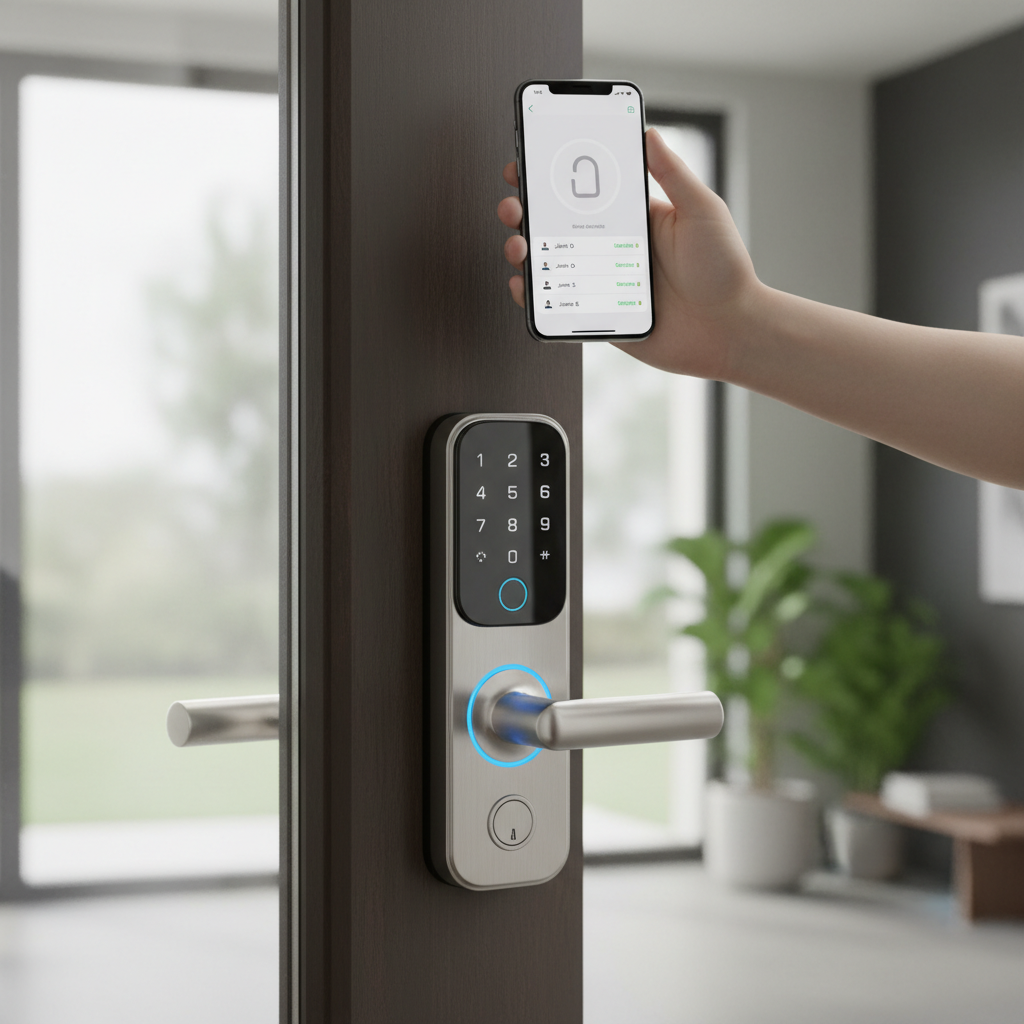
The concept of a traditional lock and key is rapidly becoming a relic of the past, replaced by the sophisticated convenience of smart door locks. For homeowners seeking enhanced security, seamless access, and ultimate peace of mind, these innovative devices offer a compelling upgrade. But with a myriad of options flooding the market, how do you navigate the complexities to find the perfect smart door lock that truly meets your needs? This comprehensive review dives deep into the world of smart locking technology, exploring its core benefits, popular types, and direct comparisons to help you make an informed decision for a safer, smarter home.
What is a Smart Door Lock? Why Should You Use It?
A smart door lock is an electromechanical lock designed to perform locking and unlocking operations on a door when it receives instructions from an authorized device using a wireless protocol. Unlike conventional locks that rely solely on physical keys, smart door locks integrate with your home’s ecosystem, offering advanced functionalities and control. This evolution from simple mechanics to integrated technology redefines how we secure and access our properties, providing unprecedented levels of convenience and security.
The primary benefits of embracing smart door lock technology are multifaceted:
- Enhanced Security: Beyond traditional deadbolts, smart locks often incorporate features like tamper alerts, alarm systems, and secure encryption, making them more resilient against unauthorized entry. Many models offer multi-factor authentication, combining physical keys with digital access methods.
- Unparalleled Convenience: Imagine never fumbling for keys again. Smart locks allow keyless entry via fingerprint, passcode, smartphone app, or even voice commands. This is particularly useful for busy individuals, families, or those who frequently host guests.
- Remote Management: With Wi-Fi or Bluetooth connectivity, you can lock or unlock your door from anywhere in the world using your smartphone. This means you can grant access to a pet sitter, check if you locked up after leaving for vacation, or receive notifications whenever someone enters or exits your home.
- Integration with Smart Home Systems: Smart locks seamlessly integrate with platforms like Amazon Alexa, Google Home, and Apple HomeKit, enabling automation. For example, your door can automatically lock when you arm your security system, or the lights can turn on as you unlock the front door.
- Access Control and Logging: You can create temporary or permanent access codes for family members, friends, or service providers, and monitor their entry and exit times. This granular control is invaluable for managing property access, especially for rental properties or busy households.
Common use cases include residential homes for daily convenience and security, vacation rentals for remote guest management, and small businesses for controlled employee access.
Popular Types of Smart Door Locks on the Market
Smart door locks come in various forms, each offering distinct advantages based on how they operate and connect. Understanding these categories is crucial for selecting a model that aligns with your specific preferences and existing door infrastructure.
By Unlocking Method
The way you interact with your smart lock to gain entry is a key differentiator, offering diverse user experiences.
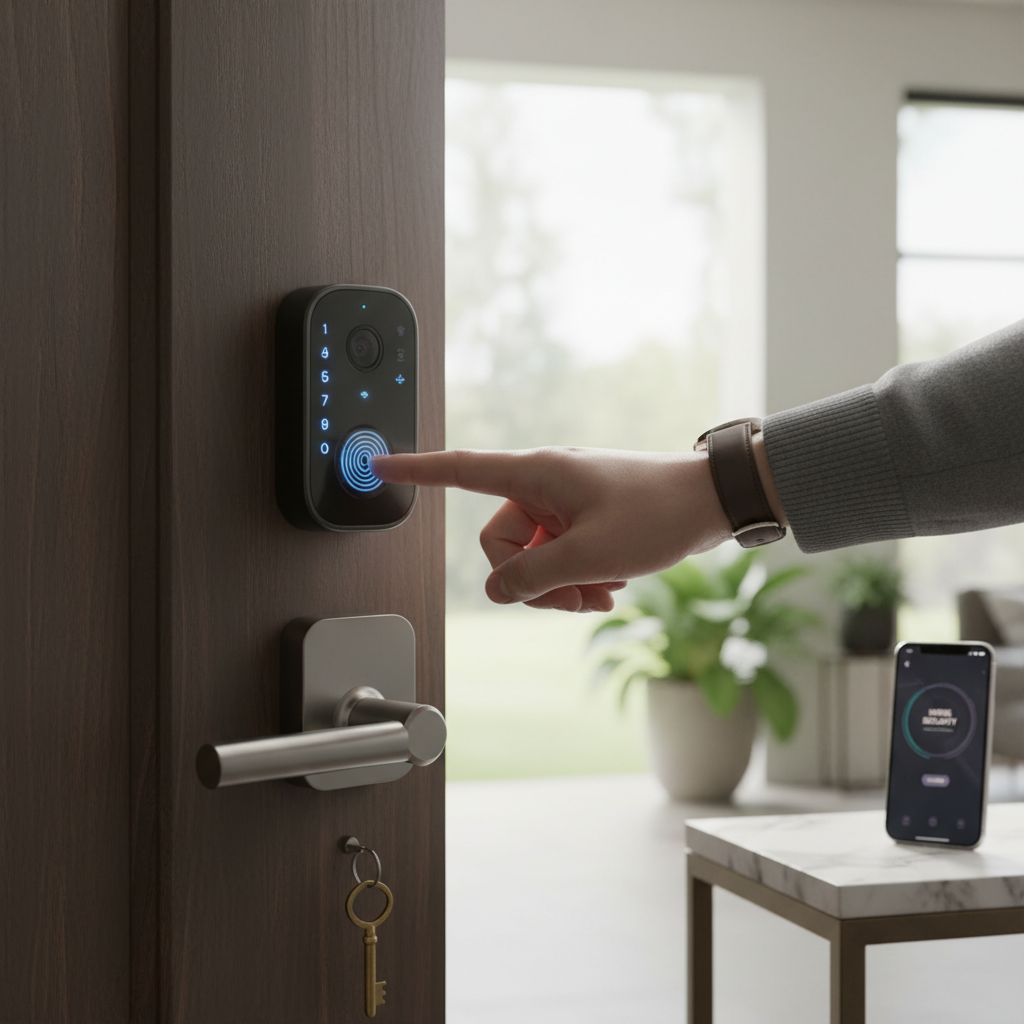
- Fingerprint Recognition: This method uses biometric scanning to identify authorized users. It’s incredibly fast and convenient, eliminating the need for keys or codes, and is especially popular for personal residences where quick, secure access is desired.
- Keypad/Passcode Entry: Users enter a pre-set numeric code on a digital keypad. This is a widely adopted method, easy to share with trusted individuals, and often includes features like “fake code” entry to prevent onlookers from guessing your actual PIN.
- Key Card/Fob: Similar to hotel room access, these locks use RFID or NFC technology, requiring a physical card or fob to be tapped or swiped. They are convenient for environments where multiple users need access without remembering codes, such as offices or shared living spaces.
- Smartphone App Control: Many smart locks can be controlled directly from a dedicated app on your smartphone, leveraging Bluetooth or Wi-Fi. This allows for remote locking/unlocking, managing user access, and viewing activity logs, providing comprehensive control from anywhere.
- Traditional Key Override: Almost all smart locks include a physical key cylinder as a backup mechanism. This ensures access even if the battery dies, electronics malfunction, or a power outage occurs, providing an essential failsafe.
|
Our Picks for the Best Smart door lock in 2026
As an Amazon Associate I earn from qualifying purchases.
|
||
| Num | Product | Action |
|---|---|---|
| 1 | Philips Wi-Fi Door Lock, WiFi Smart Lock Keyless Entry Deadbolt for Front Door, Compatible with Alexa & Google Assistant, Remote Control, Built-in WiFi, APP Fingerprint Passcode Unlock, Auto Locking |

|
| 2 | Philips WiFi Keypad Door Lock with Handle, Built-in WiFi, APP Remote Control, Voice & Fingerprint Unlock, Smart Locks for Front Door with Auto Lock, Digital Front Door Lock Set, Keyless Entry Deadbolt |
|
| 3 | Veise VE017 Fingerprint Smart Door Lock, App Control, 8-in-1 Keyless Entry, Auto Lock, Emergency Power Port, Electronic Touchscreen Keypad, Biometric Smart Locks for Front Door, Matte Black |
|
| 4 | TEEHO TE001 Keyless Entry Door Lock with Keypad - Smart Deadbolt Lock for Front Door with 2 Keys - Auto Lock - Easy Installation - Satin Nickel |
|
| 5 | TEEHO TE001 Keyless Entry Door Lock with Keypad - Smart Deadbolt Lock for Front Door with 2 Keys - Auto Lock - Easy Installation - Matte Black |
|
| 6 | eufy Security Smart Lock C30, Keyless Entry Door Lock, Built-in WiFi Keypad Deadbolt for Front Door, No Bridge Required, Easy Installation, App Remote Control, Reliable Power, BHMA Grade 3 |
|
| 7 | Schlage Encode Smart Wi-Fi Deadbolt Lock with Touchscreen Keypad, Keyless Front Door Entry, App Control, Alexa, Google Home and Airbnb Compatible, Matte Black, BE489WB CEN 622 |
|
| 8 | Keypad Smart Door Lock with Knob, Yamiry Keyless Entry Digital Lock with Handle, Fingerprint Electronic Knob for Front Door |
|
| 9 | Smart Door Handle Lock with Keypad: Yamiry Fingerprint Smart Knob - Keyless Entry Digital Lock for Front Door - Deadbolt with APP - Generate Passcode Remotely - DIY Installation |
|
| 10 | eufy Security Smart Lock C220, Fingerprint Keyless Entry Door Lock, Built-in Wi-Fi, App Remote Control, Front Door Smart Lock Deadbolt, 8Months Battery, Reliable Power, IP53 Waterproof, BHMA Grade 3 |
|
By Connectivity
The communication protocol a smart lock uses determines its range, energy efficiency, and compatibility with other smart devices.
- Bluetooth: Ideal for short-range control, typically within 30-40 feet of the lock. Bluetooth locks are often battery-efficient and simple to set up, but usually require you to be physically near the door to operate them, unless paired with a Wi-Fi bridge.
- Wi-Fi: Offers direct internet connectivity, enabling full remote access and control from anywhere with an internet connection. While highly convenient, Wi-Fi locks can consume more battery power and might require a stable home Wi-Fi signal.
- Z-Wave: A mesh network protocol designed for smart home devices, known for its reliability and low power consumption. Z-Wave locks integrate well with Z-Wave hubs, allowing them to communicate with a wide range of other smart devices to create robust automation routines.
- Zigbee: Another mesh network protocol similar to Z-Wave, offering good compatibility with various smart home ecosystems and low power usage. Zigbee locks also require a compatible hub for full functionality and integration.
By Design
Smart locks are designed to fit different door types and aesthetic preferences.
- Lever/Handle Locks: These locks replace both the deadbolt and the door handle, often found in offices or commercial settings but increasingly popular in residential applications for a streamlined look.
- Deadbolt Replacement Locks: These are the most common type, replacing an existing deadbolt while keeping the original door handle. They are often easy to install and maintain the aesthetics of your existing door hardware.
- Keyless Entry Locks: These locks completely forgo a physical keyhole, relying solely on digital access methods such as keypads, fingerprints, or app control. They offer maximum security against lock picking but require a robust backup power solution.
- Smart Locks for Glass Doors: Specifically designed for frameless glass doors, these locks often use magnetic or adhesive mounting and advanced sensors, common in retail or office environments.
[image-1|smart-lock-types-comparison|Different types of smart door locks with various unlocking methods and designs|
An infographic illustration showcasing different types of smart door locks side-by-side. Include a deadbolt replacement lock with a keypad, a handle lock with fingerprint reader, and a keyless entry lock. Each lock should clearly depict its primary unlocking method. The style should be modern and clean, with a white background and subtle, informative icons.]
Comparison of Leading Smart Door Lock Brands
When investing in a smart door lock, the brand behind the product plays a significant role in terms of quality, reliability, and ongoing support. Several manufacturers have established themselves as leaders in this space, each with unique strengths.
| Brand | Price Range (Approx.) | Key Features | Security | Durability | Smart Home Integration | Support & Warranty |
|---|---|---|---|---|---|---|
| August | Mid to High | Retrofit design, Auto-Lock/Unlock, DoorSense | High | Good | Apple HomeKit, Alexa, Google Assistant, Z-Wave | 1-year |
| Yale | Mid to High | Robust build, Wi-Fi/Bluetooth, Keypad | Very High | Excellent | Alexa, Google Assistant, HomeKit (with bridge) | 1-year (electronics), Lifetime (finish/mech.) |
| Schlage | Mid to High | Durable, Z-Wave/Wi-Fi options, Keypad | Very High | Excellent | Alexa, Google Assistant, Z-Wave | 3-year (electronics), Lifetime (finish/mech.) |
| Kwikset | Low to Mid | Affordable, SmartKey re-key, Keypad | High | Good | Alexa, Google Assistant, Z-Wave | 1-year (electronics), Lifetime (finish/mech.) |
| Philips | Mid | Biometric, Digital Keypad, Design focus | High | Very Good | Proprietary App, limited 3rd party | 2-year |
| Samsung | Mid to High | Biometric, Touchscreen, Sleek Design | High | Very Good | Proprietary App, limited 3rd party | 1-year |
| Eufy | Mid | Fingerprint, Wi-Fi, Camera integration | High | Good | Alexa, Google Assistant | 1-year |
- August Home: Known for its innovative retrofit design, August locks attach to the inside of your existing deadbolt, preserving your exterior hardware. Their DoorSense technology tells you if your door is open or closed, adding an extra layer of security.
- Yale: A legacy name in locks, Yale has successfully transitioned into the smart home arena with highly secure and robust smart locks. Their Assure Lock series offers various entry methods and strong integration options.
- Schlage: Another traditional lock giant, Schlage offers some of the most durable and secure smart locks on the market. Their Sense and Connect lines provide excellent keypad functionality and reliable smart home integration.
- Kwikset: Kwikset offers a balance of affordability and features, often incorporating their unique SmartKey re-key technology. Their smart locks are a great entry point for those new to smart home security.
- Philips: Philips smart locks often emphasize sleek design and advanced digital features, including robust biometric options, making them a stylish yet secure choice.
- Samsung: Samsung’s smart locks are often characterized by their modern, futuristic designs and advanced biometric security features, typically integrating well within Samsung’s own smart home ecosystem.
- Eufy Security: A newer player, Eufy stands out with its integrated camera solutions, providing not just a smart lock but also a visual record of who is at your door.
Comparison Table of the Best Smart Door Lock Models Today
Choosing the “best” smart door lock depends heavily on individual priorities, whether it’s security, convenience, design, or budget. Here’s a detailed comparison of some of the top-rated models currently available, highlighting their core features and user feedback.
| Model | Price (Approx.) | Unlocking Methods | Special Features | Smart Home Comp. | User Rating (out of 5) | Best For |
|---|---|---|---|---|---|---|
| August Wi-Fi Smart Lock | $220 | App, Key, Voice, Auto-Unlock | Retrofit install, DoorSense, Activity Log | Alexa, Google Home, HomeKit, Z-Wave | 4.5 | Renters, preserving exterior look |
| Yale Assure Lock 2 | $170-220 | Keypad, App, Key, Auto-Lock | Sleek design, easy install, Wi-Fi built-in | Alexa, Google Home, HomeKit (Wi-Fi version) | 4.6 | Comprehensive features, modern aesthetics |
| Schlage Encode Plus | $299 | Keypad, App, Key, Apple Home Key | Apple Home Key support, built-in Wi-Fi | HomeKit, Alexa, Google Home | 4.7 | Apple HomeKit users, ultimate convenience |
| Eufy Security Smart Lock Touch & Wi-Fi | $200 | Fingerprint, Keypad, App, Key, Auto-Lock | Fast fingerprint, built-in Wi-Fi, activity log | Alexa, Google Home | 4.5 | Biometric security, robust features |
| Kwikset Halo Wi-Fi Smart Lock | $180 | Keypad, App, Key | Built-in Wi-Fi, SmartKey re-key tech | Alexa, Google Home | 4.4 | Affordable Wi-Fi, easy re-keying |
| Ultraloq U-Bolt Pro Wi-Fi | $230 | Fingerprint, Keypad, App, Key, Auto-Unlock | 6-in-1 keyless entry, voice control | Alexa, Google Home, IFTTT | 4.5 | Versatile entry options, robust build |
“The landscape of smart door locks is evolving rapidly, with a strong focus on integration and user experience. What was once a niche product is now a mainstream security solution, offering levels of control and peace of mind previously unimaginable.” – Dr. Alistair Finch, Smart Home Security Analyst
Guide to Choosing a Smart Door Lock
Selecting the perfect smart door lock can seem daunting given the array of choices. By systematically evaluating your needs and preferences, you can narrow down the options and find a lock that truly enhances your home security and daily life.
Determine Your Usage Needs
Start by considering who will be using the lock and how.
- For Families: Look for locks with multiple entry methods like fingerprint, keypad, and app access, along with user management features to assign unique codes to each family member.
- For Vacation Rentals/Offices: Remote management, temporary access codes, and activity logs are essential for seamless operation and monitoring. Wi-Fi enabled locks are highly recommended.
- For Personal Homes: Prioritize reliability, ease of use, and integration with your existing smart home ecosystem. Security features like tamper alarms and strong encryption are paramount.
Set Your Budget
Smart locks range from under $100 to over $300. More expensive models typically offer a broader set of features, premium materials, and better smart home integration. Determine how much you’re willing to spend, keeping in mind that a good smart lock is an investment in your home’s security and convenience.
Identify Essential Features
Consider which features are non-negotiable for your lifestyle:
- Keyless Entry: Do you prefer fingerprint, keypad, or smartphone access?
- Remote Access: Do you need to control your lock from afar (requiring Wi-Fi or a bridge)?
- Security Alerts: Are push notifications for tampering or suspicious activity important?
- Auto-Lock/Unlock: Do you want the lock to automatically secure the door when you leave or unlock when you approach?
- Smart Home Integration: Will it need to work with Alexa, Google Home, HomeKit, or a specific hub (Z-Wave/Zigbee)?
Check Your Door Type and Thickness
Not all smart locks fit all doors. Measure your door’s thickness, backset (distance from door edge to center of bore hole), and the diameter of the bore holes. Most smart locks are designed for standard deadbolt preparations, but some require specific dimensions or may not be suitable for older, non-standard doors. Ensure the lock you choose is compatible to avoid installation headaches.
Choose a Reputable Brand with Good Support
Opt for brands known for their quality, security standards, and responsive customer service. Check warranty policies and read reviews regarding technical support. A reliable brand provides peace of mind and ensures you’ll receive assistance if issues arise.
Installation and Usage Guide for Smart Door Lock
Installing and using a smart door lock is often simpler than many people anticipate, especially with modern designs focusing on user-friendly setups. However, a systematic approach ensures a smooth transition to your new smart security.
Prepare Necessary Tools
Before you begin, gather the following basic tools:
- Phillips head screwdriver
- Measuring tape
- Pencil
- Drill (if new holes are required, though most smart locks are designed for existing deadbolt holes)
- The instruction manual that comes with your specific smart lock model
Basic Installation Steps
While specific steps vary by model, the general process involves:
- Remove Existing Hardware: Unscrew and remove your old deadbolt and any associated hardware from both sides of the door.
- Install New Deadbolt Latch: Insert the new deadbolt latch mechanism into the door edge, ensuring it’s oriented correctly (often marked “up”).
- Install Exterior Assembly: Attach the exterior keypad or key cylinder assembly to the door, feeding the connecting wires through the door bore hole.
- Install Interior Assembly: Connect the interior assembly’s wires to the exterior component, then secure the interior plate to the door using screws.
- Install Battery Pack: Insert the required batteries (usually AA) into the battery pack and secure it to the interior assembly.
- Test Functionality: Manually test the deadbolt to ensure it retracts and extends smoothly. Check the door sensor (if applicable) and confirm the door closes properly.
Many manufacturers provide detailed video tutorials online, which can be immensely helpful during the installation process.
Guide to Setting Up and Using Features
Once physically installed, the digital setup begins:
- Download the App: Install the smart lock’s dedicated smartphone app (e.g., August App, Yale Access App).
- Pair the Lock: Follow the in-app instructions to pair your smartphone with the lock, typically via Bluetooth initially.
- Create User Codes: Set up primary and secondary passcodes, fingerprints, or virtual keys for family members and guests.
- Integrate with Smart Home: Connect your lock to your smart home hub (Alexa, Google Home, Apple HomeKit) if desired, enabling voice control and automation.
- Configure Settings: Adjust auto-lock/unlock timers, notification preferences, and other advanced features within the app.
Tips for Maintenance and Extending Lock Lifespan
- Regular Battery Checks: Replace batteries promptly when the app or lock indicates low power. Keep spare batteries on hand.
- Clean Keypads/Sensors: Periodically wipe down keypads and fingerprint sensors with a soft, dry cloth to prevent grime buildup.
- Firmware Updates: Ensure your lock’s firmware is always updated to the latest version for security patches and new features.
- Lubricate Moving Parts: If your physical key override feels stiff, a small amount of graphite lubricant can help. Avoid oil-based lubricants as they can attract dust.
- Avoid Extreme Temperatures: While designed for outdoor use, prolonged exposure to extreme temperatures can impact battery life and electronic components.
[image-2|smart-lock-installation-guide|Hands installing a smart door lock on a wooden door, showing key components|
A close-up, slightly elevated shot of hands actively installing a modern smart door lock onto a natural wooden door. Focus on the interior mechanism being screwed into place, with visible wires connecting to the battery pack. The background is a slightly blurred modern home interior, with soft natural light. The style is realistic and instructional.]
Common Issues and Troubleshooting When Using a Smart Door Lock
Even the most advanced smart locks can encounter occasional glitches. Knowing how to diagnose and resolve common issues can save you time and frustration, ensuring your security remains uncompromised.
Sudden Battery Drain
- Cause: Frequent Wi-Fi activity, cold weather, or old/low-quality batteries.
- Solution: Use high-quality alkaline or lithium batteries (check manufacturer recommendations). For Wi-Fi locks, ensure good signal strength to minimize power-intensive reconnections. In cold climates, expect faster drain. Most locks provide a low battery warning; don’t ignore it.
Forgotten Passcode or Lost Key Card
- Cause: Human error, simple forgetfulness, or misplacement.
- Solution: For passcodes, use your smartphone app to reset or retrieve it. For key cards/fobs, deactivate the lost one via the app and issue a new one. Remember, most smart locks have a physical key override for emergency access.
Fingerprint Reader Not Recognizing Fingerprints
- Cause: Dirty sensor, wet or damaged finger, incorrect placement, or calibration issues.
- Solution: Clean the fingerprint sensor with a soft cloth. Ensure your finger is clean and dry. Try rescanning your fingerprint in different orientations or re-registering it in the app. If the issue persists, a factory reset and re-setup might be necessary.
Connection Errors or App Malfunctions
- Cause: Weak Wi-Fi signal, Bluetooth interference, outdated app/firmware, or router issues.
- Solution:
- Check Wi-Fi/Bluetooth: Ensure your home network is stable and your phone is within Bluetooth range if applicable.
- Restart Devices: Try restarting your smart lock (usually by removing and reinserting batteries), your smartphone, and your Wi-Fi router.
- Update Software: Verify that both your smart lock’s firmware and the smartphone app are updated to the latest versions.
- Re-pair: If all else fails, unpair and then re-pair your lock with the app and any smart home hubs.
These troubleshooting steps cover the most frequent problems. For persistent or complex issues, always refer to your specific lock’s user manual or contact the manufacturer’s customer support.
Conclusion
Smart door locks represent a significant leap forward in home security and convenience, seamlessly blending advanced technology with everyday functionality. From keyless entry and remote access to robust security features and smart home integration, these devices offer a compelling argument for upgrading your home’s entry points. While the initial investment might be higher than traditional locks, the long-term benefits in peace of mind, ease of use, and enhanced control make them a worthwhile addition to any modern household. By carefully considering your specific needs, budget, and desired features, you can confidently select a smart door lock that transforms your home into a more secure, accessible, and intelligent living space. Are you ready to embrace the future of home security?
Frequently Asked Questions
Is a smart door lock truly more secure than a traditional lock?
Yes, generally. Smart door locks offer multiple layers of security, including encryption, tamper alarms, and activity logs, which often exceed the capabilities of standard mechanical locks. Many also include physical key overrides for backup.
Do smart door locks work if the power goes out or Wi-Fi is down?
Most smart door locks are designed with backup power (batteries) and often include a traditional key override. If Wi-Fi is down, local controls like keypads, fingerprints, or Bluetooth via smartphone usually still function.
How long do smart door lock batteries typically last?
Battery life varies by usage and connectivity. Bluetooth-only locks can last up to a year or more, while Wi-Fi enabled locks, due to higher power consumption, might need battery replacement every 6-12 months.
Can smart door locks be hacked?
While no electronic device is 100% immune, reputable smart lock brands use strong encryption and security protocols to minimize hacking risks. Keeping firmware updated and using strong, unique passwords are crucial user practices for security.
Are smart locks difficult to install for a DIY homeowner?
Many smart locks are designed for DIY installation, especially those that replace existing deadbolts. They often come with clear instructions and support videos. However, if your door requires new drilling or significant modifications, professional installation might be advisable.
What happens if I lose my phone, which controls my smart lock?
You can usually access your smart lock via other methods like a physical key, keypad code, or another paired device. Most apps also allow you to remotely log out of your lost phone or change your account password to prevent unauthorized access.