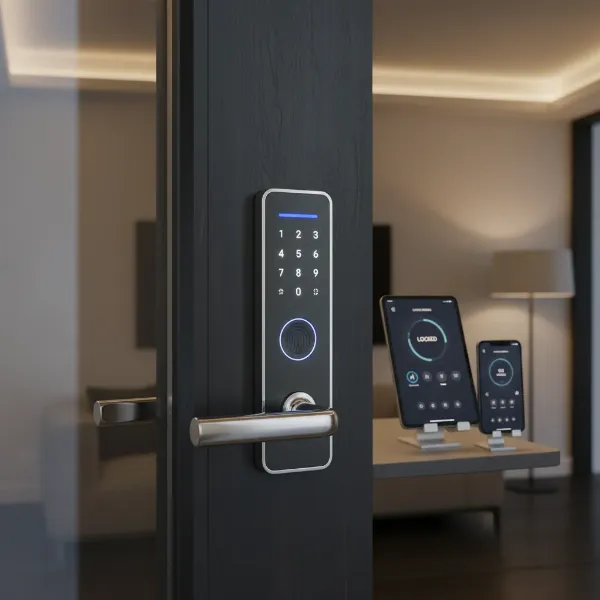
Have you ever left your home and had that nagging feeling, “Did I lock the door?” In our increasingly connected world, traditional keys can feel like an outdated inconvenience. Smart door locks promise to eliminate such worries, offering a blend of cutting-edge technology and enhanced security for modern living. But with a myriad of options and features available, discerning whether a smart door lock is a worthwhile investment for your home can be daunting. This comprehensive guide will demystify smart door locks, exploring their benefits, different types, how to choose one, and what to do once it’s installed, helping you make an informed decision for true peace of mind.
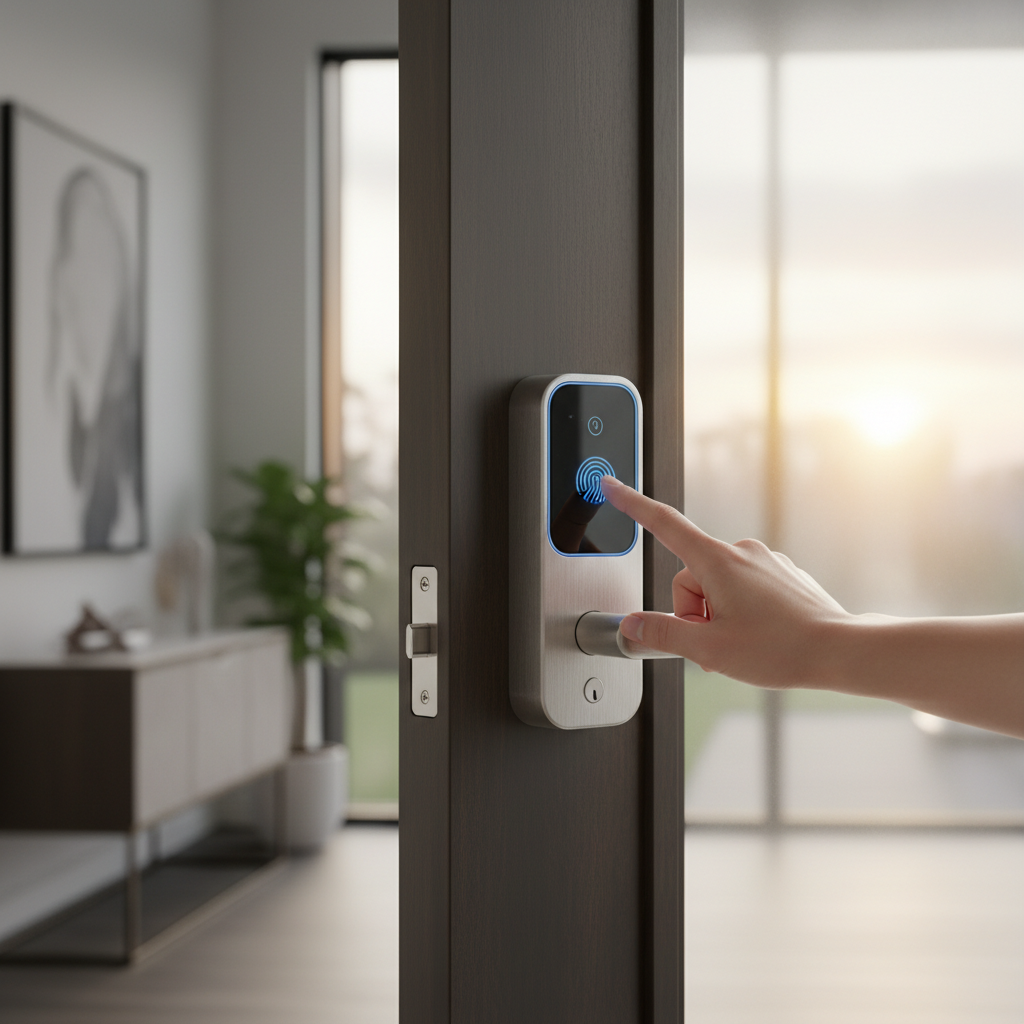
What is a Smart Door Lock? Why Use One?
A smart door lock is an electronic lock that grants access to a property without the need for a traditional physical key. Instead, it utilizes various digital methods such as PIN codes, fingerprint scans, smartphone applications, or even voice commands to lock and unlock your door. These devices typically connect to your home’s network via Bluetooth or Wi-Fi, allowing for advanced functionalities that extend far beyond simple entry.
The primary appeal of smart door locks lies in their ability to provide both unparalleled convenience and enhanced security. Imagine arriving home with arms full of groceries and simply unlocking your door with a tap on your phone or a quick fingerprint scan. Beyond this everyday ease, smart locks offer remote access, allowing you to lock or unlock your door from anywhere, which is invaluable for letting in guests, house sitters, or contractors even when you’re not home. Many models also provide activity logs, so you can see who entered and when, adding an extra layer of monitoring. For security, smart locks often incorporate features like tamper alarms, automatic locking, and, in some keyless designs, immunity to lock picking or bumping, addressing vulnerabilities found in traditional locks. They solve real problems by giving you control and awareness over your home’s access points, whether you’re across town or across the globe.
Types of Smart Door Locks
Smart door locks come in various forms, each offering different methods of access and connectivity, catering to diverse needs and preferences. Understanding these categories is crucial when selecting the right lock for your home.
By Unlocking Method
Smart locks provide a range of keyless entry options, making physical keys a thing of the past for daily use.
- Fingerprint: Offers quick and secure access through biometric scanning. This method is highly convenient as you don’t need to carry anything or remember codes.
- PIN Code/Keypad: Users enter a multi-digit code on a physical or touchscreen keypad. This is popular for its simplicity and the ability to create temporary codes for visitors.
- Fob/Card Access: Similar to hotel room cards, these locks use RFID or NFC technology for entry with a small tag or card.
- Smartphone App: Control the lock directly from your smartphone via an accompanying application, often including remote locking/unlocking, activity monitoring, and temporary passcodes.
- Traditional Key (Hybrid): Many smart locks retain a physical key override, providing a crucial backup in case of battery failure or technical issues.
|
Our Picks for the Best Smart door lock in 2026
As an Amazon Associate I earn from qualifying purchases.
|
||
| Num | Product | Action |
|---|---|---|
| 1 | eufy Security Smart Lock C220, Fingerprint Keyless Entry Door Lock, Built-in Wi-Fi, App Remote Control, Front Door Smart Lock Deadbolt, 8Months Battery, Reliable Power, IP53 Waterproof, BHMA Grade 3 |

|
| 2 | Schlage Encode Smart Wi-Fi Deadbolt Lock with Touchscreen Keypad, Keyless Front Door Entry, App Control, Alexa, Google Home and Airbnb Compatible, Matte Black, BE489WB CEN 622 |
|
| 3 | eufy Security Smart Lock C30, Keyless Entry Door Lock, Built-in WiFi Keypad Deadbolt for Front Door, No Bridge Required, Easy Installation, App Remote Control, Reliable Power, BHMA Grade 3 |
|
| 4 | TEEHO TE001 Keyless Entry Door Lock with Keypad - Smart Deadbolt Lock for Front Door with 2 Keys - Auto Lock - Easy Installation - Satin Nickel |
|
| 5 | Philips WiFi Keypad Door Lock with Handle, Built-in WiFi, APP Remote Control, Voice & Fingerprint Unlock, Smart Locks for Front Door with Auto Lock, Digital Front Door Lock Set, Keyless Entry Deadbolt |
|
| 6 | TEEHO TE001 Keyless Entry Door Lock with Keypad - Smart Deadbolt Lock for Front Door with 2 Keys - Auto Lock - Easy Installation - Matte Black |
|
| 7 | Philips Wi-Fi Door Lock, WiFi Smart Lock Keyless Entry Deadbolt for Front Door, Compatible with Alexa & Google Assistant, Remote Control, Built-in WiFi, APP Fingerprint Passcode Unlock, Auto Locking |
|
| 8 | Keypad Smart Door Lock with Knob, Yamiry Keyless Entry Digital Lock with Handle, Fingerprint Electronic Knob for Front Door |
|
| 9 | Smart Door Handle Lock with Keypad: Yamiry Fingerprint Smart Knob - Keyless Entry Digital Lock for Front Door - Deadbolt with APP - Generate Passcode Remotely - DIY Installation |
|
| 10 | Veise VE017 Fingerprint Smart Door Lock, App Control, 8-in-1 Keyless Entry, Auto Lock, Emergency Power Port, Electronic Touchscreen Keypad, Biometric Smart Locks for Front Door, Matte Black |
|
By Connectivity
The way a smart lock connects to your home network dictates its range of features and integration capabilities.
- Bluetooth: Connects directly to your smartphone when within a short range (typically 30-40 feet). It’s energy-efficient but lacks remote control capabilities without a bridge device.
- Wi-Fi: Connects directly to your home Wi-Fi network, enabling full remote control from anywhere with an internet connection. This is often more power-intensive.
- Z-Wave: A wireless protocol designed for smart home devices, offering reliable, low-power communication over longer distances. Requires a Z-Wave hub to connect to your home network.
- Zigbee: Another low-power wireless protocol similar to Z-Wave, also requiring a hub for internet connectivity and integration with other smart home devices.
By Design
Smart locks are designed to fit various door types and aesthetic preferences. The common forms often mirror traditional lock styles but incorporate electronic components. These can range from a full replacement of your existing lockset, including the handle and deadbolt, to a retrofit device that only replaces the internal portion of your deadbolt, keeping your existing exterior hardware. Some are integrated into lever handles, while others are standalone deadbolts or keypad-only systems. Specialty locks also exist for sliding doors or gates, ensuring that smart security can be adapted to almost any entry point.
Comparing Top Smart Door Lock Brands
When investing in a smart door lock, the brand often dictates the quality, features, security protocols, and customer support you can expect. While specific models and features evolve rapidly, established brands generally offer more reliable performance and better long-term support. Here’s a general comparison of factors to consider across leading brands.
| Criteria | Samsung Smart Lock | Yale Smart Lock | Philips Smart Lock | Xiaomi Smart Lock |
|---|---|---|---|---|
| Price Range | Mid-High | Mid-High | Mid-High | Low-Mid |
| Key Features | Biometric (fingerprint, facial), push-pull design | Integrates with smart home systems (Nest, Alexa), robust | Aesthetic, multiple unlocking methods, advanced security | Cost-effective, app control, common unlocking methods |
| Security | High-end encryption, advanced anti-hacking features | Strong mechanical components, smart home integration security | Anti-pry, anti-drill, robust materials | Standard security, relies on app security updates |
| Durability | High-quality materials, long-lasting | Built for endurance, reliable mechanical parts | Premium build, resistance to wear and tear | Good for price point, may vary by model |
| Support | Good customer service, extensive warranty | Excellent, wide network of locksmiths/installers | Reliable support, often through local distributors | Varies by region, community support, online resources |
| Integration | Samsung SmartThings, specific ecosystem | Broad smart home compatibility | Often supports major smart home platforms | Xiaomi Home ecosystem, some third-party integration |
Top Smart Door Lock Models Today
Identifying the “best” smart door locks involves looking at features, reliability, and user experience. While specific model names change, certain characteristics consistently define top-tier options. Here’s a look at what makes various smart lock models stand out, focusing on different user needs and preferences.
| Feature Set | Target User | Typical Unlocking Methods | Key Features | Price Point |
|---|---|---|---|---|
| Basic Keypad Lock | Budget-conscious, simple keyless entry | PIN Code, Physical Key | Easy installation, basic auto-lock, no remote features | Affordable |
| Fingerprint/App Access | Everyday convenience, small households | Fingerprint, PIN, App, Physical Key | Fast entry, activity log (local), guest codes, Bluetooth connectivity | Mid-Range |
| Advanced Connectivity | Smart home enthusiasts, remote management | PIN, App, Voice, Physical Key | Wi-Fi/Z-Wave/Zigbee, full remote control, smart home integration, alerts | Mid-High |
| High-Security Design | Maximum security, premium build, tamper-proof | Biometric, PIN, App, Physical Key | Reinforced construction, advanced encryption, tamper alarms, robust materials | High-End |
| Retrofit Lock | Retain existing hardware, easy upgrade | App, PIN (if keypad added), Physical Key | Installs on existing deadbolt, often Bluetooth, sleek design | Mid-Range |
“The true value of a smart lock isn’t just in its ability to unlock without a key, but in the intelligent control and peace of mind it offers, adapting to modern lifestyles.” – Sarah Chen, Smart Home Security Expert
How to Choose the Right Smart Door Lock
Selecting the perfect smart door lock can seem complex, but by considering your specific needs and priorities, you can narrow down the options significantly. A well-chosen smart lock should integrate seamlessly into your life, enhancing both convenience and security.
Determine Your Usage Needs
Start by evaluating who will be using the lock and in what context. For a family home, you might prioritize fingerprint access for children and temporary codes for pet sitters. For an office, robust access logs and scheduled access for employees are key. If you own a rental property, the ability to generate and revoke temporary codes remotely is essential for tenant management. Consider whether remote monitoring and control are “must-haves” or just “nice-to-haves” for your daily routine.
Establish Your Budget
Smart door locks vary widely in price, from under $100 for basic keypad models to over $500 for high-end, feature-rich systems with advanced biometrics and robust security. Factor in not just the initial purchase cost but also potential installation fees if you plan to hire a professional. Remember that sometimes a higher initial investment can translate to better durability, security, and smart home integration in the long run.
Identify Essential Features
Consider which unlocking methods and smart features are non-negotiable for you. Do you need a fingerprint reader for quick access, or is a simple PIN code sufficient? Is remote monitoring and the ability to lock/unlock from anywhere a priority? Do you want your lock to integrate with other smart home devices like security cameras, smart lighting, or voice assistants like Alexa or Google Home? Features like auto-lock, tamper alarms, and customizable access schedules can greatly enhance usability and security.
Check Door Compatibility and Thickness
Not all smart locks fit all doors. Before purchasing, measure your door’s thickness and check the backset (the distance from the edge of the door to the center of the bore hole). Also, consider the type of door (wood, metal, glass) and its frame. Some smart locks require specific bore hole sizes or door frame conditions. Professional installation services often include a compatibility check, ensuring the lock will fit and function correctly.
Choose a Reputable Brand with Good Support
Opt for brands known for their reliability, robust security protocols, and excellent customer service. Read reviews and look for locks with strong encryption and regular software updates to protect against digital vulnerabilities. A good warranty and accessible technical support are crucial for addressing any issues that may arise during installation or use. Choosing a well-established brand often means better long-term performance and peace of mind.
Installation and Usage Guide
Installing and setting up a smart door lock can be a straightforward process for many, though professional assistance is always an option if you prefer. Proper installation is key to ensuring the lock operates reliably and securely.
Prepare Necessary Tools
Before you begin, gather basic tools: a Phillips head screwdriver, a tape measure, and potentially a drill if you need to modify your door. Most smart locks come with all the specialized hardware required. Review the manufacturer’s instructions thoroughly, as steps can vary between models.
Basic Installation Steps
While specific instructions depend on the model, most installations follow a general pattern:
- Remove Old Lock: Unscrew and remove your existing deadbolt or lockset.
- Install New Deadbolt/Latch: Insert the new deadbolt or latch mechanism into the door edge.
- Attach Exterior Assembly: Mount the external keypad or fingerprint reader, threading its cable through the door.
- Attach Interior Assembly: Connect the interior component, ensuring the cable from the exterior assembly is properly plugged in. Secure it with screws.
- Install Batteries: Insert the required batteries, usually AA or AAA.
- Test Mechanism: Manually test the lock with the thumbturn to ensure smooth operation before programming.
It’s highly recommended to consider professional installation, especially for complex systems or if you’re unsure about door modifications. A professional can ensure proper alignment, correct wiring, and seamless integration with your existing smart home setup, preventing common issues.
Setup and Feature Configuration
Once physically installed, you’ll typically need to download the brand’s dedicated smartphone app. Follow the app’s instructions to pair your lock via Bluetooth or Wi-Fi. This is where you’ll:
- Create User Codes: Set up unique PINs for family members, guests, or service providers.
- Enroll Fingerprints: If applicable, register fingerprints for keyless entry.
- Configure Auto-Lock: Set the lock to automatically engage after a certain period.
- Set Up Alerts: Enable notifications for lock/unlock activity or tamper attempts.
- Integrate with Smart Home: Connect your lock to your broader smart home ecosystem (e.g., Alexa, Google Home, SmartThings) for voice control and automation.
Maintenance Tips for Longevity
To ensure your smart lock performs optimally and lasts for years:
- Regular Battery Checks: Most apps provide low battery warnings. Replace batteries promptly, typically every 6-12 months depending on usage and battery type.
- Software Updates: Keep the lock’s firmware and the companion app updated. These updates often include security patches and performance enhancements.
- Clean Keypads/Sensors: Periodically wipe down keypads and fingerprint sensors with a soft, dry cloth to prevent debris buildup that could hinder functionality.
- Check Mechanical Components: Occasionally check that screws are tight and the deadbolt operates smoothly. Lubricate if necessary, following manufacturer guidelines.
Common Issues and Troubleshooting When Using Smart Door Locks
Even with advanced technology, smart door locks can encounter issues. Knowing how to troubleshoot common problems can save you frustration and maintain your home’s security.
Sudden Battery Depletion
This is one of the most frequent concerns. Smart locks rely on battery power, and if they die, your electronic entry methods will cease to function.
- Solution: Always use the recommended battery type. Pay attention to low-battery warnings in your app. Most smart locks include a physical key override for emergency access, or external terminals for a 9V battery jump-start to temporarily power the lock. Regular battery replacement (e.g., every 6 months) can prevent sudden failures.
Forgotten Password or Lost Card/Fob
Misplacing an access credential or forgetting a PIN can happen to anyone.
- Solution: For PINs, typically you can reset or retrieve them via the smartphone app, often after verifying your identity. If using cards or fobs, they can usually be deactivated through the app and new ones programmed, much like changing a lock after losing a key. Always have a backup physical key or a secondary entry method (like a fingerprint or a spare phone) readily available.
Lock Not Recognizing Fingerprint
Environmental factors or sensor issues can sometimes prevent accurate fingerprint recognition.
- Solution: Ensure your finger and the sensor are clean and dry. Try re-enrolling your fingerprint in the app, as the initial scan might have been imperfect. If the issue persists, the sensor might be damaged, or it could be a software glitch requiring a firmware update or factory reset.
Connectivity Problems
If your smart lock loses its Wi-Fi or Bluetooth connection, remote features or app control will be impacted.
- Solution: Check your home’s Wi-Fi router and internet connection. Ensure the lock is within range of your router or Bluetooth gateway. Restarting the lock (removing batteries for a few minutes) or your router can often resolve temporary glitches. If the issue persists, ensure the lock’s firmware and app are updated, and consider moving the router closer or using a Wi-Fi extender.
Hacking Vulnerabilities
While smart locks offer advanced security, they are connected devices and can theoretically be vulnerable to digital attacks.
- Solution: Always choose reputable brands known for strong encryption and security protocols. Use strong, unique passwords for your smart lock app and smart home accounts. Enable two-factor authentication whenever possible. Keep your lock’s firmware and the companion app updated regularly, as these updates often include critical security patches. Be cautious about connecting your lock to public Wi-Fi networks.
Conclusion
Deciding if a smart door lock is worth it ultimately depends on your individual needs, lifestyle, and priorities. These modern devices offer unparalleled convenience, allowing for keyless entry, remote access, and seamless integration with your smart home ecosystem. They enhance security through features like activity logs, tamper alarms, and advanced access control, providing a significant upgrade over traditional locks. While the initial investment might be higher and they introduce new considerations like battery life and digital security, the benefits of peace of mind and simplified home management are often compelling. By carefully assessing your requirements, choosing a reliable brand, and ensuring proper installation and maintenance, a smart door lock can indeed be a valuable and worthwhile addition to your home. Are you ready to embrace the future of home security?
Frequently Asked Questions
What happens if my smart door lock runs out of battery?
Most smart door locks include a physical key override as a backup, allowing you to open the door manually. Many also have a port to temporarily power the lock with a 9V battery, giving you enough charge to enter and replace the internal batteries. The companion app usually provides low battery warnings in advance.
Can smart door locks be hacked?
Like any connected device, smart door locks can theoretically be vulnerable to hacking. However, reputable brands employ strong encryption and security protocols to minimize risks. Using strong passwords, enabling two-factor authentication, and keeping firmware updated are crucial steps to protect your smart lock from digital threats.
Do I need a professional to install a smart door lock?
While many smart locks are designed for DIY installation, professional installation is recommended for optimal performance and security, especially for complex models or if you’re unsure about door compatibility. A professional can ensure correct alignment and seamless integration with your smart home system.
Can I control my smart lock from anywhere in the world?
Yes, if your smart lock is connected to your home’s Wi-Fi network (either directly or via a hub/bridge), you can control it remotely using its companion smartphone app from anywhere with an internet connection. Bluetooth-only locks typically require you to be within close range.
Are smart locks compatible with all doors?
Smart locks are designed to fit most standard doors, but compatibility can vary based on your door’s thickness, backset, and bore hole size. Always check the product specifications against your door measurements before purchasing. Many brands offer guides or templates to help you verify compatibility.
How do smart locks improve security compared to traditional locks?
Smart locks enhance security by offering features like tamper alarms, activity logs, and the ability to generate temporary access codes that expire, preventing unauthorized re-entry. Keyless models can also eliminate vulnerabilities to lock picking or bump keys. When integrated with security systems, they provide comprehensive monitoring.
What is the lifespan of a smart door lock?
The lifespan of a smart door lock can vary, but generally, they are designed to last many years, often comparable to traditional locks, with proper maintenance. Battery life typically ranges from 6 to 12 months, and regular software updates help ensure long-term functionality and security.