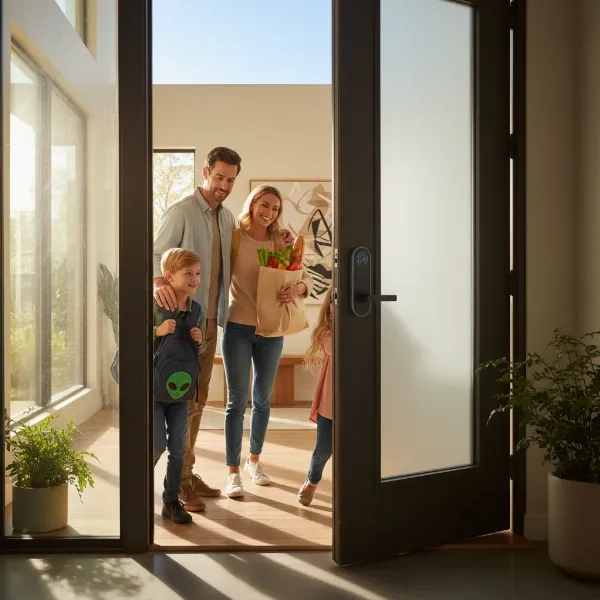
In an age where convenience harmonizes with robust protection, the smart door lock has redefined how we secure our homes. Forget the jingle of a key ring or the anxiety of a forgotten lock; these intelligent devices usher in a new era of peace of mind, allowing you to manage access with unprecedented ease and control. Whether you’re a seasoned homeowner or simply looking to fortify your entryway, selecting the right smart door lock is a pivotal step toward creating a safer, more connected living space. This comprehensive guide will navigate the intricacies of smart locks, helping you choose and implement the perfect solution for enhanced home security.
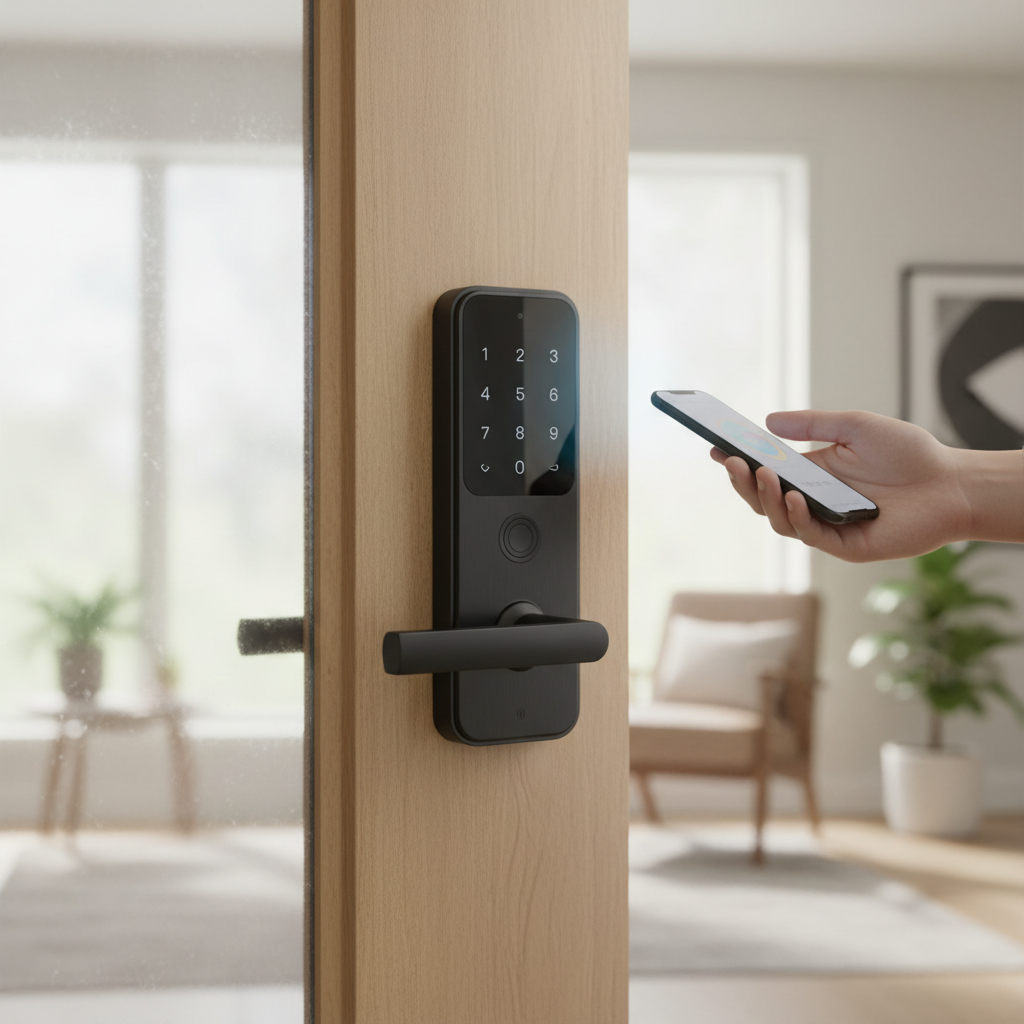
What is a Smart Door Lock? Why Should You Use One?
A smart door lock is an advanced electronic locking system that grants you keyless entry and provides control over your door’s access, often from anywhere in the world. Unlike traditional deadbolts that rely solely on a physical key, smart locks integrate seamlessly with modern technology, offering diverse unlocking methods and intelligent features.
The reasons to upgrade to a smart door lock are compelling, primarily revolving around enhanced security, unparalleled convenience, and advanced control. From a security standpoint, these locks go beyond basic locking mechanisms. Many models feature advanced encryption to deter hacking attempts, tamper alerts that notify you of suspicious activity, and auto-locking functions that ensure your door is never left unsecured. You can also grant temporary access codes to guests or service providers, revoking them instantly without the need for rekeying.
Convenience is another significant draw. Imagine arriving home with arms full of groceries and your door unlocking automatically as you approach, or letting in a family member from miles away with a tap on your smartphone. Smart locks eliminate the worry of lost or stolen keys and the hassle of hiding spares. For busy households, remote access, activity logs that track who enters and exits, and integration with other smart home devices like security cameras and voice assistants streamline daily routines and bolster overall home protection.
Popular Types of Smart Door Locks on the Market
The smart door lock market is rich with innovation, offering a variety of types designed to meet different security needs and preferences. Understanding these classifications is key to finding the ideal lock for your home.
By Unlocking Method
Smart locks provide a range of keyless entry options, moving beyond the conventional physical key.
- Fingerprint Recognition: Biometric locks scan unique fingerprints, offering a highly secure and swift entry method. They eliminate the need for codes or keys, making access effortless.
- PIN Code Keypads: These locks feature a numeric keypad where users enter a personal identification number (PIN) to unlock the door. Many models allow for multiple, customizable codes, which can be easily managed or revoked through a companion app.
- Smartphone App Control: Many smart locks are app-based, allowing you to lock and unlock your door remotely from your smartphone via Bluetooth or Wi-Fi. This method also often provides real-time notifications and activity logs.
- RFID and Key Fobs: Common in commercial settings but also available for homes, these locks open when a programmed card or fob is held near the reader.
- Facial Recognition: Some advanced models incorporate facial recognition technology, providing a truly hands-free unlocking experience by scanning an authorized face.
- Traditional Key Backup: Most smart locks offer a traditional key override as a backup, ensuring you can still access your home even if the battery dies or technology malfunctions.
|
Our Picks for the Best Smart door lock in 2026
As an Amazon Associate I earn from qualifying purchases.
|
||
| Num | Product | Action |
|---|---|---|
| 1 | eufy Security Smart Lock C220, Fingerprint Keyless Entry Door Lock, Built-in Wi-Fi, App Remote Control, Front Door Smart Lock Deadbolt, 8Months Battery, Reliable Power, IP53 Waterproof, BHMA Grade 3 |

|
| 2 | Smart Door Handle Lock with Keypad: Yamiry Fingerprint Smart Knob - Keyless Entry Digital Lock for Front Door - Deadbolt with APP - Generate Passcode Remotely - DIY Installation |
|
| 3 | TEEHO TE001 Keyless Entry Door Lock with Keypad - Smart Deadbolt Lock for Front Door with 2 Keys - Auto Lock - Easy Installation - Satin Nickel |
|
| 4 | Philips Wi-Fi Door Lock, WiFi Smart Lock Keyless Entry Deadbolt for Front Door, Compatible with Alexa & Google Assistant, Remote Control, Built-in WiFi, APP Fingerprint Passcode Unlock, Auto Locking |
|
| 5 | Keypad Smart Door Lock with Knob, Yamiry Keyless Entry Digital Lock with Handle, Fingerprint Electronic Knob for Front Door |
|
| 6 | Philips WiFi Keypad Door Lock with Handle, Built-in WiFi, APP Remote Control, Voice & Fingerprint Unlock, Smart Locks for Front Door with Auto Lock, Digital Front Door Lock Set, Keyless Entry Deadbolt |
|
| 7 | TEEHO TE001 Keyless Entry Door Lock with Keypad - Smart Deadbolt Lock for Front Door with 2 Keys - Auto Lock - Easy Installation - Matte Black |
|
| 8 | Veise VE017 Fingerprint Smart Door Lock, App Control, 8-in-1 Keyless Entry, Auto Lock, Emergency Power Port, Electronic Touchscreen Keypad, Biometric Smart Locks for Front Door, Matte Black |
|
| 9 | eufy Security Smart Lock C30, Keyless Entry Door Lock, Built-in WiFi Keypad Deadbolt for Front Door, No Bridge Required, Easy Installation, App Remote Control, Reliable Power, BHMA Grade 3 |
|
| 10 | Schlage Encode Smart Wi-Fi Deadbolt Lock with Touchscreen Keypad, Keyless Front Door Entry, App Control, Alexa, Google Home and Airbnb Compatible, Matte Black, BE489WB CEN 622 |
|
By Connectivity
The way a smart lock connects determines its remote capabilities and integration potential.
- Wi-Fi: Wi-Fi-enabled locks connect directly to your home network, allowing for real-time remote control from anywhere with an internet connection. While highly convenient, they can consume more battery power.
- Bluetooth: Bluetooth locks offer local control, meaning you can unlock your door when you are within a limited range of the lock, typically using your smartphone. They are energy-efficient but require a hub or bridge for remote access.
- Z-Wave and Zigbee: These protocols are popular in smart home ecosystems, offering secure, low-power mesh networks. They require a compatible smart home hub to connect to the internet and integrate with other devices, providing excellent overall home automation.
By Design
Smart locks are also categorized by their physical design and how they replace or augment existing door hardware.
- Deadbolt Smart Locks: These are the most prevalent type for exterior doors, either replacing an existing deadbolt entirely or automating its function. They offer robust security and are a straightforward upgrade for many homes.
- Lever-Style Smart Locks: Combining a handle and lock in one unit, these are often found on interior doors or in commercial settings where ease of use is a priority.
- Mortice Locks: These advanced locks are built into the door’s edge and often feature multiple locking points, blending seamlessly with the door’s aesthetics while offering high security.
- Rim Locks and Glass Door Locks: Specific designs cater to particular door types, such as rim locks for surface-mounted applications or specialized locks for glass doors, providing secure, keyless entry solutions for a wider range of entryways.
Comparing Top Smart Door Lock Brands
Choosing from the myriad of smart lock brands can be daunting. Leading manufacturers distinguish themselves through a combination of security features, design, integration capabilities, and user experience. Here’s a comparison of some of the top brands recognized in the market:
| Brand | Key Features & Strengths | Connectivity | Security Rating | Price Range | Integration Ecosystems |
|---|---|---|---|---|---|
| August | Retrofit design, auto-unlock/lock, robust guest access. | Wi-Fi, Bluetooth | BHMA Grade 1 | Mid-High | Alexa, Google Assistant, Apple HomeKit, Airbnb |
| Yale | Legacy security expertise, diverse designs (touchscreen, mortice), HomeKit. | Wi-Fi, Bluetooth | BHMA Grade 1 | Mid-High | Alexa, Google Assistant, Apple HomeKit, Samsung SmartThings |
| Schlage | Durable, stylish designs, strong physical security, built-in alarms. | Wi-Fi, Z-Wave, Bluetooth | BHMA Grade 1 | Mid-High | Alexa, Google Assistant, Apple HomeKit, Ring |
| Kwikset | Rekey-friendly, SmartKey technology, budget-friendly options. | Bluetooth, Z-Wave | BHMA Grade 2 | Low-Mid | Alexa, Google Assistant, Apple HomeKit (select models) |
| Ultraloq | Multi-access options (fingerprint, keypad, app), durable. | Wi-Fi, Bluetooth | BHMA Grade 1 | Mid | Alexa, Google Assistant, IFTTT |
| Lockly | Patented PIN Genie keypad, advanced fingerprint sensors, video doorbells. | Wi-Fi, Bluetooth | BHMA Grade 2 | Mid-High | Alexa, Google Assistant |
| Eufy | Integrated video doorbell options, strong battery life, local storage. | Wi-Fi, Bluetooth | BHMA Grade 2 | Mid | Alexa, Google Assistant |
| Level | Invisible design, integrates into existing deadbolt, Apple Home Key. | Bluetooth | BHMA Grade 1 | High | Apple HomeKit |
BHMA (Builders Hardware Manufacturers Association) ratings: Grade 1 (highest security), Grade 2 (residential security), Grade 3 (basic residential security).
Top Smart Door Lock Models for Enhanced Security
Here’s a detailed comparison of some of the best smart door lock models currently available, highlighting their unique features and user ratings to help you make an informed decision:
| Model | Price Range | Unlocking Methods | Special Features | Security Rating | User Rating (out of 5) | Ideal For |
|---|---|---|---|---|---|---|
| August Wi-Fi Smart Lock | $200-$250 | App, Auto-unlock, Voice, Key | Retrofit existing deadbolt, DoorSense open/close sensor, virtual keys | BHMA Grade 1 | 4.5 | Renters, Smart Home Ecosystems, Guest Management |
| Yale Assure Lock 2 | $200-$300 | Keypad, App, Voice, Key (optional) | Sleek design, quiet mechanism, HomeKit compatible, tamper alerts | BHMA Grade 1 | 4.4 | Apple HomeKit users, modern aesthetics, high security |
| Schlage Encode Plus | $250-$300 | Keypad, App, Voice, Key, Apple Home Key | Built-in Wi-Fi, robust physical security, instant alerts, Apple Home Key | BHMA Grade 1 | 4.6 | Families, Apple ecosystem users, maximum protection |
| Ultraloq U-Bolt Pro WiFi | $180-$250 | Fingerprint, Keypad, App, Voice, Key, Shake to Open | 6-in-1 keyless entry, anti-peep keypad, dual data encryption | BHMA Grade 1 | 4.3 | Biometric preference, versatile access, strong security |
| Lockly Visage Zeno Series | $350-$450 | Facial Recognition, Fingerprint, Keypad, App, Key, Voice | Integrated facial recognition, dynamic PIN Genie keypad, HD video doorbell | BHMA Grade 2 | 4.2 | Tech enthusiasts, premium security, all-in-one solution |
| Eufy Smart Lock Touch | $200-$250 | Fingerprint, Keypad, App, Key | Fast fingerprint recognition (0.3s), anti-peep, durable construction | BHMA Grade 2 | 4.4 | Quick access, reliable performance, good value |
How to Choose the Right Smart Door Lock
Selecting the perfect smart door lock involves a thoughtful evaluation of your unique needs and property specifics. It’s about finding a balance between robust security, seamless convenience, and smart home integration.
Determine Your Usage Needs
Consider who will be using the lock and how. For a busy family, fingerprint access might be ideal for quick entry, while for a rental property, temporary access codes and remote management are essential. If you frequently have deliveries or caregivers, remote unlocking and activity logs become invaluable. Offices might prioritize robust access control and integration with existing security systems.
Set a Realistic Budget
Smart locks vary widely in price, from budget-friendly options around $100 to premium models exceeding $400. Higher-priced locks often offer more advanced features like facial recognition, built-in cameras, or superior encryption. Define your budget, but remember that compromising on security for a lower price might not be the wisest long-term decision.
Essential Features to Look For
Prioritize features that align with your security and lifestyle requirements:
- Multiple Access Methods: The more options you have (fingerprint, keypad, app, physical key), the less likely you are to get locked out.
- Remote Access and Monitoring: Crucial for managing your door when you’re away, checking lock status, and receiving alerts.
- User Code Management: The ability to create, revoke, and schedule temporary or permanent access codes for different individuals.
- Activity Logs: Provides a history of who entered and exited, offering an extra layer of security insight.
- Security Certifications: Look for ANSI/BHMA Grade 1 locks, which indicate the highest level of strength and durability.
- Strong Encryption: Ensures your digital data and communications with the lock are secure from cyber threats.
- Battery Life and Backup: Consider locks with long battery life and reliable low-battery alerts, along with a physical key override.
- Smart Home Integration: If you already have a smart home ecosystem (Alexa, Google Assistant, Apple HomeKit), ensure the lock is compatible.
Check Door Compatibility and Thickness
Not all smart locks fit all doors. Before purchasing, measure your door’s thickness, the diameter of the bore hole (the main hole for the lock), and the backset (the distance from the edge of the door to the center of the bore hole). Most smart locks are designed for standard deadbolt holes and thicknesses, but it’s vital to confirm specifications to avoid installation issues.
Choose a Reputable Brand with Good Support
Opt for established brands known for their quality, reliability, and customer support. Look for companies that provide clear installation guides, responsive customer service, and regular firmware updates to address security vulnerabilities and improve functionality. Checking online reviews for ease of installation and daily use can also provide valuable insights.
How to Install and Use a Smart Door Lock
Installing a smart door lock is a relatively straightforward process for most homeowners, often requiring only basic tools. While specific steps vary by model, the general procedure involves replacing your existing deadbolt.
Tools You’ll Need
Typically, you’ll only need a Philips head screwdriver. Some installations might benefit from a flathead screwdriver, a tape measure, and occasionally a hammer, especially if adjusting an older strike plate.
Basic Installation Steps
- Remove Your Old Lock: Begin by unscrewing and removing your existing deadbolt and any associated hardware from both sides of the door.
- Install the New Latch/Deadbolt: Slide the new deadbolt mechanism into the edge of your door, ensuring it’s correctly oriented (often with an “UP” indicator). Secure it with the provided screws.
- Mount the Exterior Keypad/Assembly: Feed the smart lock’s cable through the main bore hole to the interior side of the door. Position the exterior component flush against the door, making sure the spindle (the piece that connects the interior and exterior mechanisms) aligns with the deadbolt.
- Connect the Interior Assembly: Attach the interior mounting plate, routing the cable neatly. Connect the cable from the exterior unit to the port on the interior assembly. Align the interior assembly with the mounting plate and secure it with screws.
- Power On and Test: Insert the recommended batteries (usually AA) and close the battery cover. The lock may perform an automatic door handing process. Test the lock manually using the thumbturn and then with the default code or your new user code to ensure the bolt extends and retracts smoothly.
“A well-installed smart lock isn’t just about security; it’s about peace of mind. Taking your time with the alignment and calibration steps ensures flawless operation and prevents common issues down the line.” – John Smith, Senior Locksmith Technician.
Setting Up and Using Features
After physical installation, the next step is typically digital setup via the manufacturer’s smartphone app.
- Download the App: Install the official app for your smart lock from your device’s app store.
- Pair the Lock: Follow the in-app instructions to pair your smart lock with your smartphone, usually via Bluetooth.
- Connect to Wi-Fi (if applicable): If your lock is Wi-Fi enabled, the app will guide you through connecting it to your home’s Wi-Fi network for remote access.
- Calibrate (if needed): Some locks require calibration to determine the door’s opening and closing direction.
- Set Up Access Codes/Biometrics: Create master codes, individual user PINs, register fingerprints, or enable facial recognition according to the lock’s capabilities.
- Configure Smart Features: Explore the app to set up auto-locking schedules, temporary access codes, guest permissions, activity alerts, and integrate with your existing smart home system.
Maintenance Tips
- Regular Battery Checks: Most apps provide battery status, but it’s good practice to check and replace batteries proactively, ideally every 6-12 months.
- Keep it Clean: Periodically wipe the keypad and fingerprint sensor with a soft, dry cloth to prevent dust and debris buildup, which can affect functionality.
- Firmware Updates: Always install firmware updates when prompted by the app. These often include security patches and performance improvements.
- Door Alignment: Ensure your door and frame remain properly aligned. A misaligned door can cause the deadbolt to jam, leading to operational issues.
Common Smart Door Lock Problems and How to Fix Them
Even the best technology can encounter hiccups. Understanding common smart door lock issues and their solutions can help you maintain optimal security and convenience.
Sudden Battery Depletion
- Problem: Your smart lock suddenly stops responding or shows a low battery warning unexpectedly.
- Cause: Old batteries, frequent usage, or persistent connectivity issues can drain batteries faster.
- Solution: Replace all batteries with fresh, high-quality alkaline or lithium batteries, ensuring they are inserted correctly according to polarity. Many locks have a physical key override as a backup. Consider setting up a recurring reminder to check battery levels.
Forgotten Passwords or Lost Key Fobs
- Problem: You can’t remember your PIN code, or a registered key fob/card is lost.
- Cause: Human error or misplacement.
- Solution: For forgotten PINs, access your smart lock’s app to view, reset, or create a new code. If you lose a key fob or card, immediately revoke its access through the app to prevent unauthorized entry. Ensure your app has multi-factor authentication for added security.
Fingerprint Recognition Issues
- Problem: The lock consistently fails to recognize a registered fingerprint.
- Cause: Dirt or moisture on the sensor or finger, a poorly registered print, or damage to the sensor.
- Solution: Clean the fingerprint sensor thoroughly with a soft, dry cloth. Ensure your finger is clean and dry when attempting to unlock. If problems persist, try re-registering your fingerprint in the app, ensuring a clear and complete scan. If the sensor is damaged, contact customer support.
Connectivity Problems
- Problem: Your smart lock loses connection to Wi-Fi or Bluetooth, preventing remote control or app-based unlocking.
- Cause: Weak Wi-Fi signal, router issues, Bluetooth interference, or outdated firmware.
- Solution:
- Check Signal: Ensure your Wi-Fi router is working correctly and your lock is within an optimal range. Consider a Wi-Fi extender if the signal is weak.
- Restart Devices: Reboot your smartphone, smart lock (if possible, by removing batteries), and Wi-Fi router.
- Update Software: Check for and install any available firmware updates for your lock and ensure the companion app on your phone is up-to-date.
- Reconnect: In your phone’s Bluetooth settings or the smart lock app, remove and then re-pair or reconnect the lock.
- Reduce Interference: Other wireless devices or physical obstructions (thick walls, metal doors) can interfere with signals. Try moving any interfering devices.
Conclusion
Embracing a smart door lock is more than just a technological upgrade; it’s an investment in the security, convenience, and peace of mind for your home. From keyless entry and remote access to customizable user codes and real-time activity logs, these devices offer a comprehensive solution to modern security challenges. By carefully considering your needs, researching reputable brands, and understanding the installation and maintenance processes, you can confidently choose the best smart door lock to fortify your home.
Are you ready to experience the next level of home security? Explore the possibilities and discover how a smart door lock can transform your daily life.
Frequently Asked Questions
What makes a smart door lock more secure than a traditional one?
Smart door locks offer enhanced security through features like advanced encryption, tamper alerts, activity logs, and the ability to instantly revoke access codes, eliminating the vulnerabilities of lost or copied physical keys. They also integrate with home security systems for a multi-layered defense.
Do smart door locks work during a power outage or Wi-Fi failure?
Yes, most smart door locks are designed to function during power outages as they are typically battery-powered. While remote access via Wi-Fi would be unavailable, local unlocking methods such as keypads, fingerprints, or traditional physical keys usually remain operational.
How long do smart lock batteries typically last?
The battery life of a smart door lock varies depending on usage frequency, connectivity type (Wi-Fi drains faster than Bluetooth), and battery quality. On average, you can expect batteries to last between 6 to 12 months, with most locks providing low-battery warnings well in advance.
Can smart locks be hacked?
While no security system is entirely impenetrable, reputable smart locks employ robust encryption and security protocols (like AES-128 or AES-256) to resist hacking attempts. The risk is generally low, and manufacturers regularly release firmware updates to patch any discovered vulnerabilities.
Is professional installation required for smart door locks?
For most standard deadbolt replacements, smart door lock installation is designed to be DIY-friendly, requiring only basic tools and following the manufacturer’s instructions. However, professional installation can be beneficial for complex setups or if you prefer expert assistance.