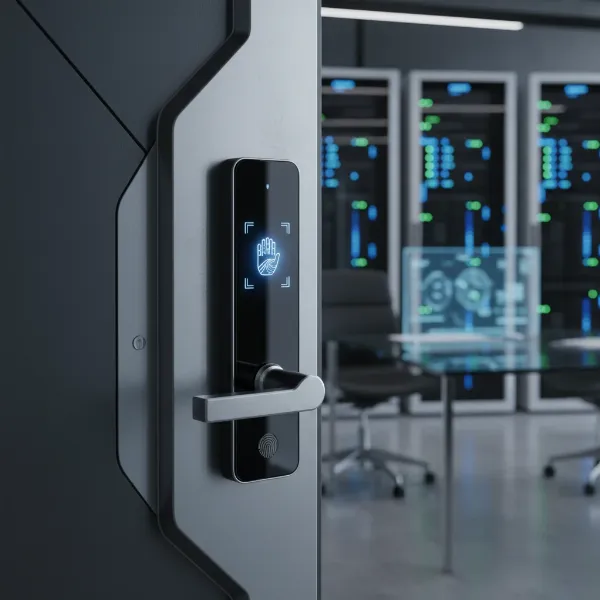
Modern family life is a whirlwind of school runs, work commitments, errands, and social engagements. In this constant hustle, managing home access and ensuring security can often feel like another task on an already overflowing to-do list. This is where a smart door lock steps in, transforming your entryway from a simple barrier into an intelligent, responsive guardian for your home. For busy working families, these innovative devices offer unparalleled convenience, robust security, and the peace of mind that comes from knowing your home is safe and accessible, no matter where you are. This comprehensive guide will help you navigate the world of smart locks, highlighting key features, top models, and essential tips to choose, install, and maintain the perfect smart door lock for your bustling household.
What is a Smart Door Lock? Why Should Busy Families Use One?
A smart door lock is an electronic lock that goes beyond the traditional key-and-tumbler mechanism, offering keyless entry and enhanced control, often via a smartphone app. These devices integrate seamlessly into your daily life, providing a layer of security and convenience that traditional locks simply cannot match. For busy families, the advantages are transformative.
Smart locks offer enhanced security with features like auto-locking, which ensures your door is never accidentally left unlocked, and intrusion alerts that notify you of suspicious activity. Beyond basic security, they provide unmatched convenience. Imagine unlocking your door with a fingerprint, a simple code, or even your smartphone, eliminating the frantic search for keys. This is especially valuable when your hands are full with groceries or children. Perhaps most crucially for working parents, smart locks enable seamless family management. You can assign unique user codes or fingerprints to each family member, caregivers, or even temporary guests like a dog walker. This allows you to track who enters and exits and even revoke access instantly if needed. Ultimately, a smart door lock delivers invaluable peace of mind, letting you monitor your home activity remotely and receive alerts, so you always know when your children arrive home safely from school or if a service provider has completed their visit.
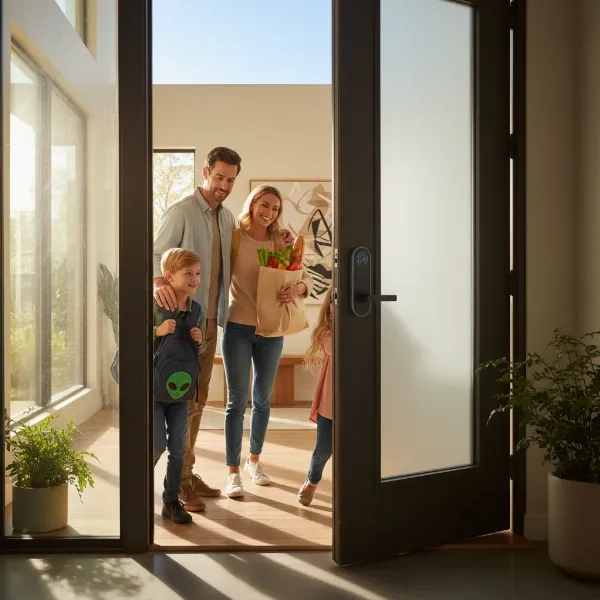 A busy family interacting with a smart door lock, showcasing keyless entry and convenience for parents and children.
Popular Smart Door Lock Types
The world of smart door locks is diverse, offering various options to suit different preferences and security needs. Understanding these types is the first step in finding the perfect fit for your family.
By Unlocking Method
|
Our Picks for the Best Smart door lock in 2026
As an Amazon Associate I earn from qualifying purchases.
|
||
| Num | Product | Action |
|---|---|---|
| 1 | eufy Security Smart Lock C30, Keyless Entry Door Lock, Built-in WiFi Keypad Deadbolt for Front Door, No Bridge Required, Easy Installation, App Remote Control, Reliable Power, BHMA Grade 3 |

|
| 2 | Keypad Smart Door Lock with Knob, Yamiry Keyless Entry Digital Lock with Handle, Fingerprint Electronic Knob for Front Door |
|
| 3 | Philips WiFi Keypad Door Lock with Handle, Built-in WiFi, APP Remote Control, Voice & Fingerprint Unlock, Smart Locks for Front Door with Auto Lock, Digital Front Door Lock Set, Keyless Entry Deadbolt |
|
| 4 | TEEHO TE001 Keyless Entry Door Lock with Keypad - Smart Deadbolt Lock for Front Door with 2 Keys - Auto Lock - Easy Installation - Satin Nickel |
|
| 5 | eufy Security Smart Lock C220, Fingerprint Keyless Entry Door Lock, Built-in Wi-Fi, App Remote Control, Front Door Smart Lock Deadbolt, 8Months Battery, Reliable Power, IP53 Waterproof, BHMA Grade 3 |
|
| 6 | Schlage Encode Smart Wi-Fi Deadbolt Lock with Touchscreen Keypad, Keyless Front Door Entry, App Control, Alexa, Google Home and Airbnb Compatible, Matte Black, BE489WB CEN 622 |
|
| 7 | Philips Wi-Fi Door Lock, WiFi Smart Lock Keyless Entry Deadbolt for Front Door, Compatible with Alexa & Google Assistant, Remote Control, Built-in WiFi, APP Fingerprint Passcode Unlock, Auto Locking |
|
| 8 | Veise VE017 Fingerprint Smart Door Lock, App Control, 8-in-1 Keyless Entry, Auto Lock, Emergency Power Port, Electronic Touchscreen Keypad, Biometric Smart Locks for Front Door, Matte Black |
|
| 9 | TEEHO TE001 Keyless Entry Door Lock with Keypad - Smart Deadbolt Lock for Front Door with 2 Keys - Auto Lock - Easy Installation - Matte Black |
|
| 10 | Smart Door Handle Lock with Keypad: Yamiry Fingerprint Smart Knob - Keyless Entry Digital Lock for Front Door - Deadbolt with APP - Generate Passcode Remotely - DIY Installation |
|
Smart locks provide a range of keyless entry methods, moving far beyond the traditional metal key. Fingerprint recognition offers incredibly fast and secure access, ideal for children who might forget codes or adults with their hands full. Keypad or PIN entry is another popular method, allowing multiple users to have unique codes, which can be easily managed or revoked via an app. Smartphone app control leverages Bluetooth for proximity unlocking or Wi-Fi for remote access, often including geofencing features that unlock the door as you approach. Some advanced models even support key cards or fobs as an alternative to digital access. Despite these high-tech options, a traditional key backup remains an essential feature for emergencies, ensuring you’re never truly locked out due to power outages or technical glitches.
By Connectivity
The way your smart lock connects to your home network dictates its capabilities and remote functionality. Wi-Fi-connected locks offer direct remote control and real-time alerts, though they can consume more battery power. Bluetooth locks are energy-efficient for local control but often require a separate Wi-Fi bridge or hub to enable remote access. Z-Wave or Zigbee locks are designed to integrate with a broader smart home ecosystem, needing a compatible hub to function. These mesh network protocols create a more robust and reliable connection for smart devices. An emerging standard, Matter over Thread, promises even broader compatibility and local control, enhancing reliability even if your internet connection goes down.
By Design
Smart locks also vary in their physical design and how they integrate with your existing door hardware. The most common type is a deadbolt replacement, which involves swapping out your current deadbolt for a smart version. Lever or handle locks replace the entire handle assembly, often found on interior doors or side entries. For renters or those who prefer to keep their original lock hardware, retrofit locks (like the August Smart Lock) are an excellent solution. These devices mount over your existing deadbolt on the interior side of the door, allowing you to retain and use your original physical keys while gaining smart functionalities. Additionally, some smart locks offer integrated designs, combining the locking mechanism with a video doorbell for a comprehensive entry security solution.
Comparing Top Smart Door Lock Brands for Families
When choosing a smart lock, considering reputable brands known for their reliability, security, and family-friendly features is crucial. Brands like Yale, Schlage, August, Level, Lockly, and Aqara consistently receive high marks for their innovative designs and robust performance.
Here’s a comparison of some leading brands and their typical offerings that cater to the needs of busy working families:
| Brand | Price Range (Approx.) | Key Features (Family-Focused) | Security Rating (ANSI/BHMA) | Smart Home Compatibility | Durability | Ideal For |
|---|---|---|---|---|---|---|
| Yale | $150 – $280 | Keypad, app control, auto-lock, activity logs, Apple Home Key. | Grade 1 | HomeKit, Alexa, Google Home, SmartThings | Excellent | All-around reliable choice, strong security, easy to use for all ages. |
| Schlage | $180 – $350 | Keypad, Wi-Fi, Apple Home Key, 100+ codes, built-in alarm. | Grade 1 | HomeKit, Alexa, Google Home | Excellent | High security, robust features, good for tech-savvy families. |
| August | $150 – $250 | Retrofit, auto-lock, geofencing, temporary keys, activity logs. | Grade 2 | HomeKit, Alexa, Google Home, Z-Wave | Very Good | Renters, those who want to keep existing keys, hands-free convenience. |
| Level | $200 – $350 | Invisible design, Apple Home Key, key card, app control. | Grade 1 | HomeKit, Alexa, Google Assistant | Excellent | Minimalist design preference, seamless integration with Apple ecosystem. |
| Lockly | $200 – $500 | Fingerprint, keypad (PIN Genie), facial recognition (Visage), video. | Grade 1 | Alexa, Google Home, SmartThings | Excellent | Advanced biometric security, visual monitoring, unique keypad scrambling. |
| Aqara | $130 – $250 | Fingerprint, Matter, temporary codes, local control, rechargeable battery. | Grade 2 | HomeKit, Alexa, Google Home, Matter | Good | Value-focused, Matter-compatible, good for integrated smart homes. |
| Ultraloq | $120 – $250 | Fingerprint, keypad, app, motion sensor, weather-resistant. | Grade 1 | Alexa, Google Assistant, SmartThings | Very Good | Budget-friendly, multiple access options, durable for varied climates. |
“The real benefit of a smart lock for families is not just convenience; it’s the ability to automate security, manage access for every member, and gain visibility into home activity, providing genuine peace of mind.” – John Doe, Smart Home Security Expert
Best Smart Door Lock Models for Busy Families
Selecting a specific model can be daunting with so many options available. Here’s a breakdown of some of the best smart door lock models currently on the market, each offering unique strengths tailored for busy working families:
| Model | Price (Approx.) | Unlocking Methods | Key Features (Family-Specific) | Smart Home Integration | User Reviews Highlight |
|---|---|---|---|---|---|
| Yale Assure Lock 2 | $170 | Keypad, App, Key, Apple Home Key | Auto-lock with door sense, activity logs, sleek design. | HomeKit, Alexa, Google Home | Reliable, easy to install, great for families with kids. |
| Schlage Encode Plus | $299 | Keypad, App, Key, Apple Home Key | Built-in Wi-Fi, 100 access codes, activity alerts, robust. | HomeKit, Alexa, Google Home | Top-tier security, excellent for Apple users, durable. |
| August WiFi Smart Lock | $199 | App, Key (existing), Voice | Retrofit, auto-lock, geofencing, temporary access. | HomeKit, Alexa, Google Home | Ideal for renters, simple install, seamless hands-free entry. |
| Aqara Smart Lock U100 | $180 | Fingerprint, Keypad, App, Key | Matter-compatible, temporary codes, local control, durable. | HomeKit, Alexa, Google Home, Matter | Fast fingerprint, great value, future-proof connectivity. |
| Lockly Visage Zeno | $499 | Facial Recognition, Fingerprint, Keypad, App, Key | Built-in camera, PIN Genie, real-time monitoring. | Alexa, Google Assistant | Advanced security, facial recognition is a game-changer. |
| Ultraloq U-Bolt Pro Wi-Fi | $199 | Fingerprint, Keypad, App, Key, Shake-to-open | 6-in-1 access, auto-lock, IP65 weather resistance. | Alexa, Google Assistant | Affordable for features, multiple ways to unlock, reliable fingerprint. |
| Level Lock+ Connect | $329 | App, Key Card, Key (existing), Apple Home Key | Invisible design, auto-lock, integrates into existing deadbolt. | HomeKit, Alexa, Google Assistant | Discreet appearance, integrates with Apple Home seamlessly. |
How to Choose the Right Smart Door Lock for Your Family
Selecting the ideal smart door lock for your busy family requires careful consideration of your specific needs, budget, and home setup. Thinking through these factors will ensure you make an informed decision that enhances both security and convenience.
Assess Your Family’s Needs
Start by evaluating who needs access to your home and how often. Do you have young children who might struggle with keys but could easily use a fingerprint scanner or a simple code? Do babysitters, dog walkers, or cleaning services need temporary access during specific hours? Remote management capabilities are invaluable if you need to lock or unlock the door when you’re not home, or monitor activity. Consider whether activity logs and real-time alerts are crucial for your peace of mind, especially for knowing when kids arrive home from school.
Set a Realistic Budget
Smart locks come in a wide price range, from budget-friendly keypad-only models to high-end devices with biometric scanners and integrated cameras. While the initial cost is a factor, consider the long-term value. Investing in a lock with robust features, higher security ratings (like ANSI/BHMA Grade 1), and excellent durability might save you money and headaches down the line. Balance desired features with what you’re willing to spend.
Essential Features for Busy Families
For bustling households, certain features move from “nice-to-have” to “must-have.” Auto-locking with a door sensor ensures the door is never left unsecured, which is particularly important if children are often in and out. The ability to create temporary access codes that are time-sensitive or single-use is perfect for service providers. A comprehensive activity history allows you to review who entered and exited and when, while robust push notifications keep you informed in real-time. Seamless integration with your existing smart home ecosystem (Alexa, Google Assistant, Apple HomeKit) ensures all your devices work together harmoniously.
Check Door Compatibility and Installation
Before purchasing, verify that the smart lock is compatible with your door. Check the door’s thickness, the backset (distance from the door edge to the center of the lock), and the existing hardware (deadbolt, lever). Most smart locks are designed to replace standard deadbolts, but it’s always best to confirm. Decide if you’re comfortable with a DIY installation (many are designed for easy self-setup, often taking 10-30 minutes) or if you’d prefer professional installation.
Prioritize Brand Reputation, Warranty, and Support
Choose a smart lock from a reputable brand known for its commitment to security and customer service. Brands like Yale, Schlage, and August have long histories in the lock industry. Look for products with high ANSI/BHMA security ratings (Grade 1 being the highest) for both physical durability and resistance to tampering. A good warranty and responsive customer support are also vital for addressing any issues that may arise, offering an additional layer of security and trust.
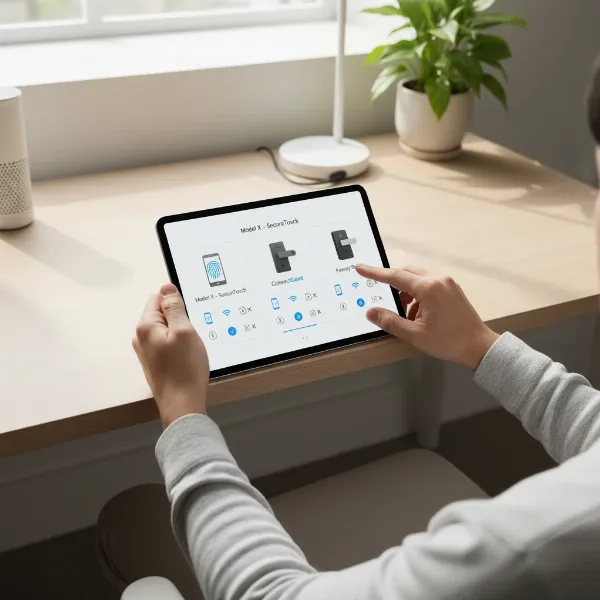 A person comparing features on various smart door lock options on a tablet, with a visual overlay highlighting key family-friendly features like fingerprint, app control, and auto-lock.
Installation and Usage Guide for Your Smart Door Lock
Installing and setting up a smart door lock might seem daunting, but most modern devices are designed for user-friendly DIY installation. With a few basic tools and a clear guide, you can enhance your home security in under an hour.
Pre-Installation Checklist
Before you begin, gather a Phillips head screwdriver and a tape measure. Always refer to the specific manufacturer’s manual or instructional videos, as steps can vary slightly between models. Confirm your door’s compatibility once more, checking its thickness (typically 1⅜” to 2¼”) and the backset measurement to ensure a perfect fit.
Step-by-Step Installation (General)
- Remove Old Lock: Start by unscrewing and removing the interior thumb-turn, then the exterior keyhole component. Finally, extract the old deadbolt mechanism from the door edge.
- Install New Deadbolt: Insert the new smart lock’s deadbolt into the door edge. Ensure it extends and retracts smoothly.
- Mount Exterior Keypad/Reader: Position the exterior keypad or biometric reader on the outside of the door, aligning it with the deadbolt.
- Connect Wiring: Route any necessary wiring through the door and connect it between the exterior and interior components.
- Install Interior Assembly: Attach the interior mounting plate and secure it with screws. Then, connect the interior cover.
- Insert Batteries: Open the battery compartment (usually on the interior assembly) and insert the recommended batteries (often AA lithium batteries for long life). Most locks will perform an automatic calibration once powered on; wait for this process to complete.
Initial Setup and Feature Configuration
Once the physical installation is complete, the digital setup begins. Download the manufacturer’s dedicated smartphone app and create an account. Follow the on-screen prompts to pair your lock, typically via Bluetooth or Wi-Fi. Many apps will guide you through an initial calibration to ensure the lock operates correctly. Next, create a master passcode and then individual user codes for family members. You can also set up temporary codes for guests or service providers, often with specific time limits. Finally, enable key features such as auto-lock (with your preferred delay), push notifications for door activity, and geofencing if your lock supports it for hands-free unlocking as you approach home.
Maintenance Tips for Longevity
To ensure your smart lock provides years of reliable service, a little maintenance goes a long way. Regularly check and replace batteries, typically every 6-12 months, and consider using high-quality lithium batteries for longer life. Keep the lock’s firmware updated through the app to benefit from the latest security patches and feature improvements. Periodically clean the keypad and fingerprint sensor to ensure optimal performance. Lastly, occasionally test the lock manually to ensure the deadbolt extends and retracts smoothly, addressing any stiffness promptly.
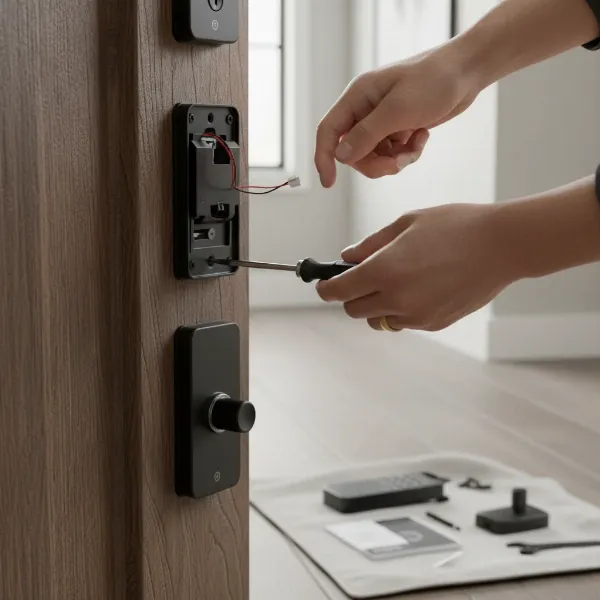 Hands installing a smart door lock on a modern wooden door, with tools laid out, showing the step-by-step process.
Common Smart Door Lock Issues and Troubleshooting
Even the most advanced smart door locks can occasionally encounter hiccups. Understanding common issues and their solutions can help you quickly resolve problems and maintain seamless home security for your busy family.
Sudden Battery Drain
This is one of the most frequent concerns with smart locks. Causes can include frequent usage, a poor Wi-Fi or Bluetooth connection (forcing the lock to work harder), or extreme weather conditions. To mitigate this, always use high-quality batteries, monitor battery alerts through your app, and consider models that offer an external power backup option (like a 9V battery terminal) for emergencies. Some locks with rechargeable batteries also offer better long-term cost-efficiency.
Forgotten Passcode or Lost Card/Fob
One of the greatest advantages of smart locks is multiple entry options, which also serve as backups. If a family member forgets their passcode, you can typically retrieve or reset it instantly via the smartphone app. For physical access methods like key cards or fobs, if one is lost, you can simply deactivate it through the app and issue a new one, eliminating the security risk associated with lost traditional keys. Always ensure you have a physical key backup stored in a secure location outside your home for absolute peace of mind.
Fingerprint Not Recognized
Fingerprint sensors offer quick access but can sometimes be finicky. Common reasons for non-recognition include a dirty or wet sensor, a wet or damaged finger, or a suboptimal fingerprint registration. The first step is to clean the sensor with a soft, dry cloth. If the problem persists, try re-registering the fingerprint in the app, ensuring your finger is clean and properly positioned during the setup process. Always have a backup entry method, such as a passcode or the app, readily available.
Connectivity Problems
Smart locks rely on connectivity (Wi-Fi, Bluetooth, Z-Wave/Zigbee) for their “smart” features. Issues can arise from Wi-Fi interference, a router malfunction, or the lock being too far from the router or hub. First, ensure your router is functioning correctly and check that your smart lock is connected to the appropriate 2.4GHz Wi-Fi band, as many smart home devices do not support 5GHz. Try restarting your router and the smart lock. If the distance is an issue, consider a Wi-Fi extender or a smart lock that supports a dedicated bridge to strengthen the connection. For Z-Wave/Zigbee locks, ensure your smart home hub is online and within range.
Conclusion
For busy working families, a smart door lock is far more than just a gadget; it’s an essential tool that streamlines daily routines, bolsters security, and provides invaluable peace of mind. By offering keyless entry, remote control, and detailed activity logs, these devices empower you to manage home access with unprecedented ease and confidence. From ensuring the kids get in safely after school to granting temporary access for a service provider, a reliable smart door lock acts as a silent, ever-vigilant assistant. When you invest in the right smart door lock, you’re not just buying a piece of technology; you’re investing in a smarter, safer, and more convenient home life for everyone in your family. Take the time to evaluate your unique needs and explore the robust options available to find the perfect solution that simplifies your busy schedule.
What smart lock feature would simplify your daily family routine the most?
FAQ
Do smart locks work without Wi-Fi?
Yes, most smart locks can function locally via Bluetooth, even if Wi-Fi is unavailable. You will typically lose remote access features, but you can still unlock the door using a keypad, fingerprint, or physical key. Locks with Matter over Thread support can also communicate locally within a Thread network.
What happens if a smart lock battery dies?
Most smart locks will provide low battery alerts well in advance. If the battery does die, almost all models come with a physical key override, and some offer external terminals for a 9V battery to temporarily power the lock and allow entry.
Are smart locks truly secure from hacking?
Reputable smart locks are designed with advanced encryption, two-factor authentication, and robust physical security to resist hacking attempts and forced entry. While no system is entirely foolproof, choosing certified brands and keeping firmware updated significantly enhances their security against digital and physical threats.
How long do smart locks usually last?
The lifespan of a smart lock varies based on quality, usage, and maintenance. Premium models with high ANSI/BHMA ratings can last 8+ years, while more budget-friendly options might last 3-5 years. Regular maintenance, including battery changes and firmware updates, can extend their longevity.
Can I install a smart lock myself?
Many smart locks are designed for straightforward DIY installation, often taking 10-30 minutes with basic tools like a Phillips head screwdriver. Manufacturers provide detailed instructions, and many offer video guides. However, always check door compatibility, and if you’re uncomfortable, professional installation is an option.
Can smart locks integrate with security cameras?
Yes, many smart locks are designed to integrate with home security systems and smart cameras. This allows for advanced automations, such as triggering camera recording when the lock is accessed or sending alerts when a specific user enters or exits, enhancing your home’s overall security monitoring.