The modern home is increasingly defined by its intelligence, and at the forefront of this evolution stands the smart door lock. Far from being just a gadget, a smart door lock transforms how we interact with our homes, blending advanced security with unparalleled convenience. Whether you’re a seasoned smart home enthusiast or simply seeking a more secure and streamlined way to manage your property, navigating the vast array of options can be daunting. This comprehensive guide will demystify the world of smart door locks, covering everything from their core benefits and diverse types to in-depth brand comparisons, helping you choose the perfect model for your lifestyle and ensuring peace of mind.
What is a Smart Door Lock? Why Should You Use One?
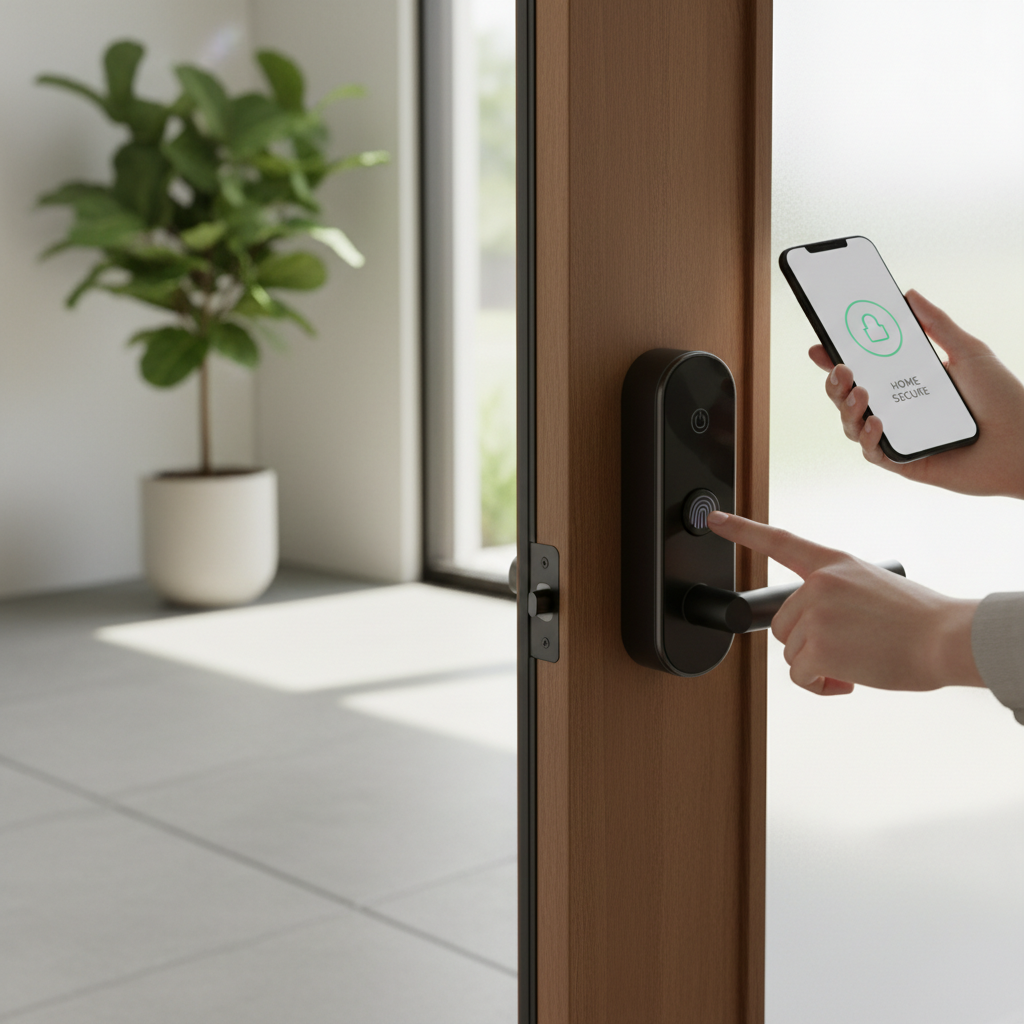
A smart door lock is an electronic locking system that replaces or augments your traditional deadbolt, offering advanced control over access to your property. Unlike conventional locks that rely solely on physical keys, smart locks use wireless technologies like Bluetooth or Wi-Fi to communicate with your smartphone or other smart devices. This integration allows for remote operation, real-time monitoring, and a host of features designed to enhance both security and daily convenience.
The benefits of upgrading to a smart door lock are manifold and cater to various needs. Primarily, they offer keyless convenience, eliminating the worry of lost keys or fumbling at the doorstep. Users can gain entry using PIN codes, fingerprint scans, smartphone apps, or even voice commands, simplifying daily routines. Beyond just unlocking, smart locks provide customizable access control, allowing homeowners to issue temporary codes to guests, service providers, or family members, often with set time limits. This level of control means you can manage who enters your home and when, even when you’re not there.
Furthermore, smart locks significantly enhance security through features like tamper alerts, auto-locking mechanisms, and activity logs that record every entry and exit. Many models integrate seamlessly with existing home security systems, offering a unified defense. Common use cases extend from busy families needing flexible access for children or pet-sitters, to property managers offering temporary entry to renters, and even businesses seeking better control over employee access. The ability to monitor your door’s status remotely, receive notifications, and secure your home from anywhere makes smart locks an intelligent investment for modern living.
[image-1|smart-lock-definition-benefits|A person unlocking a smart door lock with their smartphone app, showcasing keyless entry and convenience in a modern home setting.|
A close-up shot of a hand holding a smartphone, with a smart door lock visible on a sleek, modern front door in the background. The phone screen displays an app with an “Unlock” button. The scene is bright, well-lit, and conveys a sense of ease and technology integration. Realistic, bright lighting, slightly elevated angle.]
Types of Smart Door Locks on the Market
The smart door lock market boasts a diverse range of products, each designed with specific functionalities and aesthetic preferences in mind. Understanding these variations is crucial for selecting a lock that aligns perfectly with your requirements. Smart locks can generally be categorized by their unlocking methods, connectivity protocols, and physical design or installation type.
By Unlocking Method
The primary way you interact with a smart lock is through its unlocking mechanism, which can vary widely from simple keypads to advanced biometric scanners.
- Fingerprint (Biometric): These locks use unique biometric data, such as a fingerprint, to grant access. They offer high security and incredible convenience, allowing entry in a second without needing keys or codes.
- PIN/Keypad: A widely popular method, keypad locks require users to enter a numeric code on a physical or touchscreen keypad. They are excellent for guests or service providers, as codes can be easily issued and revoked.
- Smartphone App: Most smart locks come with a dedicated mobile app that allows you to lock and unlock your door from anywhere, manage user access, and monitor activity.
- Key Card (RFID/NFC): Some locks support access via RFID cards or NFC tags, similar to hotel room keys. This is convenient for users who prefer not to use their phone or a code.
- Traditional Key Override: Many smart locks include a physical key cylinder as a backup, ensuring access even in case of power failure or system malfunction.
- Voice Control, Geofencing, Facial Recognition: More advanced features include integration with voice assistants (Alexa, Google Assistant) for hands-free control, geofencing for auto-unlocking as you approach, and cutting-edge facial recognition for ultimate keyless entry.
|
Our Picks for the Best Smart door lock in 2026
As an Amazon Associate I earn from qualifying purchases.
|
||
| Num | Product | Action |
|---|---|---|
| 1 | Philips WiFi Keypad Door Lock with Handle, Built-in WiFi, APP Remote Control, Voice & Fingerprint Unlock, Smart Locks for Front Door with Auto Lock, Digital Front Door Lock Set, Keyless Entry Deadbolt |

|
| 2 | Smart Door Handle Lock with Keypad: Yamiry Fingerprint Smart Knob - Keyless Entry Digital Lock for Front Door - Deadbolt with APP - Generate Passcode Remotely - DIY Installation |
|
| 3 | Veise VE017 Fingerprint Smart Door Lock, App Control, 8-in-1 Keyless Entry, Auto Lock, Emergency Power Port, Electronic Touchscreen Keypad, Biometric Smart Locks for Front Door, Matte Black |
|
| 4 | Philips Wi-Fi Door Lock, WiFi Smart Lock Keyless Entry Deadbolt for Front Door, Compatible with Alexa & Google Assistant, Remote Control, Built-in WiFi, APP Fingerprint Passcode Unlock, Auto Locking |
|
| 5 | TEEHO TE001 Keyless Entry Door Lock with Keypad - Smart Deadbolt Lock for Front Door with 2 Keys - Auto Lock - Easy Installation - Matte Black |
|
| 6 | TEEHO TE001 Keyless Entry Door Lock with Keypad - Smart Deadbolt Lock for Front Door with 2 Keys - Auto Lock - Easy Installation - Satin Nickel |
|
| 7 | eufy Security Smart Lock C30, Keyless Entry Door Lock, Built-in WiFi Keypad Deadbolt for Front Door, No Bridge Required, Easy Installation, App Remote Control, Reliable Power, BHMA Grade 3 |
|
| 8 | eufy Security Smart Lock C220, Fingerprint Keyless Entry Door Lock, Built-in Wi-Fi, App Remote Control, Front Door Smart Lock Deadbolt, 8Months Battery, Reliable Power, IP53 Waterproof, BHMA Grade 3 |
|
| 9 | Keypad Smart Door Lock with Knob, Yamiry Keyless Entry Digital Lock with Handle, Fingerprint Electronic Knob for Front Door |
|
| 10 | Schlage Encode Smart Wi-Fi Deadbolt Lock with Touchscreen Keypad, Keyless Front Door Entry, App Control, Alexa, Google Home and Airbnb Compatible, Matte Black, BE489WB CEN 622 |
|
By Connectivity
The way a smart lock communicates with other devices and your home network is vital for its “smart” capabilities and remote functionality.
- Bluetooth: These locks connect directly to your smartphone when in proximity. They are typically energy-efficient but offer limited remote control without a separate Wi-Fi bridge.
- Wi-Fi: Wi-Fi-enabled locks connect directly to your home network, allowing remote control and monitoring from anywhere with an internet connection. They often consume more battery power than Bluetooth-only models.
- Z-Wave / Zigbee: These are mesh networking protocols designed specifically for smart home devices. They create a reliable and secure network, often requiring a compatible smart home hub for full functionality, but offer excellent range and battery life.
- Matter / Thread: Emerging as new smart home standards, Matter and Thread aim to unify connectivity across different brands and ecosystems, promising improved interoperability, faster response times, and enhanced energy efficiency.
By Design/Installation
Smart locks come in various physical forms to accommodate different door types and user preferences, from full replacements to subtle retrofits.
- Deadbolt Replacements: These locks entirely replace your existing deadbolt, offering a new, integrated smart lock unit. They often provide multiple access methods and a cohesive aesthetic.
- Retrofit Smart Locks: Designed to install over your existing deadbolt on the interior side of the door, these locks retain the exterior appearance of your traditional lock. They are ideal for renters or those who prefer a less conspicuous smart lock.
- Lever Handle Locks: These integrate the smart locking mechanism directly into a lever-style door handle, providing an all-in-one solution.
- Mortise Locks: Commonly found in apartments or in European and Asian markets, mortise smart locks are installed within a pocket cut into the door, known for their durability and robust security.
Comparing Top Smart Door Lock Brands
Choosing a smart door lock often begins with selecting a reputable brand, as quality, features, and support can vary significantly. Established players in the market offer a range of products catering to different needs and budgets. Here’s a comparison of some of the leading brands:
| Brand | Key Features | Security Rating | Smart Home Integration | Price Range (Approx.) |
|---|---|---|---|---|
| Yale | Elegant design, robust app, Matter support, key/keyless options | High (BHMA Grade 2/3) | Google Home, Alexa, Apple HomeKit, SmartThings | $150 – $350 |
| Schlage | ANSI Grade 1 deadbolts, durable, built-in alarms, PIN Genie | Highest (BHMA Grade 1) | Alexa, Google Home, Apple HomeKit, Ring | $200 – $400 |
| August | Retrofit design, DoorSense, auto-unlock, Airbnb integration | Good (retrofit) | Alexa, Google Home, Apple HomeKit, SmartThings, IFTTT | $150 – $250 |
| Kwikset | Affordable, SmartKey re-keying, fingerprint options, simple Wi-Fi | Medium (BHMA Grade 2/3) | Alexa, Google Home, SmartThings | $100 – $200 |
| Lockly | Patented PIN Genie keypad, 3D fingerprint sensor, facial recognition | High (BHMA Grade 2) | Alexa, Google Home, Apple HomeKit (some models) | $250 – $500 |
| Aqara | Matter/Thread support, fast fingerprint, NFC, versatile ecosystem | High (BHMA Grade 2) | Apple Home, Google Home, Alexa, HomeKit | $130 – $300 |
“The real advantage isn’t just technology, it’s peace of mind. Whether you replace locks with a mechanical system or upgrade to a smart solution, what matters most is knowing your lock works properly every time.”
Best Smart Door Lock Models Today: A Detailed Comparison
With numerous brands offering compelling smart lock solutions, pinpointing the “best” model depends on your specific priorities. This table highlights some of the top-rated smart lock models currently available, comparing their key features and user experiences.
| Model | Price (Approx.) | Unlocking Methods | Special Features | User Rating (out of 5) | Best For |
|---|---|---|---|---|---|
| Yale Assure Lock 2 | $200 – $250 | Keypad, App, Key, Fingerprint (optional) | Matter support, DoorSense, wide compatibility | 4.5 | Overall versatility, broad smart home users |
| Schlage Encode Plus | $300 – $350 | Keypad, App, Key, Apple Home Key | ANSI Grade 1 security, built-in alarm, Apple Home Key | 4.7 | Max security, Apple Home ecosystem |
| August Wi-Fi Smart Lock | $180 – $200 | App, Key (existing), Voice, Keypad (optional) | Retrofit design, auto-unlock/lock, DoorSense, Airbnb | 4.3 | Renters, preserving existing hardware |
| Lockly Secure Plus | $280 – $300 | Fingerprint, Keypad (PIN Genie), App, Key | 3D fingerprint, anti-peep keypad, offline codes | 4.6 | Advanced biometrics, privacy-focused |
| Aqara Smart Lock U100 | $130 – $150 | Fingerprint, Keypad, App, NFC, Key | Matter/Thread, rapid biometric, HomeKey compatible | 4.4 | Future-proof tech, Apple Home users |
| Kwikset Halo Touch | $150 – $180 | Fingerprint, Keypad, App, Key | Affordable fingerprint, SmartKey re-keying, Wi-Fi | 4.2 | Budget-conscious, simple fingerprint |
[image-2|smart-lock-models-comparison|A side-by-side display of three popular smart door lock models from different brands, highlighting their distinct designs and interfaces, representing a direct comparison.|
Three distinct smart door lock models are arranged side-by-side on a light-colored wooden surface, each showcasing its unique design. One might be a sleek keypad model, another a fingerprint-enabled lock, and the third a traditional-looking smart deadbolt. Clear, bright studio lighting, eye-level shot, professional product photography style.]
How to Choose the Right Smart Door Lock
Selecting the ideal smart door lock requires a thoughtful assessment of your specific needs, budget, and property characteristics. With so many options available, a structured approach can help you make an informed decision.
Assess Your Needs
Begin by defining what you truly need from a smart lock, as this will narrow down your options considerably.
- Homeowner vs. Renter: Homeowners have more freedom for installation, often opting for full deadbolt replacements. Renters, however, should look for retrofit models like the August Smart Lock that install over existing hardware and can be easily removed without permanent alterations. For rental properties, features like unique access codes for each tenant and activity logs are crucial for management.
- Security Level Required: Do you need top-tier security for a main entry point, or a simpler solution for an interior door? Look for locks with high ANSI/BHMA security grades (Grade 1 being the highest) and robust encryption (AES-128 or AES-256).
- Desired Convenience Features: Prioritize the unlocking methods that suit your lifestyle. Do you want fingerprint access for quick entry, or remote control via an app? Consider advanced features like auto-lock, auto-unlock (geofencing), or integration with a doorbell camera.
Budget Considerations
Smart locks range significantly in price, from entry-level options around $75-$100 to premium models with advanced features costing $400-$500. Most homeowners find a sweet spot in the $150-$250 range, which typically offers reliable connectivity, good build quality, and essential features like guest codes and activity logs. Remember to factor in any potential costs for smart home hubs if your chosen lock requires one for full functionality.
Essential Features to Look For
Beyond the basic locking and unlocking, certain features elevate the smart lock experience:
- Multiple Access Methods: The more options, the better, offering flexibility for different users and situations.
- Remote Control & Monitoring: The ability to lock/unlock from anywhere and receive real-time notifications is a core benefit.
- Temporary Access Codes: Essential for guests, cleaners, or contractors, allowing you to set specific access schedules.
- Activity Logs: A detailed record of who entered and when provides peace of mind and accountability.
- Battery Life & Backup Options: Look for locks with long battery life (6-12 months) and always ensure a physical key override or jump-start capability for emergencies.
- Integration with Smart Home Ecosystems: Compatibility with Alexa, Google Home, Apple HomeKit, or SmartThings ensures seamless operation with your existing devices.
Door Compatibility
Always check the dimensions and specifications of your existing door and deadbolt before purchasing. Most smart locks fit standard door thicknesses and bore holes, but variations exist. Consider the type of door (wood, metal, glass, sliding) as some locks are designed for specific applications. For instance, retrofit locks are great for standard deadbolts, while specialized locks exist for sliding doors or glass panels.
Brand Reputation and Support
Opt for brands known for their reliability, customer support, and regular firmware updates. Updates are crucial for patching security vulnerabilities and adding new features. A good warranty and responsive technical support can save a lot of hassle in the long run.
Installing and Using Your Smart Door Lock
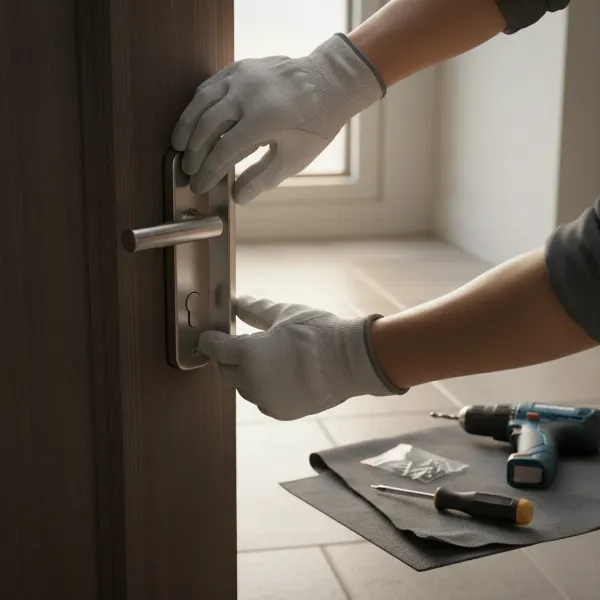
Installing a smart door lock might seem daunting, but most models are designed for DIY installation, often taking less than an hour. Following the manufacturer’s instructions is paramount, but here’s a general overview to prepare you.
Essential Tools
Before you begin, gather the necessary tools. Typically, you’ll need:
- A Phillips head screwdriver
- A tape measure
- Pencil
- (Occasionally) a power drill, chisel, or holesaw, especially for new installations or non-standard doors.
Step-by-Step Installation Basics
- Preparation: Carefully remove your existing deadbolt, making sure to identify the correct orientation of the latch bolt. Test your door’s alignment to ensure it closes smoothly, as even a slight misalignment can affect smart lock performance.
- Mounting the Latch and Strike Plate: Install the new smart lock’s latch into the door edge. Ensure it’s correctly oriented for your door’s swing. Then, install the strike plate on the door frame, aligning it precisely with the latch.
- Installing the Exterior Keypad/Front Assembly: Feed the necessary cables through the door’s cross-bore hole and attach the exterior component of the smart lock.
- Installing the Interior Assembly: Connect the interior assembly’s cable to the exterior one, align the spindle with the latch mechanism, and secure the interior unit to the door using screws.
- Test Mechanical Functionality: Before adding batteries, manually test the deadbolt to ensure it extends and retracts smoothly without resistance.
Digital Setup and App Integration
Once the physical installation is complete, the “smart” part begins:
- Download the App: Install the manufacturer’s dedicated mobile app on your smartphone.
- Pair the Lock: Follow the in-app instructions to pair your smart lock with your phone, usually involving pressing a button on the lock or scanning a QR code.
- Create Access Codes/Biometrics: Set up your master codes, user PINs, register fingerprints, or enable smartphone access.
- Connect to Wi-Fi/Hub (if applicable): If your lock is Wi-Fi enabled or requires a hub (for Z-Wave/Zigbee), connect it to your home network or hub for remote access and smart home integration.
- Customize Settings: Adjust auto-lock timers, notification preferences, and integrate with other smart home platforms like Alexa or Google Home.
Maintenance Tips
Regular maintenance ensures your smart lock operates optimally and extends its lifespan:
- Check Battery Levels: For battery-powered locks, regularly monitor battery levels via the app and replace them proactively with high-quality alkaline batteries. Keep a spare set handy.
- Keep it Clean: Occasionally wipe the keypad and fingerprint sensor with a clean, dry cloth to prevent dust or moisture interference.
- Firmware Updates: Always install firmware updates when prompted by the manufacturer, as these often contain security patches and performance improvements.
- Physical Inspection: Periodically check that all screws are tight and that the door and frame remain aligned for smooth operation.
Common Smart Door Lock Problems and Solutions
Even the most advanced smart door locks can encounter issues. Knowing how to troubleshoot common problems can save you a call to support and quickly restore your home’s security and convenience.
Sudden Battery Drain
If your smart lock’s batteries are dying unexpectedly fast, several factors could be at play:
- Cause: Cold weather can significantly reduce battery life. Poor quality batteries may also be a culprit. Frequent Wi-Fi connections or weak signal strength can cause the lock to constantly search for a connection, draining power.
- Solution: Use reputable, high-quality alkaline batteries. In cold climates, consider lithium batteries if supported. Ensure your Wi-Fi router is close enough for a strong, stable connection, or consider adding a Wi-Fi bridge if needed to reduce the lock’s effort in maintaining a signal.
Forgotten Codes or Lost Cards
One of the conveniences of smart locks is having multiple ways to enter, which also provides solutions for these common issues.
- Cause: Simply forgetting a PIN code is human. Misplacing an RFID card can also happen.
- Solution: Access your smart lock’s mobile app to retrieve or reset forgotten PIN codes. For lost cards, you can usually disable the compromised card and issue a new one through the app, maintaining security without needing to re-key. In a pinch, use a physical key override if available.
Fingerprint Reader Issues
Fingerprint sensors offer quick access but can sometimes be finicky.
- Cause: Dirty or wet fingers are common culprits. Scratches on the sensor or changes to your fingerprint (e.g., from dry skin, minor cuts) can also cause misreads.
- Solution: Ensure your fingers and the sensor are clean and dry. Try re-registering your fingerprint in the app to improve recognition. If the issue persists, try using an alternative unlocking method.
Connectivity Failures
Problems with your lock connecting to your phone or Wi-Fi can be frustrating.
- Cause: Outdated app firmware, weak Wi-Fi/Bluetooth signal, or router issues are frequent causes.
- Solution: First, ensure your smart lock app and the lock’s firmware are updated. Restart your smartphone and Wi-Fi router. Try pairing again, moving closer to the lock or router to ensure a strong signal. If issues persist, a factory reset of the lock and re-pairing might be necessary.
Lock Mechanism Problems
If the deadbolt is sticky or won’t engage smoothly, it’s often a mechanical issue.
- Cause: Door or frame misalignment is the most common reason. Warped doors or debris in the bolt hole can also prevent smooth operation.
- Solution: Check the door’s alignment and the strike plate’s position. Loosen the strike plate screws, adjust its position slightly to align perfectly with the deadbolt, and re-tighten. Ensure the door isn’t warped and closes fully. You can also apply a dry lubricant (not oil-based) to the deadbolt mechanism if it feels stiff. If problems continue, a full reinstallation might be needed to correct any underlying alignment errors.
Conclusion
Embracing smart door lock technology is a definitive step towards a more secure, convenient, and connected home. From the unparalleled ease of keyless entry to the advanced capabilities of remote access and comprehensive activity monitoring, these devices offer a level of control and peace of mind traditional locks simply cannot match. By understanding the diverse types, comparing leading brands and models, and carefully considering your personal needs, you can confidently select a smart lock that perfectly integrates into your lifestyle. With proper installation and simple maintenance, your smart door lock will serve as a reliable guardian, simplifying your daily routines and fortifying your home against potential threats. Are you ready to unlock the future of home security?
Frequently Asked Questions
Can smart locks be hacked?
While no lock is entirely impenetrable, reputable smart locks employ advanced encryption (like AES-128 or AES-256) and security protocols that make them significantly harder to hack than picking a traditional lock. Manufacturers regularly release firmware updates to address potential vulnerabilities, making it crucial to keep your lock’s software up to date.
What happens if the smart lock battery dies?
Most smart locks provide low battery warnings well in advance. In case of a complete battery drain, nearly all models offer backup access methods, such as a physical key override, a micro-USB port for temporary power, or a 9V battery jump-start terminal. Always ensure you know your lock’s specific backup method.
Can I install a smart lock myself?
Yes, most smart locks are designed for DIY installation, typically requiring only a screwdriver and basic hand tools. The process usually involves replacing your existing deadbolt and following step-by-step instructions provided in the manufacturer’s app or manual. However, professional installation is also an option if you’re uncomfortable with the process.
Are smart locks compatible with all doors?
While many smart locks fit standard door sizes and deadbolt preparations, it’s essential to check compatibility before purchasing. Factors like door thickness, bore hole dimensions, and the type of door (e.g., wood, metal, glass, sliding) can affect installation. Retrofit locks are generally more versatile for existing setups.
Do I need a smart home hub for my smart lock?
It depends on the lock and your desired functionality. Many Wi-Fi enabled locks connect directly to your home network without a separate hub, offering remote control. Bluetooth-only locks typically need to be in close proximity to your phone, while Z-Wave or Zigbee locks usually require a compatible smart home hub for remote access and integration with other devices. Locks supporting Matter are designed for broader compatibility.
How do smart locks handle temporary guest access?
Smart locks excel at temporary access management. Through the associated mobile app, you can generate unique PIN codes that are active only for specific dates and times. These codes can be easily shared with guests, cleaners, or contractors and can be revoked instantly once access is no longer needed, providing flexibility and enhanced security.